Job costing software that keeps every job’s profit up to date
Jobber's job costing software tracks labor, materials, and expenses as work happens. Every job's profit margin stays current—no spreadsheets, no shoebox of receipts.
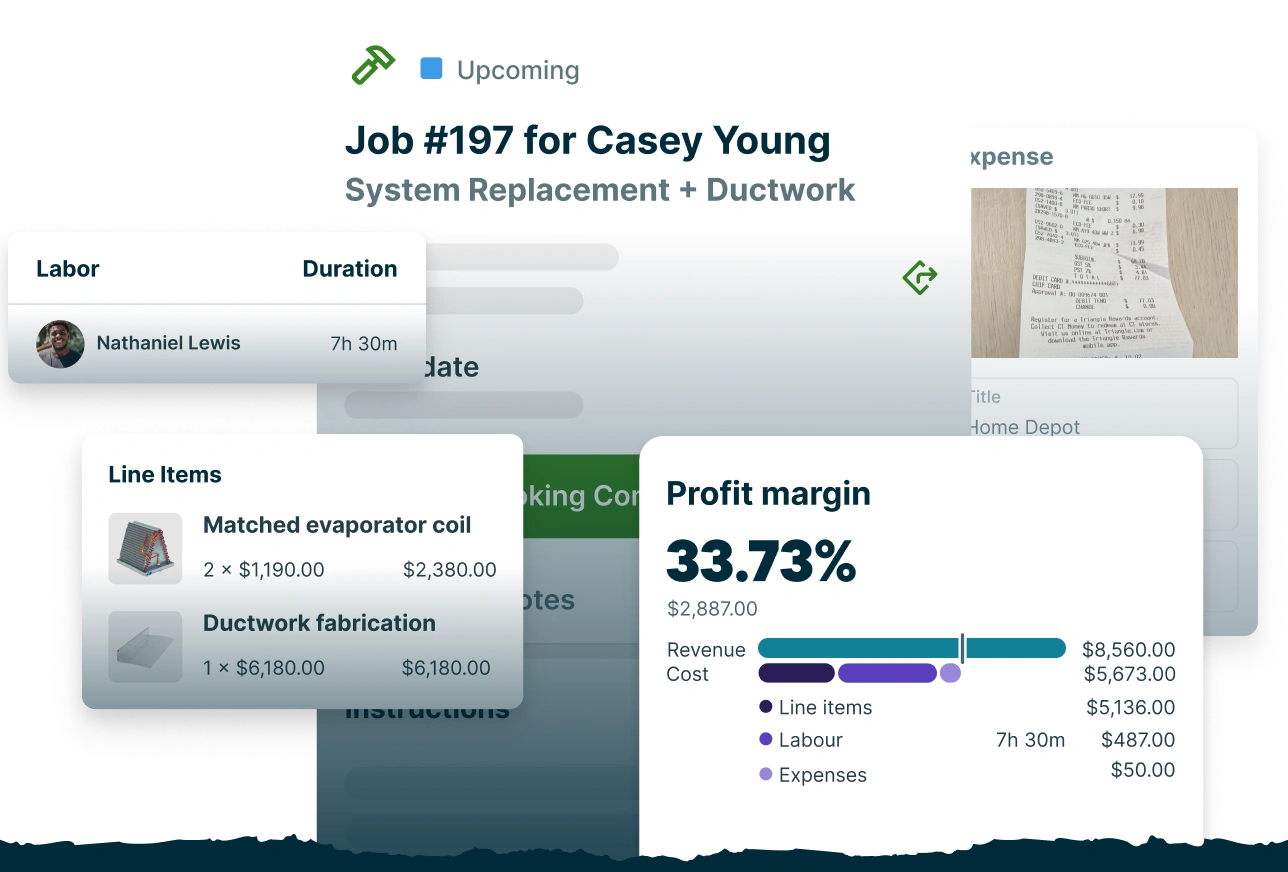
How does job costing work in Jobber?

Live Profit Tracking
Track profit while the job is still running
See how each job is performing at a glance. Jobber keeps price, costs, profit, and margin up to date, and alerts you when a job is tracking below your profit target.

Material Cost Tracking
Keep material costs and margins on track
Start every job with material costs already in place. Line items carry over from the quote, with costs and markups you can adjust to help reach your target margin.
"Jobber's job costing has taken our efficiency to the next level. We've increased our revenue by 15-20% because I’m able to determine in real-time what jobs were most profitable, allowing me to price future jobs with more accuracy."
Scott GeddisM&M Skylights


Labor Cost Tracking
Factor every labor hour into job costs
Set a labor rate for each employee. When they track their time in the Jobber app, those hours flow straight into the job's labor costs—no timesheet math.

Expense Tracking
Track job expenses as they happen
Snap a receipt or auto-forward a supplier invoice, and Jobber handles the data entry so costs are accurate, easy to match to the right jobs, and up to date.
Job Profitability Reporting
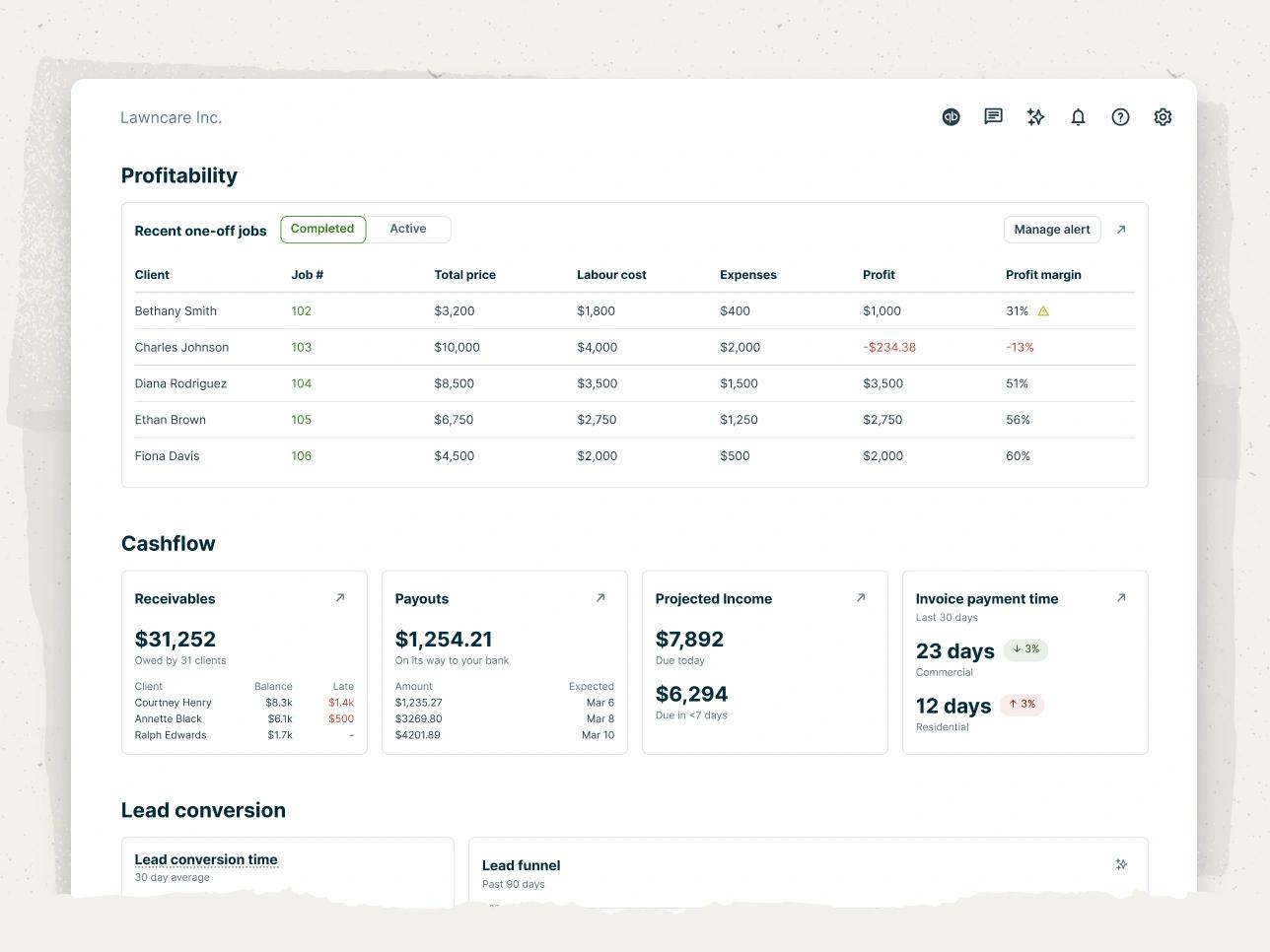
Compare job profitability and spot trends
See recent job profitability at a glance. Then build customizable reports to compare prices, costs, and profits to sharpen how you price future work.
TRUSTED BY 400,000 SERVICE PROS
“When we started with Jobber, we were doing right around $2 million, and this year we'll cross over 5.5 million. My goal is to scale, and with Jobber, I actually can.”
Related Features
Invoicing
Field service invoicing software that speeds up your cash flow
Learn MoreQuotes
Jobber lets you build customer-friendly quotes in minutes, price jobs perfectly, and automate your quote follow-ups so you never leave work on the table.
Learn MoreBookkeeping
A fully managed bookkeeping service: a dedicated bookkeeper closes the books monthly and verified data flows into the Insights Dashboard.
Learn MoreCredit Card Processing
Jobber’s credit card processing provides a faster and simpler payment process with convenient payment options, automatic billing, and instant payouts
Learn MoreTime Tracking Software
Service tracking software for easier payroll and job costing
Learn MoreBusiness Dashboard
Track your service business on one easy dashboard
Learn MoreThe integration app marketplace
Integrate Jobber with your favorite tools and take your business to the next level.
Check Out the App Marketplace