Service dispatch software that frees up your time
Efficiently dispatch your field service crews with less stress and effort. Use Jobber to schedule service requests faster, prepare your team for every job, and deliver seamless customer service.
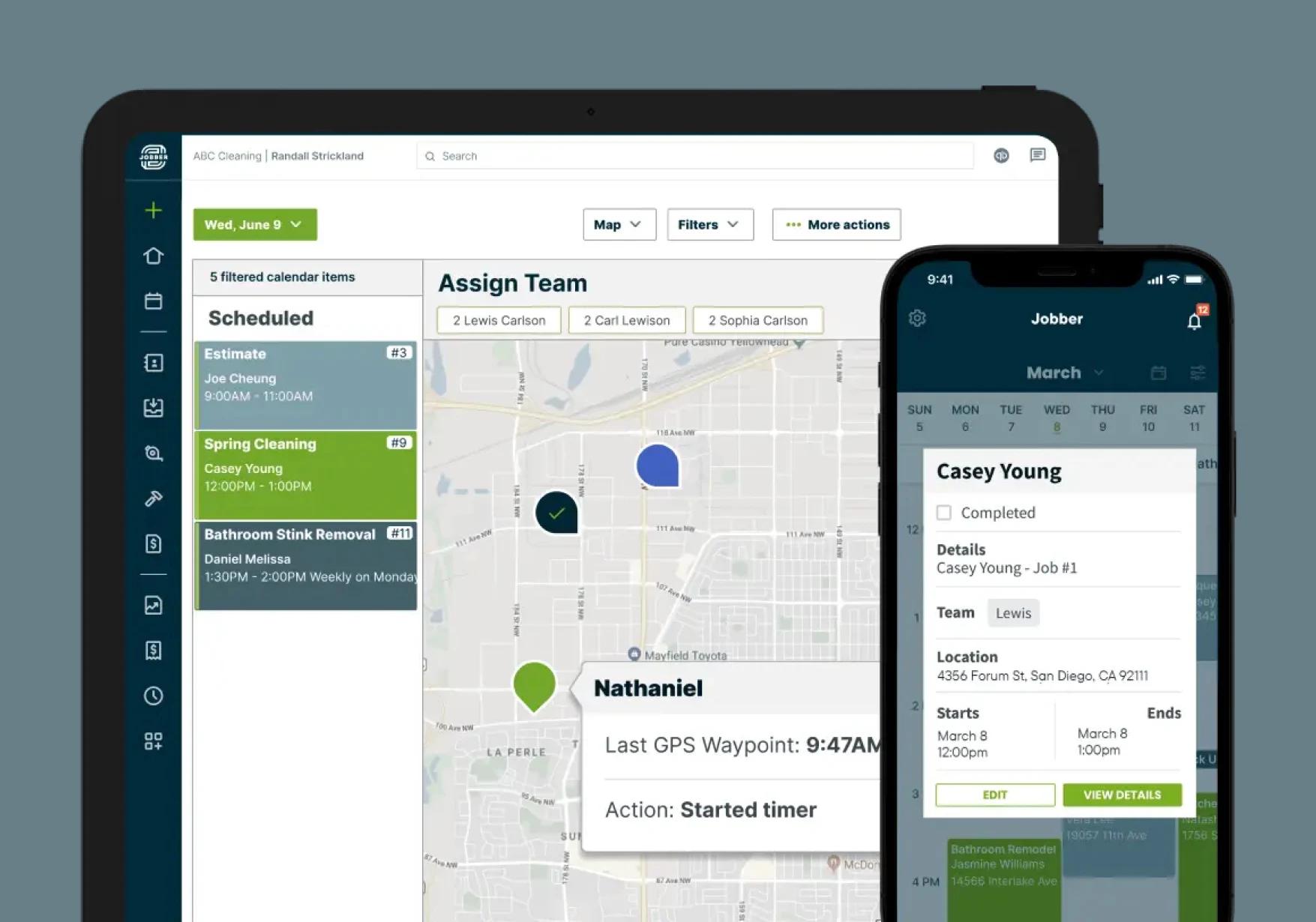
How does field service dispatching work in Jobber?
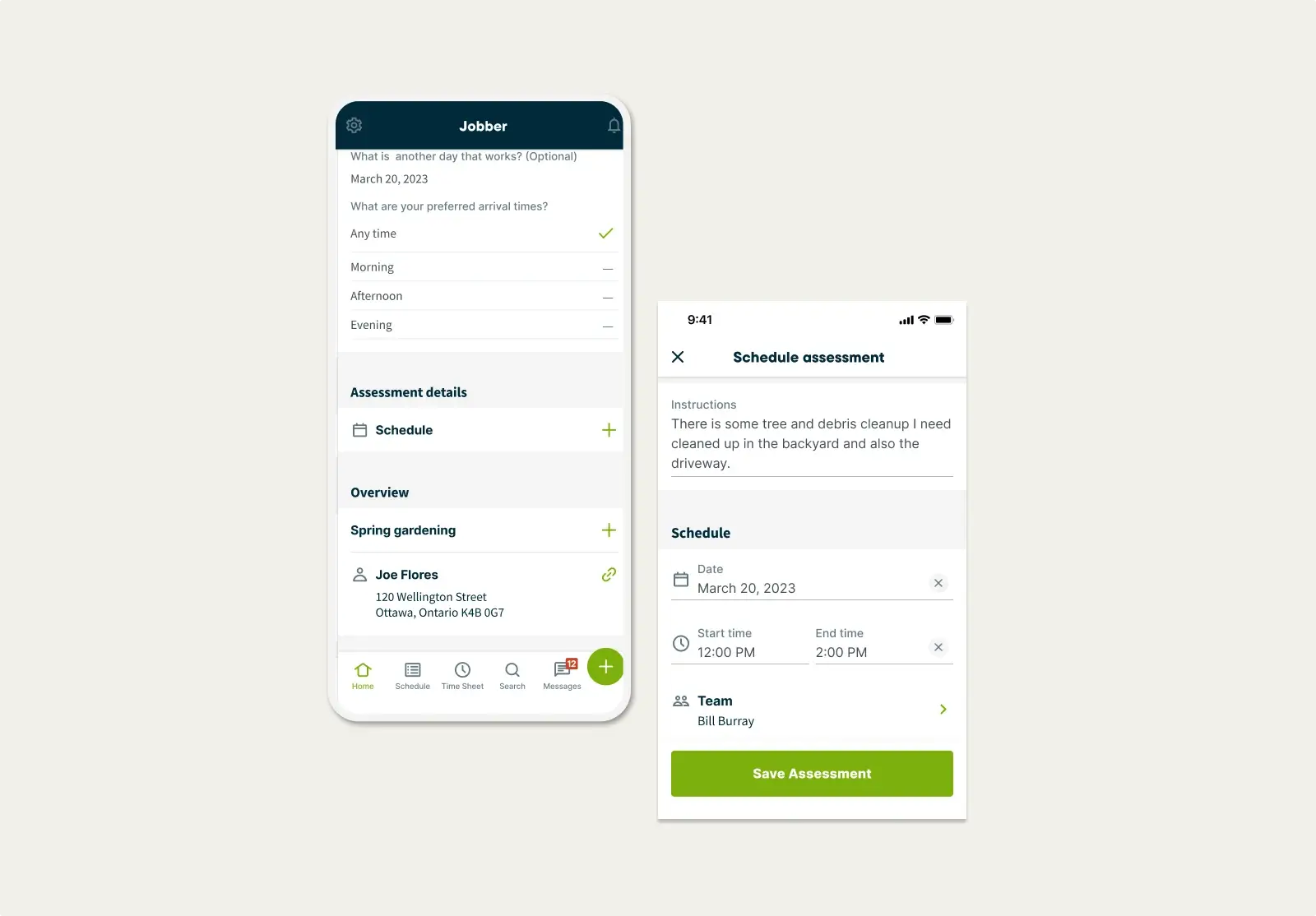
Requests
Manage customer requests with less effort
Easily receive work requests from customers through a customizable request form shared on your website, social media, or client hub.
Jobber helps you track, manage, and convert those requests into site assessments that you can dispatch right away.
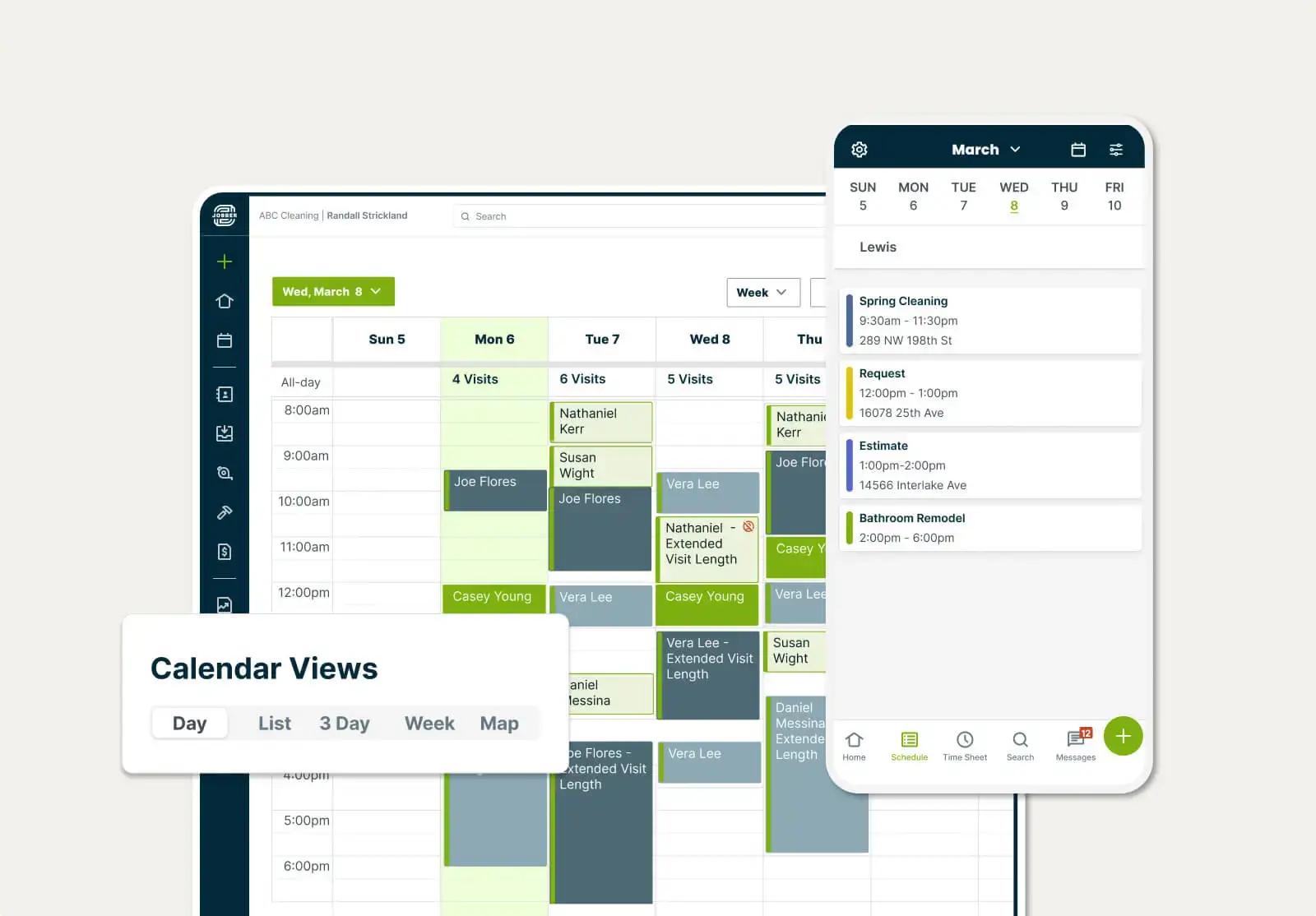
Drag and Drop Calendar
Avoid scheduling mistakes and save time
Toggle between five different calendar views—including a day view, week view, and more—to get a clear visual of crew availability.
Easily reschedule a job by dragging it over to a different day or time. Teams get automatically notified their schedules change.
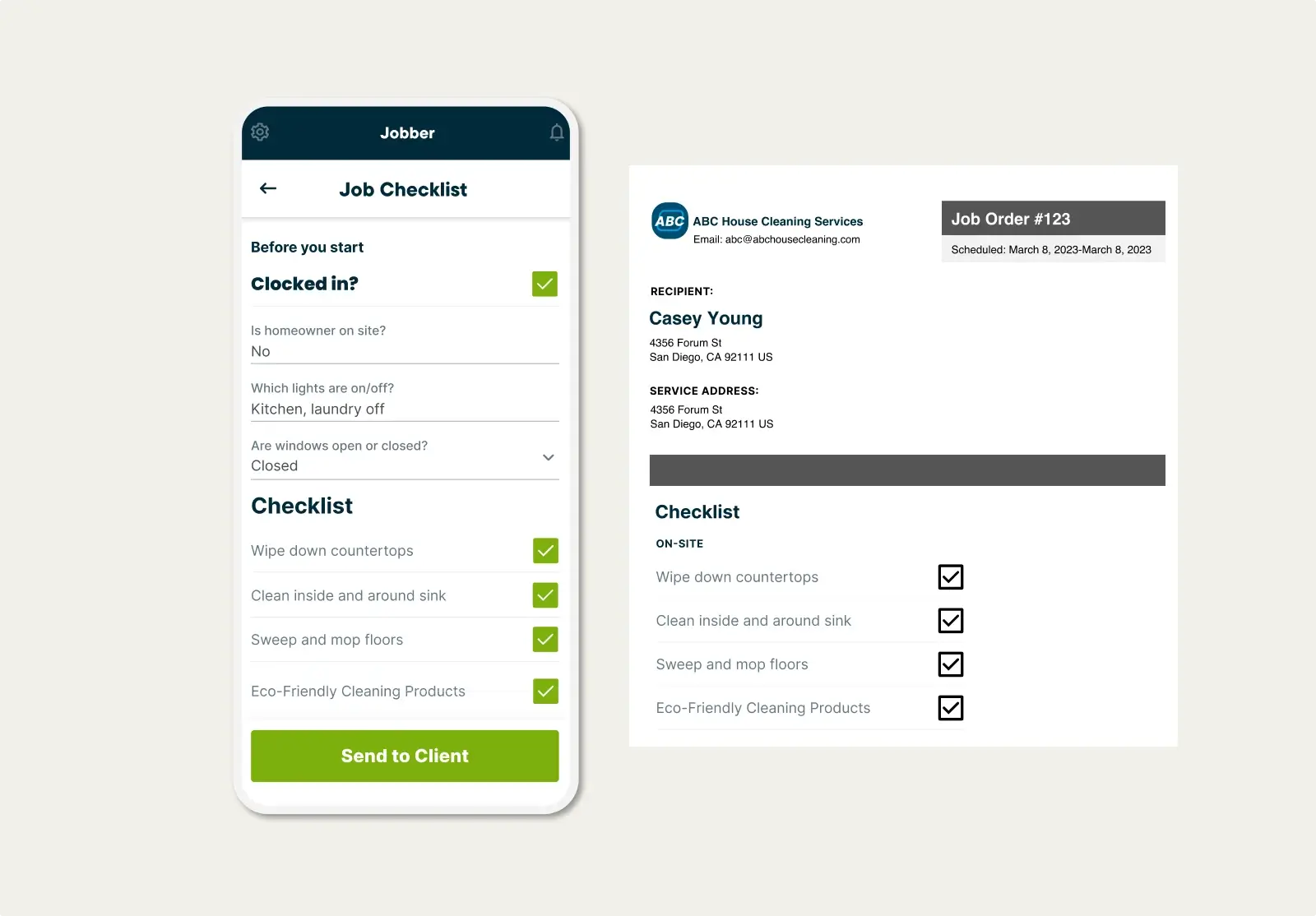
Job Details & Forms
Equip your crew with job info at their fingertips
Jobber lets your on-site crews access instructions, photos, job forms, and checklists from the field so they can complete the job exactly as planned.

GPS Tracking
Use team locations to make better dispatching decisions
Make quicker scheduling decisions and keep tabs on team progress. Jobber lets you track your field service vehicles in real time, from anywhere.
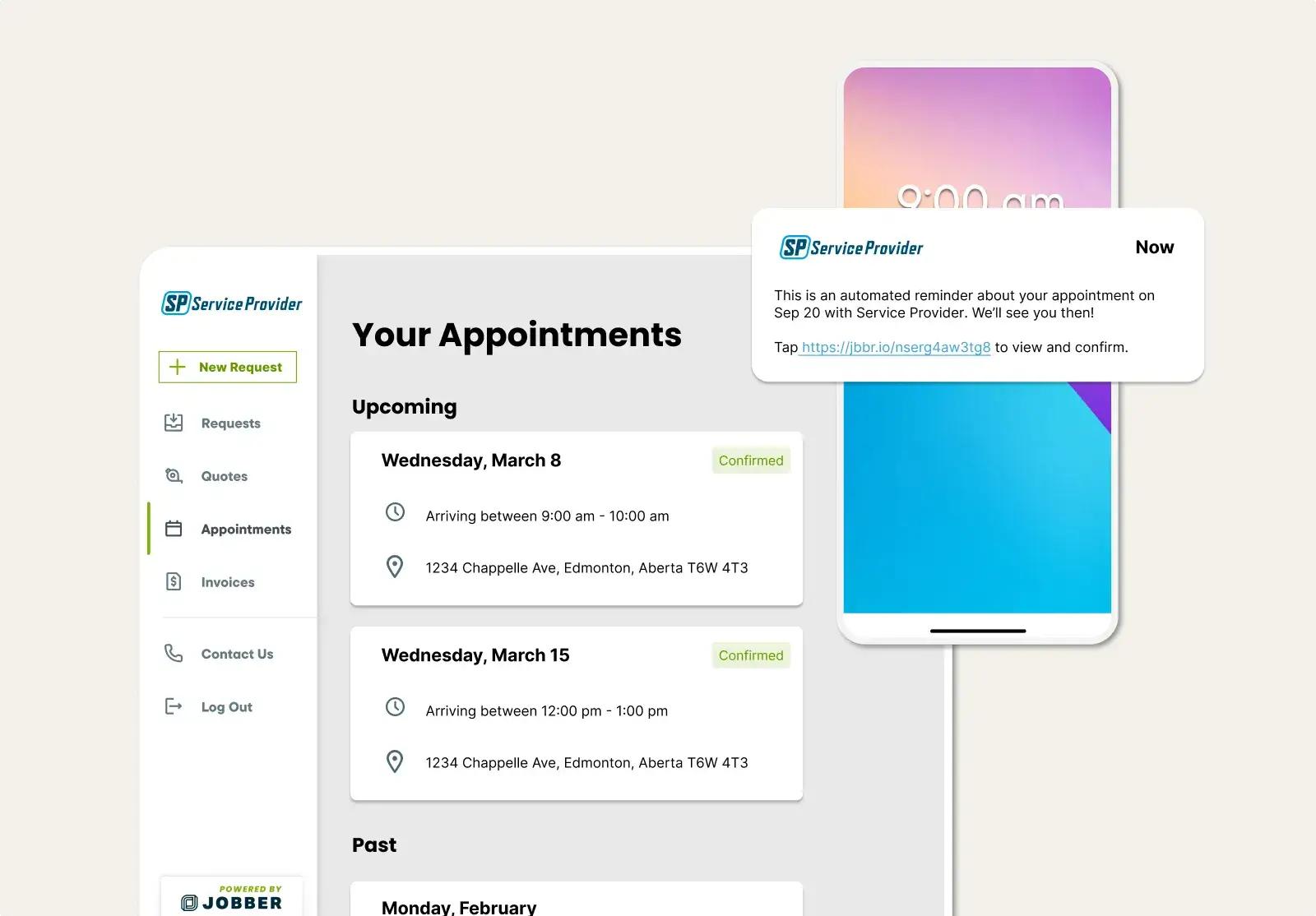
Automated Visit Reminders
Keep customers informed about appointments
Jobber sends automated emails or text messages to ensure customers are ready for your crew’s arrival.
Customers can click through to client hub, where they can review details, view assigned team members, and confirm or request a change if necessary.
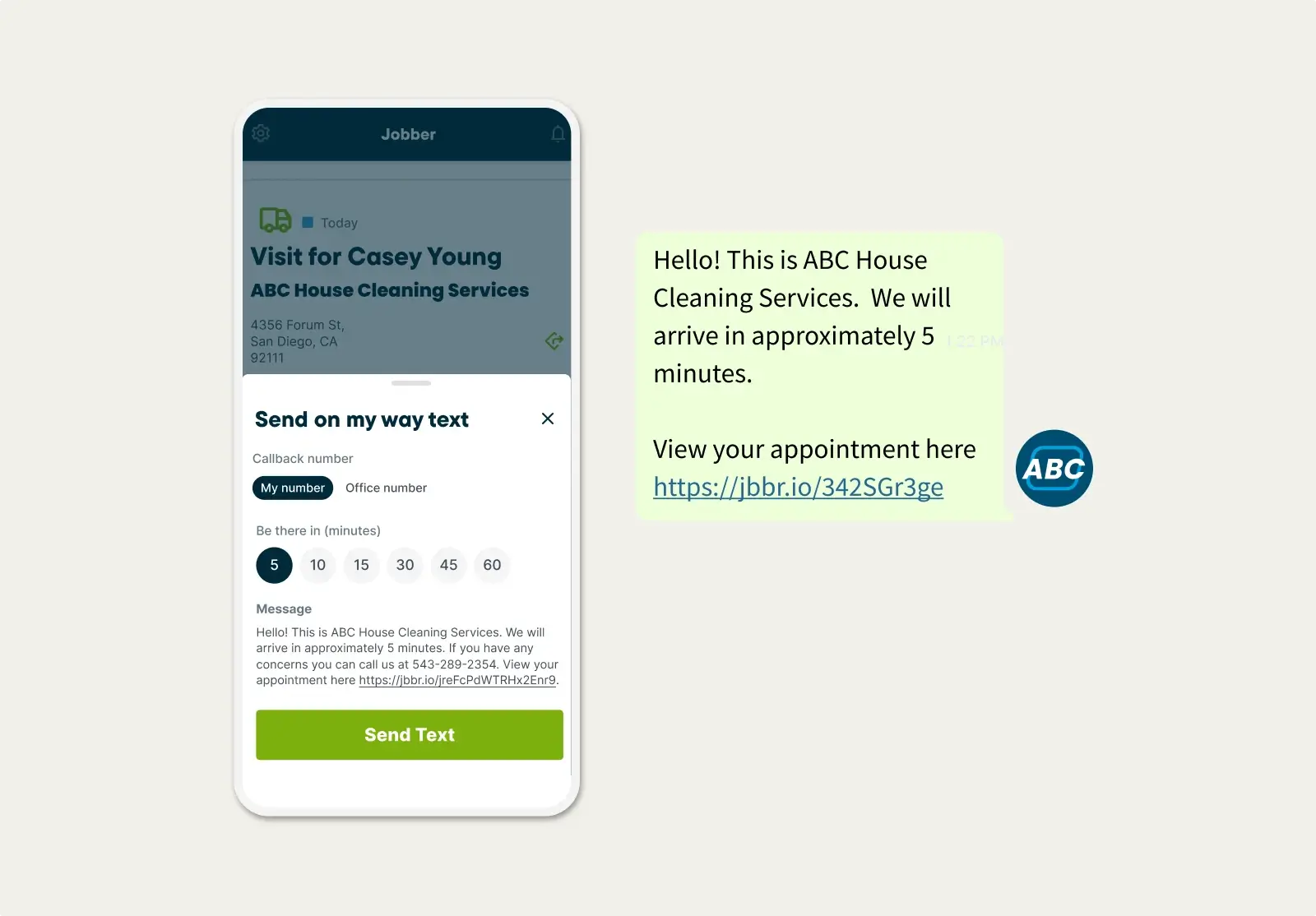
On-my-way Texts
Prepare clients for your crew’s arrival
With one click in the Jobber mobile app, send a standardized text message letting customers know your service team is on the way (or running late).
Pick the best plan for your business
Put Jobber to work for you. No credit card required.
View Pricing
TRUSTED BY 400,000 SERVICE PROS
“The scheduling features are amazing. Not only does it help me, but it also keeps my team in the loop. My team’s able to view it from their phones and see the instructions that they have for the upcoming job.”
Related Features
Scheduling
A smart schedule that keeps you one step ahead
Learn MoreRoute Optimization
See how field service route optimization works in Jobber. Jobber lets you automatically generate faster daily routes and alert your crews.
Learn MoreGPS Tracking
Make quicker scheduling decisions and keep tabs on team progress. Jobber lets you track your field service vehicles in real time, from anywhere.
Learn MoreJob Management
Job management software that makes your workday run smoothly
Learn MoreTeam Management
Give your team the tools to stay organized, accountable, and productive.
Learn MoreInvoicing
Field service invoicing software that speeds up your cash flow
Learn MoreThe integration app marketplace
Integrate Jobber with your favorite tools and take your business to the next level.
Check Out the App Marketplace