Job costing software that makes profitability tracking easy
Jobber automatically calculates profitability for your field service jobs. By tracking all your costs in one place, you’ll reduce the time spent switching between spreadsheets, physical receipts, and bank statements.
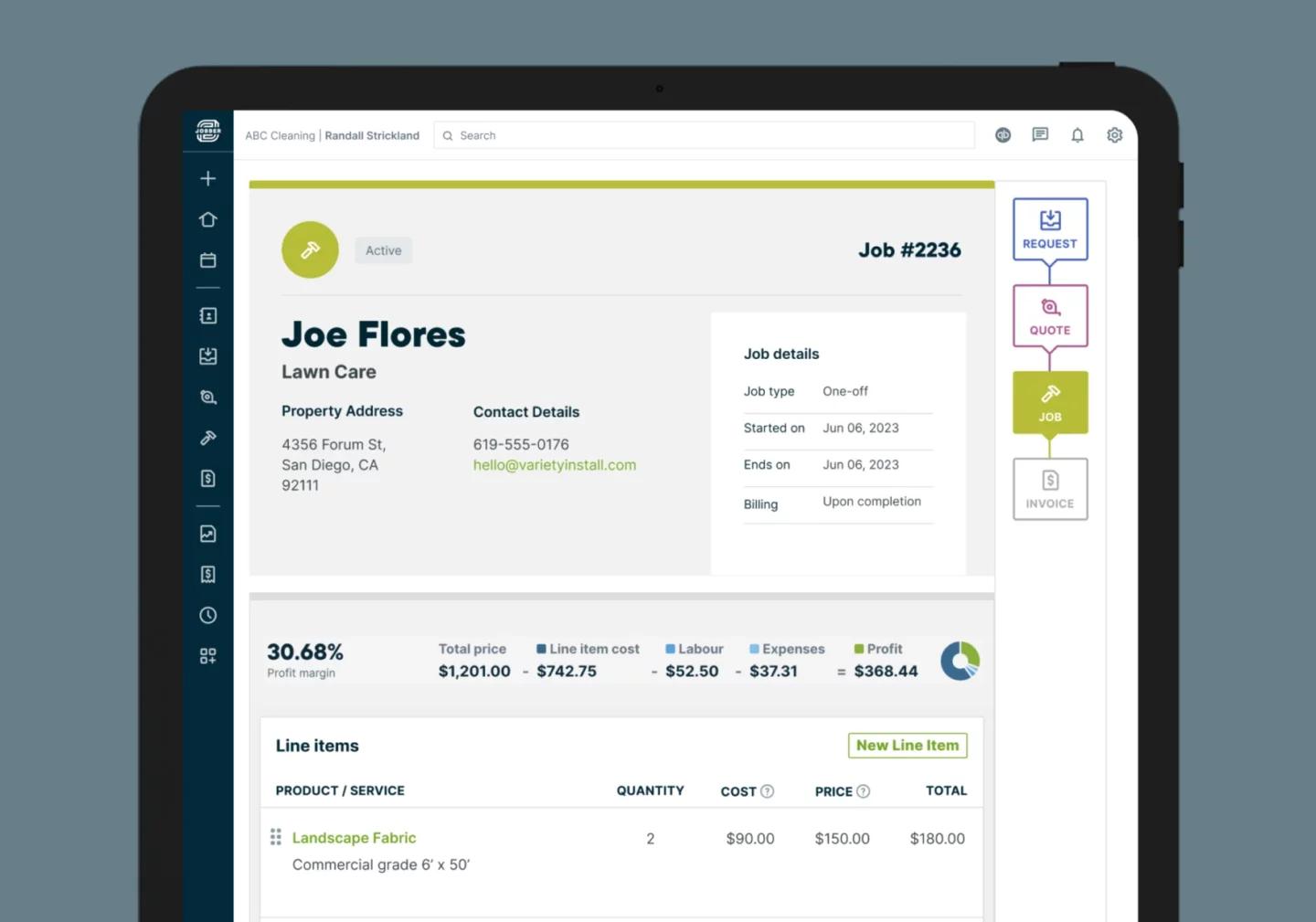
How does job costing work in Jobber?
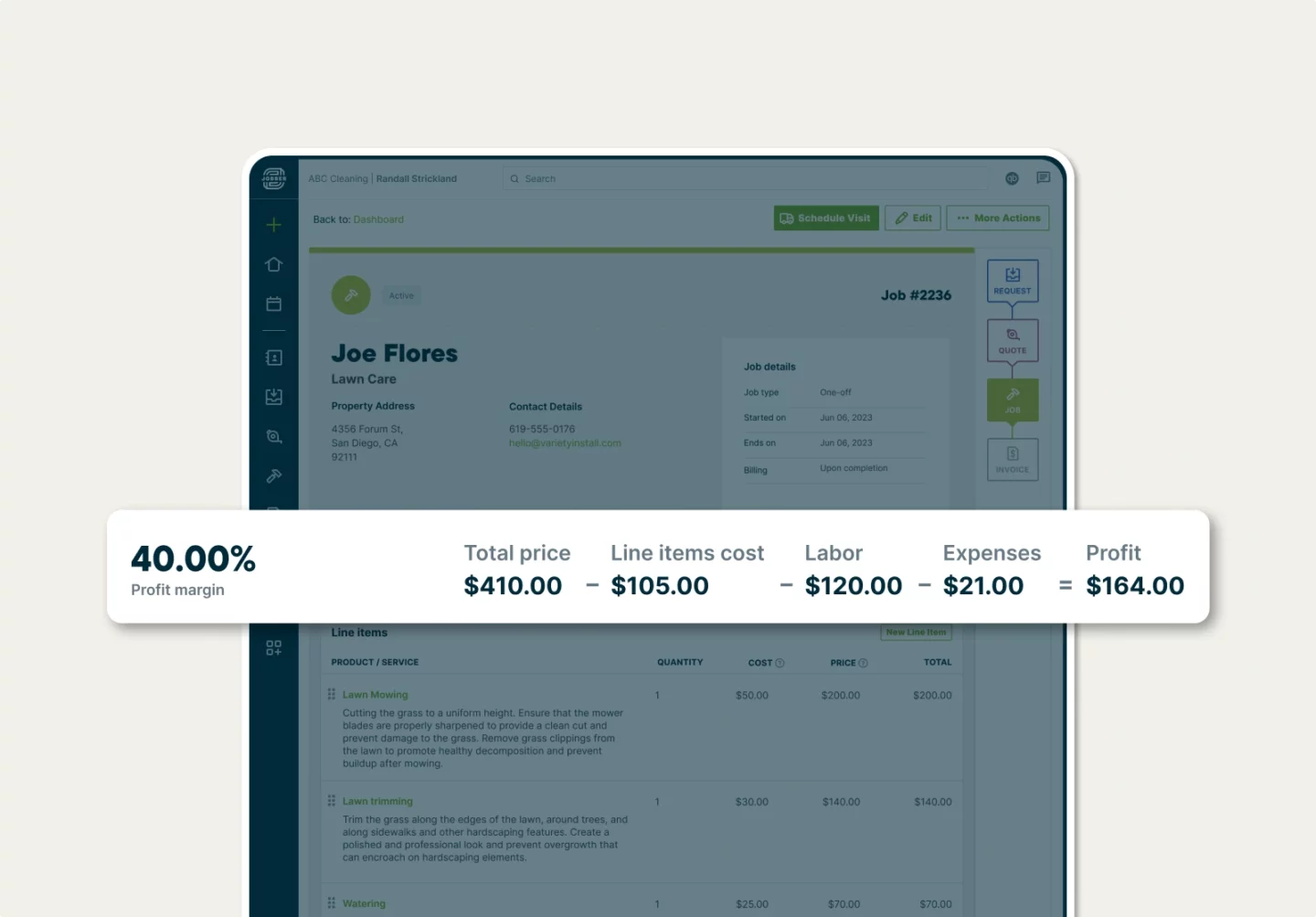
Job Profit Bar
View your profit margin as you complete the job
See the profitability of each job based on the price and total costs you’ve tracked.
Calculations automatically update as costs are added and changed, so you can always stay on top of your margins.
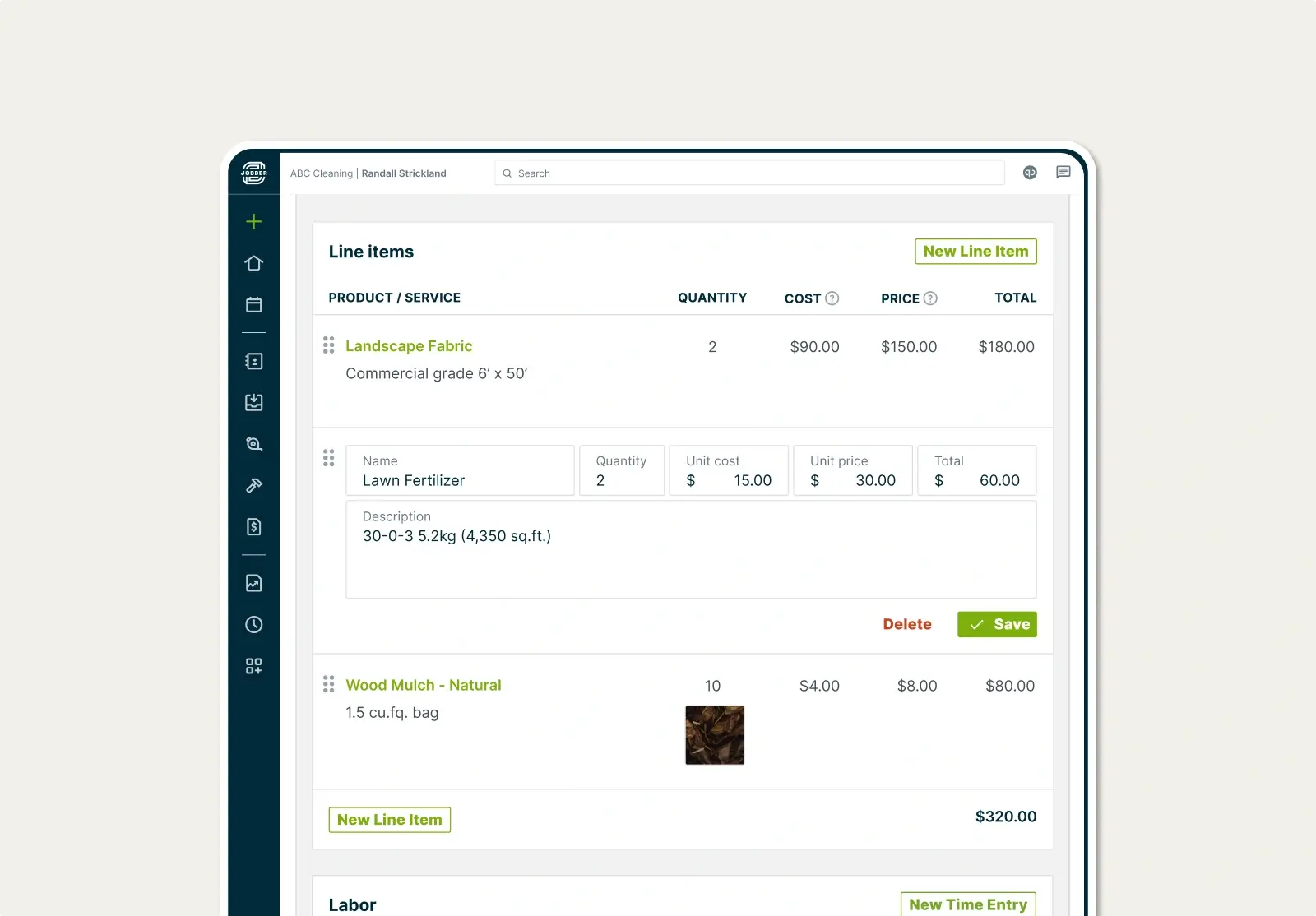
Material Cost Tracking
Cost your materials accurately
Add material costs spent on the job. Select items from your products and services saved in Jobber, or add new line items as needed.
"Jobber's job costing has taken our efficiency to the next level. We've increased our revenue by 15-20% because I’m able to determine in real-time what jobs were most profitable, allowing me to price future jobs with more accuracy."
Scott GeddisM&M Skylights

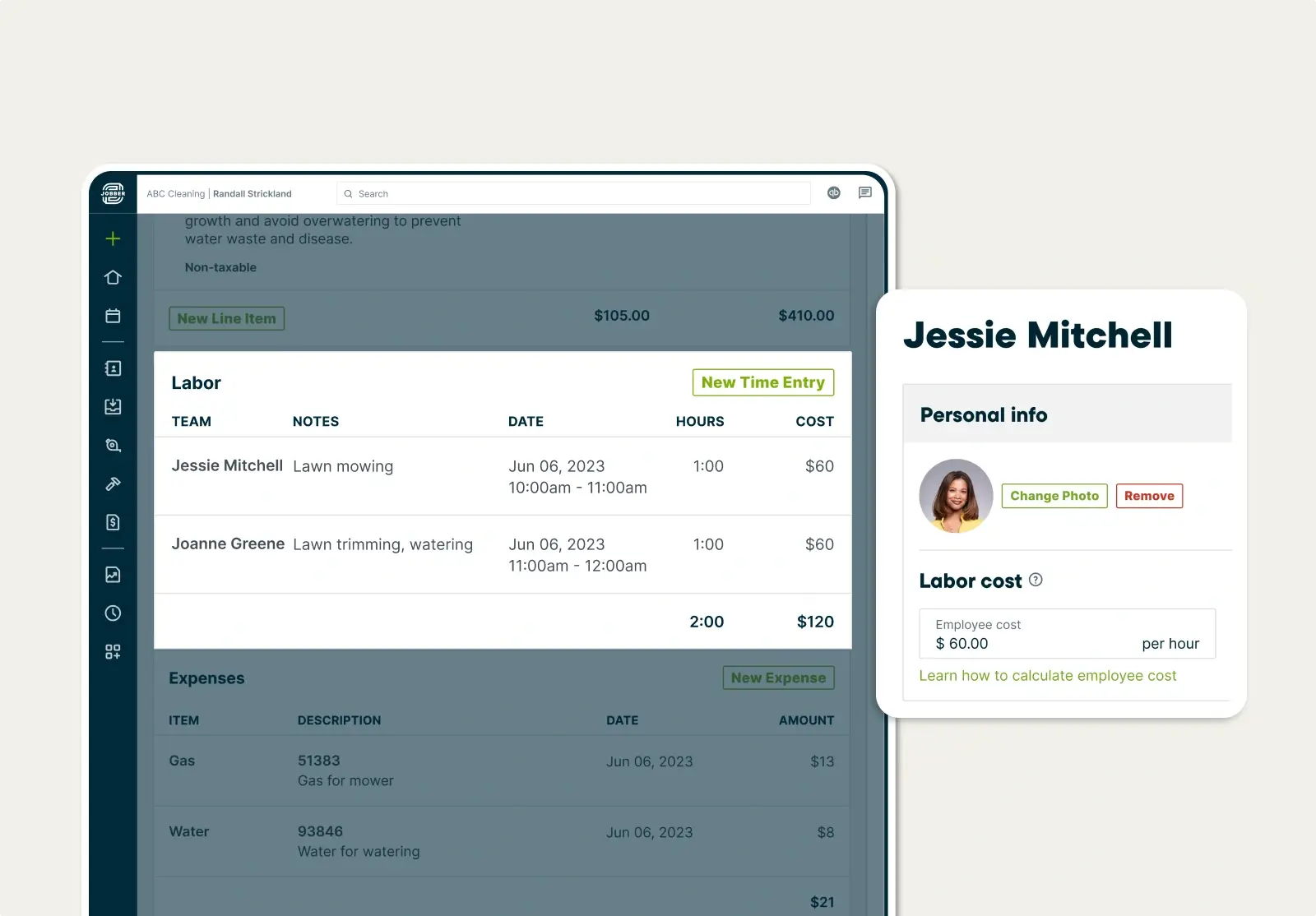
Labor Cost Tracking
Factor every labor hour into your pricing
Set a default labor rate for each of your employees. When they track their visit time using the Jobber mobile app, their labor rate and hours will be automatically calculated as labor costs for the job.
For more accurate labor costing, use location timers to automatically track your team’s time so you can ensure your timesheets are accurate and always up to date.
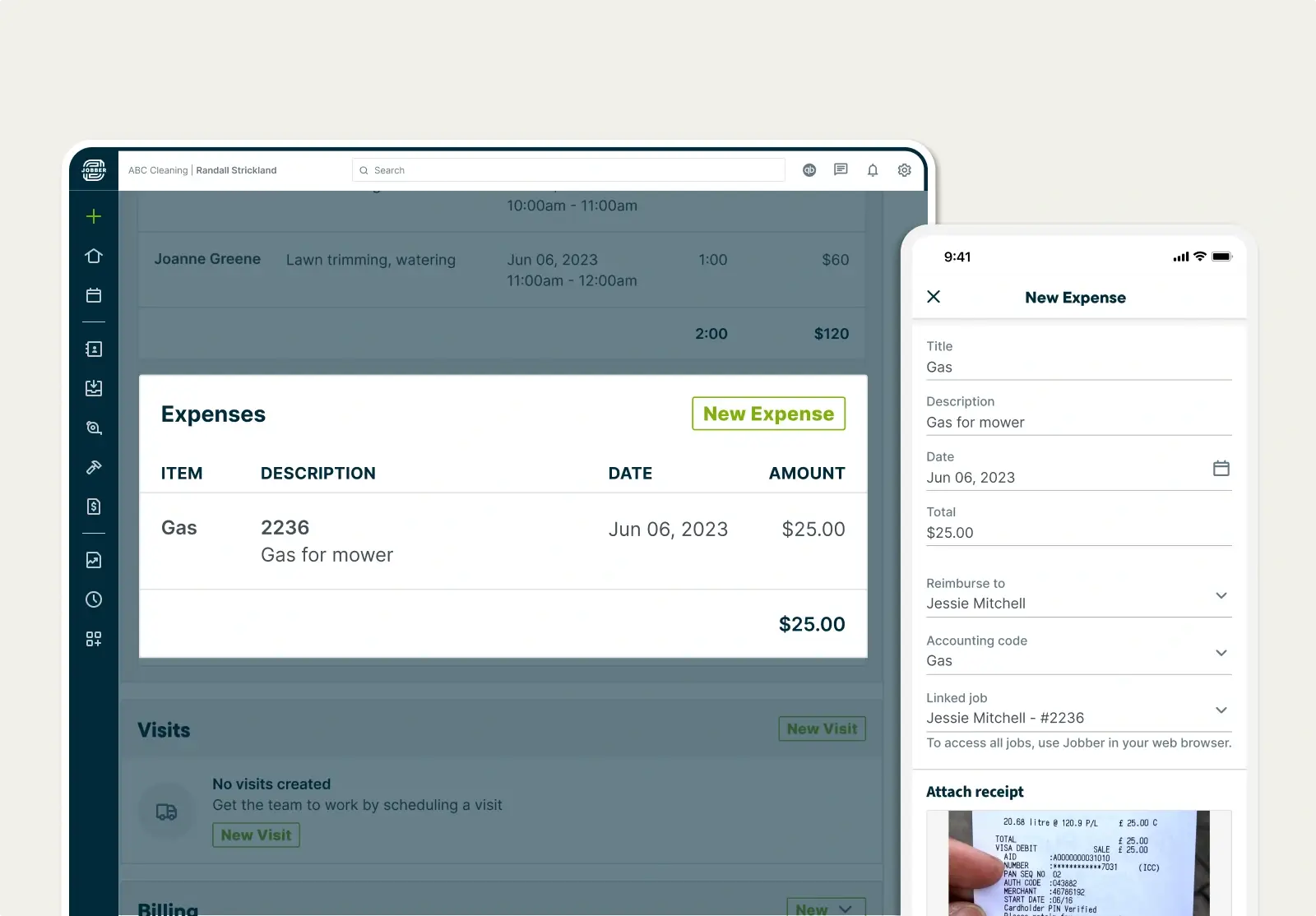
Expense Tracking
Keep track of on-the-job expenses
Track expenses from anywhere to stay on top of any additional costs.
Then, upload accompanying receipts for more accuracy and easy reimbursement.
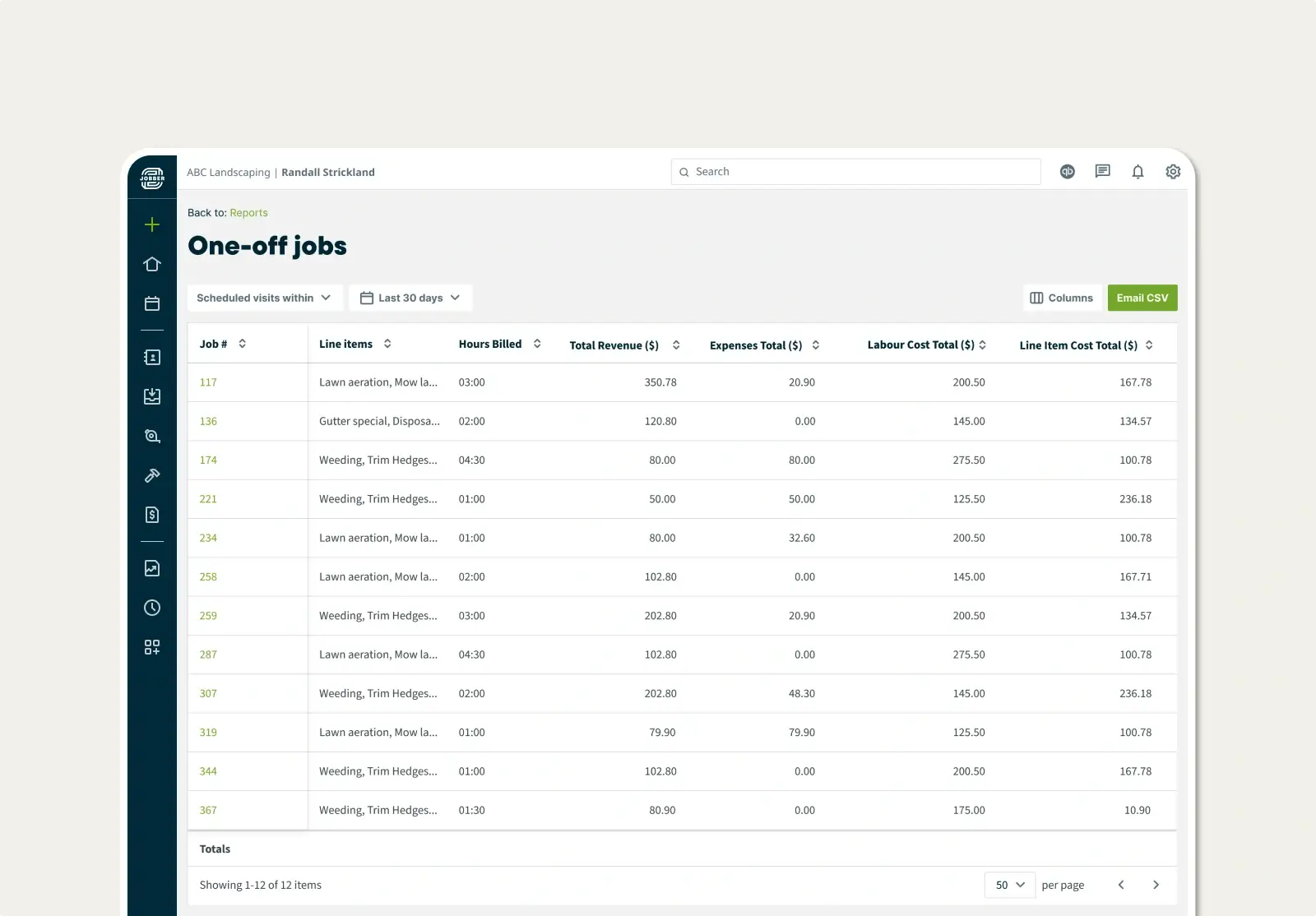
Job Profitability Reporting
Compare profitability from job to job
Generate and view customizable reports to easily compare details for multiple jobs—price, costs, profits, custom fields, and more.
Knowing where you win (and where you don’t) helps you improve your pricing and costing for future jobs.
TRUSTED BY 400,000 SERVICE PROS
“When we started with Jobber, we were doing right around $2 million, and this year we'll cross over 5.5 million. My goal is to scale, and with Jobber, I actually can.”
Related Features
Invoicing
Field service invoicing software that speeds up your cash flow
Learn MoreQuotes
Jobber lets you build customer-friendly quotes in minutes, price jobs perfectly, and automate your quote follow-ups so you never leave work on the table.
Learn MoreCredit Card Processing
Jobber’s credit card processing provides a faster and simpler payment process with convenient payment options, automatic billing, and instant payouts
Learn MoreFinancial Management
Financial management and reporting tools for field service teams
Learn MoreTime Tracking Software
Service tracking software for easier payroll and job costing
Learn MoreBusiness Dashboard
Track your service business on one easy dashboard
Learn MoreThe integration app marketplace
Integrate Jobber with your favorite tools and take your business to the next level.
Check Out the App Marketplace