
Key takeaways:
If you’re searching for the best employee time clock app for your business, this article highlights the top 10 options available and explains how to choose the right fit for your team.
- There’s a wide variety of time clock apps for different needs. The list covers all-in-one solutions like Jobber, specialized apps for remote teams, project-based tracking, security-focused verification, and integrated payroll options, ensuring every business finds a suitable match.
- Key features to consider include automation and integrations. Look for apps offering GPS tracking, automatic time logging, real-time reporting, customizable scheduling, and the ability to sync with payroll and accounting software to streamline processes and minimize errors.
- Improve accuracy and productivity for your team. Time clock apps reduce manual entry and human error, helping you monitor work hours, manage overtime, and boost accountability and efficiency.
- Motivation and resource allocation become easier. With automated reminders, productivity insights, and easy scheduling, you can motivate employees to manage their time better and allocate resources where they’re most needed.
- Choosing the right app depends on your workflows. Consider your business type, team locations (field or remote), integration needs, user experience, and your budget to select an app that genuinely benefits your operations.
For more tips on choosing business tools and streamlining your operations, sign up for the Jobber Newsletter. Sign up here.
You should aim for accuracy in all aspects of your business—especially employee time. The time your employees spend on a job affects your revenue, payroll, and bottom line. That’s why it’s important to have the best employee time clock app in your pocket.
This article explores the best employee time clock apps on the market today to help you find the perfect tool. Plus, learn the benefits of a time tracking app for your business and what features to look out for.
Top 10 best time clock apps:
How we chose the best employee time clock apps
We narrowed down a list of the best employee time clock apps for tracking hours accurately out in the field. These apps have a number of useful features that can adapt to your business’s unique needs.
We checked out several app websites such as G2 to gather initial information about the top time and job tracking apps on the market. We also watched app tutorials to witness the tools in action and read customer reviews for insights from real users.
The result is this curated list with the best of the best—apps that are perfect for strengthening your timekeeping process and boosting your employees’ productivity.
| Disclaimer: Software prices are subject to change after the publication of this article. |
| App | Best for | Key feature | Price | Free trial |
|---|---|---|---|---|
| Jobber | All-in-one employee scheduling solution for field service teams | • Automatic time tracking • Push notification reminders • Job costing | Starting at $29 per user per month | Yes |
| Clockify | Remote workers | • Several options to categorize timers • A one-click timer to start or resume activity • Break mode to track time between tasks | Free, with paid options starting at $5.49 per user per month | Free option available |
| QuickBooks Time | QuickBooks users | • Digital punch clock • GPS time tracking • Real-time employee monitoring | Starting at $30 per user per month | Yes |
| Time Doctor | Businesses needing time analytics | • Automated time tracking • Offline tracking • Real-time visibility into work-related activity | Starting at $6.67 per user per month | Yes |
| TimeCamp | Teams needing to track productivity | • App groupings based on use • Employee attendance tracking • Easy-to-read reports | Starting at $5.49 per user per month | Yes |
| Toggl Track | Businesses on a budget | • Idle time detection • Detailed time reports • Team access level management | Free, with paid options starting at $9 per user per month | Free version available |
| Connecteam | Team communication | • Mobile chat function • Late or missed clock-in notifications • Bulk or individual employee timesheet approval | Starting at $35 per month for the first 30 users | Yes |
| Timeero | Mileage reimbursement assessment | • Automated timesheets • Offline tracking • Built-in time off tracking | Starting at $4 per user per month | Yes |
| ClockShark | Building custom rules | • Draft schedules • One timesheet to track multiple crews • Automatic break calculation | Starting at $40 per user + $9 per user per month | |
| Buddy Punch | Verification and security | • Several verification options • GPS tracking • Alerts for late clock-ins or missed shifts | $4.49 per user per month + $19 base fee per month | Yes |
Jobber
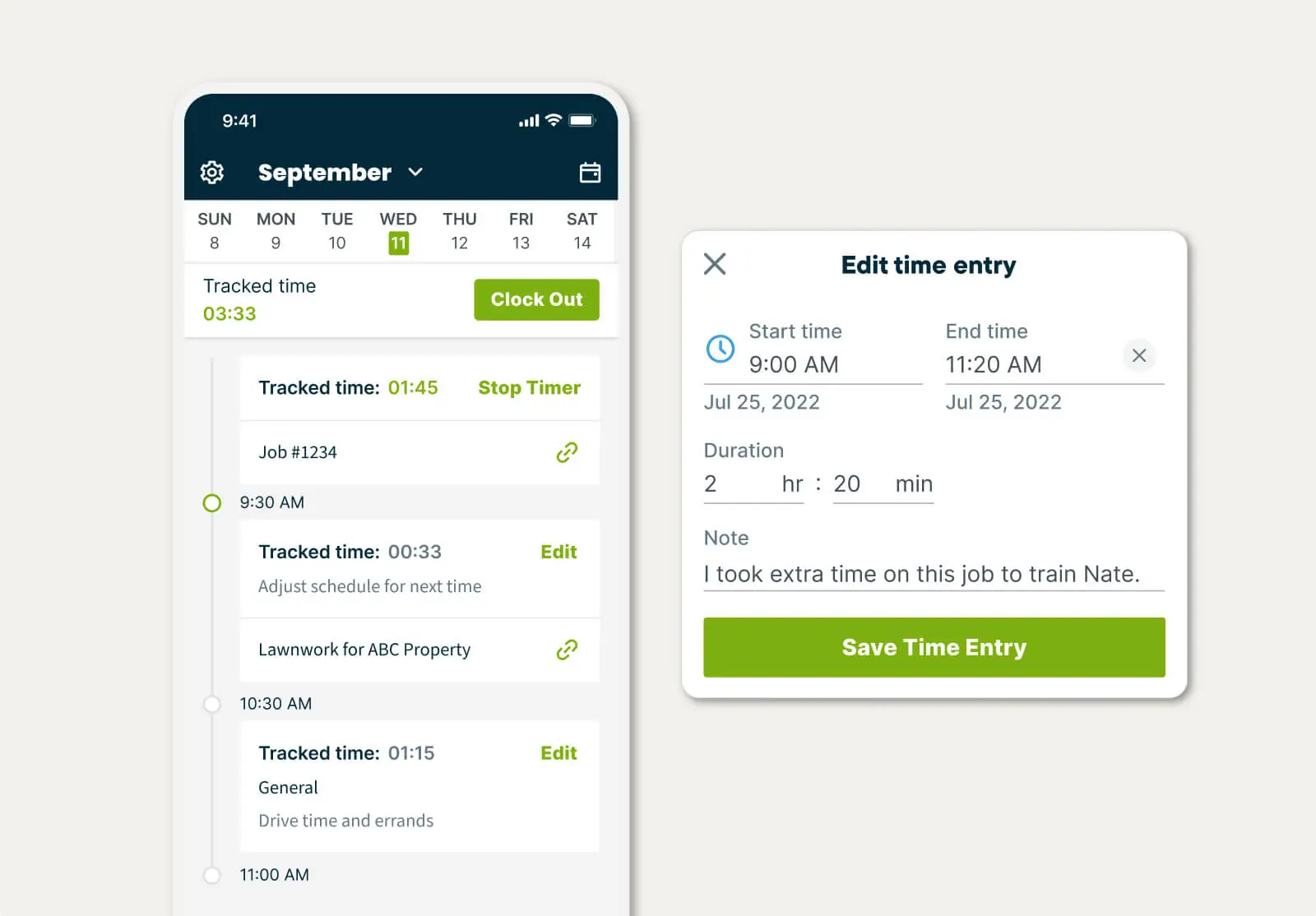
Jobber is the best employee time clock app for field service businesses.
What makes Jobber the perfect field service mobile app is its automation. With features such as automatic time tracking, easy scheduling, and streamlined payroll, all your team needs to do is focus on getting the job done.
Automatic time tracking
Jobber’s time tracking feature provides an accurate way of tracking your team’s time while they are out in the field. Team members can record their work hours both manually and automatically.
Location timers automatically start and stop when your team arrives at and leaves a client’s property. Once the timer stops, Jobber updates the time on the job and that employee’s timesheet.
Payroll and reporting
Jobber’s built-in timesheet reports give you clear visibility into who you’ve already paid and who you still need to pay.
Plus, sync all approved hours to your payroll software like Gusto or QuickBooks Online so you can pay employees more quickly and easily.
Job costing
Jobber improves job costing by giving you a clear view of your labor costs with detailed, pre-built job sheet reports.
As your team tracks time, labor expenses are automatically applied to each job—so you can see real-time profitability based on all tracked costs.
If someone forgets to clock in or out, you can start and stop timers from the office to prevent timesheet errors and protect your margins.
I first used Jobber as a payroll tool to track all of my guys’ hours using the app on their phones.
Our shop can have 5–6 guys working on 10–15 different jobs. Keeping track of labor on each job would be a nightmare if I wasn’t using Jobber.

Scheduling
Jobber simplifies the process of job and employee scheduling. With Jobber, you can create a job and assign it to your team within seconds.
You can also compare team members’ schedules side by side to see who’s free, choose an available time slot, and immediately schedule the work with one tap. Choose from five different calendar views and easily reschedule jobs by clicking, dragging, and dropping.
Push notification reminders
Give your team more flexibility and control over time tracking by setting location timers to reminder mode.
When your crew arrives near a client’s location, Jobber sends a push notification prompting them to start or stop their timer with a single tap.
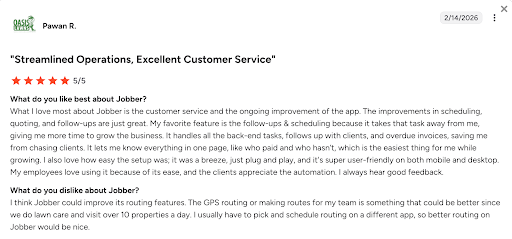
One user says that their employees love using Jobber because of its ease of use, and not just for their employees. They emphasize the positive impact of Jobber’s automated features such as client follow-ups and overdue payment reminders.
Clockify

Next on our list of the best employee time clock apps is Clockify. Clockify is a great choice for businesses with remote workers looking to keep track of their employee’s time.
With Clockify, your employees can favorite their entries to quickly track time on their most common activities or categorize timers by project, task, tag, or status.
Key Clockify features include:
- A one-clicker timer to start or resume activity.
- Break mode to track time between tasks.
- Pomodoro technique mode to work in short time intervals followed by breaks to improve productivity.
Clockify is one of the best free employee time clock app options, but to unleash the full benefits of the software, it’s worth upgrading to one of the affordable paid versions of the app.
| Pros | Cons |
|---|---|
| • Free plan with unlimited users. • Simple to use and quick to set up. • 100+ web apps integrations. | • Key features like GPS tracking are only in paid plan. • Scheduling features are basic compared to competitors. |
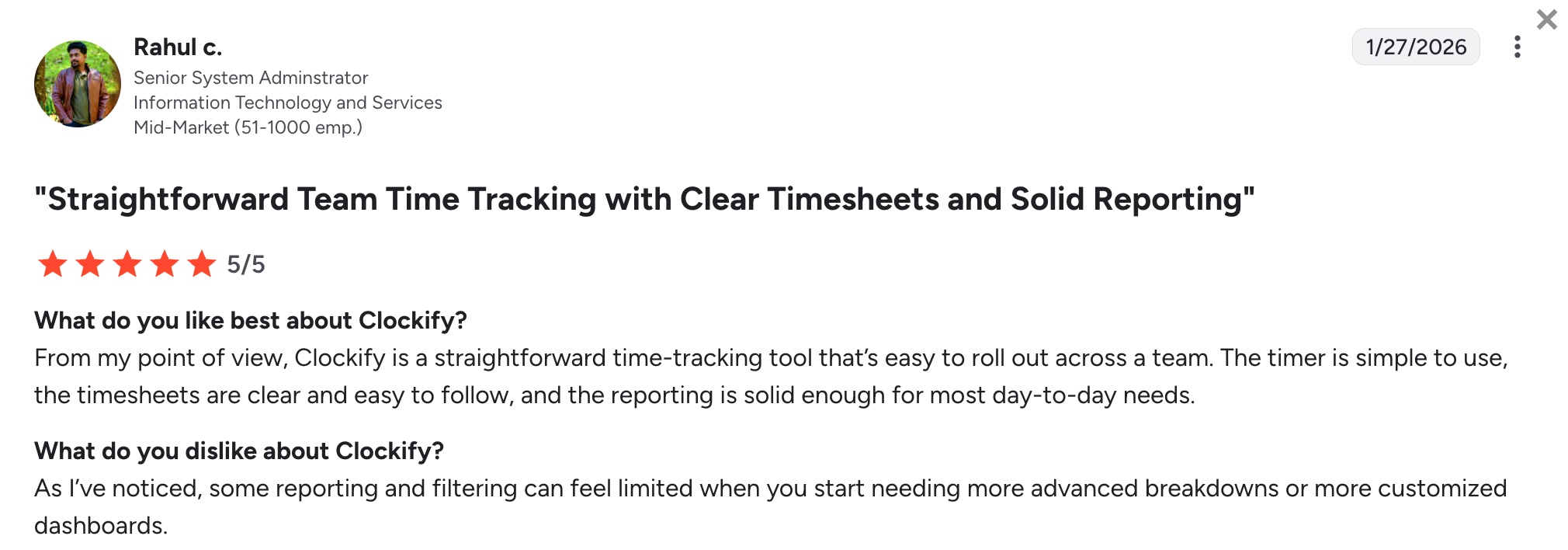
One user notes that some of Clockify’s filtering options can start feeling limited as your business starts needing more advanced breakdowns.
Check out Clockify’s website for pricing. You can also consider using Jobber for a more robust time clock software option that includes GPS tracking and advanced scheduling features.
QuickBooks Time

From the world’s favorite small business accounting software comes a companion employee time tracking app—QuickBooks Time.
Use QuickBooks Time to track and manage employee time for accurate invoices and simplified payroll. The app’s top feature is geofencing tracking, which reminds employees to clock in or out when entering or leaving the job site.
Plus, you’ll get alerted when employee hours start going into overtime to keep you from going over budget and to strengthen your QuickBooks payroll processing.
Other QuickBooks Time features include:
- QuickBooks Time Kiosk, a digital punch clock for on-site employees.
- GPS time tracking to manage your mobile team.
- Live-time employee monitoring.
| Pros | Cons |
|---|---|
| • Strong QuickBooks Online integration. • Detailed reporting. • Offline tracking capabilities. | • Basic scheduling features. • User interface can feel busy for smaller teams. |
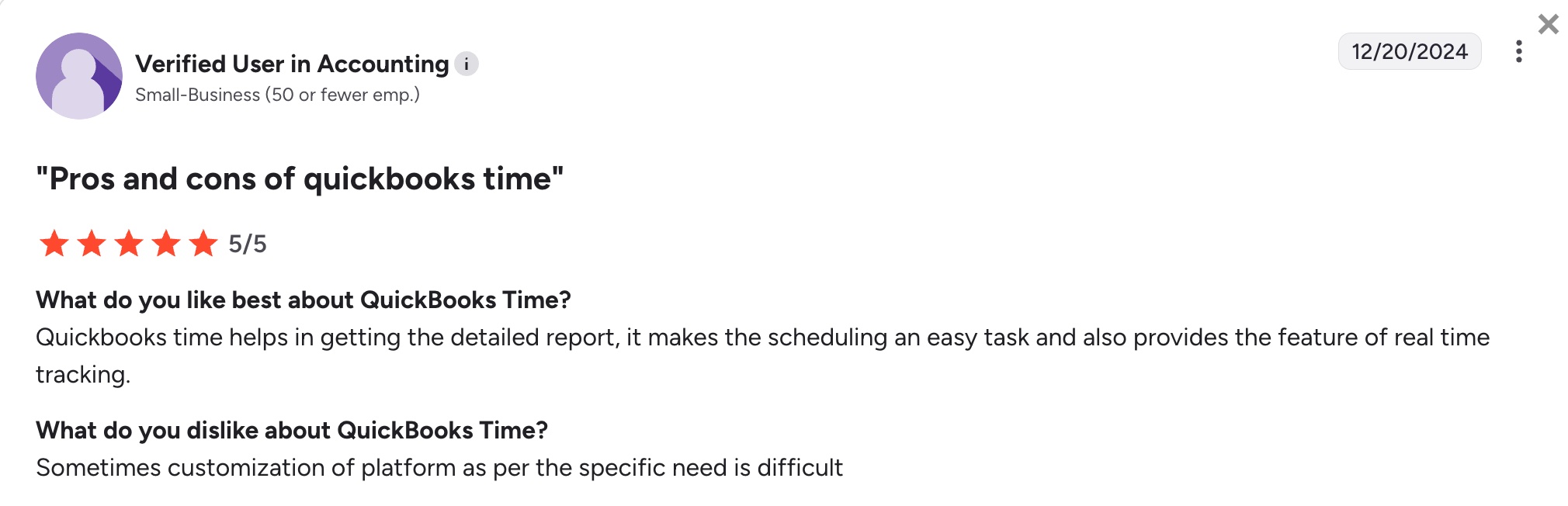
While users find QuickBooks Time to be of great assistance to payroll, one user notes that customizing the platform for specific needs can be difficult.
That said, QuickBooks users don’t necessarily need to use QuickBooks Time for an all-in-one solution. You can sync QuickBooks Online with other powerful time tracking tools for additional features and a seamless experience.
Check out QuickBooks Time’s website for pricing.
Time Doctor
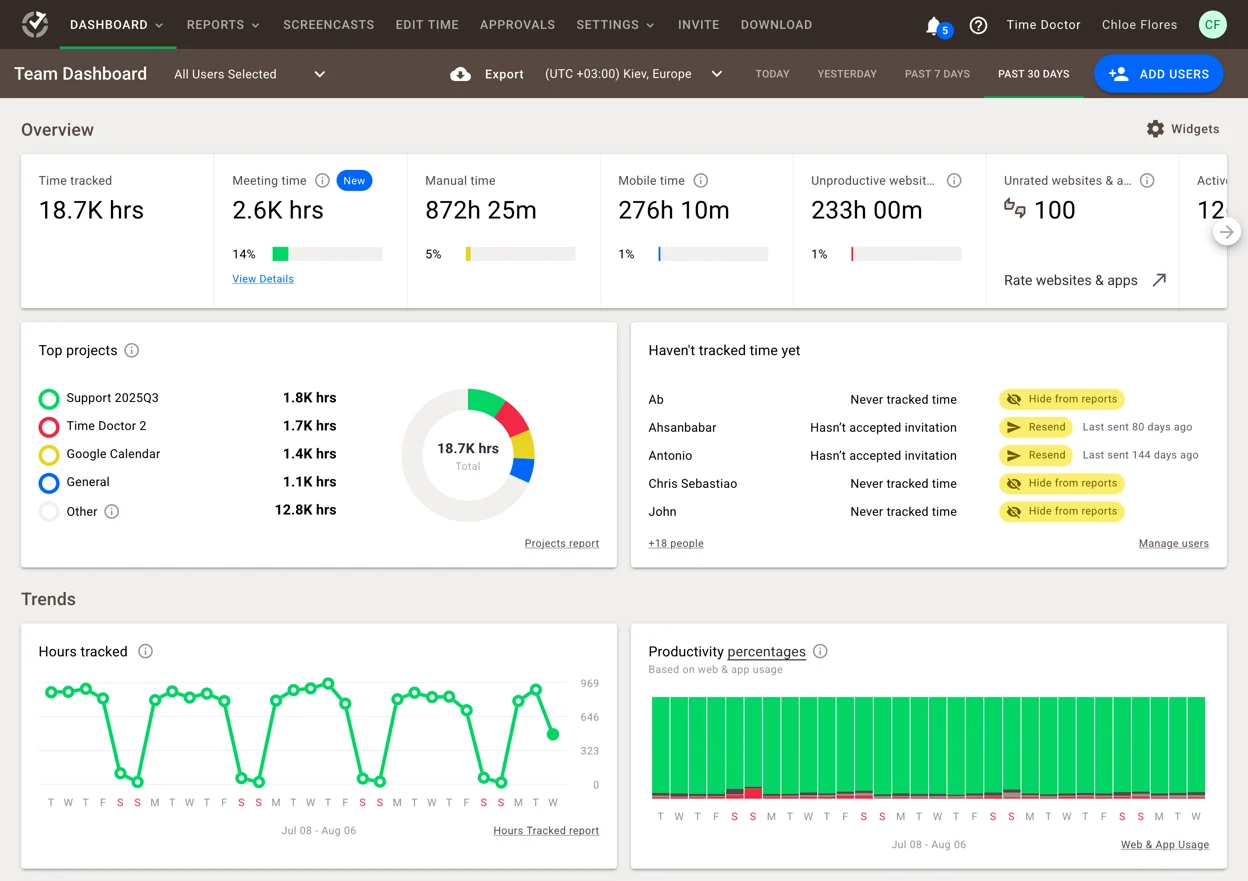
Our next contender for best employee time clock app is Time Doctor.
Time Doctor is the best app for detail-oriented managers who want a full breakdown of what their employees are working on and for how long.
Better yet, use the app’s analytics capabilities to pull your employees’ time data and gain insights on productivity.
Other key Time Doctor features include:
- Automated time tracking to increase timesheet accuracy.
- Offline tracking for employees to account for all time worked.
- Real-time visibility into online and offline work-related activity.
| Pros | Cons |
|---|---|
| • Offline time tracking. • Easy to use and quick setup. • Strong reporting features. | • Activity tracking may feel intrusive on employees. • No QuickBooks Online integration. |
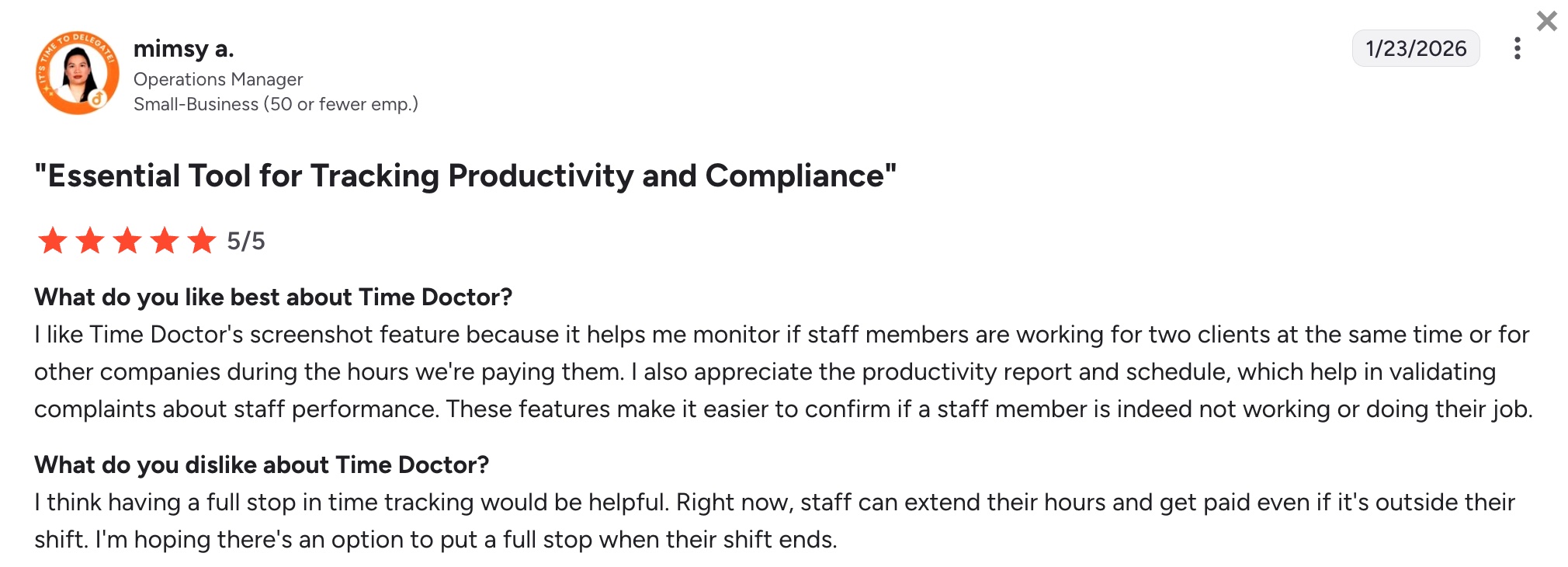
It’s important to note that one user says that Time Doctor doesn’t impose a hard stop on time tracking at the end of a shift. This is largely because it doesn’t have geofencing or automatic time tracking.
Check out Time Doctor’s website for pricing. Or, consider using Jobber for its location timer feature and QuickBooks Online integration and get more out of your time clock software.
TimeCamp

TimeCamp helps you track your team’s overall productivity by showing how much time they spend on a specific task, job, or even different apps and websites.
TimeCamp automatically scans the domain names of apps used and groups them to predefined categories. This helps you track productivity and provides insights on what apps your teams use the most. It also lets you:
- Eliminate punch cards with employee attendance tracking and reporting.
- Easily sync tracked time to invoices.
- Pull your time data into easy-to-read reports.
| Pros | Cons |
|---|---|
| • Choice of automatic or manual time tracking. • Built-in attendance tracking. • Affordable for small businesses. | • Small learning curve for new users. • Key features such as budgeting are only available in higher-cost plans. |
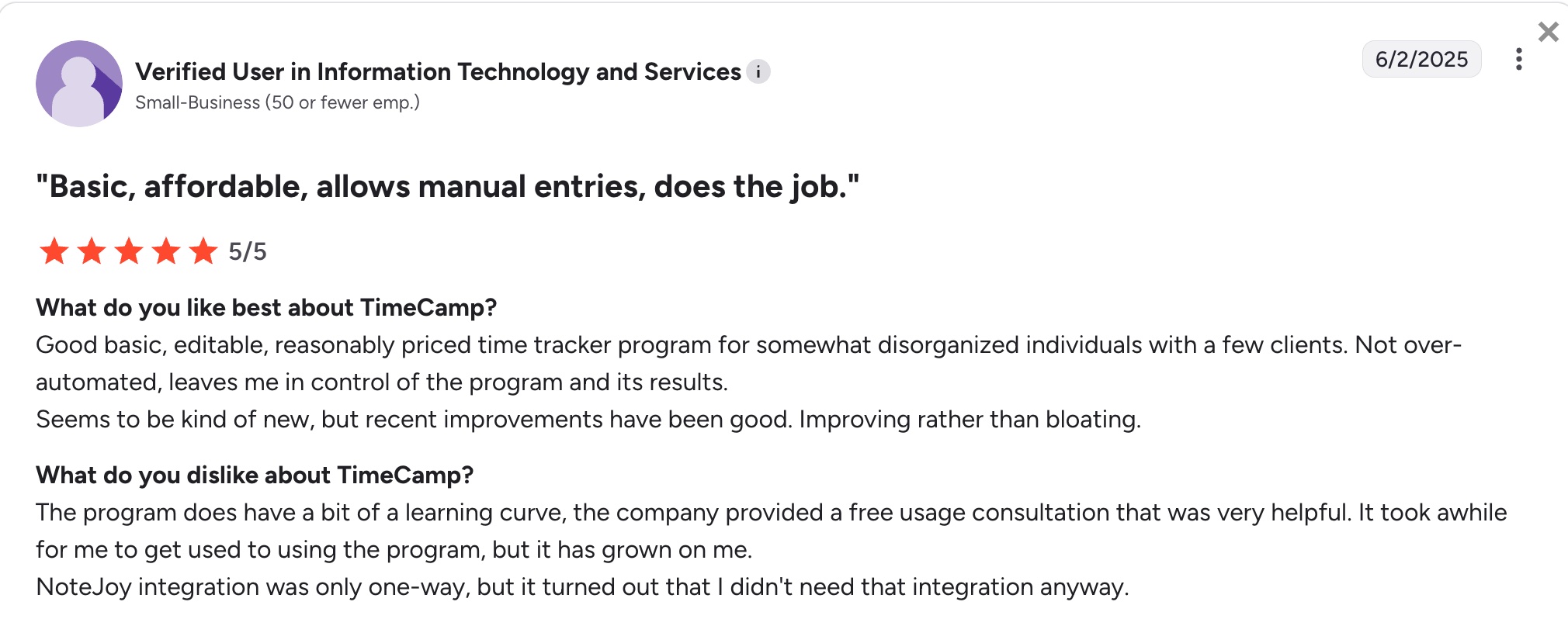
If you’re looking for an affordable employee time clock app, TimeCamp has a free option with basic time tracking features. However, one user notes that the time tracking software has a bit of a learning curve.
Check out TimeCamp’s website for pricing. You can also overcome the software’s learning curve by choosing a time clock app with award-winning customer support, such as Jobber.
Toggl Track

Toggl Track is the best free employee time clock app as it comes with features that you could typically only access through paid plan, such as:
- Idle time detection to maximize employee productivity.
- Detailed time reports for insights into time efficiency.
- Team access level management to ensure everyone sees the information they need.
| Pros | Cons |
|---|---|
| • Easy to use. • Free plan available. • Over 100+ integrations. | • No built-in scheduling, payroll, and advanced team management tools. • No invoicing features. |
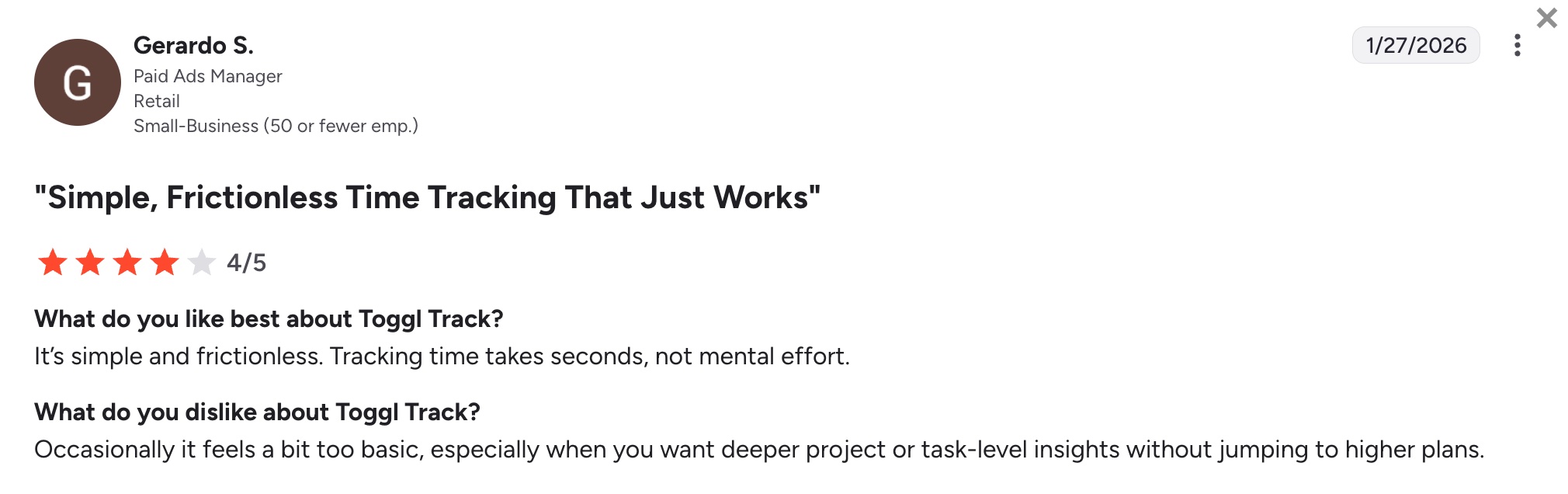
One user notes that although Toggl Track is simple to use, it occasionally feels a bit too basic. If you’re looking for additional features, these come with Toggl Track’s paid plans.
Check out Toggl Track’s website for pricing. You may also want to consider using an all-in-one solution like Jobber so you always have the tools your business needs.
Connecteam
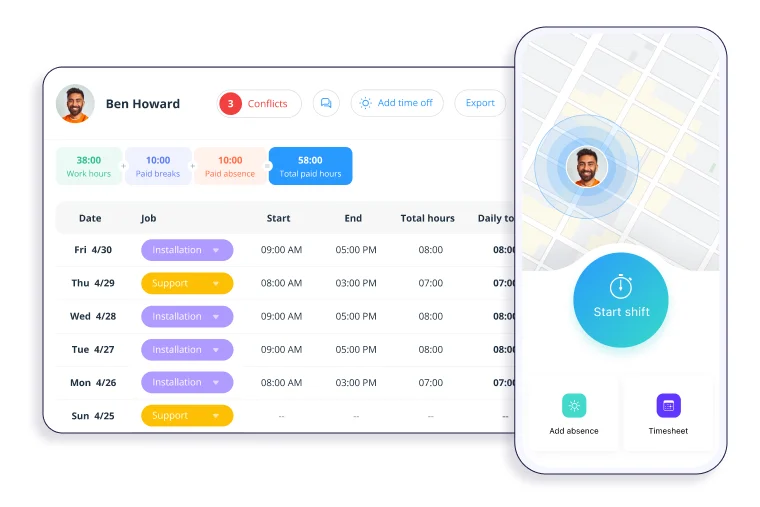
Connecteam’s time tracking software helps you track employee work hours and submit timesheets in just a few clicks.
Manage your employees’ day-to-day with clear visibility into absences, PTO requests, pay rules, and overtime. Use the mobile app to chat with your team.
Connecteam’s other key features include:
- Optional digital geo-fence for automatic clock-in and clock-out.
- Late or missed clock-in notifications.
- Approve timesheets individually or in bulk.
| Pros | Cons |
|---|---|
| • Automatic and manual clock-in methods. • GPS-verified time tracking. • Free plan available. | • Lacks related scheduling features like invoicing and payments for better payroll and cash flow. • Works best with a solid internet connection and may not be ideal for rural areas. |
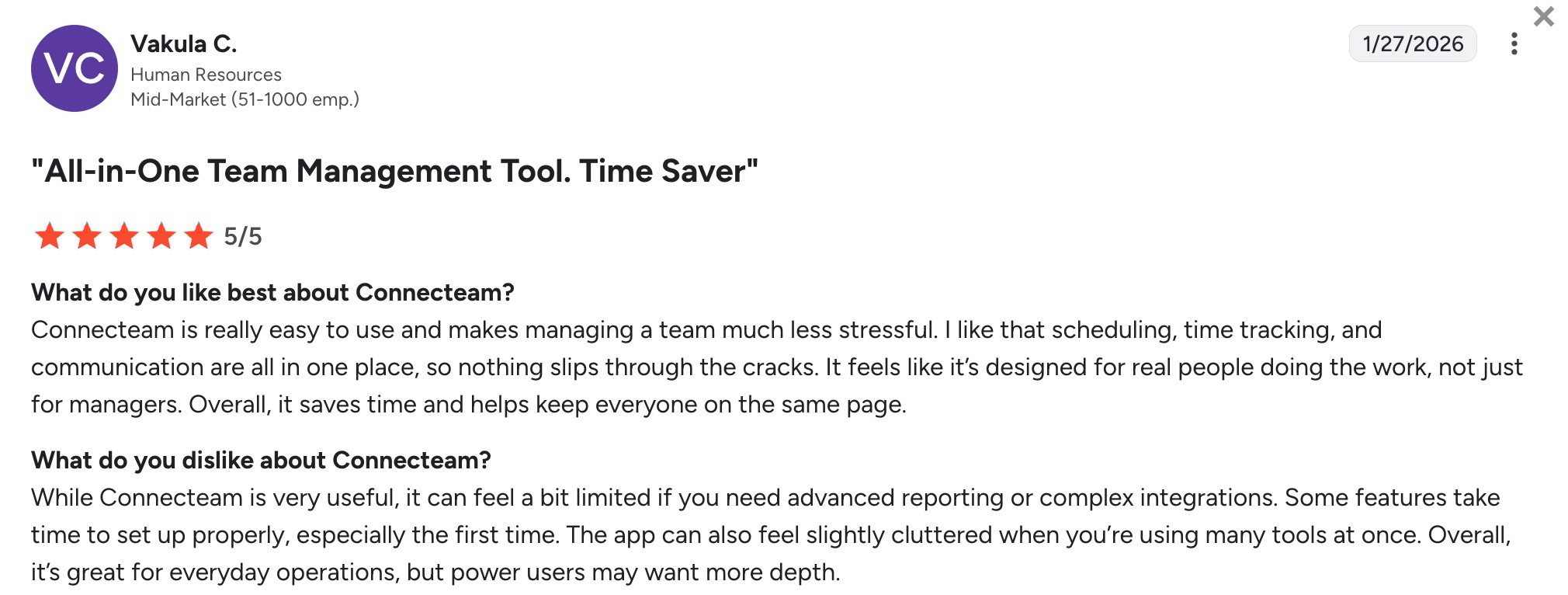
While users enjoy Connecteam’s geofencing, one user notes that Connecteam can feel limited if you need advanced reporting or complex integrations.
Timeero
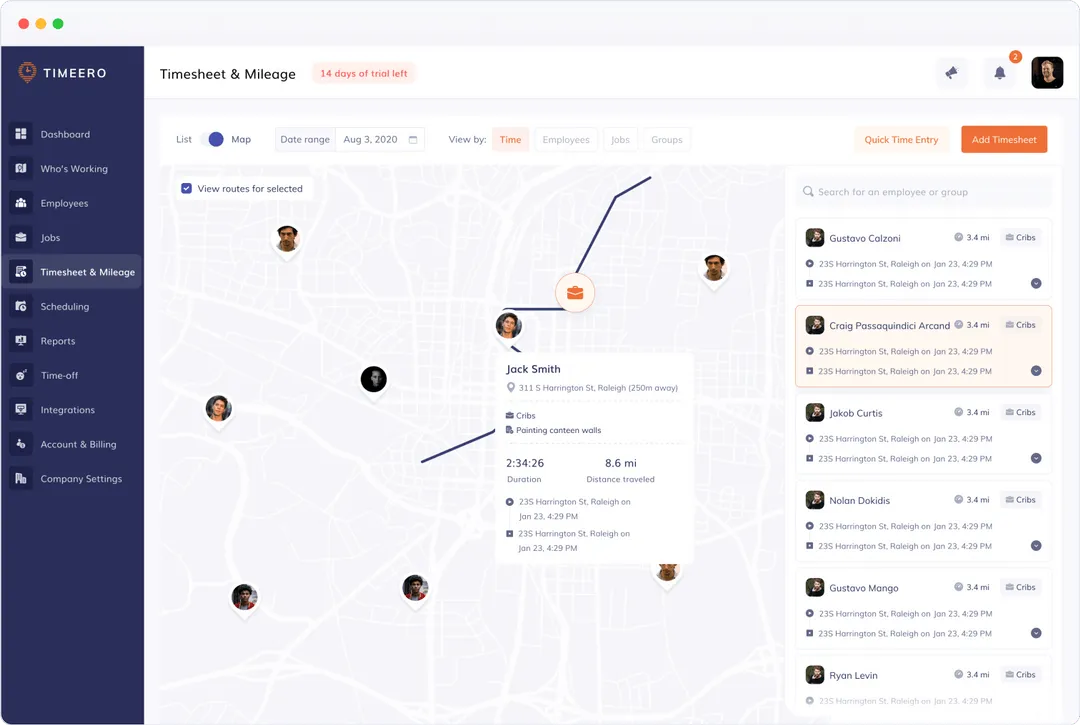
Timeero helps you manage your employees more effectively thanks to real-time tracking. You can set the app to track your employees only their assigned shift hours.
If needed, you can replay the travel path using the GPS breadcrumb trail to ensure accurate mileage reimbursement.
Timeero’s other features include:
- Offline tracking capability.
- Automated employee timesheets.
- Built-in time off tracking to manage leaves.
| Pros | Cons |
|---|---|
| • Mileage tracking. • Custom reporting for employee hours. • Integrates with popular payroll softwares. | • Employee GPS and driving route tracking costs extra. • No invoicing features. |
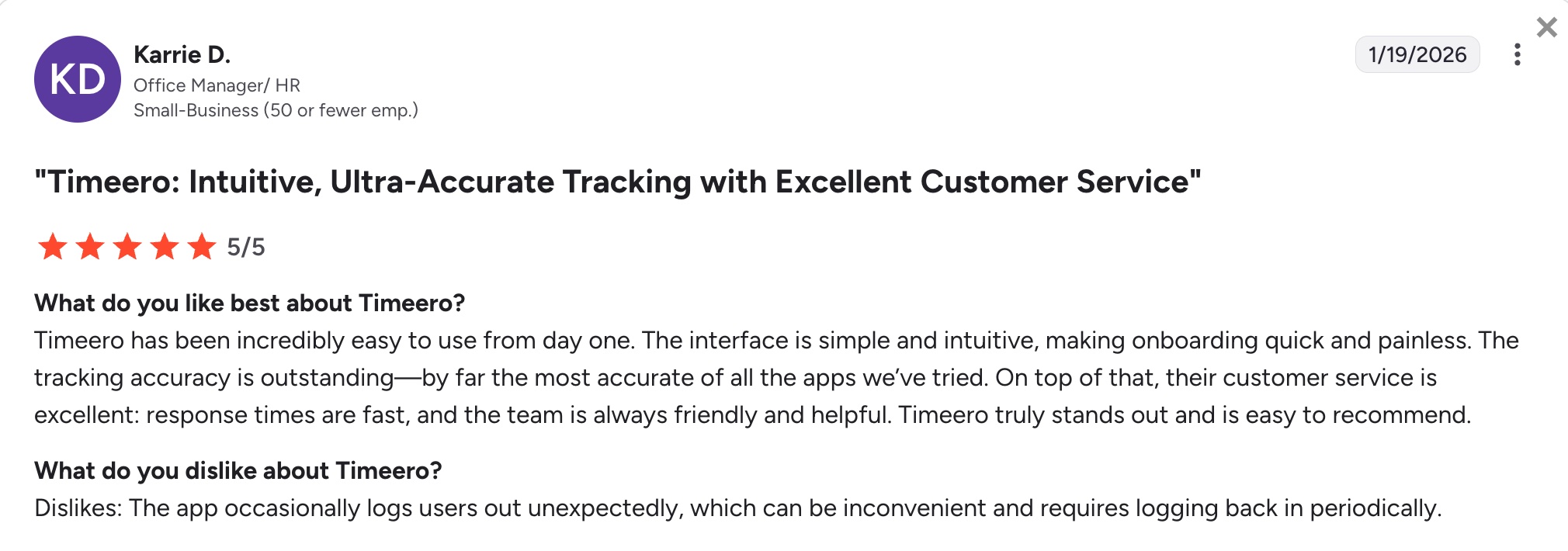
It’s important to note that one user says that the app occasionally logs users out unexpectedly, which can be inconvenient on the job.
Check out Timeero’s website for pricing. You could also consider using Jobber for better GPS tracking to keep on top of your crew’s productivity and better manage your fleet.
ClockShark
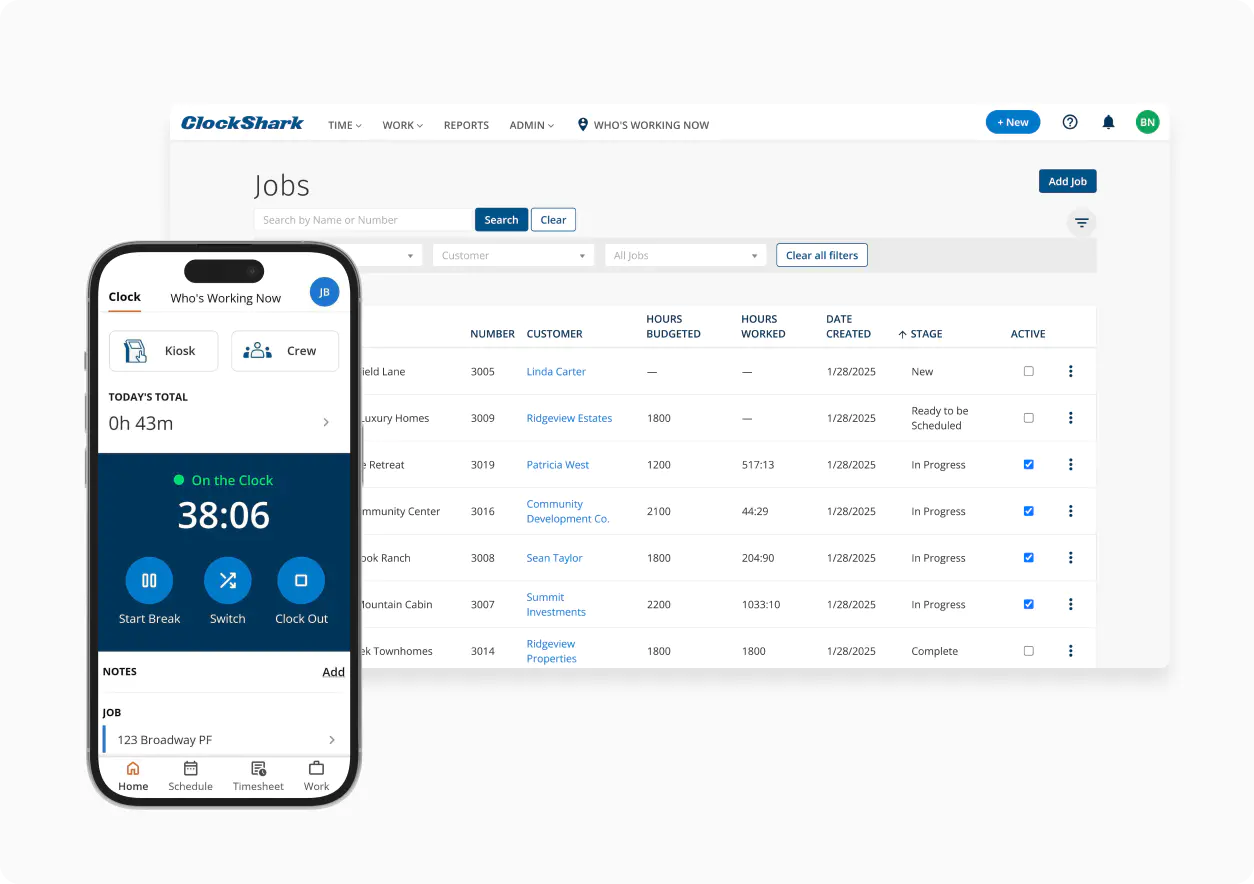
ClockShark is a time clock app that provides your employees with flexibility. They can track their time by using ClockShark’s mobile app, a web-based platform, or kiosk time clocks at central locations.
ClockShark captures GPS location data every time employees clock in or out to ensure timesheet accuracy. Hours and breaks are also calculated automatically based on the rules you set.
Other ClockShark features include:
- Ability to track multiple crews from a single timesheet.
- Drag-and-drop scheduling.
- Ability to create draft schedules.
| Pros | Cons |
|---|---|
| • Accurate time tracking according to rules you set. • Several options to clock in and out. • Built-in Spanish language support. | • Higher starting price for small teams. • No auto clock-in or clock-out. |
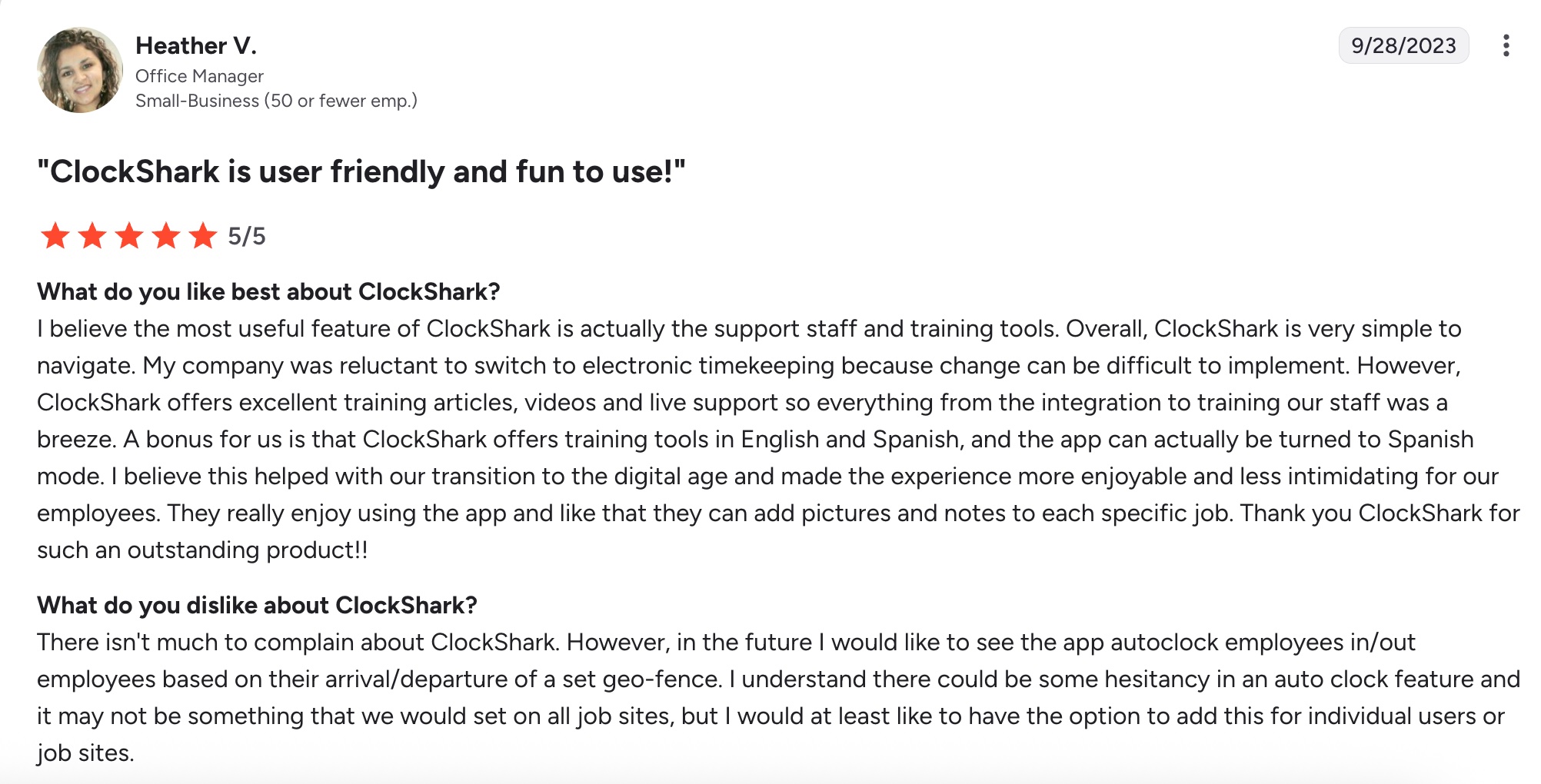
As noted by one user, ClockShark does not allow employees to automatically clock in and out based on their locations. This can add extra effort to the process of tracking time.
Check out ClockShark’s website for pricing. As an alternative, consider using Jobber for a lower starting price. Your employees can also automatically clock in and out when they enter and leave the jobsite, keeping captured time accurate.
Buddy Punch
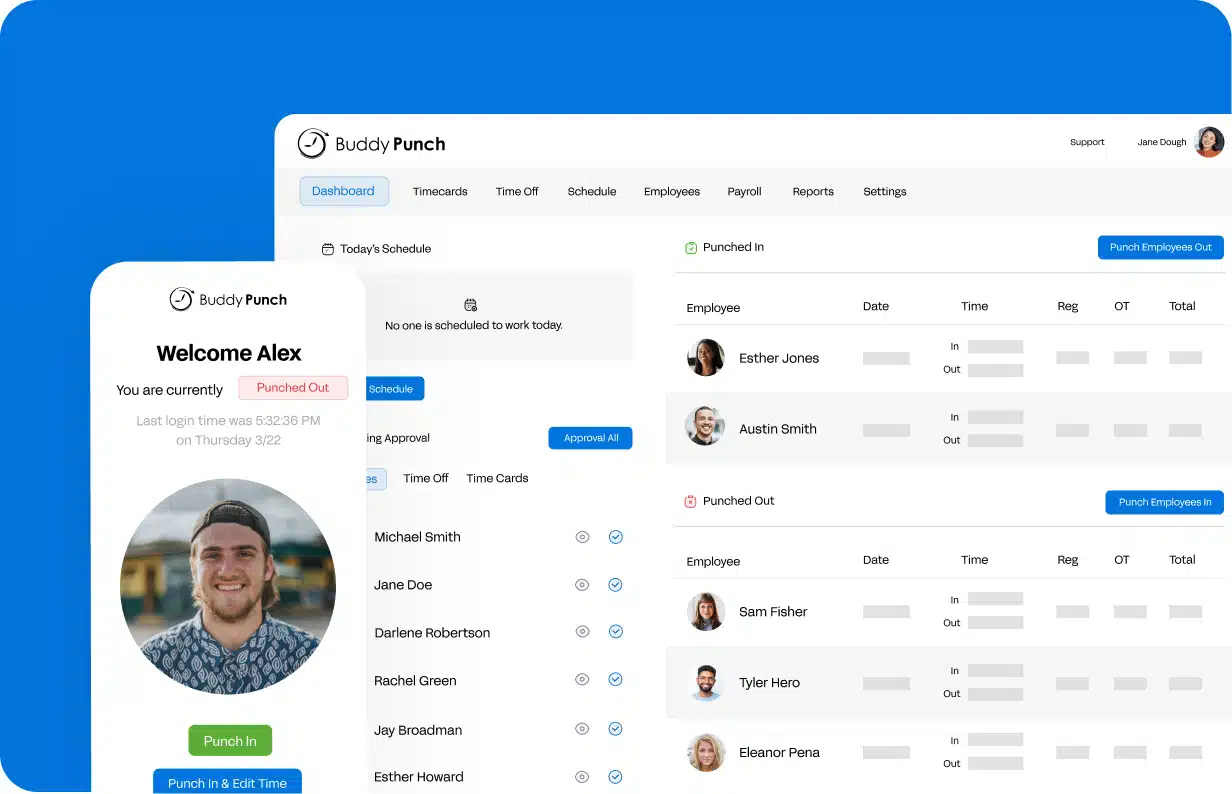
Last on our list of the best employee time clock apps is Buddy Punch. Buddy Punch takes a security-first approach to time tracking.
Employees must clock in and out by either verifying their identity with a customizable PIN, facial recognition, QR code scanning, or a traditional username and password login. This prevents buddy punching and time theft to ensure honesty in time tracking.
Buddy Punch’s other key features include:
- Use group punch or text-to-punch when internet connections are unreliable.
- Verify employee location with GPS tracking features.
- Alerts for late clock-ins or missed shifts.
| Pros | Cons |
|---|---|
| • Added security to prevent time theft. • Option to put Buddy Punch on a tablet for a central kiosk. • Flexible time tracking options. | • Each employee is an additional monthly fee. • Lack of integrations such as fleet management software. |
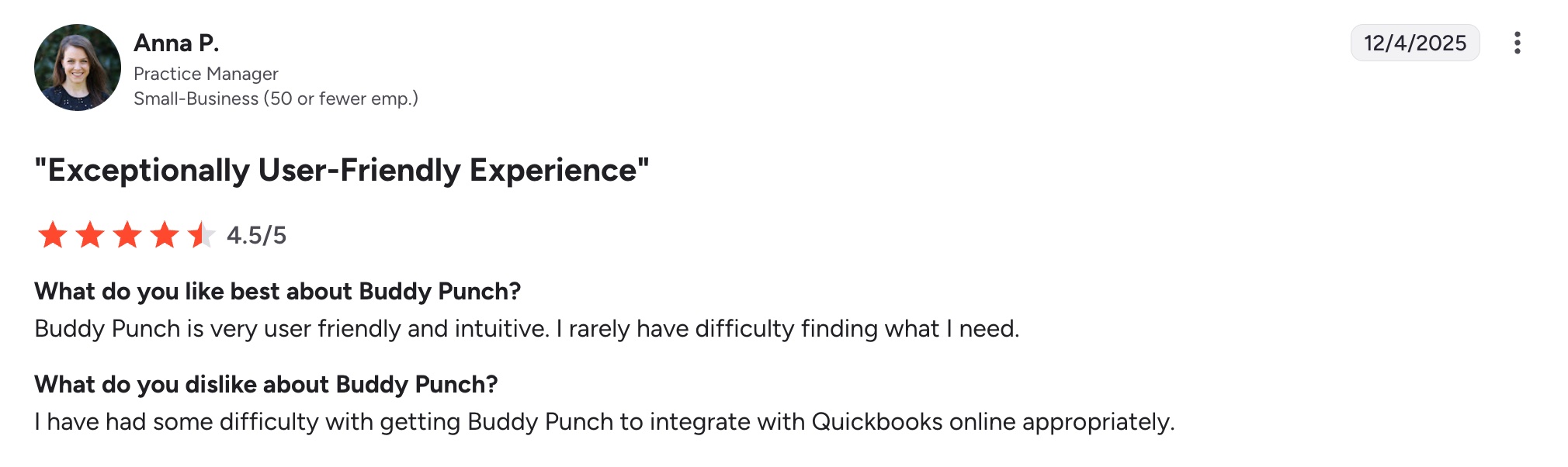
One user notes that while Buddy Punch is user friendly, the QuickBooks integration is a little tricky to implement.
Check out Buddy Punch’s website for pricing. Or, if you’re looking for a seamless QuickBooks integration, consider using Jobber to streamline your time tracking and payroll.
Why your business needs a time tracking app
Using a time tracking app helps improve productivity and ensure accurate record-keeping. Here are some reasons to add a time tracking app to your toolkit:
- Motivation: Encourage employees to be more mindful of their work habits and time management.
- Eliminate manual errors: Automated time tracking reduces the risk of human error from manual time entry.
- Improve project management: Monitor time spent on different projects to ensure they stay on schedule and within budget.
- Optimize resource allocation: Spread out your resources more effectively based on time data.
- Precise billing: Ensure accurate billing for clients based on actual hours worked.
What to look for in the best employee time clock app
Your business is unique, and so are time tracking apps. Finding the app that meets your business’s needs can be tricky, but the process is easier if you know what to look for.
For example, if you’re dealing with a field team always on the go, you might want to look for the best time clock app for iPad users or a mobile app.
If you also have remote office employees, you might want apps that track time on websites or other apps.
Here are some things to keep in mind when choosing the best employee time clock app:
- Overtime frequency: Does nature or your business often require employee overtime? Some apps provide overtime alerts to keep you on budget.
- GPS tracking: This is a must for field service businesses to verify your employees’ locations.
- Project tracking: If your business is project based, it’s worth using an app that tracks time spent on specific tasks or projects.
- User-friendly interface: The app you choose should be intuitive and easy to navigate for both employees and managers.
- Integrations: Your employee time tracker will be one of several apps you use to simplify your workflows, so it’s important to choose an app that syncs well with other tools.
The right time clock app helps you track hours accurately to simplify payroll and gain better control over labor costs.
If you want an easy-to-use solution built for field service teams, try Jobber for free and see how it can streamline time tracking and improve job profitability.
The time tracking in Jobber has been a game-changer for us.
Our admins are more efficient and can spend time doing other things instead of tracking down hours—Jobber does that for us.

Originally published in July 2024. Last updated on March 2, 2026.
Frequently Asked Questions
-
Using a time tracking tool gives you accurate visibility into how your employees spend their work hours, which in return helps you run payroll faster and reduce errors.
It also improves accountability by ensuring employees clock in and out correctly, especially when working in the field. With clear data on labor costs and productivity, you can price jobs more accurately and make smarter scheduling decisions. -
When choosing a time clock app, look for these key features:
• GPS tracking and geofencing to keep track of where your employees are
• Automatic timesheets and integrations for streamlined payroll
• Detailed reporting for business insights
• Mobile access to manage your business from anywhere
• Job or project tracking to help you monitor labor costs and improve job costing accuracy• -
Here are some tips on how to migrate from manual timesheets to employee time clock software:
• Choose a tool that fits your team size and workflows.
• Take advantage of free trials so your team can get familiar with clocking in and out.
• Once you’ve selected your new software, set up employee profiles, pay rates, and projects.
• Provide simple training and clear guidelines, and review the first few timesheets to catch any issues. Choosing a time clock app with great customer support makes training easier.
Once everything is working smoothly, you can fully switch over and use the app’s reports to streamline payroll processing and track labor more accurately.