6 Best Invoicing Software for Contractors in 2026: Get Paid Faster Than Ever

Key takeaways:
If you want to get paid faster and streamline your billing process in 2026, choosing the right invoicing software is essential for contractors.
- Boost payment speed with top invoicing tools. Solutions like Jobber, Wave, QuickBooks Online, Zoho Invoice, FreshBooks, and Paymo let you send invoices quickly, automate reminders, and accept online payments—helping you get paid with less effort.
- Match features to your business needs and size. Each platform has strengths: Jobber excels for field services and all-in-one workflows, Wave and Zoho offer free plans for beginners, while QuickBooks Online and FreshBooks add advanced accounting and user-friendly templates.
- Automate and organize your billing workflow. Invoicing software reduces errors, sends professional invoices with your branding, and keeps all client and payment records in one place for easier tracking and cash flow management.
- Look for customization, ease of use, and growth potential. Choose software that can scale with your business, offers customized templates, supports recurring and progress invoicing, and provides flexibility as your needs evolve.
- Save time and improve your professional image. Automation and branded invoices help you spend less time chasing payments and present a trustworthy business to your clients.
Want more tips for getting paid faster and improving your business? Sign up for the Jobber Newsletter.
To maintain a thriving business, you need customers to pay on time. The easiest way to make that happen? Online invoicing.
With the right invoicing software, you can send invoices quickly, track payments with ease, and send automatic reminders to ensure no dollar slips through the cracks.
To save you the hassle of sorting through hundreds of options, we’ve rounded up the best invoicing software for contractors. Below, we share the top-reviewed, most flexible, and overall most cost-effective tools built to help you get paid quicker.
Top 6 best invoicing software for contractors:
-
Jobber: Best invoicing for field services
-
Wave: Best invoicing software for beginners
-
QuickBooks Online: Best all-in-one accounting and invoicing solution
-
Zoho Invoice: Best free billing software for small businesses
-
FreshBooks: User-friendly invoicing software
-
Paymo: Best for time-based project billing
What is contractor invoicing software?
Contractor invoicing software helps home services businesses create, send, and manage payments more efficiently.
Instead of relying on spreadsheets, documents, or paper-based systems, invoicing software automates much of the billing process, saving time and reducing errors. Today, you can even use mobile-based invoicing apps , which connect with your computer software, to create invoices right from your phone—which is especially useful if you work on-site.
For businesses in home services industries, an invoice app is especially valuable because it helps organize complex, project-based billing and keeps financial details clear across multiple jobs, crews, and timelines.
Contractor invoice software for small businesses makes it easy to:
- Create professional invoices with your company’s branding
- Track invoice payments so you know which customers have paid and see overdue invoices right away
- Automate reminders to reduce late payments
- Generate reports that give you insights into cash flow and outstanding payments
By choosing the best contractor invoice app for your business, you can spend less time chasing payments and more time focusing on growth.
Using professional invoicing software and mobile apps gives your business a professional appearance, which helps build trust with customers.
Best invoice software comparison chart
Disclaimer: Software prices are reported at the time of writing and are subject to change after the publication of this article.
| Software | Best For | Key Features | Pricing | Free Trial |
|---|---|---|---|---|
| Jobber | Field service businesses | • Batch-send invoices • Automate invoice reminders • Process online payments | Starting at $29 per user per month See all Jobber plans | Yes |
| Wave | Beginners | • Track invoice statuses • Automatically process credit card payments • Generate invoices with an invoice builder | Starting at $0 per user per month | No |
| QuickBooks Online | Syncing accounting and invoicing in one place | • Track billable expenses • Receive payment alerts • Schedule recurring invoices | Starting at $19 per user per month | Yes |
| Zoho Invoice | Beginners | • Get several invoice views • Automate payment reminders • Offer multiple payment gateways | Free | No |
| FreshBooks | Beginners, small contractor businesses | • Accept online payments directly through the invoice • Track time and invoices • Use ready-made templates | Starting at $6.30 per user per month | Yes |
| Paymo | Time-based project billing | • Create invoices directly from timesheets • Combine expenses and tracked time • Offer multiple payment options | Starting at $0 per user per month | Yes |
How we chose the best invoicing software for contractors
We chose the invoicing software on this list by compiling invoicing tools made for different types of small businesses, with a focus on home service contractors, like electricians, plumbers, handymen, and construction workers.
We reviewed dozens of online invoicing solutions before narrowing our list down to the ones with the best customer reviews from sites such as Capterra.
Then, we took a closer look at each solution to determine which had the smoothest invoice creation, customization, tracking, and follow-up tools—all key features that contractors need. We also watched app tutorials, when available, to see the tools in action and judge these capabilities for ourselves.
The result? This curated list of the best invoicing software for contractors to manage invoices, track payments, and handle project finances with ease. Below, we delve into each solution, why it made the cut, and what kinds of contracting businesses it’s best suited for.
Jobber: Best invoicing for field services
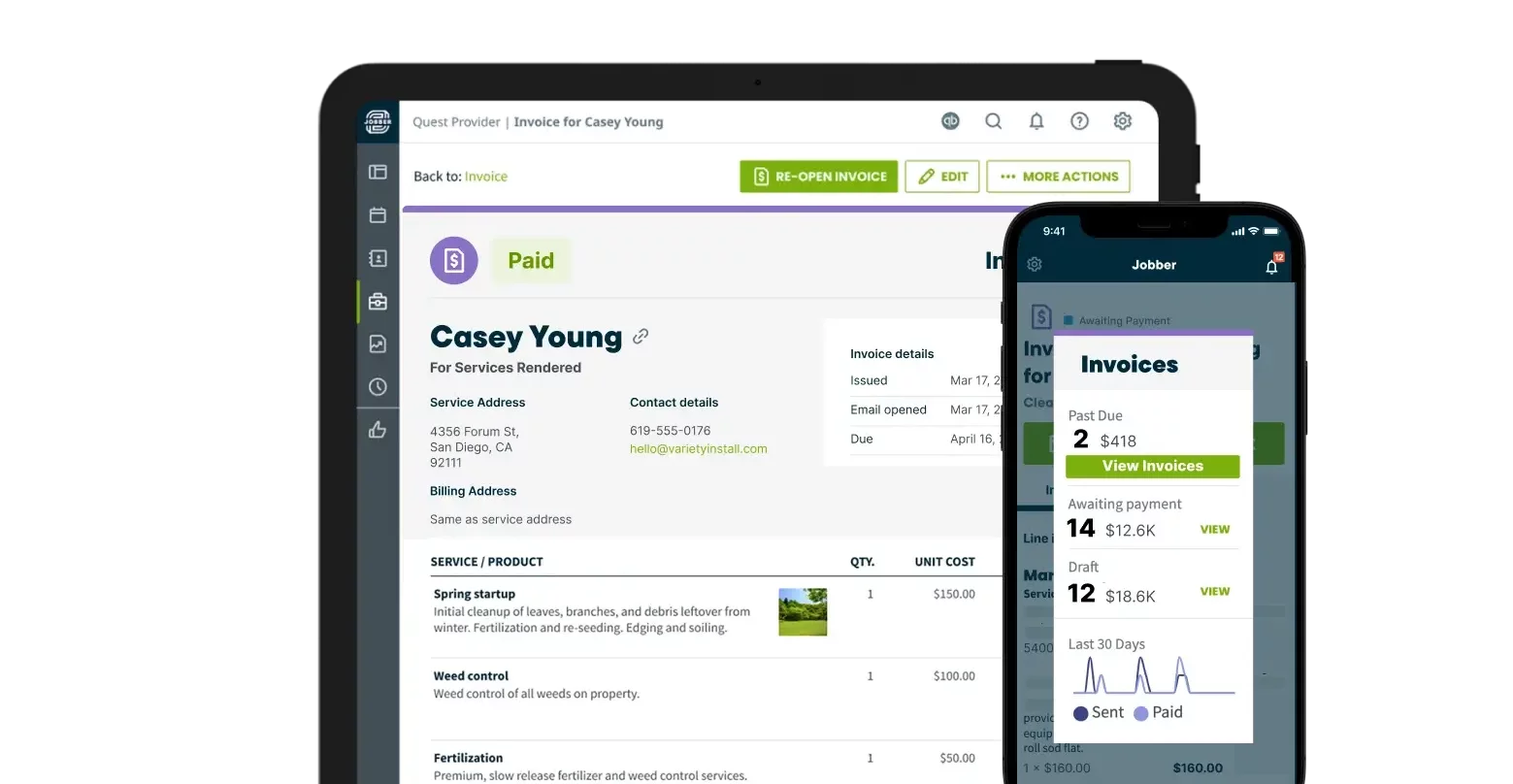
Jobber is the best invoicing software for home service contractors looking to connect their invoicing to their other workflows for an all-in-one solution.
Jobber helps service companies invoice customers, collect payment, and run an all-around efficient business. You can use Jobber to invoice from your computer or mobile device—it’s made for teams that need to move from jobsite to jobsite.
With just a few clicks, you can generate a professional invoice with accurate job details and convenient payment options, ready to send to the customer.
Or, make your invoice using the simple and flexible invoice builder if you’ve already completed the job. You can also turn your quotes into invoices, allowing for a seamless process from start to finish.
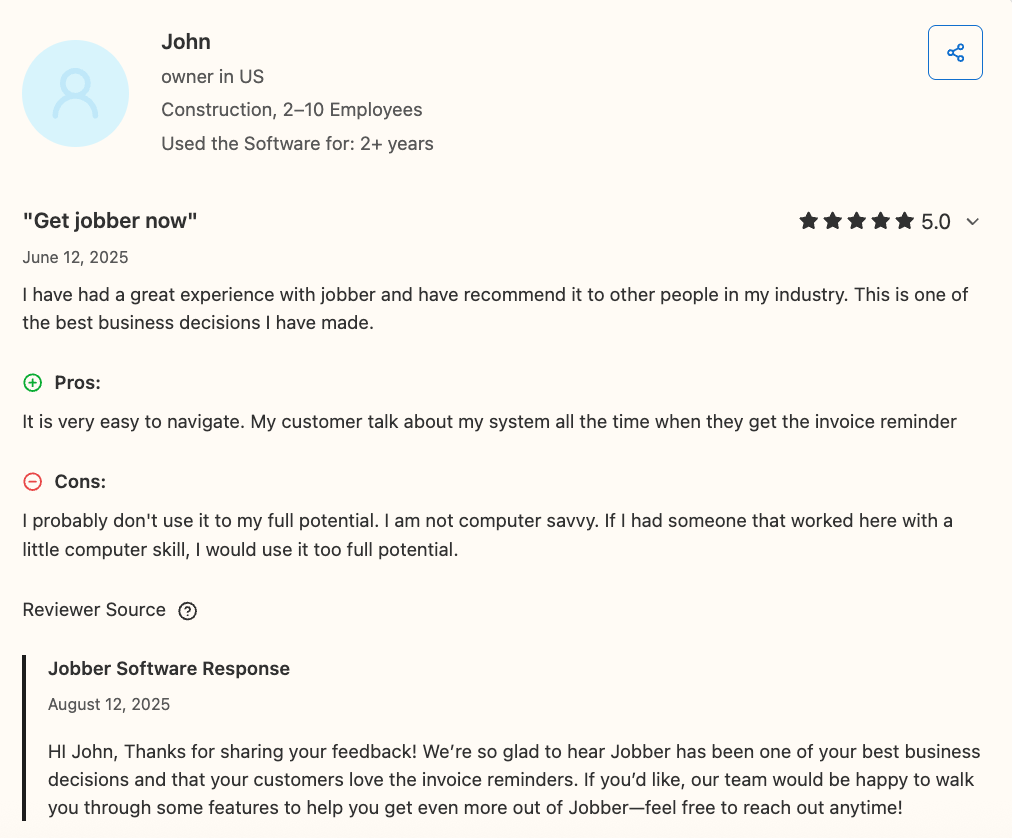
One user especially loved that Jobber is easy to navigate and said that their clients appreciate the automated reminders.
Here are some of Jobber’s top invoicing features:
Batch invoicing
If you’re behind on invoicing—or simply like to send invoices in bulk—batch invoicing makes it easy.
With Jobber, you can batch-send invoices to save time and boost cash flow with just a few taps. Pick the jobs you want to bill and send professional invoices to your customers in a few clicks.
Invoice templates
There’s no need to start your invoices from scratch each time. With customizable invoicing templates, you can create invoices in minutes to send off to your customers.
Customize Jobber’s professional-looking templates with your company branding, contact information, payment terms, and more.
READ MORE: What to include on an invoice
Invoice reminders
Never forget to send an invoice again. The best billing software for small business owners will send you automated reminders to bill after each job.
With Jobber, you can see which jobs are ready to invoice, and get reminders to send invoices for jobs you’ve just finished. That way, you can reduce late payments without awkward follow-ups.
Automated invoice follow-ups
Even with invoice reminders, your customers may forget to pay their invoices.
Let Jobber follow up for you. Jobber automatically sends a customized email or text follow-up to customers, reminding them to pay their outstanding invoice without you having to pick up the phone.
Progress invoicing
Use progress invoicing to break a job into multiple invoices and reduce risk at each stage.
With Jobber’s progress invoicing, you can set clear payment schedules, keep clients in the loop, and get paid throughout the job.
Payments
Give customers convenient payment options to ensure quick payments—whether you’re in the office or in the field.
Jobber allows for automated payments, so you can get paid as soon as the job is done. Accept online card payments through Jobber’s client portal, bank payments, or get paid in person with Tap to Pay.
Wave: Best invoicing software for beginners
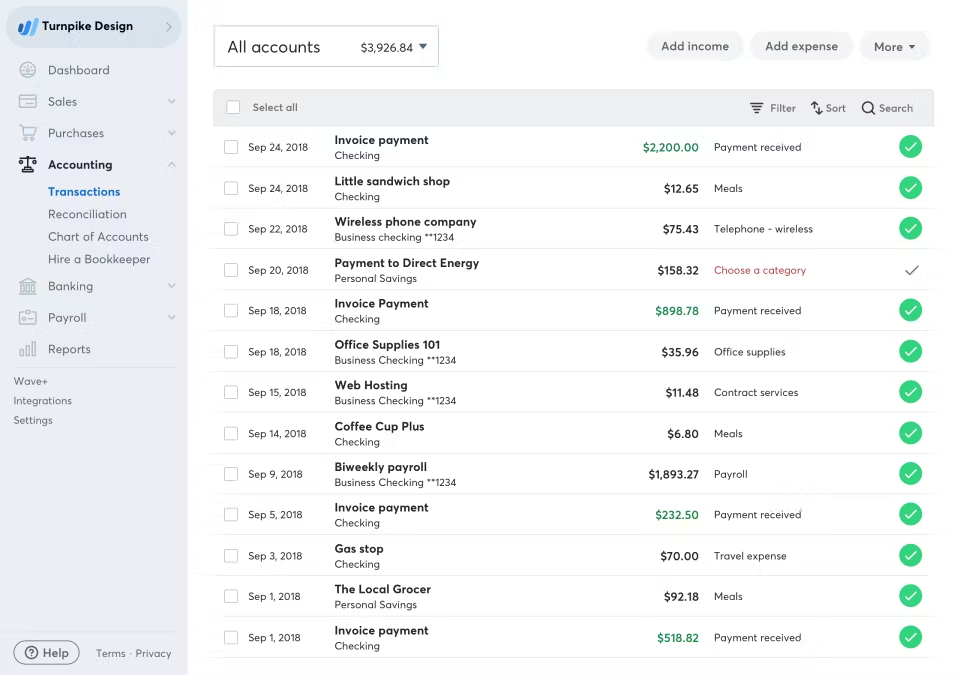
With its simple, clutter-free interface and quick setup process, Wave is great invoicing software for brand-new small business owners.
Wave’s invoice builder and reports are sleek and intuitive. You can see the total amount due from all outstanding invoices from the invoice tracking dashboard.
Plus, Wave lets you create, send, and track invoices for free. You’ll only pay credit card processing fees when you accept payments online.
Wave’s other invoicing features include:
- Track the status of your invoices
- Set up automatic credit card payments
- Send automated payment reminders
One user especially appreciated how clean and intuitive the platform was overall, but found that the software lacked some advanced tools.
QuickBooks Online: Best all-in-one accounting and invoicing solution
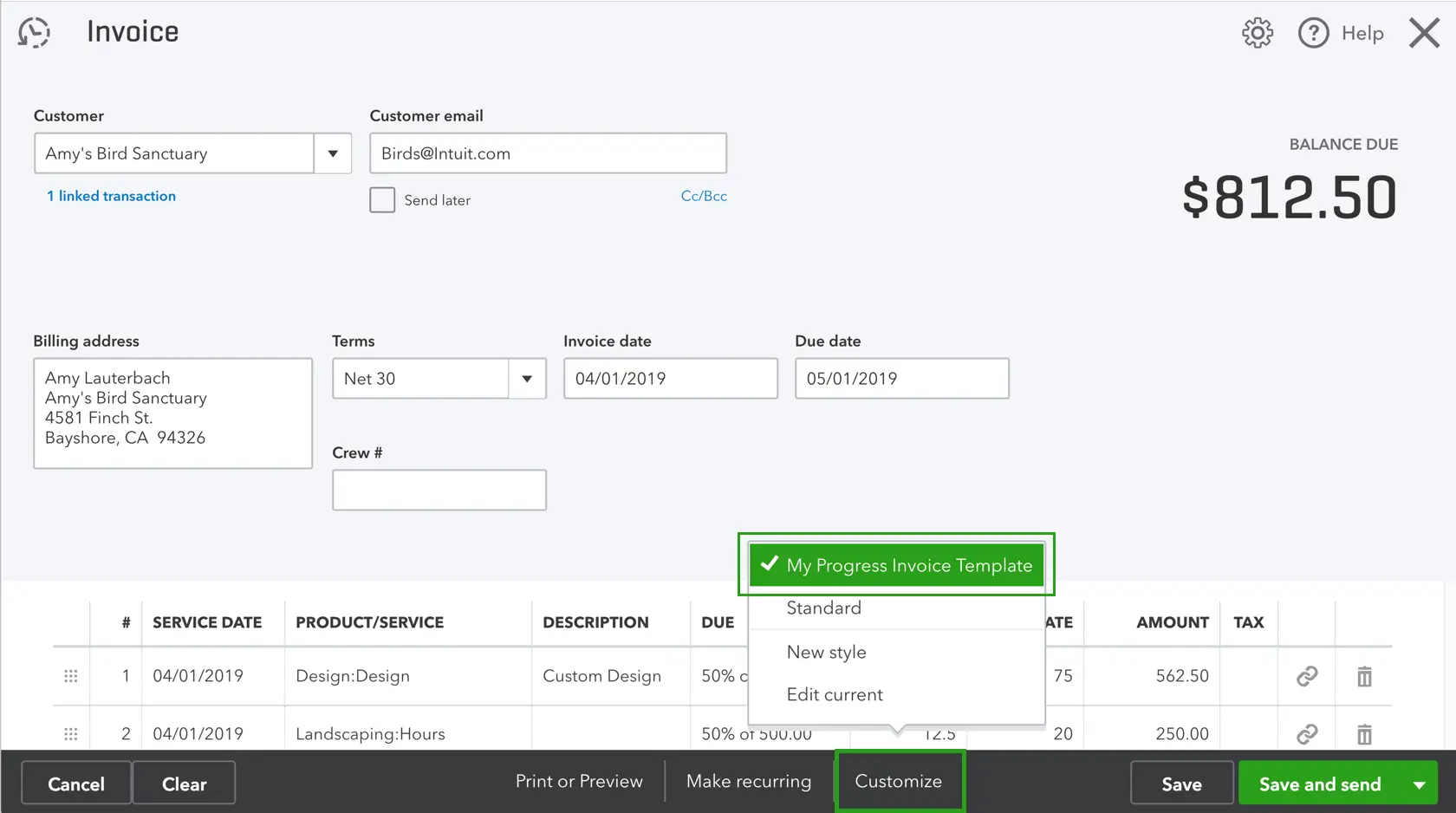
QuickBooks Online is invoicing and accounting software that helps you manage your accounts receivable and other finances without bouncing between multiple tools.
QuickBooks Online offers many essential invoicing features small businesses need—from customization to automatic payment reminders, batch invoicing, and expense tracking.
After you send an invoice, you can easily run an accounts receivable aging report to see which customers are late paying and how much cash you have in your business bank account to pay your bills.
QuickBooks Online’s other invoicing features include:
- Track billable expenses and link them to your invoices
- Set up alerts to know when customers pay invoices
- Schedule recurring invoices
One user liked how QuickBooks Online linked so easily with her other software, including their CRM.
Zoho Invoice: Best free billing software for small businesses
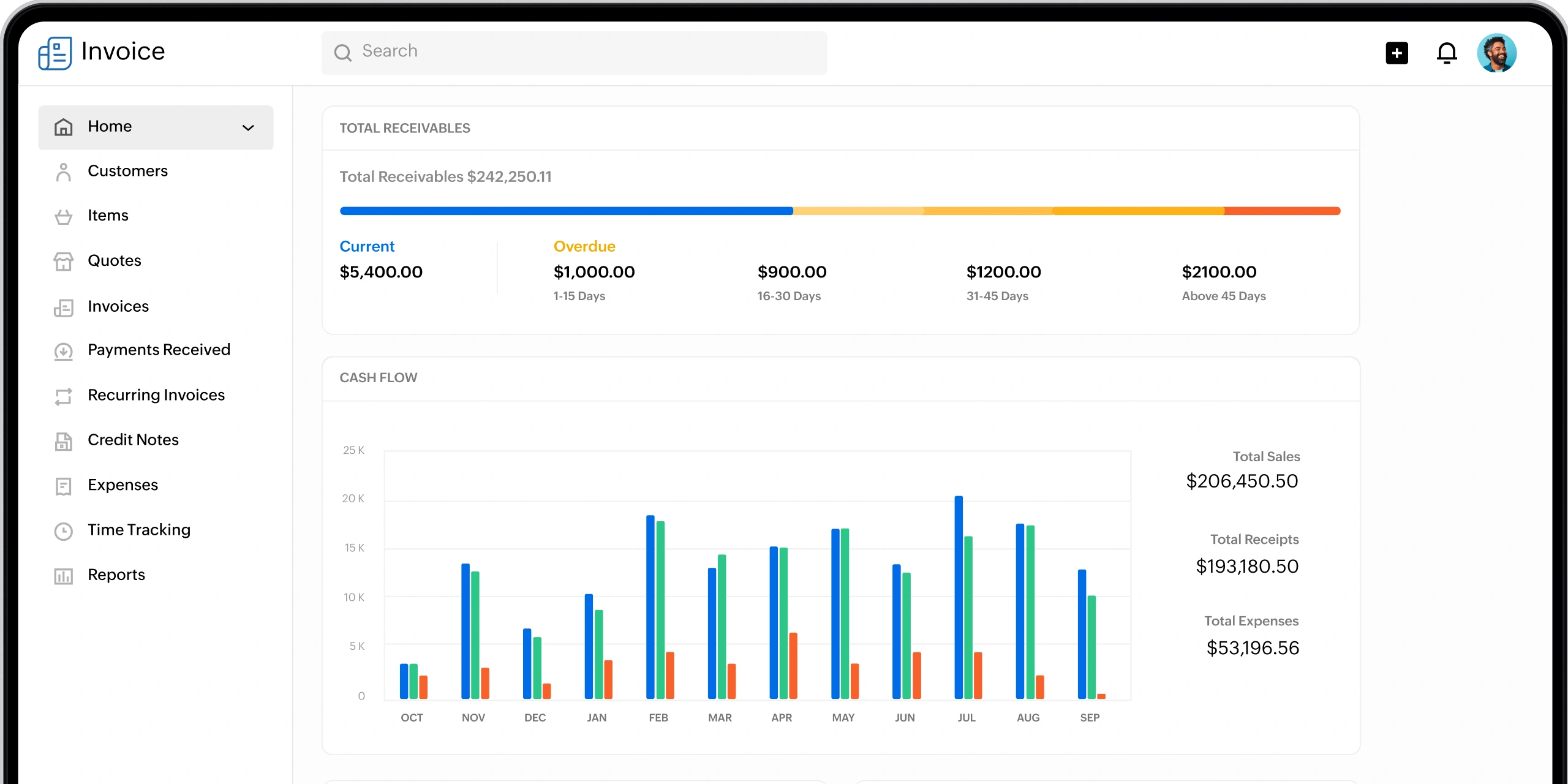
Zoho Invoice is free invoicing software that works great for any small construction business on a tight budget.
While building your invoice in Zoho, you can toggle between a ‘simplified’ view and a more complex one that shows you recommendations on what to include to complete your invoice.
Zoho has many invoice templates with plenty of variety in their designs. Before selecting an invoice template, you can even live-preview each one with your own business’s information.
Zoho’s other invoicing features include:
- Customize the sender, CC, and subject line of your email before sending an invoice
- Send automated payment reminders
- Choose between multiple payment gateways (like Stripe, Paypal, or GoCardless)
One user appreciated Zoho’s professional-looking invoices, but wished that the platform included more options for payment gateway integrations.
For another free, simple invoice creation option, try Jobber’s free invoice generator tool to automatically create and download a custom invoice for any job.
FreshBooks: User-friendly invoicing software
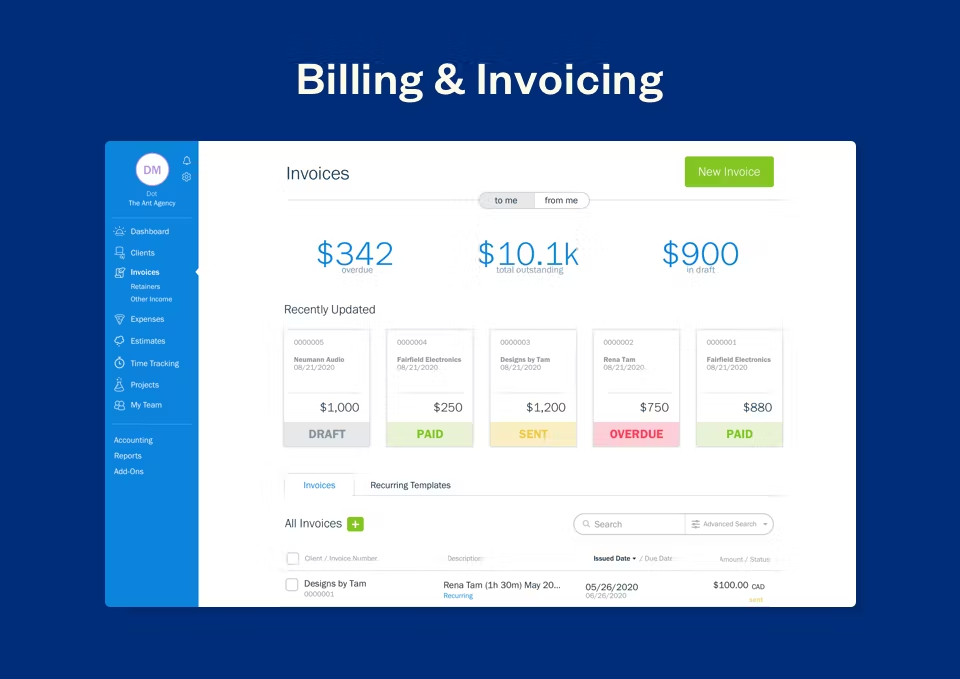
FreshBooks is invoicing software for small business owners who value simplicity and ease of use.
Its clean, intuitive design makes it easy for anyone—even those with little accounting experience—to create and manage invoices without a steep learning curve.
Get started by using one of FreshBook’s ready-made templates to create professional invoices in minutes. You can also set up automated billing and reminders so you spend less time chasing payments.
FreshBooks’ other invoicing features include:
- Accept online payments directly through the invoice to get paid faster
- Track time and expenses and add them to invoices with just a click
- Access everything on the go from a mobile app
One user wrote that FreshBooks makes invoice creation easy, but that the price is a little high.
Paymo: Best for time-based project billing
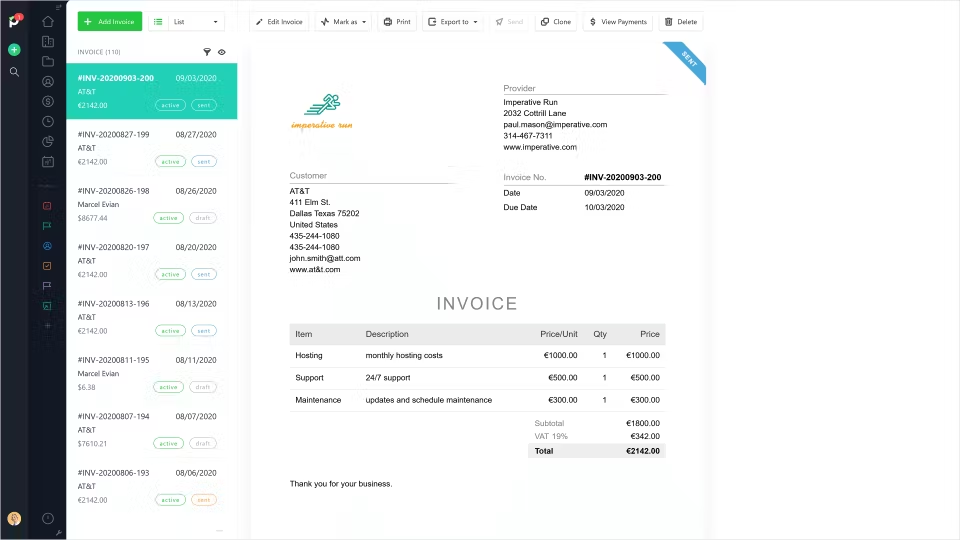
If you bill your construction projects by the hour, Paymo is a great option.
Track time automatically or manually across projects and tasks, and generate invoices directly from timesheets, ensuring accurate billing.
Paymo’s other invoicing features include:
- Add expenses alongside tracked time for a complete client invoice
- Offer multiple payment options
- Monitor project budgets so you stay profitable while keeping invoices accurate
One user liked how easy Paymo is to use, but wishes there were more customization options for invoices.
Benefits of using invoicing software for contracting businesses
Invoicing software offers more than just a way to bill home services projects—it can directly improve how you manage your finances and client relationships. Key benefits include:
- Time savings: Automating invoice creation, recurring billing, and payment reminders reduces manual work and frees up valuable time.
- Faster payments: Many platforms allow online payments, which makes it easier for customers to pay you quickly.
- Fewer errors: Built-in templates and automation help prevent mistakes that often occur with manual data entry.
- Improved cash flow: Real-time tracking of outstanding invoices and detailed reporting give you better visibility into your finances.
- Professional image: Branded invoices strengthen your company’s credibility and make a positive impression on clients.
- Centralized records: All invoices, receipts, and client information are stored in one place, making it easier to stay organized and compliant.
By adopting invoicing software, you can spend less time chasing payments and more time focusing on growth.
What to look for in your invoicing software
You’ll find many similar features across all online invoicing software, such as invoice templates, tracking, and automatic payment reminders. That said, some tools will fit your business better than others.
Choose software that’s built for your business type, size, and experience level. Answer these questions when you’re choosing between invoicing tools:
- What types of invoices do you issue? Do you send invoices at the end of each job or issue recurring invoices? This largely depends on the type of jobs your construction company does and how big those jobs are.
- How easy is the software? How many steps does it take to create and send an invoice? Your invoicing software should be relatively easy to learn, with some support. More specialized options, like accounting software that includes invoicing tools, will have a steeper learning curve.
- Does it automate your payment reminders? This is essential for any business owner to save time. Look for a tool that gives you templates for payment reminder messages, allows you to customize them, and sends them automatically on a schedule you set.
- Is it easy to track your accounts receivable? Does the software give you a clear picture of who has paid and who hasn’t? You might also want alerts when someone opens an invoice, or details on when a customer last opened their unpaid invoice.
- What are the payment processing fees? Most invoice apps let you accept online payments from customers. But each app offers different payment methods and processing fees.
- How much can you customize your invoices? Are custom colors and designs important? If so, look for construction management software that gives you lots of templates to work from.
- Will it grow with you? If you plan on hiring more people or serving more locations, will the software be flexible enough to support that growth?
Choosing the best invoicing software for small business success comes down to finding a tool that fits your workflow and makes getting paid easier.
The sooner you make the switch, the sooner you can focus less on chasing payments—and more on growing your business.
Originally published in May 2024. Last updated on December 18, 2025.
Frequently Asked Questions
-
QuickBooks Online is the best accounting software for small businesses. It offers powerful features for bookkeeping, expense tracking, payroll, and invoice management, making it easy to stay on top of your finances as you grow.
Plus, QuickBooks Online integrates with Jobber, so you can connect your accounting with your invoicing app, scheduling, and construction billing workflows.
-
Offering financing is important because it removes cost barriers for customers and makes larger projects more accessible.
For contractors, financing can increase close rates, boost the average project value, and create a smoother payment process. It also builds trust by giving customers predictable, manageable payment plans.
Jobber offers consumer financing, so you can let your clients pay over time to get the service they want now. -
The best invoicing software for a small business is one that’s easy to use, supports your billing workflow, and scales as you grow.
Look for a platform that lets you create professional invoices quickly, accept multiple payment methods, track what’s been paid or overdue, and automate reminders to reduce late payments. -
Jobber is the best invoicing software for home service pros.
Jobber is built specifically for field-based businesses, making it easy to create professional invoices, track payments, and manage jobs from anywhere.
With features like automatic invoice follow-ups, mobile invoicing, batch billing, and seamless scheduling-to-payment workflows, you can get paid faster and spend less time on administrative work.