Best Handyman Apps for 2026: Top Picks to Run and Grow Your Business

Key takeaways:
If you’re searching for the best handyman apps to help run and grow your business in 2026, this guide highlights the latest top picks and what each app offers for handymen at every stage.
- Find the right app for your needs. Choose from proven apps that help with day-to-day business management, job scheduling, quoting, payments, lead generation, accounting, fuel savings, and on-site calculations.
- Jobber is the standout all-in-one solution. Jobber streamlines quoting, scheduling, invoicing, payments, and client communication for handymen of all sizes—helping save time, reduce paperwork, and grow revenue.
- Lead generation apps boost new client opportunities. Apps like TaskRabbit, Thumbtack, Angi, and Nextdoor help handymen connect with local homeowners, fill their schedules, and build a community reputation without heavy marketing.
- Specialty and efficiency apps cut costs and simplify jobs. Utilize QuickBooks for accounting, GasBuddy for fuel savings, Pipe Trades Pro for plumbing calculations, and All-In-One Calculator for quick measurements to make your daily work easier and more profitable.
- Choosing the right combination depends on your business stage. Whether you’re just starting out, looking to grow, need fast new leads, or want to end admin headaches, the article breaks down the best app picks for each situation—so you can focus on what matters most.
Run a smoother handyman business with Jobber. Quoting, scheduling, invoicing, and payments—all in one place. Start your free trial.
Running a handyman business means wearing many hats. Between quoting jobs, scheduling work, following up with clients, and chasing down payments, the admin side can eat up as much time as the work itself.
The right handyman app changes that. Whether you’re a solo operator or managing a small team, the best handyman apps help you book more work, get paid faster, and stay organized without the extra hours.
To help you find the best fit, we reviewed the top handyman apps for 2026—covering business management, lead generation, accounting, job-site tools, and more.
These are the best apps for handymen
How we selected these apps
Finding the right handyman app takes more than a quick Google search. To put this list together, we evaluated each app based on what actually matters to working handymen, not just feature checklists.
Here’s how we selected them:
- Real-world relevance. We looked at what handymen are actually talking about. That means digging into Reddit communities like r/handyman and r/TaskRabbit where contractors share honest takes on what works, what frustrates them, and what they’d recommend to someone starting out.
- Features that solve real problems. Every app on this list had to address at least one of the core pain points handymen face daily. For example, scheduling, quoting, invoicing, getting paid, or finding new clients. Apps that looked good on paper but didn’t hold up in practice didn’t make the cut.
- Ease of use in the field. If it can’t be used from a phone between jobs, it’s not practical for most handymen. We prioritized apps built for on-the-go use, not just desktop.
- Pricing transparency. We factored in whether the app’s cost is reasonable for a solo operator or small team, and whether pricing is clearly communicated upfront.
- User reviews. We looked at verified reviews from Capterra, Trustpilot, and the app stores to understand how contractors experience each mobile app day to day.
Quick comparison: Best handyman apps at a glance
| App | Key Features | Best For | Platform | Starting Price |
|---|---|---|---|---|
| Jobber | • Scheduling • Job management • Quoting • Invoicing & payments • Client communication | All-in-one business management | iOS & Android | $25/mo |
| Housecall Pro | • Scheduling & dispatching • Invoicing • Marketing | Small, trade-specific teams | iOS & Android | $59/mo |
| QuickBooks Online | • Accounting • Payroll • Financial reporting | Financial management | iOS & Android | $19/mo |
| TaskRabbit | • Job marketplace • Scheduling • Accepting payments | Finding new clients | iOS & Android | $25 registration fee |
| Thumbtack | • Lead gen • Bidding on jobs | Steady local leads | iOS & Android | Pay per lead |
| Angi Services for Pros | • Job marketplace • Client screening • Booking requests | Getting pre-booked local jobs without managing marketing | iOS & Android | Free to join |
| Nextdoor | • Community ads • Local referrals | Local handyman marketing | iOS & Android | Free (paid ads) |
| GasBuddy | • Gas finder • Trip estimator | Fuel cost savings | iOS & Android | Free |
| Pipe Trades Pro | • Pipe calculations • Reference tools | Plumbing work | iOS & Android | $6.99 per month or roughly $50 annually |
| All-In-One Calculator | • Unit converter • Area & volume calculator | On-site calculations | iOS & Android | Free |
*All prices are in USD. Pricing is subject to change. Visit each app’s website for the most current information.
1. Jobber
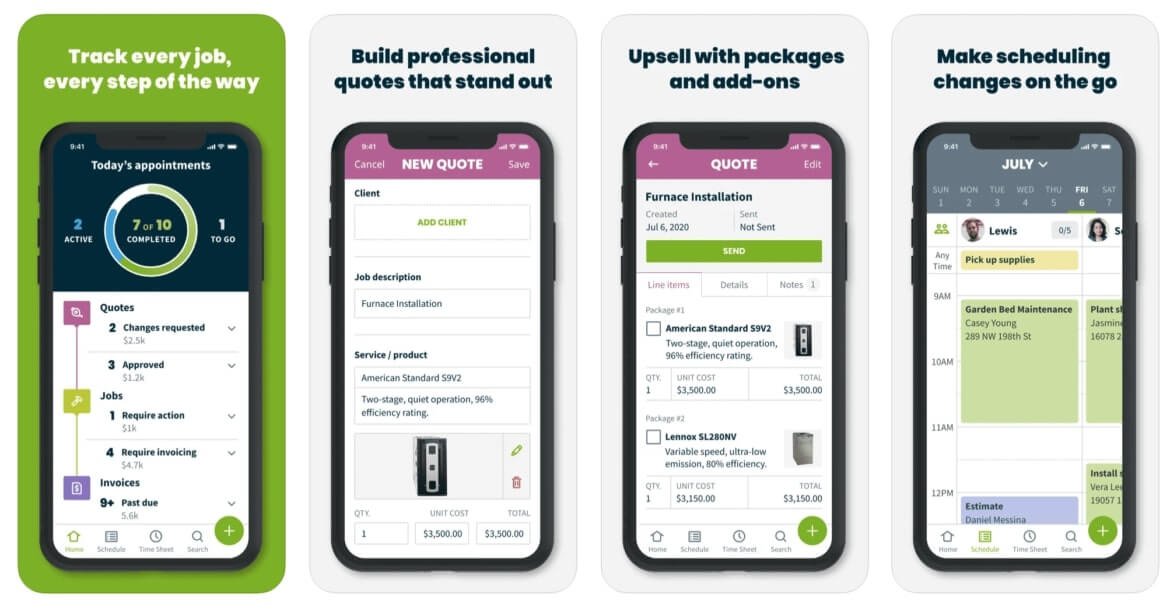
Best for: Handyman businesses of any size, from solo operators to growing teams and franchises, who want to manage quoting, scheduling, invoicing, payments, and client communication in one app.
Jobber’s handyman software eliminates mounds of paperwork and keeps your business organized. From your home, the office, or the job site, Jobber helps you track job and client details, get approval on new work, communicate with clients, accept payments in the field, and manage all parts of the job with ease.
The results speak for themselves. Ryaan Tuttle of Best Handyman Boston completed around 110 jobs in his first year with Jobber. The year after, 300. Then 420.
One of the biggest things that Jobber has given back to me is time with my family.
I can walk out of a job now, hit one button, and send an invoice instead of having to come home, type up an invoice, convert it to a PDF and then hope to get paid. My kids know all about Jobber. They understand how much time it gives me back to spend with them
Quoting
Slow quotes lose jobs. Jobber lets you build and send a professional quote before you have even left the customer’s property. Reusable templates mean you are not starting from scratch on every job, and optional line items let customers choose add-ons or upgrades directly from the quote without any back and forth.
Jobber also sends automated follow-ups to customers you haven’t heard back from, so no potential work falls through the cracks.
Other quoting features include:
- Consumer financing through Wisetack so customers can pay over time, while you get paid upfront
- Quote markups to protect your margins on every job
- Online quote approvals through Client Hub (Jobber’s online client portal), so customers can sign off without a phone call
Scheduling
Create and schedule new jobs with just a few clicks. Jobber’s drag-and-drop calendar lets you move jobs around in seconds when plans change, and day, week, and month views make it easy to spot gaps or conflicts before they become a problem. The Find a Time feature suggests the best openings based on your availability and drive time, helping you fit more jobs into each day without the guesswork.
Other scheduling features include:
- Real-time notifications so your team always knows about new jobs, reschedules, or cancellations
- Map and routing view to plan efficient routes and cut down on drive time
- Progress tracking on every active job, so nothing gets missed
Invoicing and payments
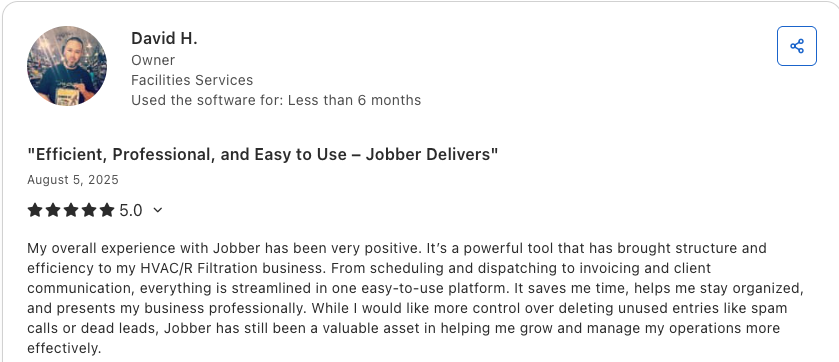
The faster you invoice, the faster you get paid. When a job wraps up, Jobber automatically generates a professional invoice from the job details. Customers can either pay online by card or bank transfer, or in person on the job site with Tap to Pay.
For days when cash flow is tight, Instant Payouts deposits money into your account within seconds of a customer paying, rather than waiting the standard processing time.
Other invoicing and payment features include:
- Automated payment reminders so you are not manually following up on every outstanding invoice
- Batch invoicing to send multiple invoices at once
- ACH bank transfers at 1% as a low-cost alternative to card payments
- Customers can add a tip at checkout to reward great work
Customer communication
Missed calls and no-shows cost service providers real money. Jobber handles the routine communication that eats up time between jobs. Visit reminders go out automatically before each appointment, and a one-tap text lets customers know you are on your way with your ETA.
Plus, Jobber’s AI receptionist means you’ll never miss a call—even on evenings and weekends. Jobber Receptionist answers on your behalf, books jobs, takes messages, and logs everything in the system in real time.
Other communication features include:
- Automated booking confirmations after every new job is scheduled
- Two-way text messaging in Jobber, so your whole team has a full conversation history
- Client Hub gives customers 24/7 access to their quotes, invoices, and job history
- Automated follow-ups on unpaid invoices to reduce time spent chasing payments
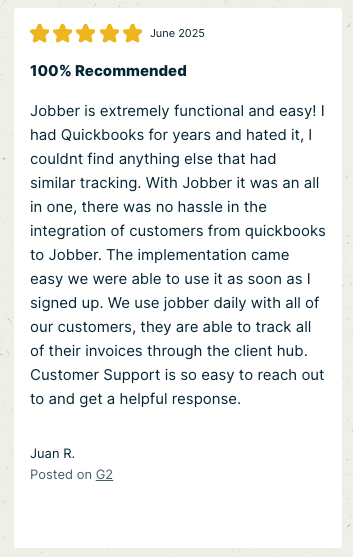
We started using Receptionist the moment we signed up with Jobber, and it’s been an absolute game-changer.
Instead of customers leaving voicemails, they’re now getting real answers, anytime. Honestly, it has a faster learning curve than most human receptionists.
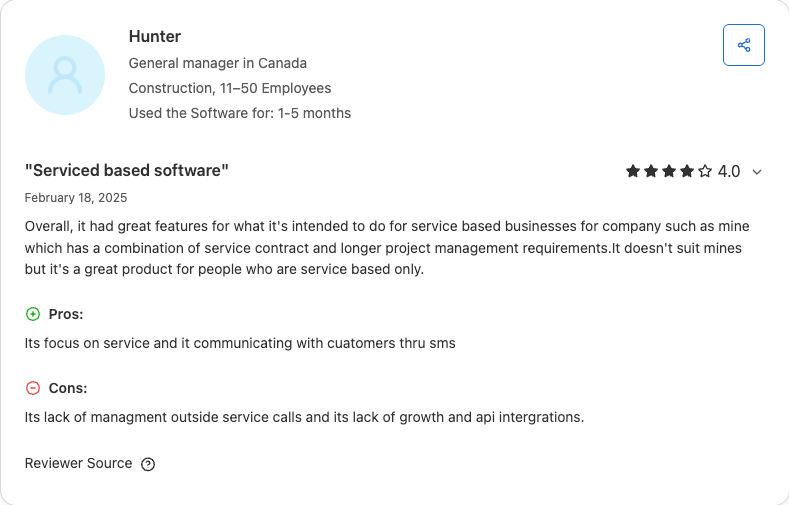
2. Housecall Pro
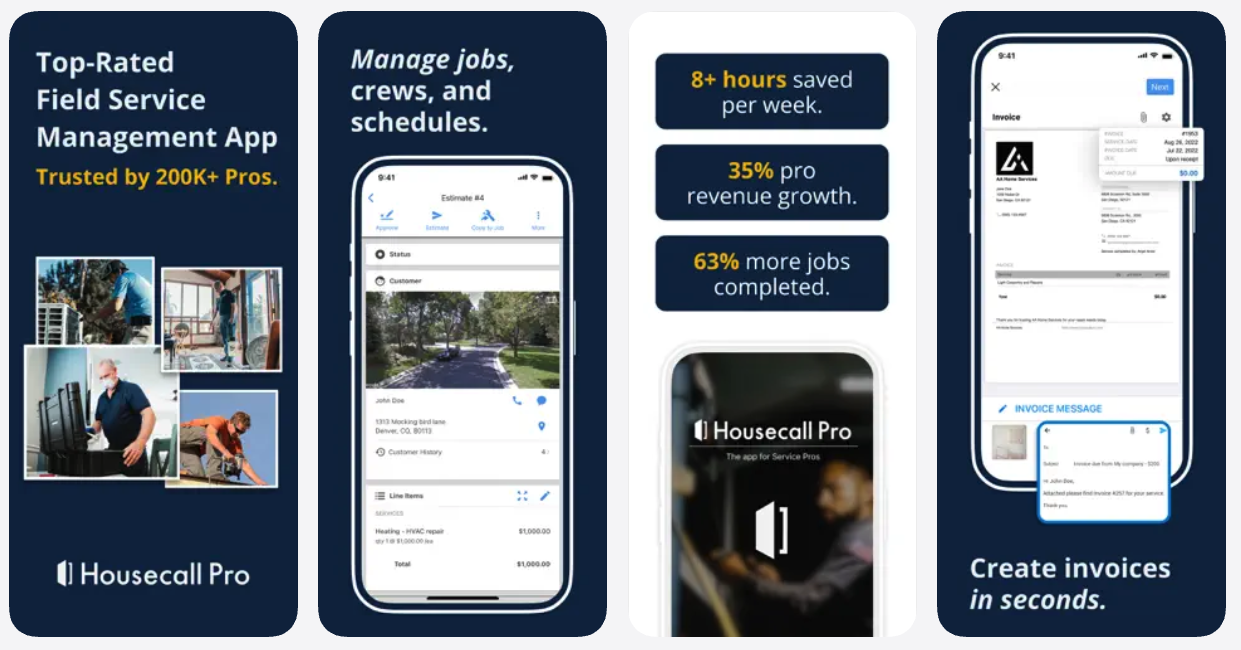
Best for: Small, trade-specific teams who need basic job management and don’t require advanced scheduling or scaling tools.
Housecall Pro is a field service management app for small, trade-specific home service businesses. It covers scheduling, dispatching, invoicing, and customer messaging, with some built-in marketing tools.
While it works well for smaller or trade-focused operations, handymen looking to scale will likely run into limitations. Route optimization requires a separate add-on, live support is limited to business hours, and costs can increase quickly as you add users or features. Jobber includes these tools out of the box and is built to grow with your business without surprise costs.
Housecall Pro features include:
- Drag-and-drop scheduling and dispatching
- Automated customer texts and email notifications
- Online booking so customers can request work directly
- Invoicing and card payment processing in the field
- Built-in marketing tools, including review requests and email campaigns
- Integration with QuickBooks for accounting
Pricing starts at around $59 per month. Visit housecallpro.com/pricing for current rates.
3. QuickBooks Online
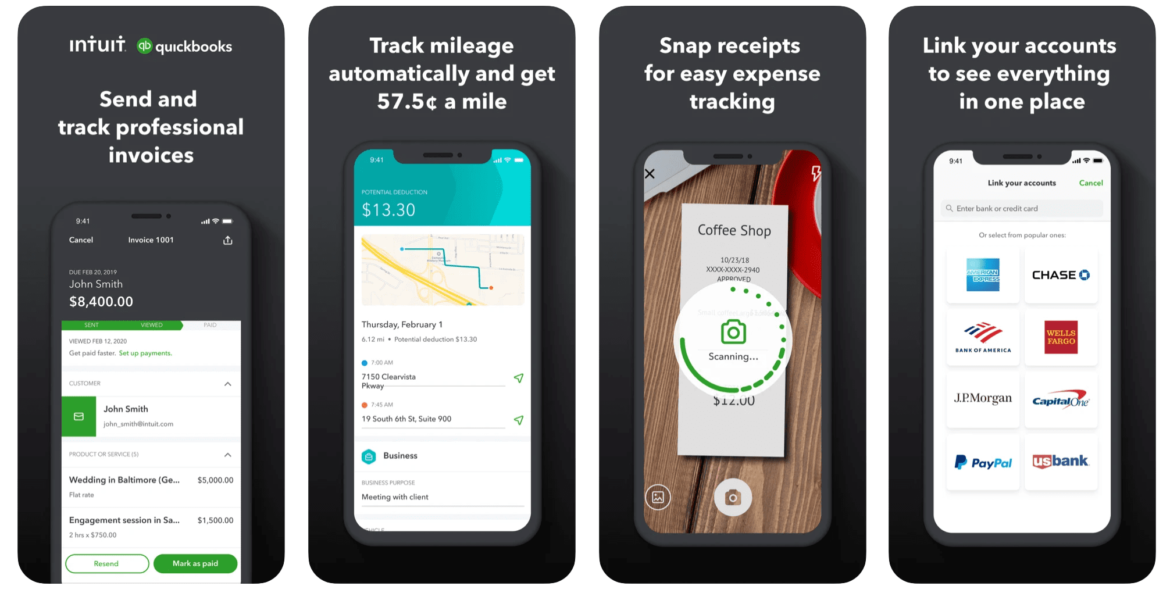
Best for: Handymen with established businesses who need dedicated accounting software to manage income, expenses, payroll, and financial reporting alongside their field service tools.
QuickBooks Online is one of the best handyman apps for keeping track of where your money goes. QuickBooks helps you manage expenses, payments, payroll, and all your financial work in one place. It’s ideal for handymen with established businesses who need to track client payments, payments to contractors or employees, generate financial reports, and record costs for materials, parts, and travel.
Pro Tip: QuickBooks Online integrates with Jobber to automatically keep your clients, invoices, timesheets, payments, and payouts accurate across both platforms—no double-entry required.
Pricing starts at $19 per month for the Simple Start plan for one user. Promotional rates may be available.
4. TaskRabbit
Best for: Handymen who want to fill their schedule with quick local jobs without investing in their own marketing.
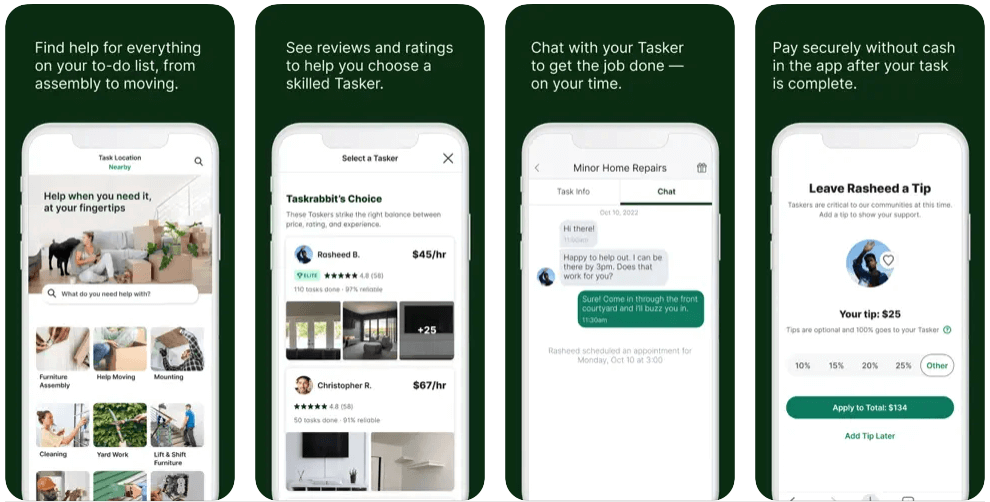
TaskRabbit connects handymen with local customers who need work done fast. Customers post jobs they need support with on the app. You set your rate, choose what you take on, and TaskRabbit handles the booking and payment.
It’s a good fit if you are building your client base or need to fill slow weeks without spending money on marketing.
Furniture assembly and TV mounting are the most in-demand categories on the platform. Many Taskers report being regularly booked once their profile and reviews are established. Some note that competition is intense in larger cities and that support can be slow when disputes arise.
It’s a good idea to review local reviews to see what demand and competition are like in your region before signing up.
TaskRabbit features include:
- Set your own hourly rate and choose which jobs to accept
- Customers book you directly through the app
- Secure in-app payments with direct deposit
- Background check verification builds customer trust
- Built-in reviews help grow your reputation over time
READ MORE: Thumbtack vs. TaskRabbit: which lead generation platform is best for you
5. Thumbtack
Best for: Handymen who want local leads across a wide range of job types without paying a monthly subscription.
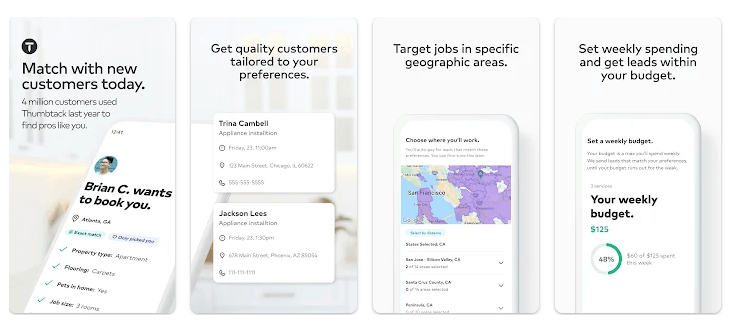
Thumbtack connects handymen with local homeowners across more than 1,000 service categories. You create a free profile, set your travel distance, and choose the job types you want. When a customer reaches out, you pay for the lead.
It is a strong option for handymen who want a steady pipeline of local work without having to build their own marketing from scratch. New pros can get visible fast, and the review system helps build credibility over time.
Leads are priced based on job type, location, and competition. Costs typically range from $5 to over $100 per lead. You only pay when a customer contacts you, and you can set a weekly budget to control spending. Some Thumbtack users note that lead costs have risen over time and that you pay for a contact, whether or not it turns into a job. Setting a conservative budget and tracking your return per lead from the start is the best way to make it work.
Thumbtack features include:
- Free profile setup with no subscription fee
- Leads across 1,000+ home service categories
- Set your travel distance, job preferences, and weekly budget
- Built-in reviews and ratings to build your reputation
- Thumbtack Pay for in-app payment processing at no fee
Lead prices vary by job type, location, and market demand.
6. Angi Services for Pros
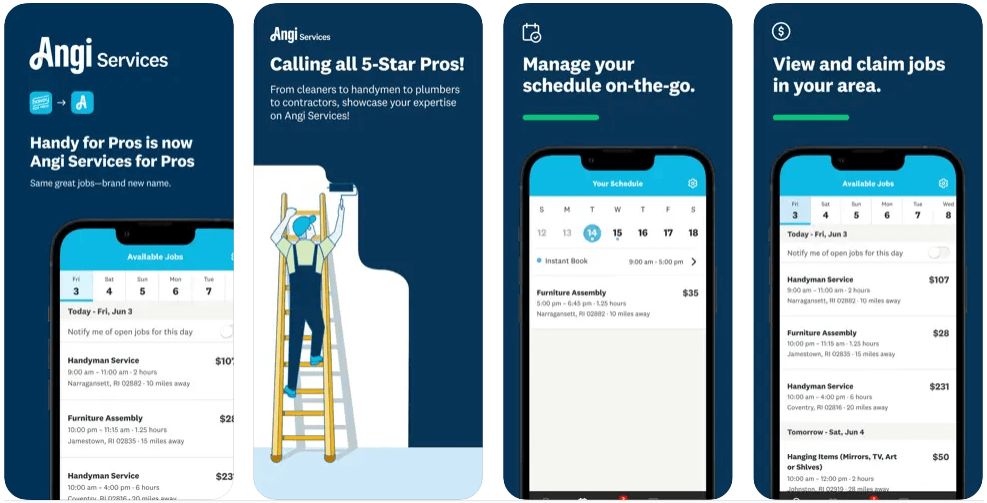
Best for: Established handymen who want a steady stream of pre-booked local jobs without managing their own marketing or payments.
Angi Services for Pros helps you find and connect with a variety of potential customers for anything from small painting jobs to light fixture installations. Angi gives you access to hundreds of jobs in your area and handles vetting, payments, and bookings.
You can see the rate for the job before claiming it—which helps you decide upfront whether the job is worth your time.
To become a Pro, you must apply and meet certain requirements, like having paid work experience in the services you plan to offer.
Some pros report that the pre-set job rates can feel low compared to what they would charge directly. It is worth checking rates in your area before applying to make sure the pay aligns with your business goals.
Angi Services for Pros features include:
- Access to hundreds of local jobs with no monthly commitment
- Angi handles booking, vetting, and payment processing
- See job prices before you claim them
- Set your own hours and availability
- Cancellation pay if a client cancels at the last minute
It is free to join Angi Services for Pros. Angi also offers paid advertising plans through Angi Pro to generate additional leads and increase visibility. The average is $300/month.
READ MORE: Angi vs. HomeAdvisor: Which Lead Generation Platform Should You Use?
7. Nextdoor
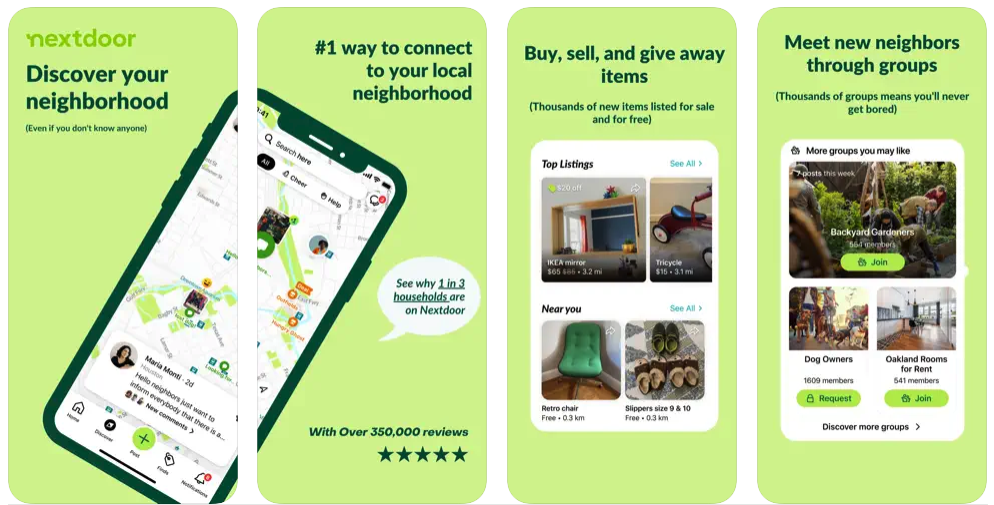
Best for: Self-employed handymen who want to build a local reputation through word of mouth and community engagement.
Nextdoor is the best app for self-employed handyman businesses looking to grow by engaging with their community. Post advertisements and deals on Nextdoor to help local homeowners find you when they needhandyman services. Past or existing customers can also recommend your business to other homeowners in your area.
Nextdoor features include:
- Free business profile visible to homeowners in your local area
- Post updates, deals, and promotions to your neighborhood
- Customers can recommend your business to neighbors directly
- Paid ads to boost visibility beyond your immediate area
It’s free to create a Nextdoor profile and share updates with your neighborhood. Paid advertising is available for additional reach.
8. GasBuddy
Best for: Handymen who drive frequently between jobs and want to cut down on one of their highest overhead costs.
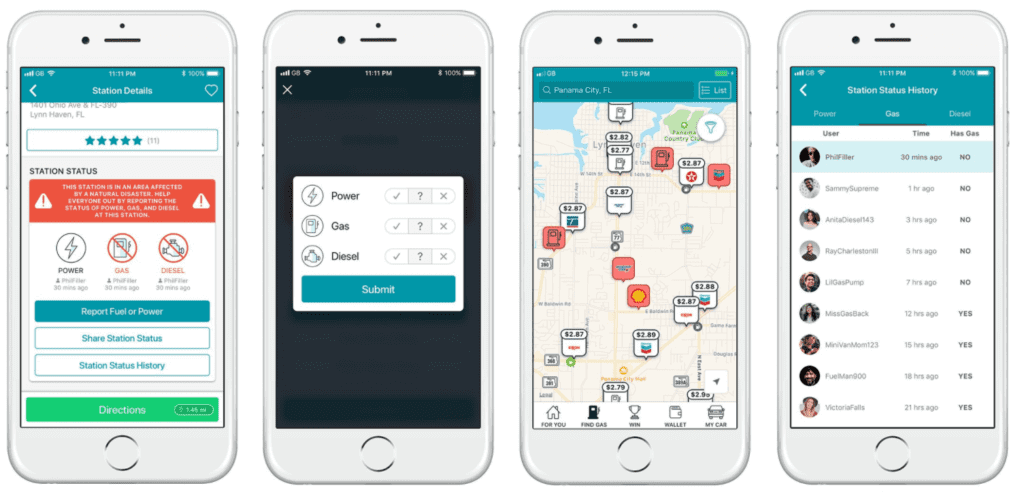
GasBuddy is one of the best apps for handyman business expenses, as it helps you manage one of your highest costs: transportation. The app helps you find the cheapest gas prices in your area, track your gas expenses, and save fuel with cost-efficient driving tips. GasBuddy also has a trip cost estimator to help you forecast your overhead costs before you take on a job.
GasBuddy features include:
- Find the cheapest gas prices near you in real time
- Track gas expenses over time
- Trip cost estimator to forecast fuel costs before taking on a job
- Cost-efficient driving tips to reduce fuel spend
GasBuddy is free to download and use. A paid GasBuddy+ plan is available with additional savings on fuel. Prices are subject to change. Visit gasbuddy.com for current rates.
9. Pipe Trades Pro
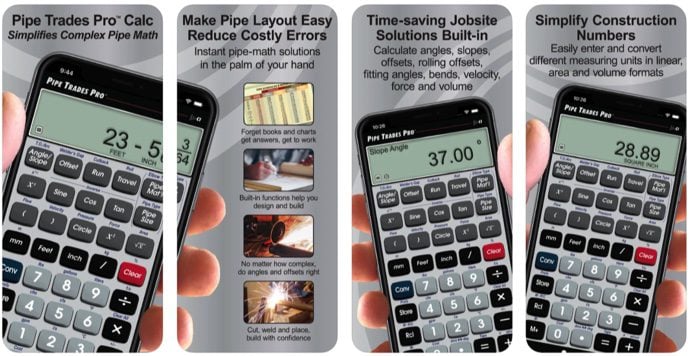
Best for: Handymen who take on plumbing jobs and need fast, accurate pipe calculations on site.
Pipe Trades Pro is a go-to tool for plumbing work. It reduces time spent on pipe calculations so you can focus on layouts, cutting, welding, and placing pipe. Use it to look up pipe size, material, and type, including diameters, wall thickness, and other key characteristics. It also handles calculations for tensile strength, gaskets, and flanges.
Pipe Trades Pro features include:
- Pipe size, material, and type reference tool
- Calculations for tensile strength, gaskets, and flange
- Pipe layout, cutting, welding, and placement support
Pro Tip: Most smartphones support stud finder apps that use your phone’s built-in magnetic sensor to detect studs, nails, and screws behind walls. Search “stud finder” in the App Store or Google Play and look for an option with strong recent reviews and regular updates for your device.
10. All-In-One Calculator
Best for: Handymen who want a fast, reliable calculator for measurements and unit conversions on any job.
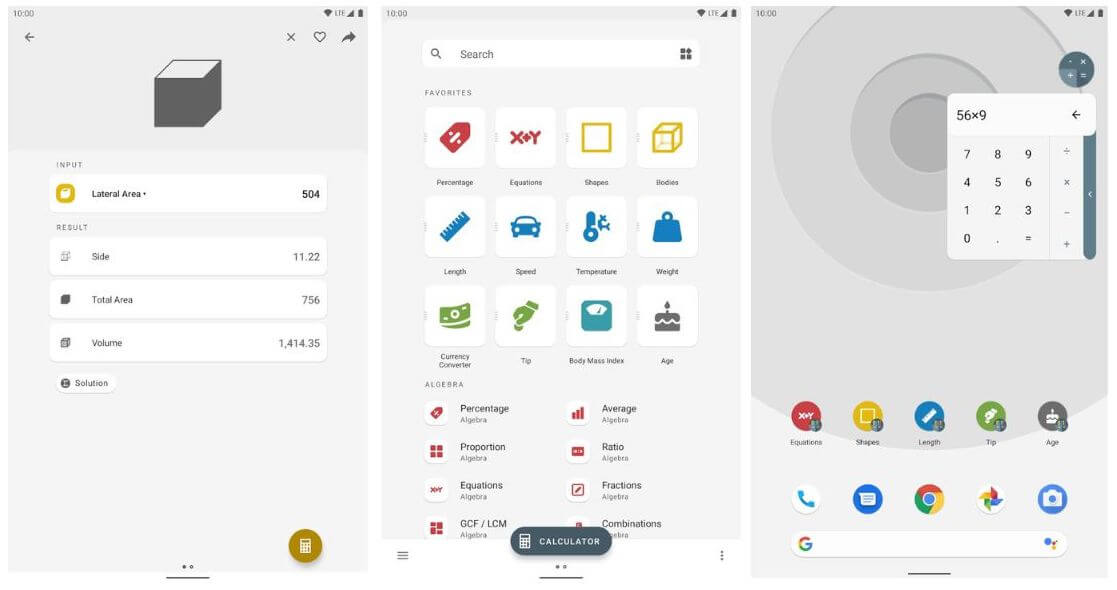
All-In-One Calculator is a multi-purpose calculator that speeds up calculations while on the job. Use this free app to convert units and measure the area, length, and volume of common shapes when working on carpentry, painting, renovation, and other handyman service jobs.
All-In-One Calculator features include:
- Unit converter covering hundreds of categories
- Area, length, and volume calculators for common shapes
- Fraction solver and graph plotting
- Available on iOS and Android with a 4.8 rating
All-In-One Calculator is free to download. Visit allinonecalculator.com for more information.
How to choose the best handyman app for your business
The best handyman app depends on where your business is right now and what is slowing you down most. Here are four common situations to help you narrow it down.
If you are a solo handyman just starting out
Keep your overhead low and your setup simple. Start with Jobber to manage quotes, scheduling, and payments from day one. Use TaskRabbit or Thumbtack to find your first clients while your reputation builds. Take advantage of free tools like the handyman estimate template and profit margin calculator to price jobs correctly from the start.
If you are an established handyman looking to grow
Efficiency and scalability matter most at this stage. Jobber handles scheduling, invoicing, payments, and client communication in one place so you can take on more jobs without adding more admin time. Add QuickBooks Online to keep your finances clean, and use Angi or Thumbtack to increase your lead volume.
Read more about how to price handyman jobs as your business scales.
If you need to find more clients fast
Lead generation apps are your fastest path to new work. TaskRabbit connects you with customers who need jobs done immediately. Thumbtack gives you a steady pipeline of local leads across a wide range of handyman services. Nextdoor builds your presence in the community over time. Use all three together for the broadest reach.
If admin and paperwork is your biggest headache
This is where Jobber has the clearest impact. Quotes, scheduling, invoicing, payments, and client communication all live in one app. Nothing falls through the cracks, and you spend less time at your desk. Start a free trial to see how much admin time you can cut in the first week.
One of the biggest things that Jobber has given back to me is time with my family.
I can walk out of a job, hit one button, and send an invoice instead of coming home, typing up an invoice, converting it to a PDF, and hoping to get paid by check someday.
The right combination of apps will look different for every handyman. Start with the ones that solve your biggest problem today and build from there.
Frequently Asked Questions
-
Jobber is the best all-in-one app for handyman businesses. It handles quoting, scheduling, invoicing, payments, and client communication in one place. For finding new clients, TaskRabbit and Thumbtack are the top choices. Many handymen use Jobber to run their business and a lead-generation app to fill their schedule.
-
Yes. Several handyman apps are free to join or download. TaskRabbit, Thumbtack, Angi Services for Pros, and Nextdoor are all free to create a profile. GasBuddy and All-In-One Calculator are free to download and use. Jobber offers a 14-day free trial with no credit card required.
-
TaskRabbit and Thumbtack are the most used platforms for finding handyman work. Both appear consistently across top-ranked competitor articles and Reddit discussions in r/handyman and r/TaskRabbit as the go-to options for local lead generation. Nextdoor is popular for handymen who want to build a client base through community recommendations rather than a job marketplace.
-
Yes. Apps like Jobber let customers pay online by card or bank transfer as soon as a job is complete. Tap to Pay lets you collect payments on-site directly from your phone without a card reader. Jobber’s Instant Payouts feature deposits money to your account within seconds of a customer paying, rather than waiting the standard processing period.
-
A handyman business management app like Jobber helps you run your existing jobs more efficiently—quoting, scheduling, invoicing, and communicating with clients. A lead generation app like TaskRabbit or Thumbtack helps you find new customers in the first place. The two serve different purposes, and most successful handymen use both: a business management app to handle operations and a lead generation app to keep the pipeline full.
Originally published in July 2021. Last updated on March 2026.