
Key takeaways:
Finding the best invoice app for your business in 2026 means choosing a tool that fits your workflow, team size, and industry needs—whether you’re looking for all-in-one job management or simple mobile invoicing.
- Match your app to your business needs. Different invoice apps serve different purposes—from robust field service tools like Jobber to simple, mobile-focused options like Invoice2Go and Invoice Simple. Consider whether you need features like quoting, scheduling, or basic one-off invoicing.
- Prioritize core features and integrations. Look for customizable templates, estimate-to-invoice conversions, payment processing, automatic reminders, and seamless integrations with your existing accounting or job management software to boost efficiency and accuracy.
- Consider budget and scalability. Free options like Zoho Invoice and Wave are ideal for small teams just starting out, while paid plans from Jobber, QuickBooks Online, and others offer expanded capabilities and better support for growing businesses.
- Mobile usability and automation can save time. Choose an app with a strong mobile experience and automation features—such as batch invoicing or scheduling recurring payments—to speed up payment collection and reduce manual admin work.
- Support and customer experience matter. Make sure your preferred app offers reliable customer support and resources to help you troubleshoot issues or scale as your business grows.
For more business tips, reviews, and industry insights delivered monthly, sign up for the Jobber Newsletter. Subscribe here.
Better, faster invoices lead to quicker payment collection—and you’ll save time customizing, tracking, and automating professional-looking invoices with a strong app.
But with so many options available, how do you choose the best invoice app for your specific needs? While many apps offer similar features, the right fit depends on your business size, workflow, and industry.
Check out our list of the best invoicing apps to find the right one for your small business type, team size, and day-to-day needs.
Our picks for the best invoice apps:
Top 9 best invoice apps at a glance
| Disclaimer: Software prices are subject to change after publication of this article. |
| App | Best for | Key features | Price | Mobile app |
|---|---|---|---|---|
| Jobber | Field service businesses and contractors | • Batch and progress invoicing • Several online payment options • Customer self-service portal | Starting at $29 per user per month | Yes |
| Invoice2Go | Basic mobile invoicing | • Invoice reminder schedule • Invoice status tracking • Several online payment options | Starting at $7.99 per month for 2 invoices per month | Yes |
| Zoho Invoice | Teams on a budget | • Invoice status tracking • Automated invoice payment reminders • Send invoices via iMessage | Free | Yes |
| QuickBooks Online | All-in-one invoicing and accounting | • Progress invoicing • Recurring invoice scheduling • Several integration options | Starting at $19 per user per month | Yes |
| Square Invoices | Simple invoicing and payment collection | • Custom invoice templates • Project folders • Milestone-based payment schedules | Free plan, then $35 per month | Yes |
| Invoice Simple | Small teams | • Mobile on-site invoicing • Estimate to invoice conversion • Cash and check tracking | $6.99 per month for up to 3 invoices per month | Yes |
| Bookipi | Sending invoices through Gmail | • Custom invoice templates • Simple invoice reports • Direct email invoicing | Free plan, then $7.60 per month | Yes |
| Hiveage | Payment collection flexibility | • Mileage tracking • Multiple payment gateways • Recurring invoices and subscription billing | Free plan, then $16 per month | Yes |
| Wave | Integrated payroll | • Automated invoice-payroll sync • Customer communication history • Automatic credit card payments | Free starter plan, then $19 per month | Yes |
How we chose the best invoice apps
To make our list of the best invoicing apps, we selected apps made specifically for small businesses that need on-the-go invoicing. There’s a lot of invoice software out there, but not all of it is mobile-friendly.
We looked at key invoicing features that small businesses need, such as:
- Customizable invoice templates so you aren’t always starting from scratch
- Estimate-to-invoice conversion for streamlined billing
- Recurring billing for regular customers
- Payment processing to collect payment quicker
- Integrations, especially with accounting software to create a smooth system
We also considered factors such as:
- Mobile usability for field teams
- Pricing and free options for all financial circumstances
- Invoicing speed to send invoices sooner
- Automation capabilities for less manual work
- Industry-specific features to adapt to industry best practices
- Customer support for reliable troubleshooting
Then, we made a shortlist of apps based on data we collected from over a dozen customer review sites to get real-life customer feedback.
We watched available app tutorials for every app on our shortlist and then narrowed it down to the ones with the easiest experience and the most invoicing capabilities for small businesses.
The result is this curated list of 9 apps for you to find the perfect fit for your business.
1. Jobber
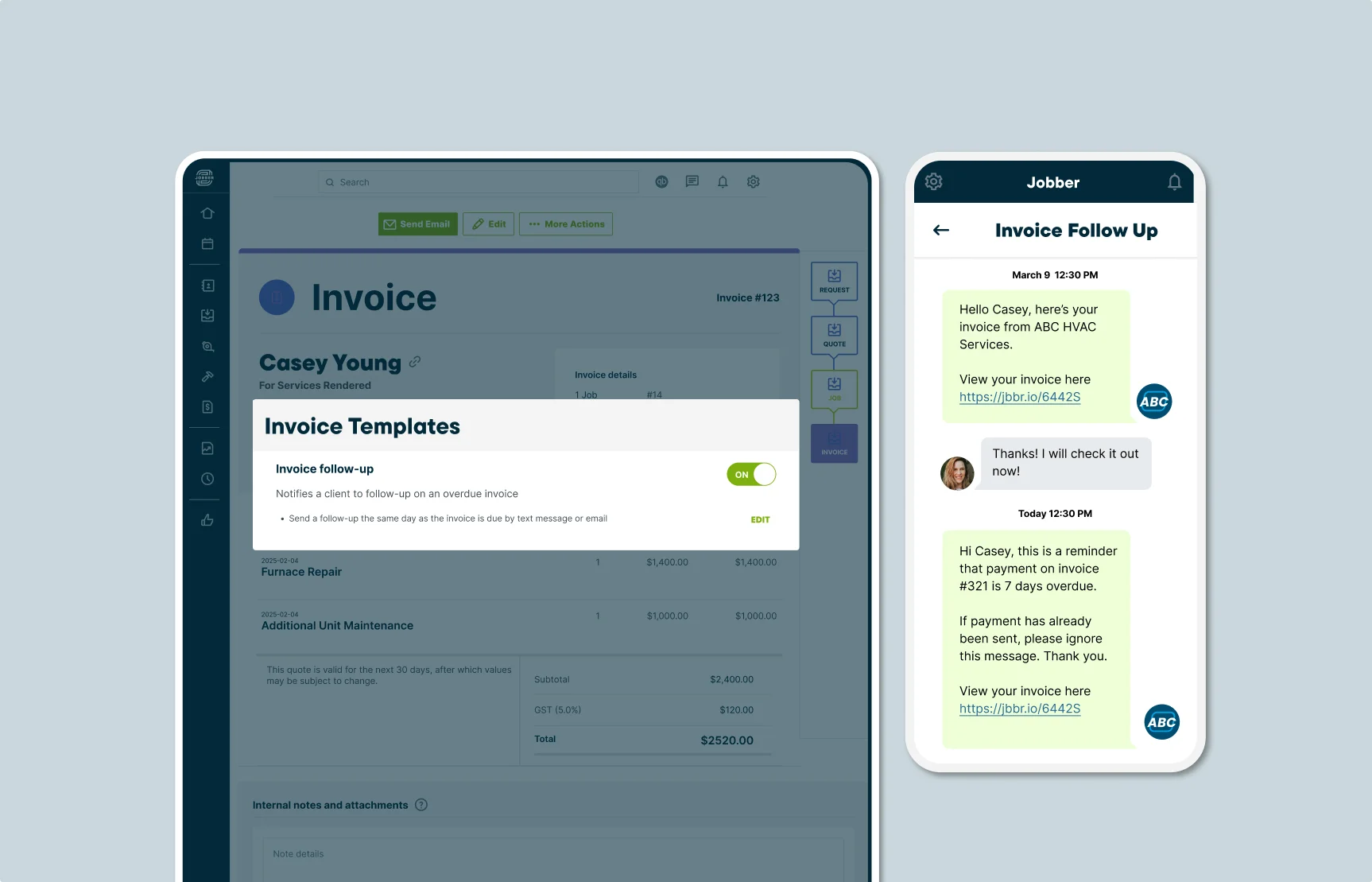
Jobber is field service invoicing software that helps you manage jobs at every stage, making it the best invoice app for contractors.
Unlike standalone invoicing tools, Jobber connects invoicing to your entire job workflow—from the initial quote to scheduling, dispatch, job completion, and payment collection.
Invoicing in Jobber is simple and built to match the workflow of service-based businesses that provide quotes or estimates before starting a job. Because Jobber is built for mobile teams, its app is reliable, easy to use, and gives you full visibility from anywhere.
Here are the features that make Jobber the best invoice app for small business owners in the field service industry.
Automated invoice creation
As an invoice generator app, Jobber provides you with multiple options to create invoices.
If you’ve already written a quote or estimate for the job, all the services and pricing details will automatically copy over to your invoice—saving you time and reducing errors.
When a tech marks a job complete, a professional invoice generates automatically with the right line items, labor hours, and materials, fully ready to send to your customers.
Starting with an invoice? It’s just as easy. Tap the big “+” button at the bottom of your home screen, select “Invoice,” and either choose an existing client or add a new one. Then, enter your services, materials, and prices line by line.
READ MORE: Invoices vs receipts: guide for service business owners
Batch and progress invoicing
Jobber includes advanced invoicing tools, such as batch invoicing and progress invoicing, to provide your business with additional flexibility.
With batch invoicing, you can select the jobs you’d like to create invoices for in Jobber, and send them to customers with a couple of clicks.
And with progress invoicing, you can break up large jobs into multiple payments and keep cash flowing as work gets done.
On-site mobile invoicing
With Jobber’s on-site mobile invoicing capabilities, your techs can send invoices before they even leave the client’s site.
When a tech marks a job complete in Jobber, the invoice generates automatically with the right line items, labor hours, and materials. From there, the technician hits send and the invoice is delivered to your client instantly.
Online payments
Once the invoice is sent, Jobber lets you collect payment how and when it works best for your customers—online or in-person.
Jobber also offers automatic payments, Tap to Pay, and ACH payments for additional options, to ensure that you get paid sooner and keep your cash flow under control.
Client hub
Jobber helps you offer your customers maximum convenience with an online client portal.
From the client hub, your customers can view and pay their invoices in one streamlined process—eliminating the need for back and forth phone calls or emails. This is just another way that Jobber helps you get paid 4x faster.
I like how clients can go in and pull up an invoice from last year if they wanted to. They don’t have to call us.
If they want to download an invoice, they go look at it without relying on us to send it to them.

Jobber’s additional invoicing features also let you:
- See which jobs are ready to invoice, and get reminders to send invoices for jobs you’ve just finished.
- Set up automatic payment reminders to help you keep track of invoice payments.
- Offer a tipping option when customers pay invoices online.
- Keep track of your invoicing with AI-powered business insights.
| Pros | Cons |
|---|---|
| • Combine quoting, scheduling, and job management with your invoicing • Several options to collect payments onsite and online • Integrates with QuickBooks Online, Xero, Gusto, DocuSign, Zapier, and over 2,000 other popular apps • Live chat, email, and phone support available daily • Self-serve help center • In-product AI assistant • Award-winning support team | • Limited inventory management |
Check out Jobber’s website for pricing.
2. Invoice2Go
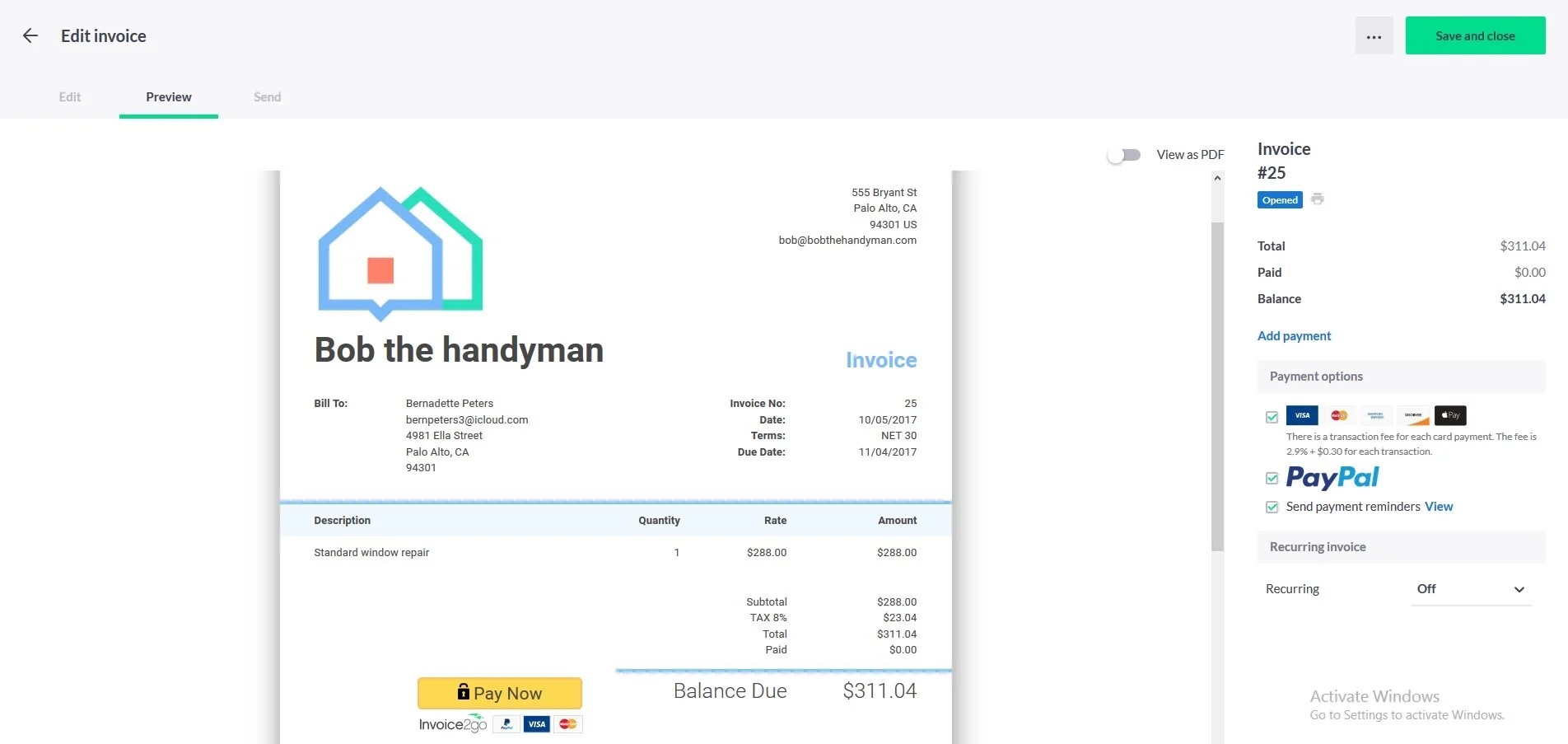
Invoice2Go is the best app for small business owners who rarely work at a desk and only need basic invoicing features.
This small business invoice app is built specifically for smartphones and tablets, making it easy to build, send, and track invoices on the go.
The app provides a helpful walkthrough the first time you write an invoice and lets you scroll through easy-to-edit document template options.
Invoice2Go also offers other operations management features through its payroll and payment processing integrations with apps like QuickBooks and Xero. However, invoice creation is what this app does best.
Invoice2Go’s additional invoicing features let you:
- Track the status of your invoices.
- Convert bids and estimates into invoices.
- Collect payment by credit card, debit card, bank transfer, or PayPal.
- Send invoices directly through messaging apps like Facebook Messenger or WhatsApp.
| Pros | Cons |
|---|---|
| • Connects with 13 apps, including Google Drive, Shopify, and Xero • Add service line items and prices to invoices • Easy-to-edit invoice templates | • Must submit a request or chat on their website • No in-app support • Plans only let you send limited number of invoices |
Check out Invoice2Go’s website for pricing. Or, if unlimited invoices and accounting features are important to you, you might want to seek a more comprehensive solution such as Jobber.
3. Zoho Invoice
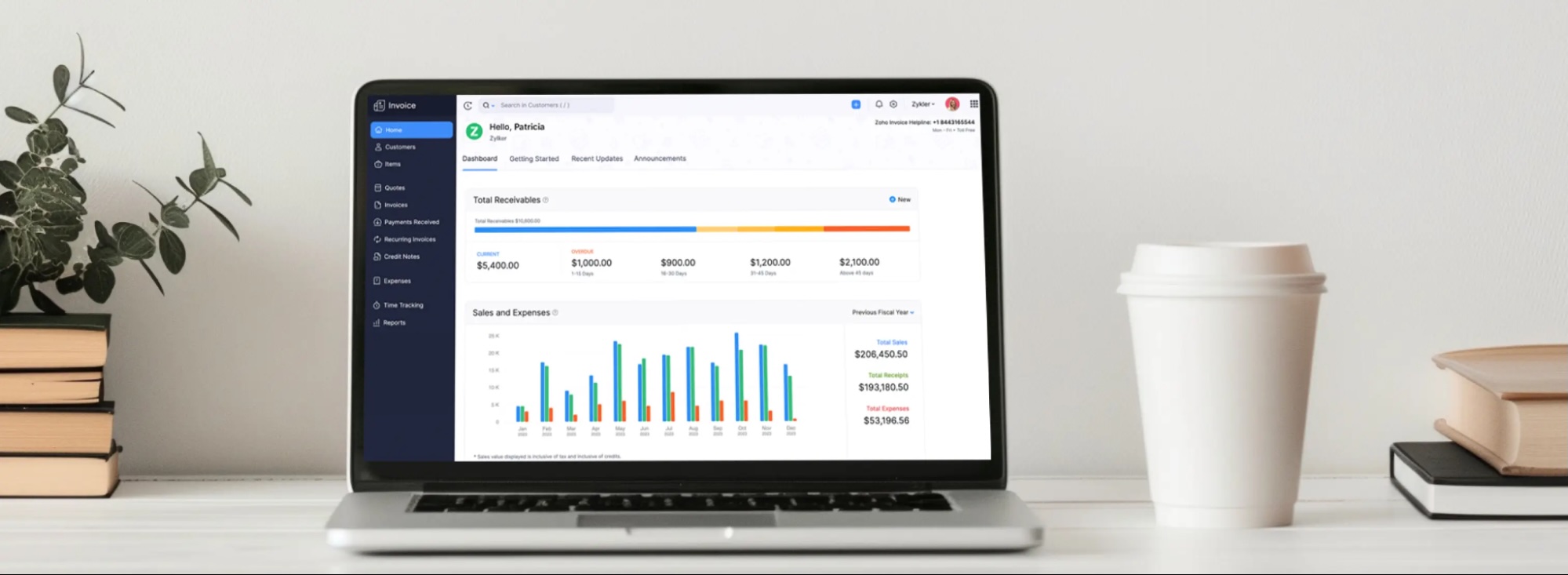
Zoho Invoice is the best free invoice app for small businesses on a tight budget.
It costs nothing to create, send, and track invoices through Zoho Invoice. You just have to pay credit card processing fees when you accept customer payments.
You can add or modify invoice details from one screen and preview your invoice before sending it. From there, you can connect the invoice to your preferred payment gateway, such as PayPal or Stripe, in just one tap.
What makes Zoho Invoice stand out is that it’s built around popular iOS and Android features. On iPhones and iPads, you can send invoices to customers through iMessage and use Siri to set reminders for your transactions. You can also get reminders sent to your Apple Watch.
On Android, you can add a Zoho Invoice widget to your home screen and create invoices without even opening the app.
Zoho Invoice’s additional invoicing features also let you:
- Customize the sender, CC, and subject line of your email before sending an invoice.
- Track the status of your invoices.
- Send automated invoice payment reminders.
| Pros | Cons |
|---|---|
| • Connects with all other Zoho products (Zoho CRM, Zoho Projects, etc.) • Works with Stripe, PayPal, and Square • Send invoices through iMessage • Compatible with iOS and Android | • No in-app support • No built-in payment gateways |
Although Zoho Invoice is free, you’ll need to integrate with a payment gateway to process payments. For a smoother invoicing process from beginning to end, it’s better to choose an invoicing tool with integrated payment software such as Jobber.
4. QuickBooks Online
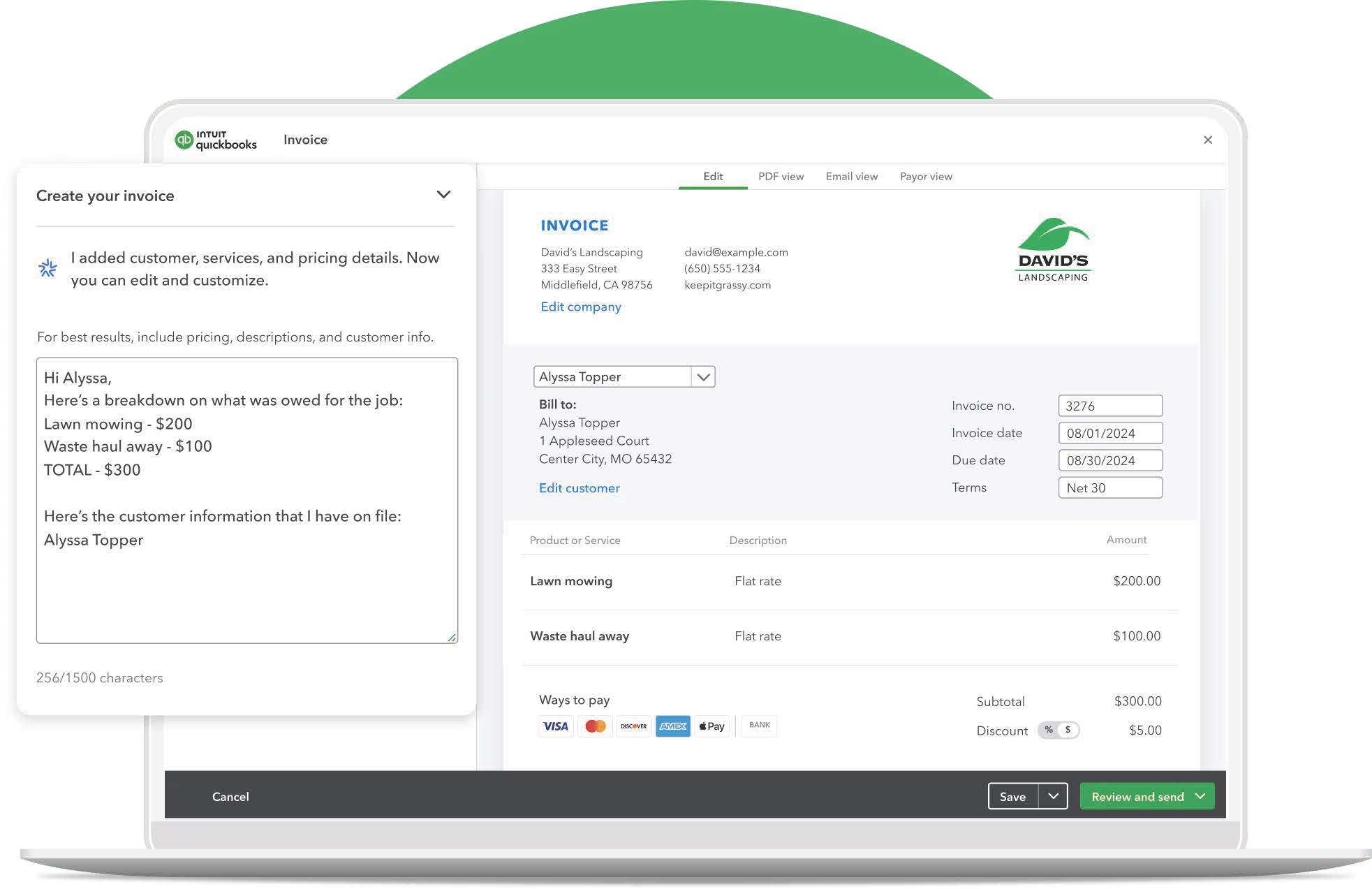
QuickBooks Online is the best invoicing app for integrated accounting. The QuickBooks app improves cash flow from the moment you create an invoice to your month-end reporting.
If you don’t want to bounce across multiple apps to manage your invoicing and accounting, QuickBooks Online is a great place to keep those tasks together. It offers every essential invoicing feature—like customization, automatic payment reminders, and batch invoicing.
After you send an invoice, you can run an accounts receivable aging report to see which customers are late paying and how much cash you have in your business bank account to pay your bills.
QuickBooks Online additional invoicing features also let you:
- Send progress invoices at multiple milestones of a project.
- Link billable expenses to your invoices.
- Set up alerts to know when customers pay invoices.
- Schedule recurring invoices.
READ MORE: A guide to business expense trackers for service providers
| Pros | Cons |
|---|---|
| • Integrates with Shopify, Jobber, SOS Inventory, and many more • Accounts receivable aging reports for visibility into late payments • Recurring and progress invoicing options | • Restricted reporting features • Additional features can get costly |
For home service businesses, QuickBooks Online is more powerful when used alongside field service software. With Jobber’s QuickBooks Online integration, you can connect your accounting and operations workflows to create an all-in-one solution for your business.
The moment I knew Jobber was working for us was when I realized as soon as I walked
out of a project, I could hit one button and send an invoice and then hit another button and get paid at the same time.

Check out QuickBooks Online’s website for pricing.
5. Square Invoices
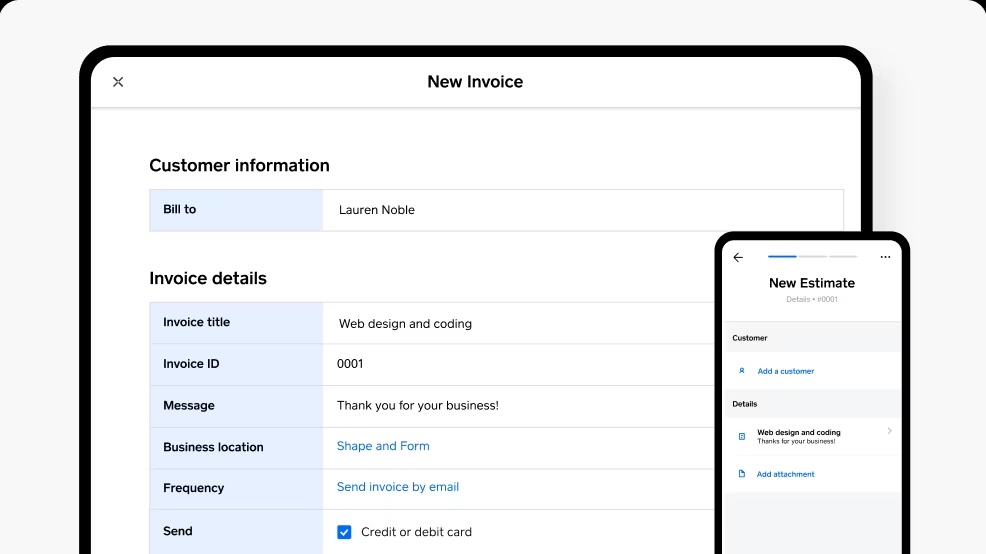
Are you just starting out your business, or simply prefer to work solo? Square Invoices is the best invoice maker for simple invoicing and payment collection.
Square’s mobile app is user-friendly and lets you send invoices, accept payments, and track jobs on the go—ideal for technicians on the go.
Square Invoices is built for speed. From the dashboard or mobile app, you can create and send an invoice in just a few steps, without toggling between menus or tools.
Sending the invoice and collecting payment are part of the same flow. You can preview the invoice before sending it, and once it’s delivered, your client can pay instantly.
Plus, you can accept card payments, ACH, Apple Pay, or in-person payments using Square’s reader. Fast and flexible payment options reduce the chances of delayed payments.
READ MORE: Top field service apps to boost efficiency
Stripe’s additional invoicing features also let you:
- Track which invoices are paid and unpaid from everywhere
- Choose from multiple custom invoice templates
- Stay organized with project folders
- Use milestone-based payment schedules to control cash flow
| Pros | Cons |
|---|---|
| • Integrates with accounting software like QuickBooks and Xero • Dashboard for quick invoice creation • Weekday phone support and 24/7 chat support | • Advanced features can be costly • Limited customization options |
If you’re on a budget, Square has a free plan that includes unlimited basic invoices and unlimited clients. Better yet, with Jobber and Square combined, you can access job details, track time, invoice on the go, and get paid faster with online invoice payments.
Check out Square Invoice’s website for pricing.
6. Invoice Simple
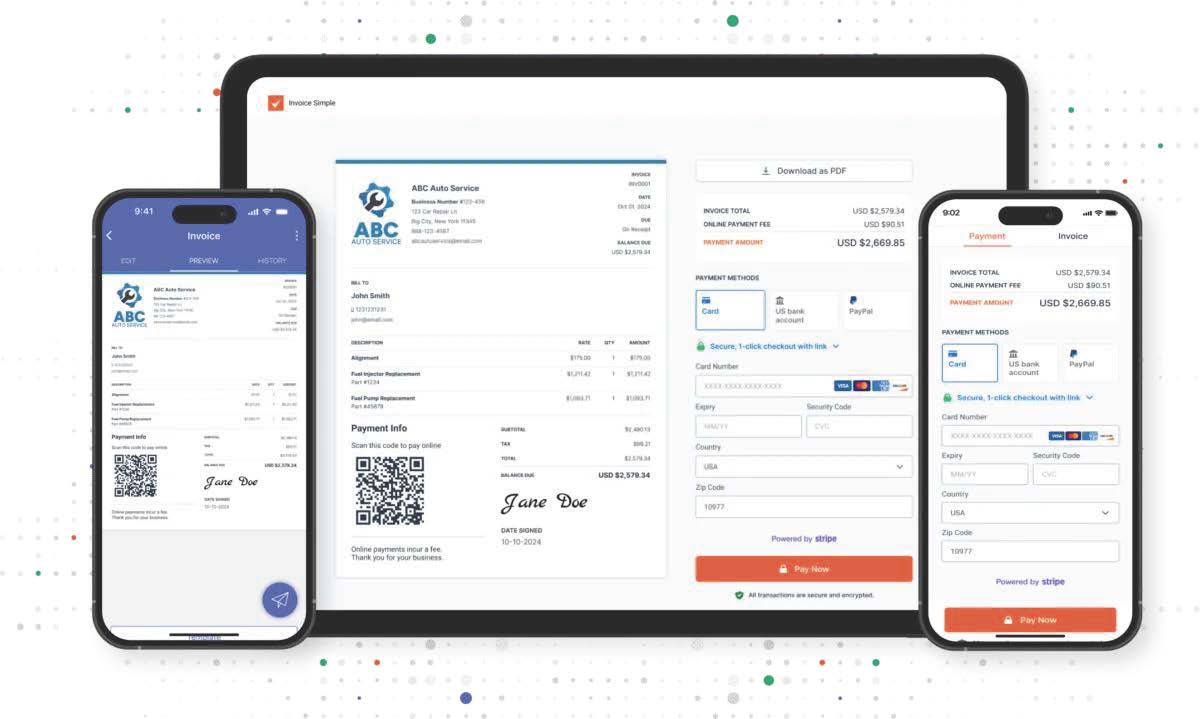
Invoice Simple is one of the best invoicing apps for small businesses.
Invoice Simple’s mobile app is built for field use. The app’s interface is simple, clean, and intuitive.
You can create, send, and manage invoices from your phone or tablet while on-site. You can also generate and save invoices without an internet connection and send them once you’re back online.
Customers can pay online from any device with a credit or debit card, and other popular payment methods, including ACH, PayPal, Venmo, Stripe Link, Apple Pay, and Google Pay.
Invoice Simple’s additional invoicing features also let you:
- Create estimates and convert them to invoices.
- Accept card payments through various payment methods.
- Track cash and checks easily.
| Pros | Cons |
|---|---|
| • Offline invoice creation • Works with Stripe and PayPal • 24/7 email and in-app support available daily | • No phone support • No multi-user access • Unlimited invoicing only on the Premium plan |
Invoice Simple doesn’t allow for multi-user access, which makes task delegation difficult. For better team management, try Jobber.
Check out Invoice Simple’s website for pricing.
7. Bookipi
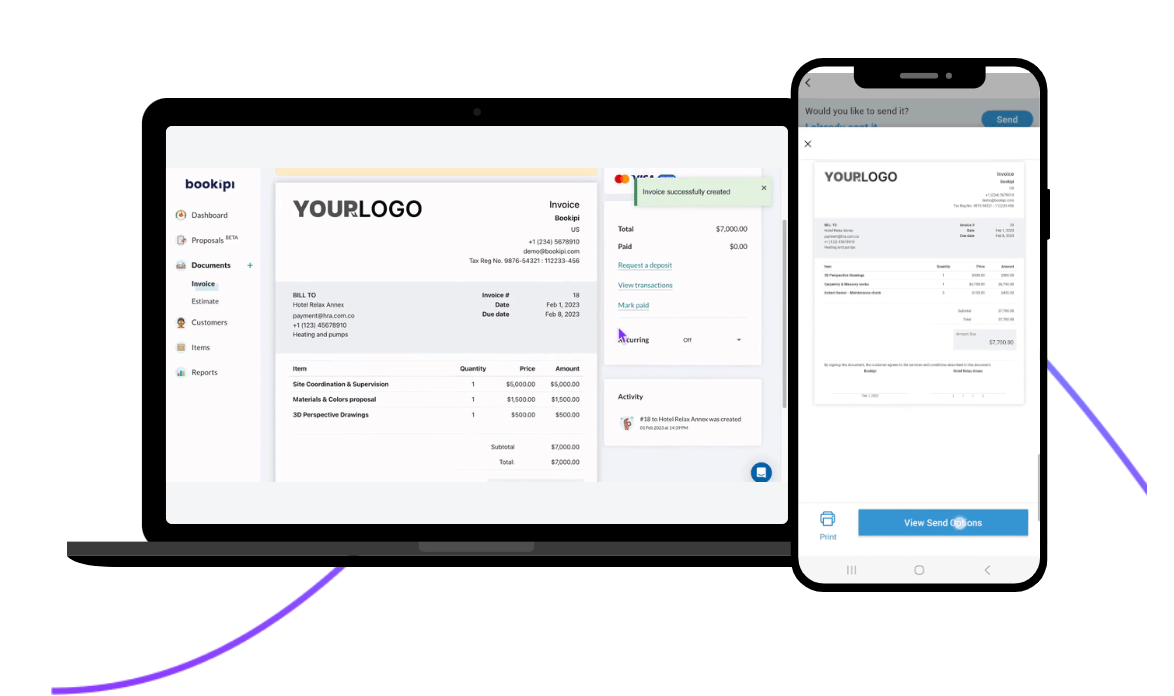
Bookipi is the best invoice app for sending invoices through Gmail.
Bookipi’s Gmail integration is built for convenience. The app lives directly in your inbox, allowing you to create and send invoices without switching tabs.
You can generate invoices alongside your email conversations, add line items and pricing, and send them instantly.
Plus, Bookipi helps you easily collect payment. Each invoice is delivered with a message and a “Pay Now” button, supporting online payments through Stripe and PayPal.
Bookipi’s additional invoicing features also let you:
- Use various templates to start your invoices.
- Convert quotes to estimates in seconds.
- Generate simple invoice reports.
| Pros | Cons |
|---|---|
| • Gmail and Slack integrations • Online chat support • Stripe and PayPal payment processing | • No phone support • Limited Gmail sidebar options |
Bookipi also offers a full web app where you can access reports, track income, and manage documents. However, most of these features aren’t integrated into the Gmail sidebar, which limits its functionality for users who want an all-in-one workflow.
Check out Bookipi’s website for pricing.
8. Hiveage
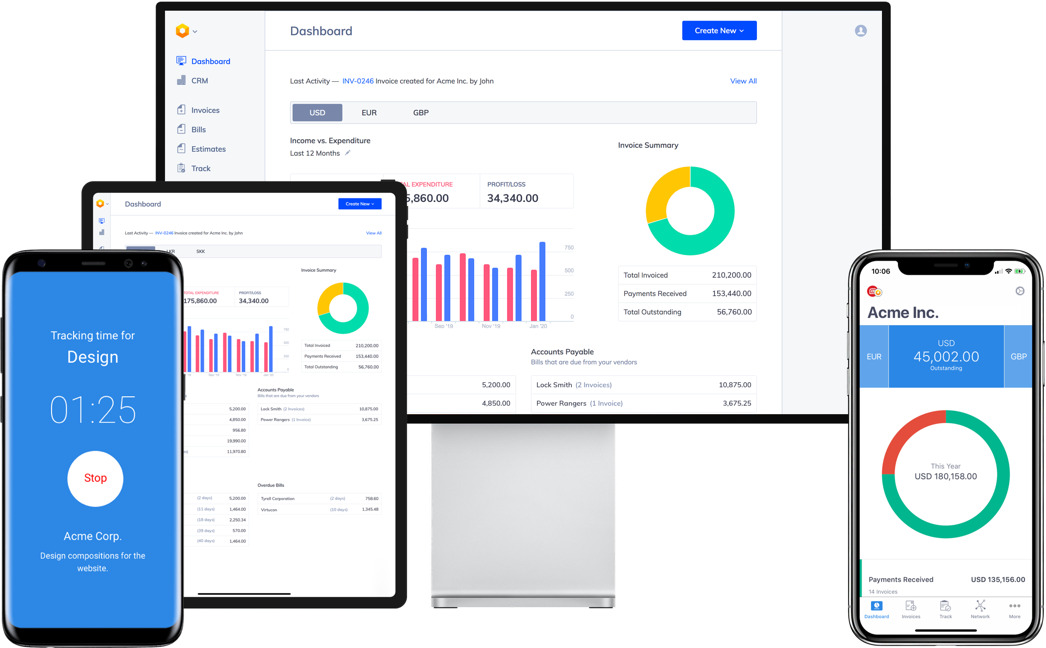
Hiveage is an invoicing software that integrates with over a dozen payment gateways, making it one of the best invoice apps for payment flexibility.
Hiveage’s platform is built as a full invoicing and billing system. The interface is clean and intuitive, making it easy to create professional, branded invoices and send them in just a few clicks.
You can create, send, and track invoices from any device. Hiveage also lets you monitor invoice status—so you know when a client has viewed or paid an invoice—and send automatic reminders to reduce overdue invoices and late payments.
Customers can pay online through multiple payment gateways, including PayPal, Stripe, and other popular options, allowing you to provide your customers with flexibility.
Hiveage’s additional invoicing features also let you:
- Track time, expenses, and mileage for accurate billing
- Set up recurring invoices and subscription billing.
- Generate detailed financial reports and cash flow summaries.
| Pros | Cons |
|---|---|
| • Integrations such as PayPal, Stripe, Square, Braintree, Zapier • Online chat support • Invoice status updates | • No phone support • Unlimited invoices for only 5 clients • No QuickBooks Online integration |
Although you can integrate with over a dozen payment gateways, Hiveage lacks many other native integrations that would be useful for invoicing, such as QuickBooks Online.
Check out Hive’s website for additional pricing.
9. Wave
Wave is one of the best invoice apps for small businesses—especially if you want built-in payroll alongside your invoicing.
Wave combines invoicing, accounting, and payroll—as a paid add-on—into a single system. The interface is clean and beginner-friendly, making it easy to manage your finances without switching between multiple tools.
You can create, send, and track invoices for free, then connect them to your accounting records. When you add payroll, your business’ wages, taxes, and payments are automatically reflected in your books.
Wave lets you pay employees, run payroll in minutes, and handle tax filings directly within the same platform. It also supports direct deposit, automatic tax remittances, and year-end tax forms.
Wave’s additional invoicing features also let you:
- View communication history with each customer to help track payments.
- Set up recurring invoices and automatic credit card payments.
- Accept all major credit cards—Visa, Visa Debit, Mastercard, Mastercard Debit, and American Express.
Wave is free for its core invoicing and accounting features, with payroll available as a paid add-on. However, its payroll tools are best suited for very small businesses, as it lacks some of the advanced HR and automation features found in more robust payroll platforms.
| Pros | Cons |
|---|---|
| • Free software • Integrates with Make and Zapier • Tax filing capabilities | • Limited live support for customers subscribed to payroll or Wave’s Pro Plan • Limited automation features |
As you grow, you may eventually need to use QuickBooks Online for payroll, and might therefore want to choose an invoicing software that integrates with QuickBooks from the beginning, such as Jobber.
Check out Wave’s website for additional pricing.
What to look for in the best invoice apps for small businesses
Many of the best invoice apps share the same features—but some will fit your business better than others. The type of business you run will determine the type of invoices you need and the invoicing best practices you should follow.
For example, if you run a lawn care business, you might need an app that supports recurring invoices and payments. If you’re a contractor hired for a large job, you might prefer progress invoices.
You might also want to add credit card authorization forms to your invoicing process and look for a tool that allows for this.
Think about the problems or inefficiencies you’re trying to solve, then consider the following features when choosing an invoicing app:
- Ease of use: Is it easy to find what you’re looking for when you open the app? How many steps does it take to create and send an invoice? Keep in mind: apps with accounting and payroll features could take longer to learn, but shouldn’t be stressful.
- Invoice tracking: Your invoicing app should give you a clear picture of who’s paid and who hasn’t. Beyond that, you might want alerts when someone opens an invoice or the ability to set late fees for unpaid invoices.
- Automated payment reminders: Look for an app that helps you remind customers about unpaid invoices. Some apps offer email and text templates. Others let you send those messages automatically on a schedule you can set yourself.
- Pricing: Expect to pay a monthly subscription fee if you want an app that comes with quoting, scheduling, accounting, or other features beyond invoicing. Some invoice-only apps just charge payment processing fees.
- Integrations: Do you use other software that needs to connect with your invoicing app? Check if the invoice apps on this list integrate with the accounting software, scheduling apps, and CRM apps that you already use and don’t want to replace.
- Customer support: Your invoicing app should have a reliable support team you can reach fast if you get stuck or want more out of the software. Read customer reviews to get a sense of the app’s quality of support.
If you’re a service business that needs invoicing, scheduling, quoting, and customer management in one place, Jobber is the most complete option. Or, if you only need standalone invoicing, simpler tools like Invoice Simple or Wave may be a better fit.
Choosing the best invoice app comes down to your workflow, team size, and how you do business in the field. Whether you need something simple or more robust, the right tool can help you get paid faster and keep cash flow moving with minimal effort.
Originally published in June 2025. Last updated on April 30, 2026.
Frequently Asked Questions
-
Jobber is one of the best apps to make invoices on. Customize one of Jobber’s several invoice templates to make invoices in minutes, or convert estimates into final invoices to send off in just a few clicks.
Plus, Jobber connects invoicing with scheduling, client management, quotes, and payments, so you can generate accurate invoices automatically from completed jobs.
This makes Jobber especially valuable for field service businesses that want to streamline operations and get paid faster without juggling multiple tools. -
Zoho Invoice is the best free invoicing app, as it gives you access to several basic invoice features and payment processing.
Other invoicing platforms offer free versions of their apps, such as Wave, Square Invoices, and Hiveage. However, these apps might have limited features that may not keep up with your business growth. -
Yes, the best invoice apps—such as Jobber—have mobile apps that let you create, send, and track invoices on the go. That way, you can manage billing from anywhere.
-
If you use QuickBooks, you may not need invoicing software. QuickBooks Online includes built-in invoicing tools for creating and sending invoices.
However, your field service business may benefit from integrating QuickBooks Online with Jobber. Jobber handles scheduling, quotes, and job tracking, then syncs seamlessly with QuickBooks to keep your accounting accurate while streamlining your day-to-day operations.