
Key takeaways:
Get inspired to build or update your tree service website with these standout design examples and actionable tips for attracting more clients online.
- Highlight your unique value. Effective tree service websites clearly showcase what sets their business apart—such as certifications, years of experience, eco-friendly practices, or specialized offerings—to attract and reassure potential clients.
- Make contact and booking easy. Prioritize prominent calls-to-action (CTAs), quote request forms, and clear contact details across your website so clients can quickly get in touch or schedule an appointment.
- Showcase your expertise and reputation. Use original photos, project galleries, team bios, and customer reviews or testimonials to prove the quality, reliability, and professionalism of your services.
- Prioritize user experience and branding. Keep design clean and organized, ensure your website works well on all devices, and use consistent branding—including your logo, colors, and message—to build trust and recognition.
- Set yourself up for growth. Optimize your site for local search (SEO), update regularly with fresh content, and track performance so you can keep improving your website’s effectiveness over time.
Learn more strategies and stay ahead with the latest advice for running a successful tree care business—sign up for the Jobber Newsletter at https://www.getjobber.com/academy/#newsletter-signup.
A professional arborist website helps potential customers find you online, shows them why they should invest in your services, and makes it easy to book an appointment with you.
In this guide, we’ll cover the key elements of a great tree service website. We’ll also share real examples of tree care companies with effective websites, along with tips for improving your own.
Everything you need to know about arborist website design:
12 tree service website examples
These tree service websites are great examples of how to turn site visitors into leads using simple design and clear, informative content.
1. Ken’s Tree Service
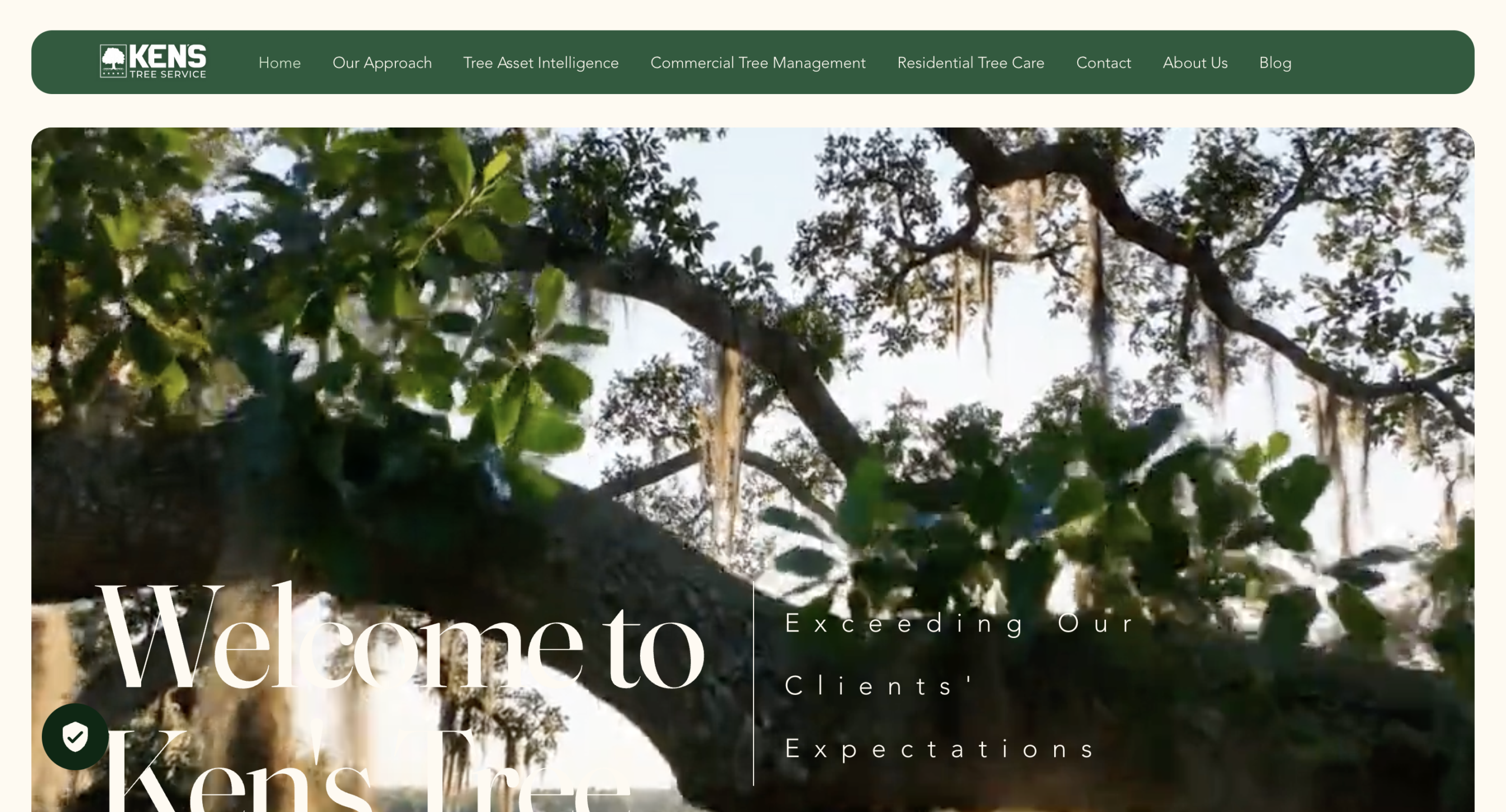
The home page of Ken’s Tree Service website features a looping video that immediately catches your eye. The hero area has a big “Schedule an Assessment” button so visitors know what to do next.
What they do well:
- Explain what makes their business different from competitors (e.g., systematic approach, data-driven decisions, professional transparency)
- Mention their decades of experience and tree care industry standards/certifications
- Offer a Tree Asset Intelligence report to encourage property managers to get in touch
2. King Tree Services
This webpage from King Tree Services, LLC is an example of a simple website design with a clear CTA. The site makes it easy for potential clients to request a quote or for current clients to access the client portal.
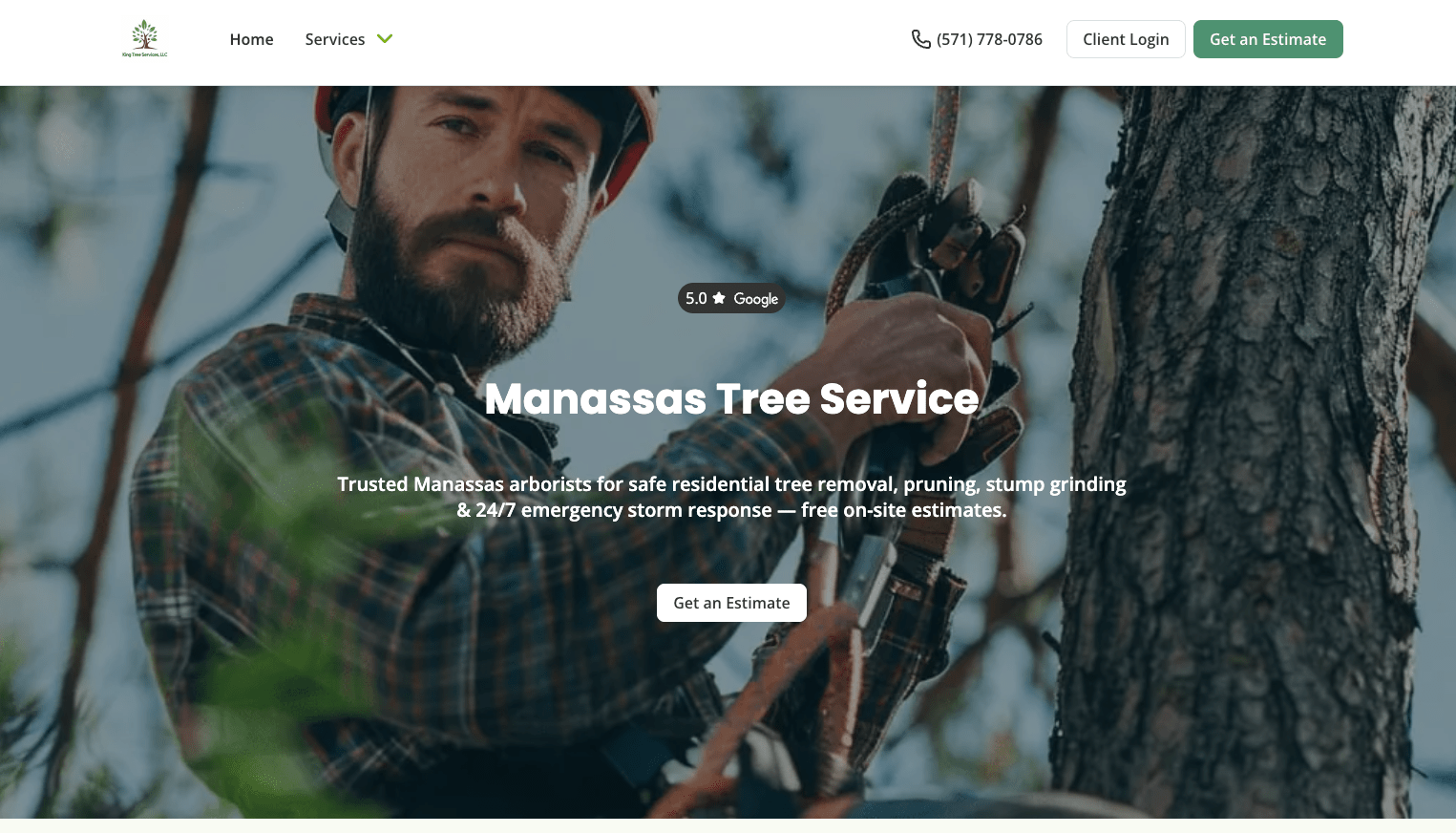
King Tree Services got their website up and running in just a few minutes with Jobber. This is a great option if you’re just starting a tree service business and want to get online quickly. It’s also a great way to capture leads from your Google Business Profile.
What they do well:
- Have a simple website that moves the visitor toward filling out the estimate request form
- Include a complete list of services, with individual pages for popular options
- Heavily promote the area where the company operates, which helps the site appear in local search engine results
3. Aspen Arboriculture Solutions
On the Aspen Arboricultural Solutions website, you’ll find a professionally designed logo in the top left-hand corner of every webpage you visit.
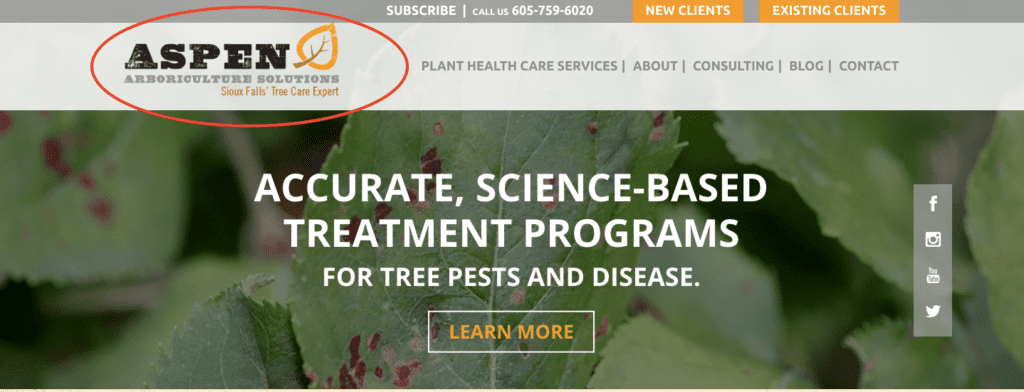
The color scheme and fonts complement the logo, and good branding is used consistently across the website. This helps reinforce the Aspen brand so visitors recognize and remember it.
What they do well:
- Explain their three-step process for tree consulting (call, meet, plan)
- Include customer testimonials as proof of service quality
- Provide video footage from the company’s TV appearance to demonstrate expertise
4. Joshua Tree
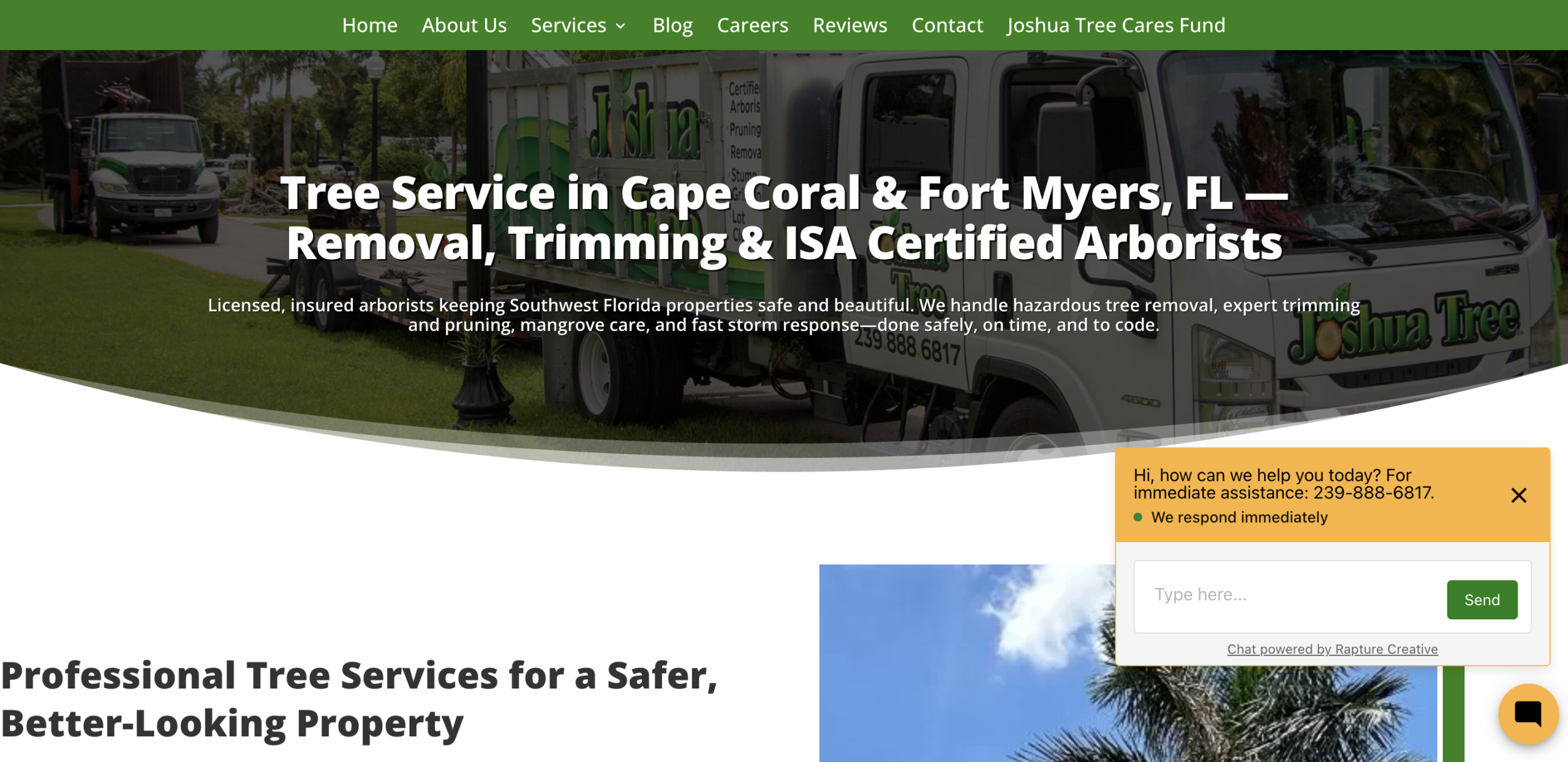
Joshua Tree places their contact details and social media links in the header of every page. This helps potential clients quickly get in touch, no matter what services they’re looking for.

Joshua Tree’s website also has a contact page with a phone number, location, and an online booking form. That way, future clients know exactly how to reach out for inquiries and estimates.
What they do well:
- Share clear contact details that make it easy for clients to contact the business
- Provide a chatbot to answer simple questions, but with the option to call a human
- Define the company’s service area so clients know they can access services
5. Logan Tree Experts
The Logan Tree Experts website showcases the company’s trustworthiness and expertise by including their certifications and insurance on the About page of their site.
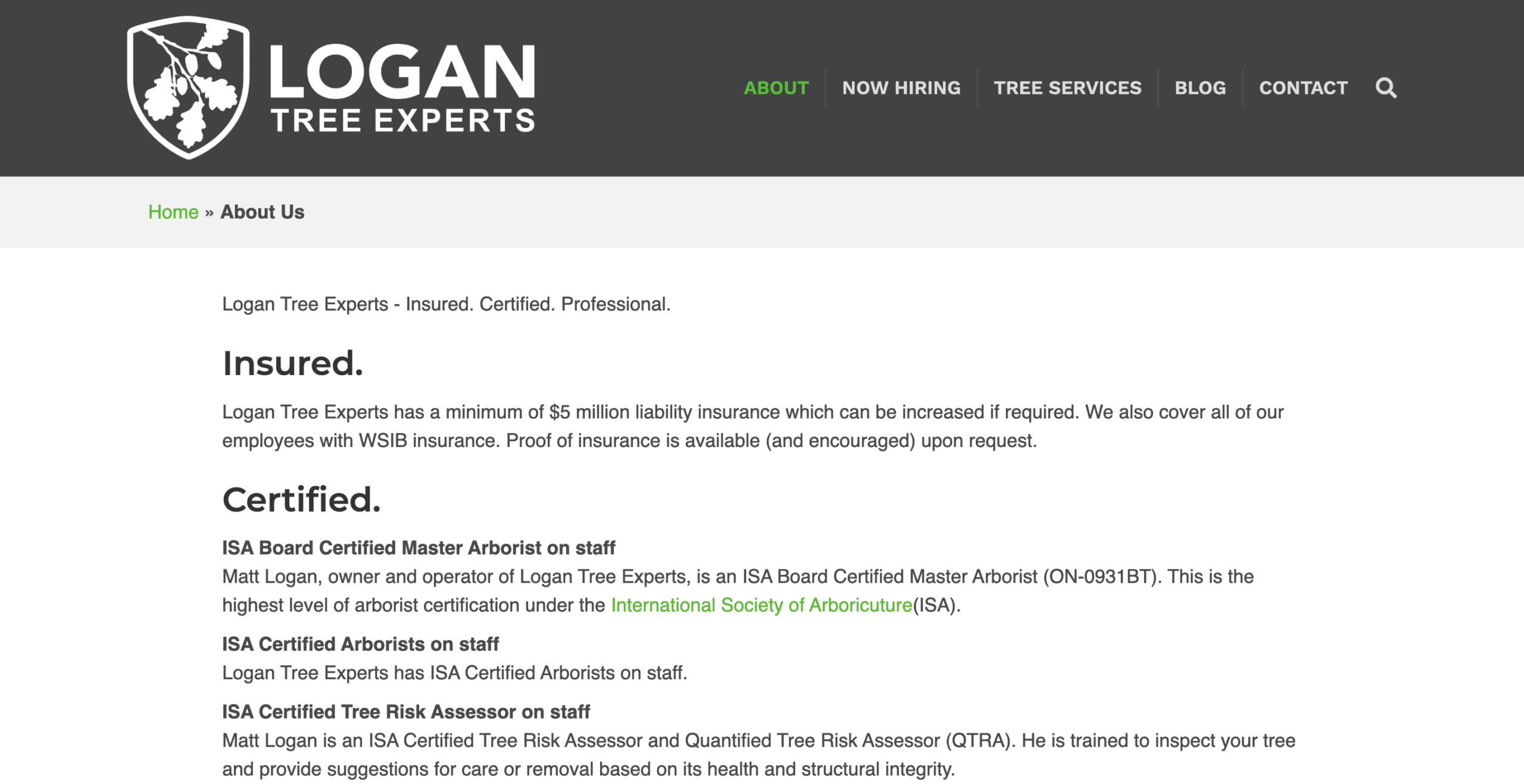
Showing industry accreditations and small business insurance helps prove the team is trained to perform tree work safely. This provides prospective clients with peace of mind, making them more likely to hire the company.
What they do well:
- Have individual pages for each of the services the company offers, including tree trimming and tree planting
- Share photos showing the team on the job, including photos of their tree pruning and climbing work
- Link to the website for Bartlett Tree Experts, the company’s parent brand, for hiring details and blog articles
6. Steve’s Tree and Hauling Service
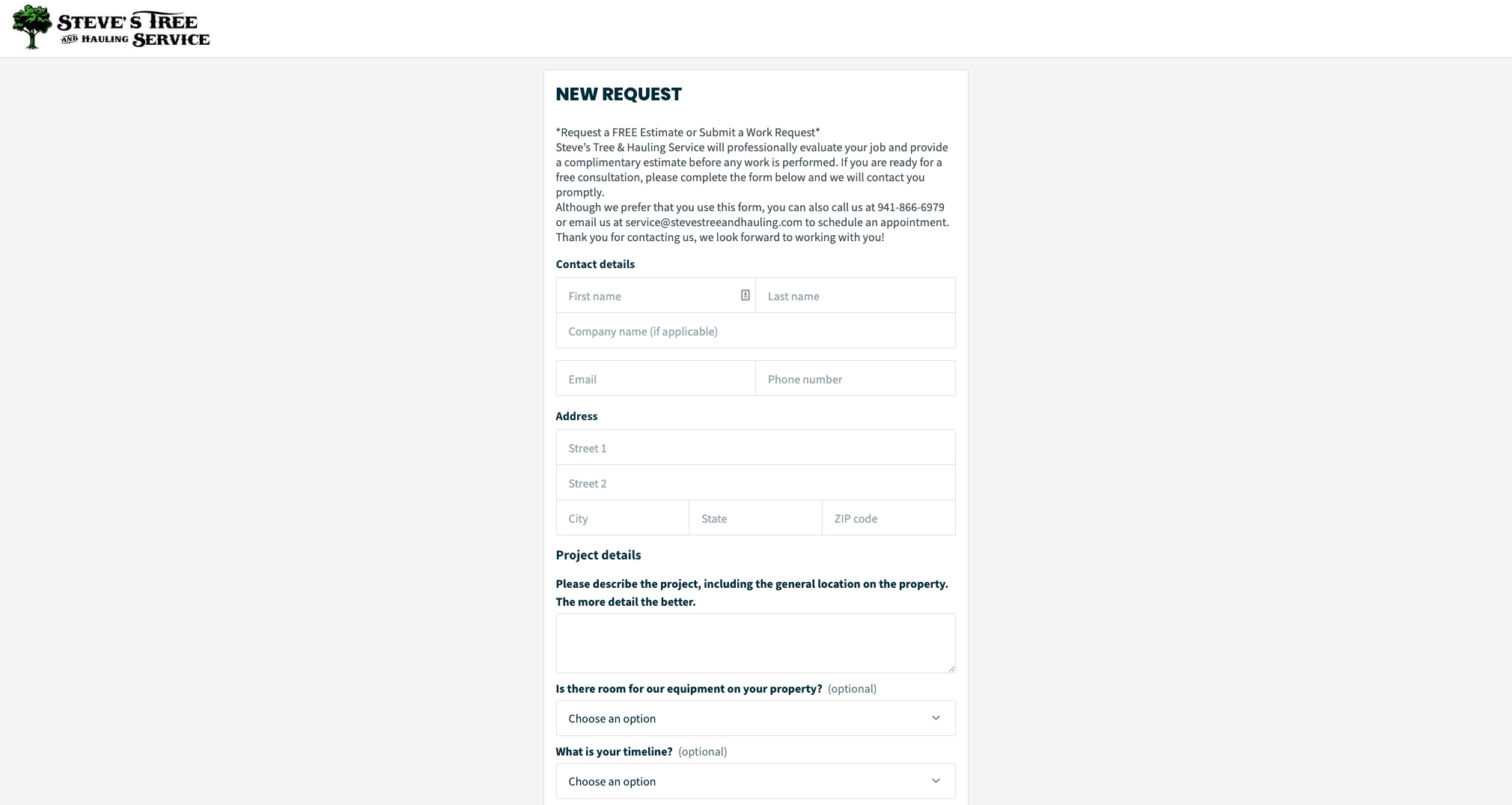
Steve’s Tree and Hauling Service uses Jobber’s online quote request form to collect contact information and project details from potential customers.
The booking form is customized to collect all the details the company needs to create a tree care estimate. This ensures they get new business while customers receive quality service fast.
Jobber allows people to upload photos directly with their request form. So I don’t even have to go on site for 90% of our quotes.
We’re saving so much time… We get more jobs because we get [customers] their quotes a lot sooner.

What they do well:
- List their service areas and payment methods to answer customer questions early
- Share information about their years of experience and insurance coverage to give customers peace of mind
- Provide helpful details about tree removal permitting in local counties and municipalities
7. Advanced Tree Care
The Advanced Tree Care home page lists reasons why a client should choose their company over others. For example, they only hire ISA-certified arborists, have over 20 years of experience, and offer free estimates.
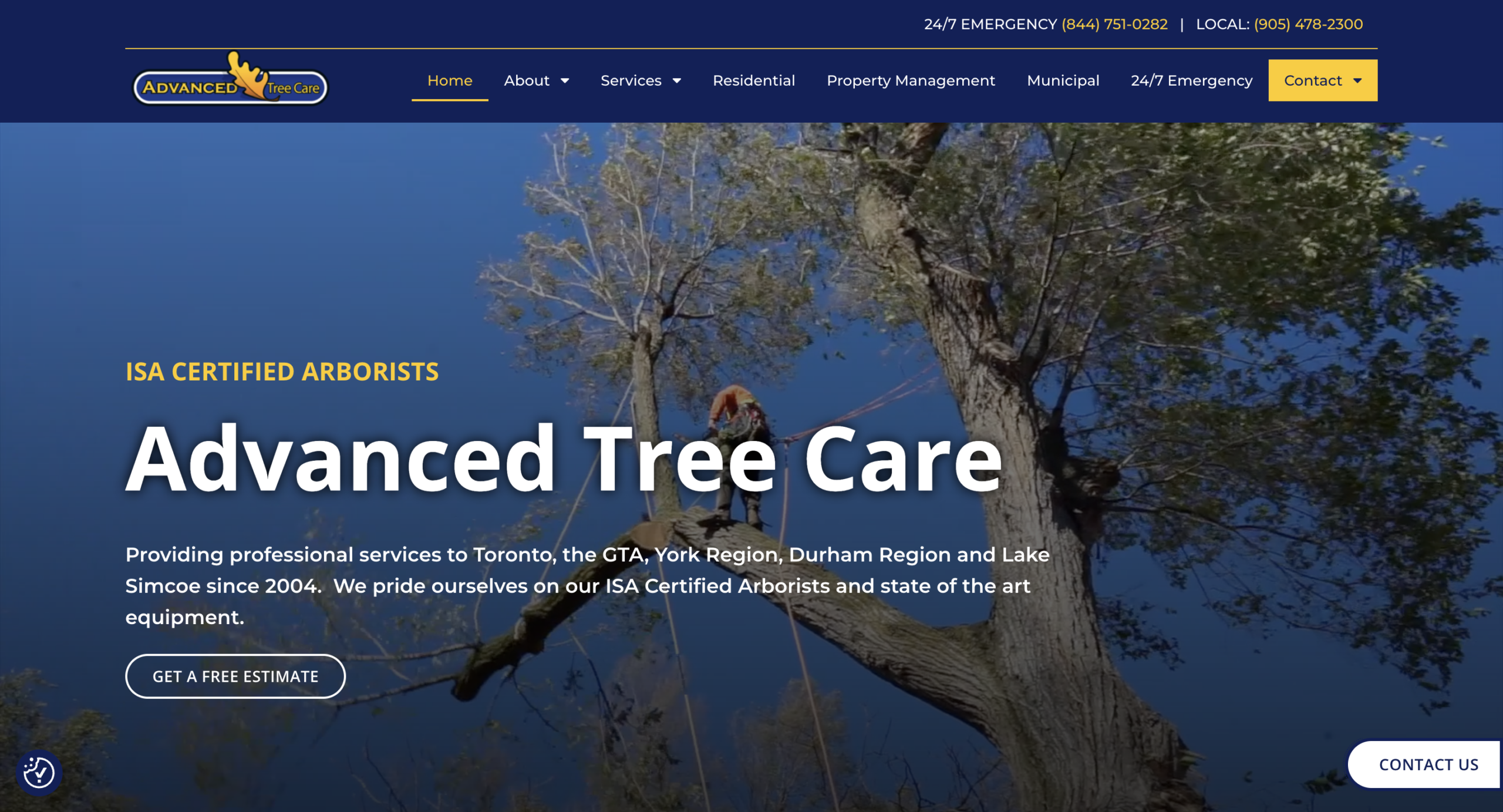
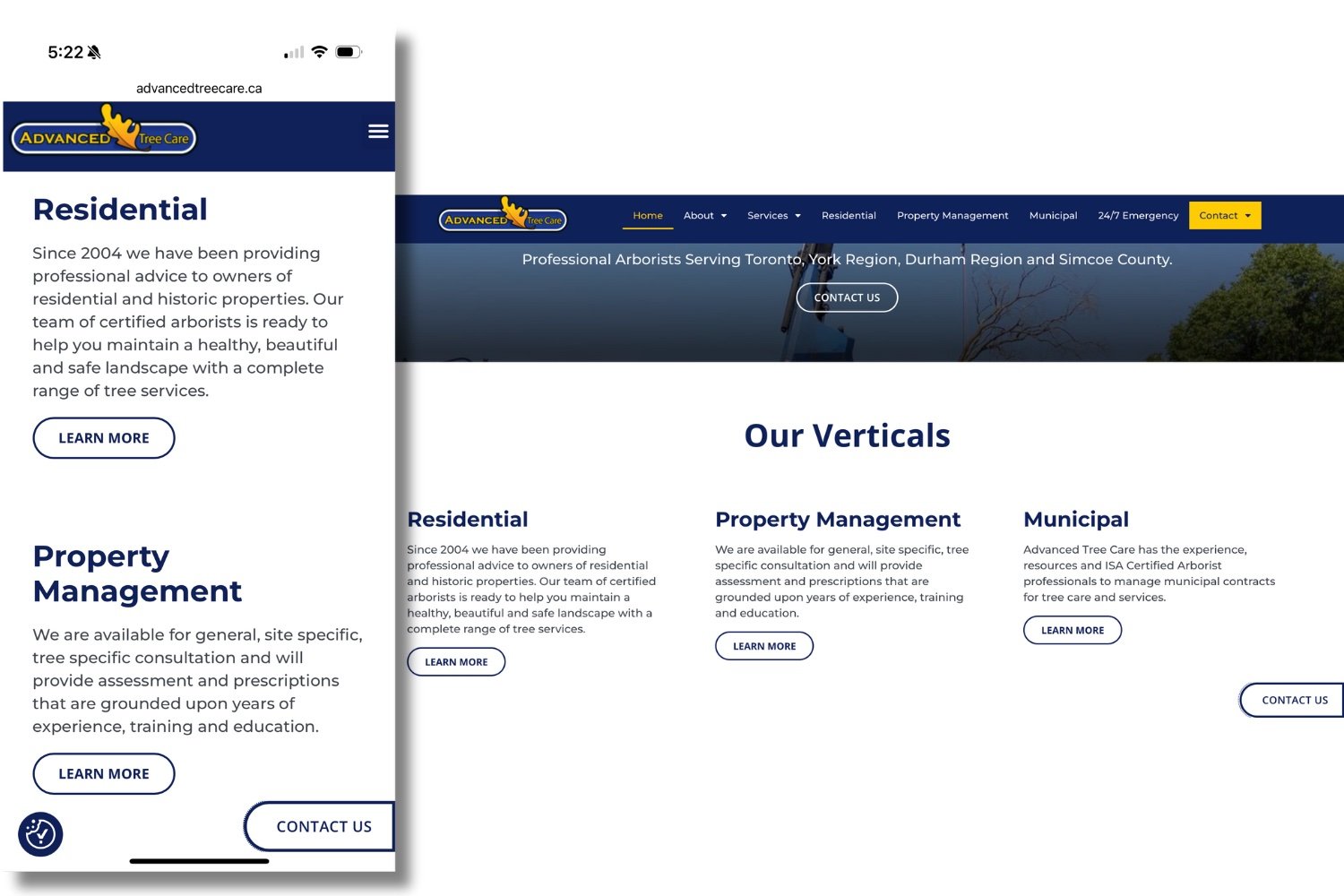
The company also designed its website to fit different screen sizes. That way, it’s accessible for customers looking for services, whether they’re using mobile or desktop devices.
What they do well:
- Provide proof of expertise, including ISA certification and years of arborist experience.
- Have a responsive layout that fits multiple mobile and desktop screen sizes.
- Inform customers about the various services available on individual pages, including pest control and emergency tree removal services.
8. Verdant Plant Health Care
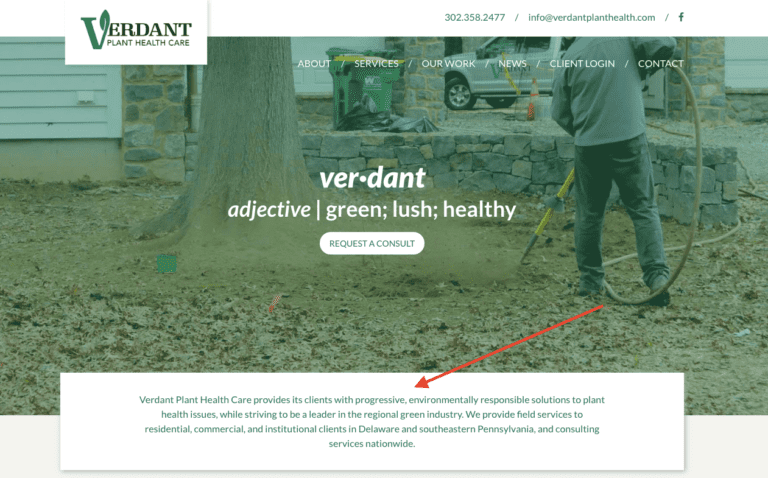
Verdant Plant Health Care places their competitive difference below the hero image on their home page. So when visitors are looking for environmentally responsible tree care, they know they’re in the right place.
What they do well:
- Have an “Our Work” page that lists some of the company’s high-profile clients
- Provide a client hub that lets site visitors log in to access service and payment details
- Include their contact details at the top and bottom of every page, making it easy for clients to get in touch
9. Green Leaf Tree Services
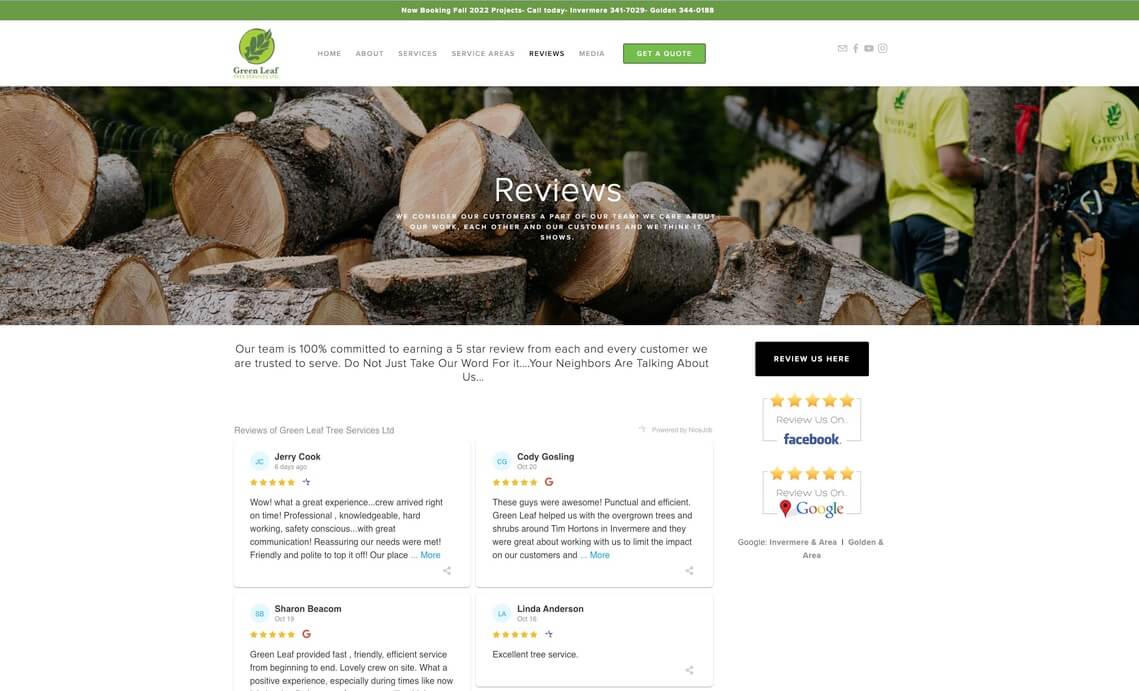
Adding reviews or testimonials to your arborist or tree service website builds trust with prospective clients. Green Leaf Tree Services has a dedicated page for sharing customer feedback, particularly 5-star reviews.
They use Jobber’s Nicejob integration to automatically pull new messages onto the page. They also include links for customers to leave their own reviews on Facebook or Google.
What they do well:
- Promote their ISA certification and other accreditations to build trust
- Publish blog content about topics that matter to clients, like black knot fungus on trees
- Include a newsletter signup area that lets visitors sign up for email updates
10. Grizzly Tree Services
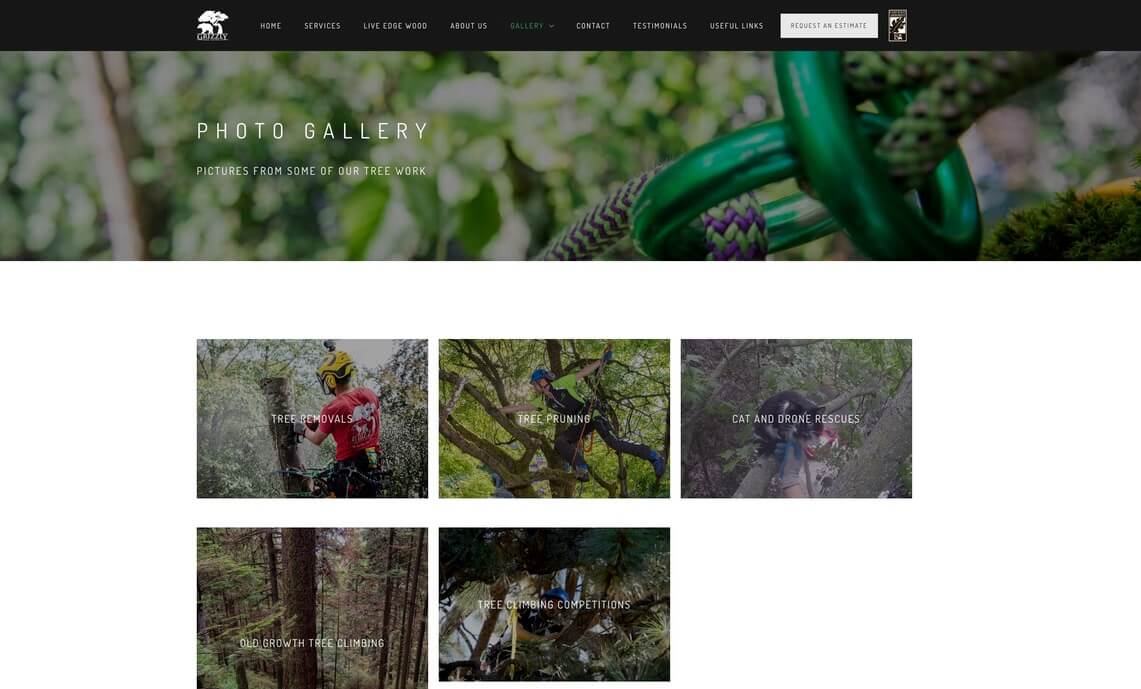
Grizzly Tree Services has a photo and video gallery on their website to show off their work. Future clients can scroll through sections to see perfect examples of quality tree service.
What they do well:
- Promote their live-edge wood products for sale, extending a tree’s usefulness
- Include links to local tree bylaws for communities in the company’s service area
- Share information about the company owner and his qualifications
11. TreeCareLA
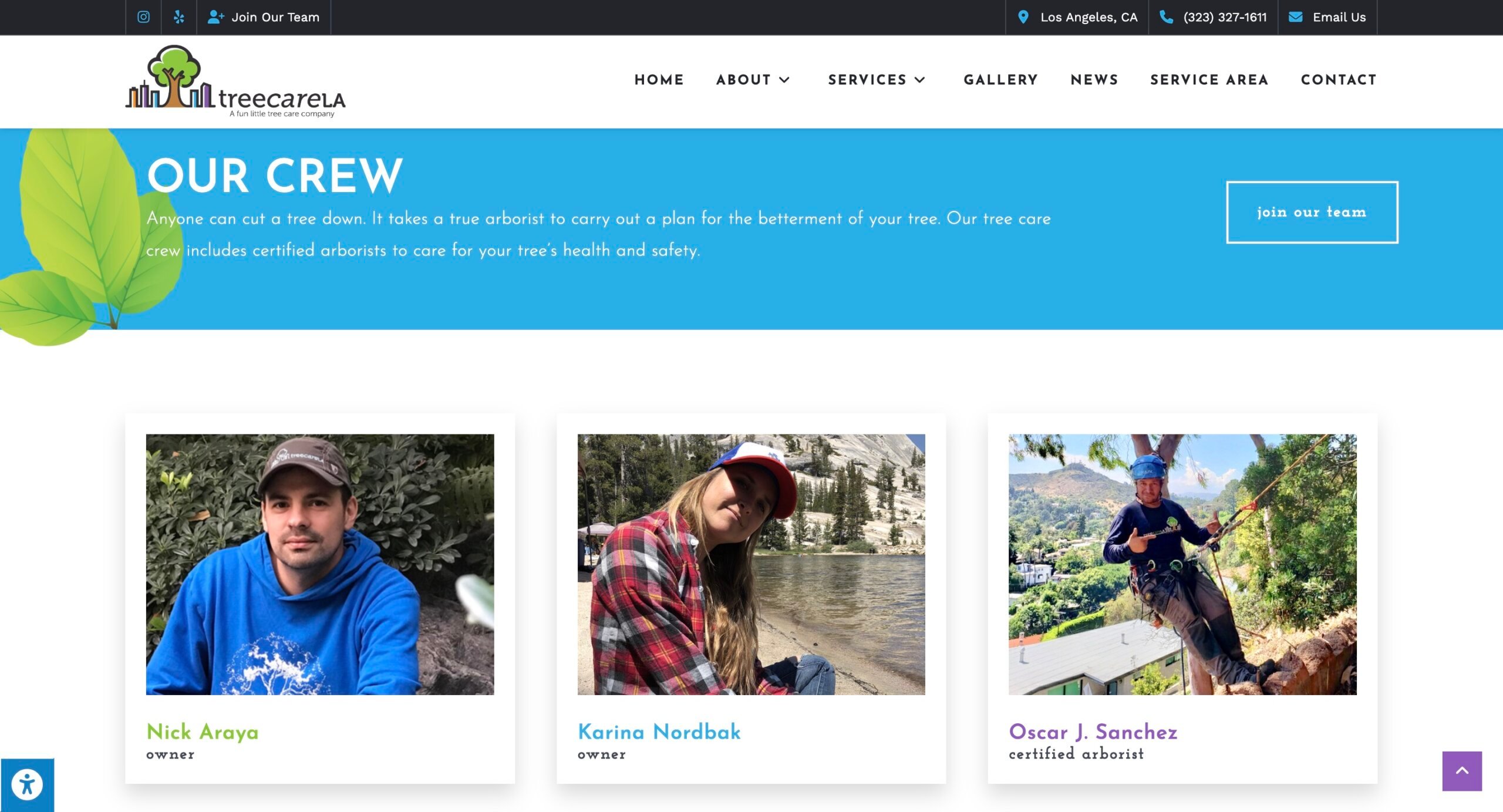
TreeCareLA includes an About page that features images of their crew and a bio for each. Employee profiles show that the company is legitimate and made up of trained tree experts.
What they do well:
- Have detailed bios for employees to introduce them to clients and prove their expertise
- Provide details about their eco-friendly tree care practices, like using organic fertilizer
- Share testimonials from satisfied customers to prove the quality of their work
12. Chestnut Tree and Landscape
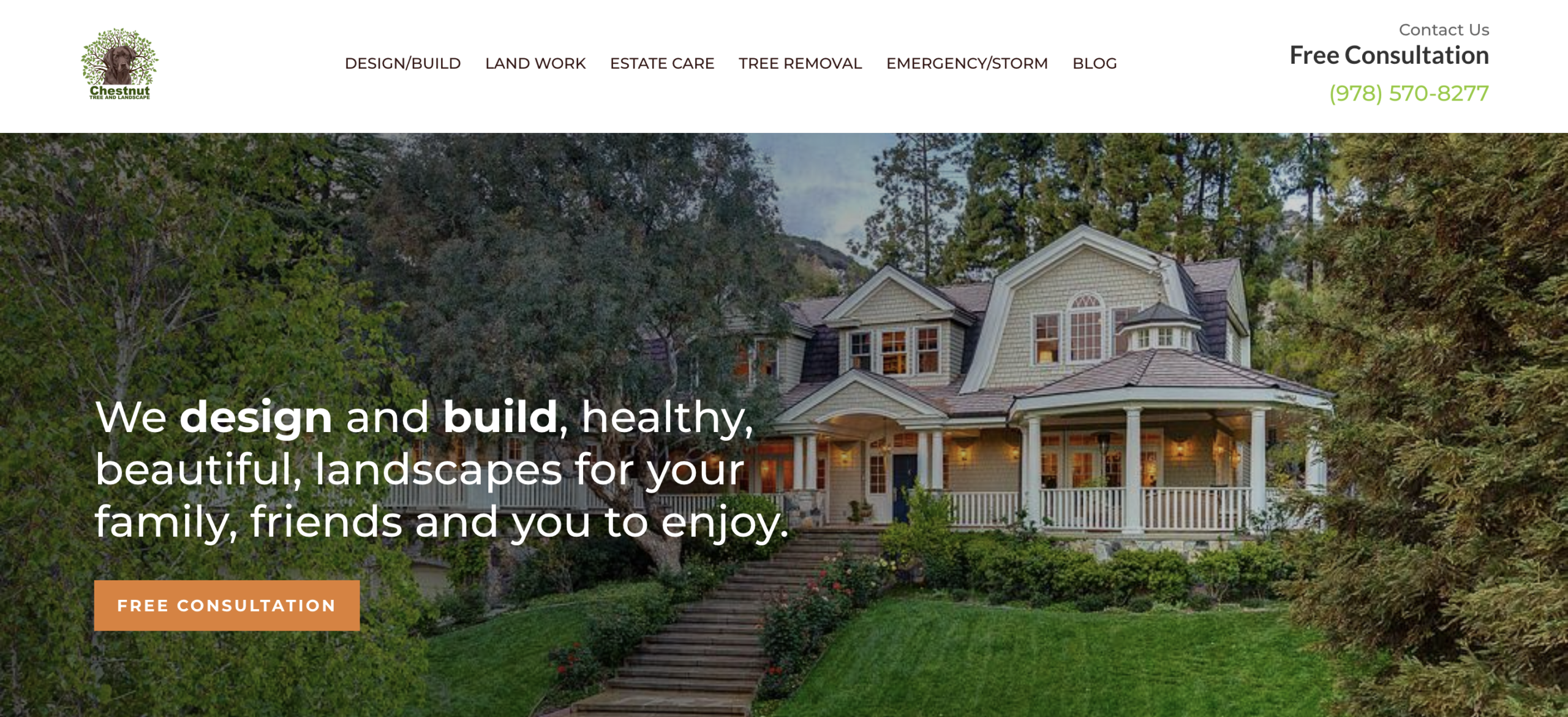
The top menu on the Chestnut Tree and Landscape website is organized into service categories, like tree removal and emergency/storm services, making it easy for visitors to navigate the site. Each page describes each service in more detail.
What they do well:
- Have a blog to attract site visitors and inform them about popular tree service topics
- Promote their free consultation request form throughout the website
- Use high-quality photos that suggest their tree work is quality, too
How to create a tree service website
Some landscaping business owners create their websites by working with a professional web designer or agency, but this can be costly.
If you’re building a professional tree service website on a budget, you can do it yourself by following a few simple steps:
- Buy a domain. A domain is your website address, like “SmithTreeService.com.” You can buy it through a website builder or from a domain provider like GoDaddy.
- Choose a website platform. Website builders like WordPress, Wix, Squarespace, or Jobber make it easy to build a site without technical skills. Simply pick a layout that fits your business and add your services, service areas, contact info, and job photos.
- Build content pages. At minimum, your site should have a Home page, Services page, an About page, and a Contact page with clear ways to call or request an estimate. If possible, create unique pages for each of the services you offer, like tree removal, trimming, and emergency work.
- Set up local SEO. This helps customers find you when they search for tree services in your area. Use clear service descriptions, location-based keywords (like “Denver tree care”), and pages for each location in your service area so your business shows up in local search results.
Or, get your business online and in front of customers fast with a simple, professional Jobber Website. It only takes a few minutes to set up.
Simply provide Jobber with details about your tree care business and services, and we’ll create a website that highlights what sets you apart from the competition.
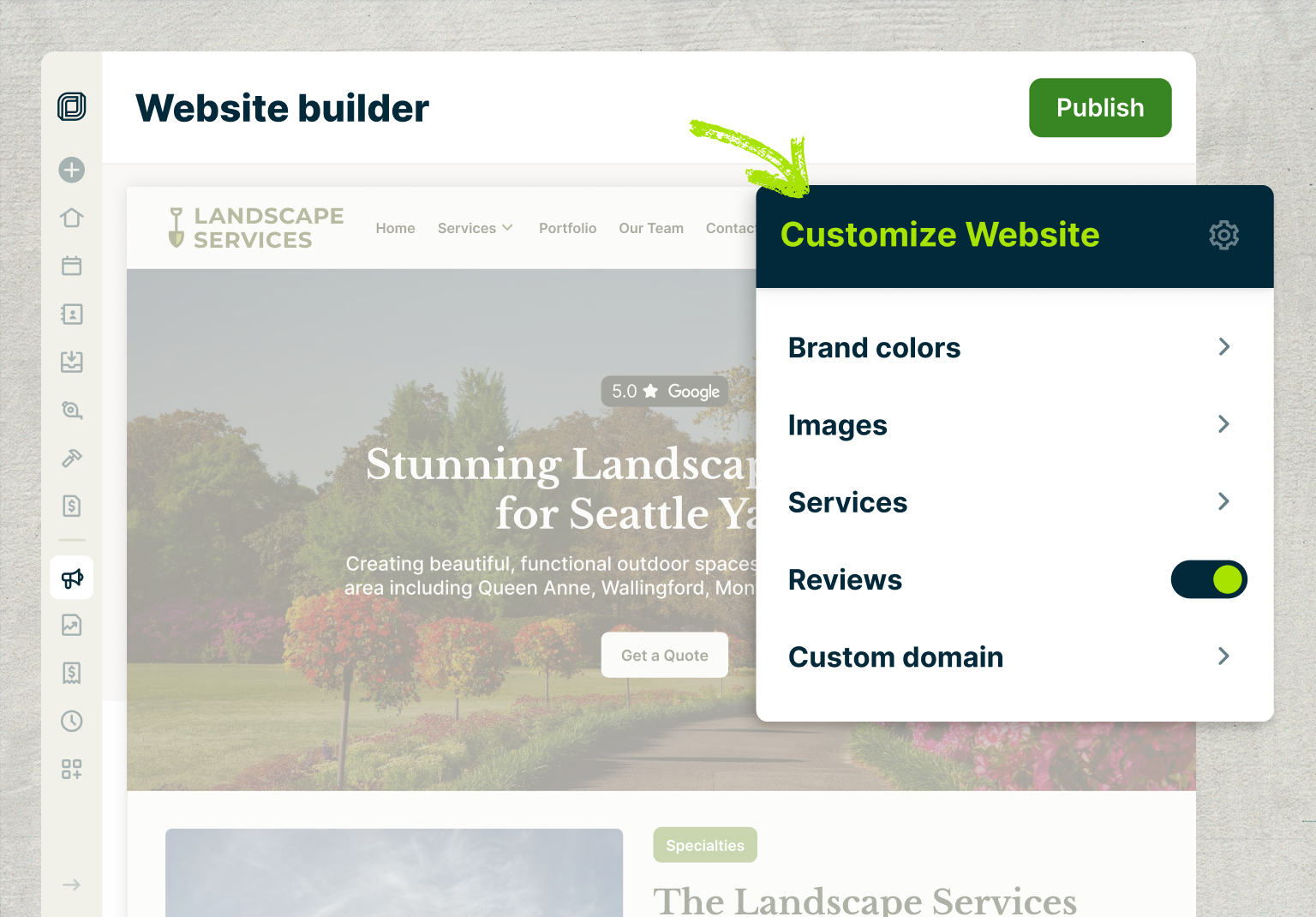
Your Jobber Website automatically comes with:
- Free web design and site hosting
- A quote request form to help convert website visitors into leads
- A single- or multi-page design that you can customize to fit your needs
- Built-in SEO features like service pages with targeted keywords
- Integration with your Google Business Profile, including Google reviews
- A dashboard that lets you track website visitors and work requests coming from the site
- Jobber’s AI Receptionist, which schedules jobs and responds to client calls and texts
I have my voicemail directing people to our website to fill out the request form, so I don’t answer the phone.
I got into this business because I want to be hands-on talking to clients, looking after their trees—not to be an administrator.
What to include in your tree service website design
Your tree service website is the first step in your tree service marketing strategy. For many new clients, it often forms their first impression of your business.
Make your business look capable and professional by including:
- Clear service offerings: List all your services, such as tree removal, pruning, stump grinding, and emergency tree service. Make it easy for potential customers to understand what you offer as a professional tree service business.
- Contact details: Prominently display your phone number, email, physical location, and service area. A contact form or online booking form can also make it convenient for customers to reach out.
- Visual images: Include before-and-after photos of your work, along with images of your team in action. Videos can also help demonstrate your expertise and the quality of your services.
- Call to action: A call to action (CTA) gives potential customers clear directions on what to do next. Always add instructions on how to receive a quote or begin a project.
- Customer reviews or testimonials: Showcase positive reviews and testimonials from previous clients. This builds trust and helps establish credibility for your business.
- Business branding: Make sure the site includes your tree company name, logo, brand colors, and fonts. Strong branding helps you stand out from competitors and makes it easier for clients to recognize your tree care business.
10 ways to improve your tree care website
Want your existing tree service website to bring in more calls and estimate requests? Follow these best practices:
1. Keep the design simple
Visitors take just 0.05 seconds to decide whether to trust a website. A clean, simple layout makes your business look more professional and helps visitors form a positive opinion. Here’s how to achieve that:
- Don’t cram too much information onto one page.
- Break up text with clear headings and short sections.
- Use simple menu labels like Services, About, and Contact.
- Keep your top menu short (4–5 links) and avoid complicated drop-downs.
2. Apply your business branding
Every page of your website should look like it belongs to your business. That way, people know who they’re dealing with and feel confident calling you. Here’s how to keep your site branding consistent:
- Put your business name and logo at the top of every page.
- Stick to the same colors and fonts across the whole site.
- If you use a slogan, place it in visible spots where visitors will see it and remember it.
[Make sure your] brand is consistent across all platforms—vans, uniforms, website, social, TV, radio—everywhere you go.
Consistency builds trust inherently in human beings.

3. Make the site usable on phones and tablets
Responsive website design means your website automatically resizes to adjust to the visitor’s screen size.
Responsive web pages are particularly helpful if your customers are browsing on different devices, like a desktop computer, laptop, smartphone, or tablet.
Avoid missing out on potential customers by providing a site that works well on most devices. While you’re at it, make sure the website loads quickly and images look correct on different screen sizes.
4. Include your unique selling proposition
Before a client chooses your services, they’re probably going to compare multiple tree care websites to decide which one is the best fit. To win their business, your website needs to clearly explain what makes you stand out from the pack.
This is called your unique selling proposition (USP). You can add it to your website as a tagline on your homepage or under a “Why Choose Us?” section.
5. Use strong calls to action (CTAs)
To turn website visitors into leads, your site needs to guide them toward one main action—calling you or requesting an estimate. Here’s how to make that happen:
To turn website visitors into leads, your site needs to guide them toward one main action—calling you or requesting an estimate. Here’s how to make that happen:
- Use direct wording like “Request an Estimate,” “Call for Service,” or “Get a Quote.”
- Put CTA buttons in easy-to-see spots across the site so visitors don’t have to hunt for them.
- Give them a reason to act by showing proof and trust signals, like customer reviews, safety credentials, financing options, or service guarantees.
6. Share your contact details across the site
When it’s easy for clients to contact you, they’re more likely to do so. Here’s how to encourage site visitors to contact you with questions, request estimates, or learn more about your business:
- Include your phone number in a very visible spot on your website.
- Use bright CTA buttons that lead clients to your online booking form.
- Have a dedicated Contact page with your phone number, email address, business address, social media links, and online booking form.
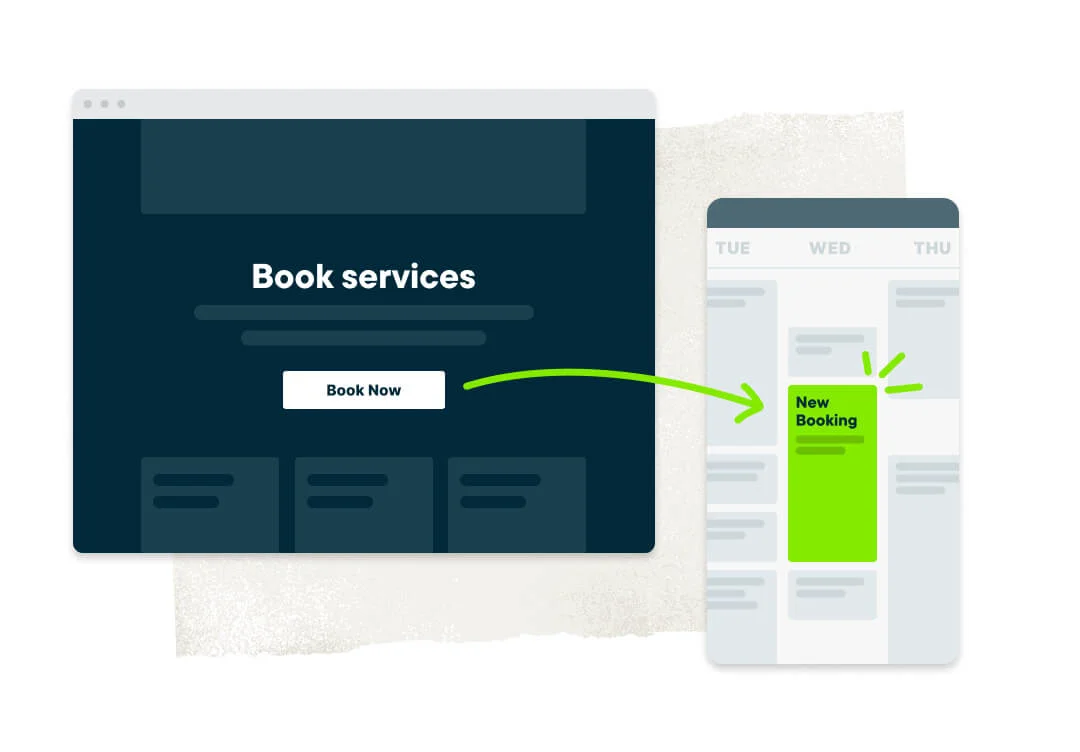
Jobber’s online booking lets clients book services in your calendar based on your availability. Once a booking is made, both you and the customer get a notification about the upcoming job.
7. Display customer reviews to prove your quality
Showing customer reviews and proof of your work helps people feel confident calling you instead of a competitor. It shows that you’re reliable and safe to hire for high-risk tree work.
Here are simple ways to build that trust using your website:
- Add short reviews or quotes from past customers (but get permission first).
- Show your star ratings from Google Reviews and sites like Yelp and Angi.
- Post before-and-after photos of tree removals, trimming jobs, and cleanup work.
- Display your certifications, licenses, safety training, awards, and professional memberships.
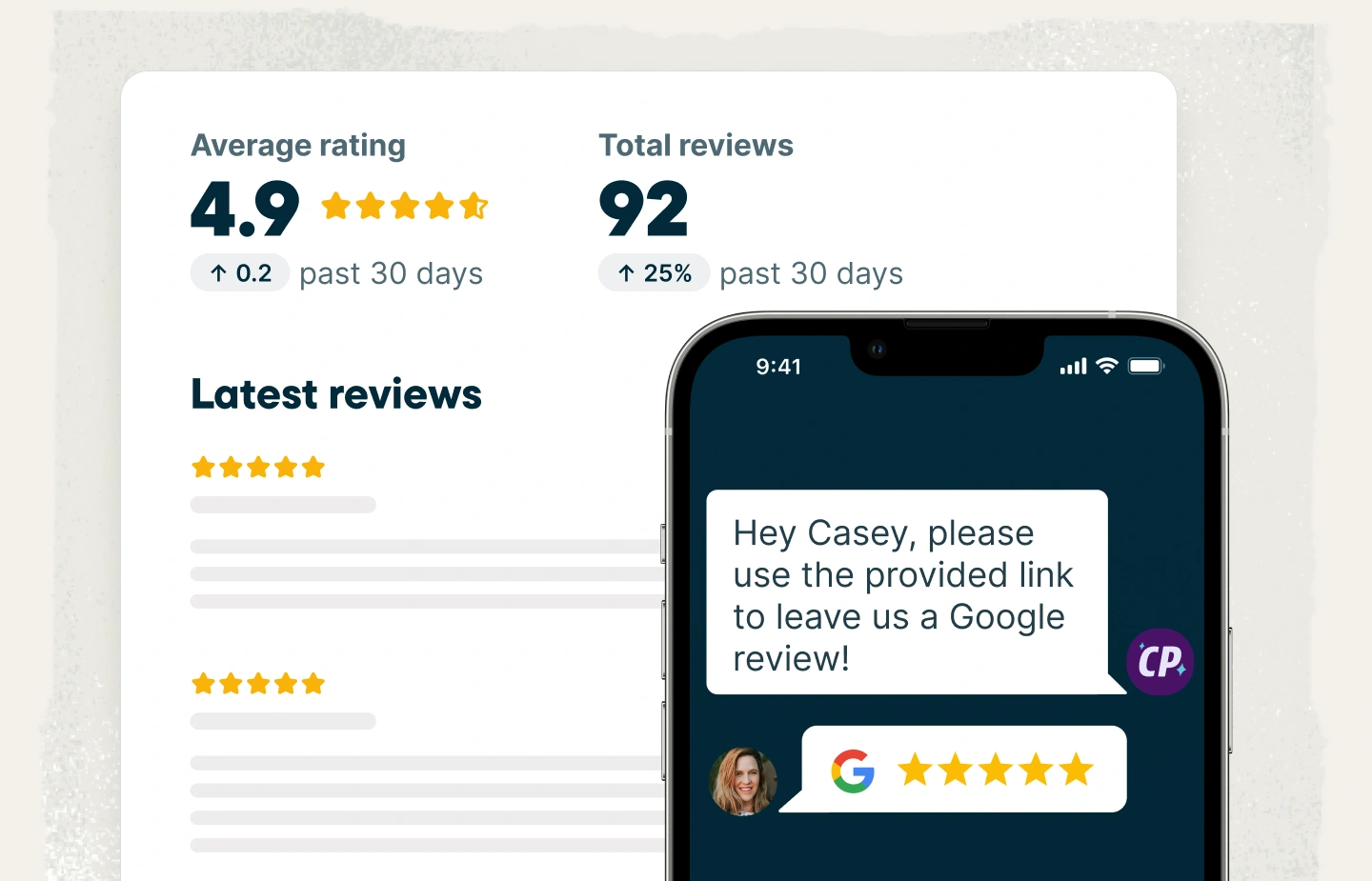
Jobber makes it easy to ask for positive online reviews. In fact, you can double your monthly Google reviews with automated review collection.
Use this time-saving feature to send review requests after customers pay their invoices, and collect more feedback for your tree service company while you’re at it.
8. Help customers find your business online
Search engine optimization (SEO) helps your website appear in search engine results when potential customers are looking for topics and services related to your business.
For example, if you’re an arborist in Michigan, you’ll want your website to appear when a prospective client searches for “tree service Ann Arbor.”
Check out these simple ideas for optimizing your website for search engines:
- Build individual Service pages that describe each type of tree care service you provide.
- Use keywords that mention your services and the area where you operate, like “tree trimming Chicago” or “certified arborist Illinois.”
- Make sure your site loads fast and is mobile-friendly.
- Regularly publish educational blog posts that answer your clients’ questions about tree care, like “winter tree care tips.”
- Ensure each page has enough information. Aim for 500 words of content per page, with clear headings and supporting images.
- Create a Google Business profile that includes your contact information, website URL, list of tree services, and images.
- Follow up with customers after completing a job and ask them for a review.
9. Use original photos and videos
Instead of stock photos, your website should use original, eye-catching photos and videos. This shows potential clients that you run a credible company that does quality work.
Looking for design inspiration? Here are a few ideas to include on your own tree service website:
- Before-and-after photos of completed jobs
- You and your team in uniform and on a job site
- Your company vehicles and other marketing initiatives
- A short video talking about your mission, background, and services
10. Track site performance to improve over time
Use tools like Google Analytics to see how visitors find your site and what pages they land on. This helps you determine the best placements for quote request forms or CTA buttons.
Set up a Google Analytics account and install the tracking code on your website to start collecting data. From there, you can use the GA4 dashboard to view and understand visitor behavior on your site.
Start growing your tree care company website
Now that you’ve seen several of the best tree service websites out there, you’re ready to design or update your own.
By including the right elements and perfecting the user experience for future clients, you’ll easily attract more visitors and generate plenty of new leads for your tree service business.
Want to go even deeper on this topic? Learn how to optimize your website for more leads and higher rankings on the Masters of Home Service podcast.
Frequently Asked Questions
-
A lot of tree service websites make the same basic mistakes that keep them from getting calls and estimate requests. Avoid making mistakes like:
– Long page loading times that cause impatient visitors to leave
– Too much visual clutter or too many menu items that make it hard to find information
– A design that doesn’t look right on mobile or desktop devices
– Not having contact details and CTAs in obvious spots
– Using low-quality images that don’t reflect your work
– Not using basic SEO to ensure your site appears in local search engine results -
You don’t necessarily need a professional web designer to build your tree care website, especially if you use a website builder that’s geared toward service businesses, like Jobber.
With Jobber Websites, you can set up your own site without having to code anything. You can choose a website template, add your own photos and text, and include CTAs with a contact form.
It’s possible you might want to work with a web developer or agency if you have complex needs or want a fully custom website design. But it’s not essential for building a simple site that works well. -
Customer testimonials are one of the easiest ways to build credibility on your tree service website. You can:
– Add short quotes from happy customers on your Home page or individual service pages.
– Display your star ratings from review sites like Google, Yelp, or Angi throughout the site.
– Include written testimonials or video clips on a dedicated Reviews or Testimonials page.
– Pair testimonials with photos of the jobs you completed to tie the feedback to your work. -
Most small business websites take 1–8 weeks to launch, depending on how they’re built and how long it takes to write content. A freelance designer might take less time, while a DIY build could take longer.
Or, if you build a Jobber Website, you could have a working website in a few minutes. Just share some details about your business and services, and we’ll build a website that helps you stand out.
Originally published May 2020. Last updated on February 13, 2026.