Jobber vs. Estimate Rocket
Estimate Rocket is built around estimating. Jobber is built to run your whole operation, from the first call to the final payment. You get native mobile apps for your crews, payments in the field, route optimization, and AI that answers calls when you can’t. That’s why 100,000+ businesses and 400,000+ service pros in 50+ industries and 60+ countries use Jobber.

Jobber vs. Estimate Rocket: Comparison Table (2026)
Both tools cover quoting, client management, and invoicing. The bigger differences show up in the field, in how you get paid, and in AI. Here’s how they compare at a glance.
High-Level Comparison
Setup time
~50 minutes
A few hours
Pricing model
Transparent pricing starting from $29/month
Starting at $139/month
Scheduling & Dispatch
✓ Available
✓ Available
Reporting & Analytics
✓ Available
✓ Available
AI tools
Jobber AI available on all plans, AI receptionist available as an add-on (included in Plus)
✓ Available
Mobile app
No native app. Mobile web app only
Who are Jobber and Estimate Rocket?
Jobber
Jobber is field service management software for established home and commercial service businesses running multiple crews. Client management, quoting, scheduling and dispatch, invoicing, payments, marketing and Jobber AI all run in one system.
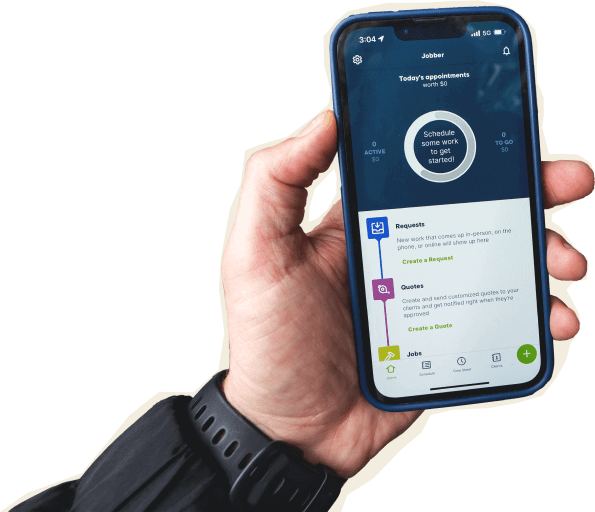
Crews get native iOS and Android apps built for work on site. They can see the day’s schedule and route, send “On my way” texts, fill out job forms, track time, and collect signatures. They can also take payment on the spot with Tap to Pay or a card reader.
Estimate Rocket
Estimate Rocket is a CRM, estimating and project management tool for contractors, with a focus on trade-specific estimate templates and proposals. It has no native mobile app, so field teams use it through a mobile web browser.
Core operations
Both platforms handle the basics well: client records, branded quotes with e-signatures, calendar scheduling, auto-invoicing, and card and ACH payments. The gap opens up as your business gets busier.
Jobber optimizes routes for your crews, while Estimate Rocket shows job sites on a map but doesn’t build the route for you. Jobber also offers customer financing and instant payouts, neither of which Estimate Rocket offers.
For marketing and AI, Jobber has built-in marketing tools, AI, and an AI receptionist. Estimate Rocket offers email and SMS follow-up campaigns, review requests, and an AI assistant, but doesn’t list a website builder, social posting, or an AI receptionist.
Businesses powered by Jobber grow their revenue an average of 44% in their first year. Jobber’s additional tools can mean less time on the road, faster cash flow, and fewer systems to connect.
Client management
Keep all quotes, jobs, invoices, payments, and communication history organized in one place.
Learn More
✓ Available
✓ Available
Organize customers into targeted groups for streamlined communication, reporting, and marketing
Learn More
✓ Available
✓ Available
Give clients a centralized portal to view quotes, approve work, pay invoices, and manage appointments online.
Learn More
✓ Available
✓ Available
Let customers request work and book services directly through an online booking form.
Learn More
✓ Available
✓ Available
Track leads, quotes, and follow-ups in one place so opportunities never slip through the cracks.
Learn More
✓ Available as add-on (included in Plus)
✓ Available
Quoting
Create professional, customizable quotes with itemized pricing and company branding.
Learn More
✓ Available
✓ Available
Allow customers to select optional services or upgrades directly within a quote.
Learn More
✓ Available
✓ Available
Instantly converts approved quotes into scheduled jobs without re-entering information.
✓ Available
✗ Not available
Scheduling & Dispatch
Easily assign, move, or reschedule jobs with just a click, drag, and drop.
Learn More
✓ Available
✓ Available
Build named crews, view their availability, and schedule the whole team at once for easier dispatching.
Learn More
✓ Available
✓ Available
Automatically organize daily routes to reduce drive time and improve efficiency across multiple appointments.
Learn More
✓ Available
✗ Not available
Get real-time visibility into team locations and job progress in the field.
Learn More
✓ Available
✓ Available
Invoicing
Automatically create and send invoices when work is marked complete.
Learn More
✓ Available
✓ Available
Send multiple invoices at once to reduce repetitive billing work.
Learn More
✓ Available
✗ Not available
Automate repeat invoices and payments for ongoing service agreements.
Learn More
✓ Available
✓ Available
Track labor, materials, and expenses to make sure every job stays profitable.
Learn More
✓ Available
✓ Available
Get a dedicated bookkeeper to manage your books and deliver monthly financial reports for clearer business decisions.
Learn More
✓ Available as add-on (US only)
✗ Not available
Payments
Offer customer financing options directly during the payment or quote process.
Learn More
✓ Available
✗ Not available
Marketing
Create a simple business website to help attract and convert leads.
Learn More
✓ Available (included in all plans)
✗ Not available
Stand out in local search with a Google profile that’s active and accurate.
✓ Available (included in all plans)
✗ Not available
Send follow-up requests to help generate more customer reviews.
Learn More
✓ Available via add-on (included in Plus)
✓ Available
Send targeted marketing emails to clients.
Learn More
✓ Available via add-on (included in Plus)
✓ Available
Let customers refer new business through structured referral incentives.
Learn More
✓ Available via add-on (included in Plus)
✗ Not available
Create and publish posts to your Facebook page and Google Business Profile.
✓ Available via add-on (included in Plus)
✗ Not available
Turn completed jobs into marketing posts you can share on your website, Google Business Profile, Facebook, and email to showcase your work.
Learn More
✓ Available via add-on (included in Plus)
✗ Not available
AI
AI-powered tools to help service businesses run smarter
Learn More
✓ Available (Jobber AI included on all plans)
✓ Available
Answer calls and texts 24/7, capture leads, and book jobs automatically.
Learn More
✓ Available as add-on (included in Plus)
✗ Not available
AI integrations (MCP)
✓ Available. Connects to ChatGPT and Claude so you can use Jobber data in AI conversations.
✗ Not available
“Before Jobber, our employees struggled to do job notes, to take photos, to upload daily logs, and track time, which resulted in them not doing it at all. When we started using Jobber, everything was so easy. We barely had to train our team at all.”

Mobile technician tools
Jobber’s crews get native iOS and Android apps built for the field. Estimate Rocket has no native app. Teams work from a mobile-friendly web browser, and offline access is still in development.
Jobber crews can take payment the moment a job is done, with Tap to Pay on their phone or a mobile card reader. Estimate Rocket doesn’t mention tap-to-pay, so card details have to be typed into a payment form, which adds steps at the door.
The Jobber mobile app also helps crews keep moving between jobs. They can see their schedule and route, send “On my way” texts, track time, and fill out job forms.
Core Mobile App
iOS & Android native apps
✓ Available
✗ Web app only
App language
English & Spanish
No mobile app
On the Job
Attach visual documentation directly to the job
✓ Available
Photos only
Keep job instructions, required tasks, and site details organized for field teams.
Learn More
✓ Available
✓ Available
Alert team members immediately when jobs are assigned, moved, or updated.
Learn More
✓ Available
SMS text alerts only
Capture customer approvals directly on a mobile device.
✓ Available
✓ Available
Invoicing & Payments in the Field
Let teams create and send invoices from the field.
Learn More
✓ Available
✓ Available (mobile web app)
Allow customers to pay in person by tapping a card or digital wallet on a mobile device.
Learn More
✓ Available
Manual card entry only
Built for how you actually work
Estimate Rocket is built to get estimates out the door and follow up on them automatically. Jobber is built for everything that comes before and after the estimate is signed: crews in the field, payments on the spot, and calls you can’t pick up. Here’s where that shows up day to day.
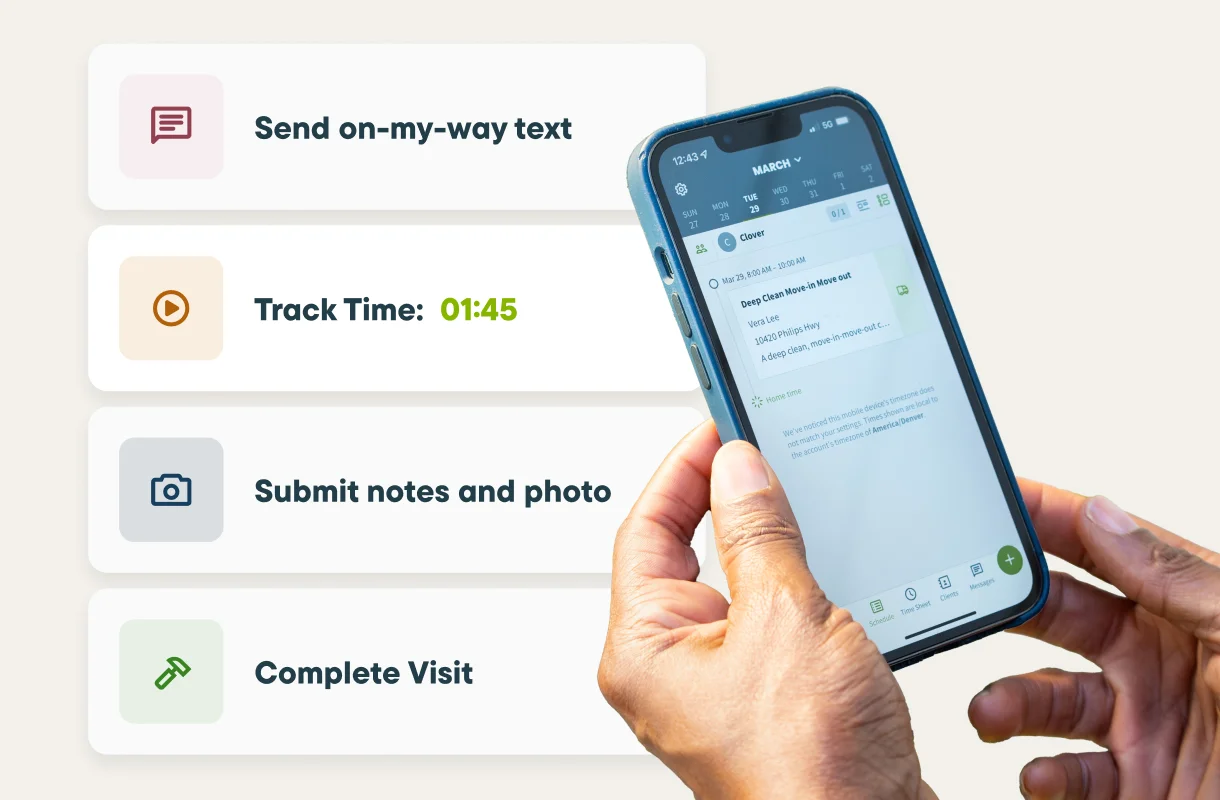
Give your crews a real app, not a browser tab
Jobber gives your team native iOS and Android apps, rated 4.8/5 on the App Store and 4.4/5 on Google Play. Estimate Rocket has no native app and runs as a mobile web app.
When your tech is in a basement or out at a rural property with no bars, Jobber’s app still has the day’s schedule available offline. Visit timers sync straight to timesheets. On Jobber Plus, geofenced location timers remind techs to clock in when they arrive at a property. That means fewer calls back to the office and more accurate timesheets.
Get paid on the spot, not next week
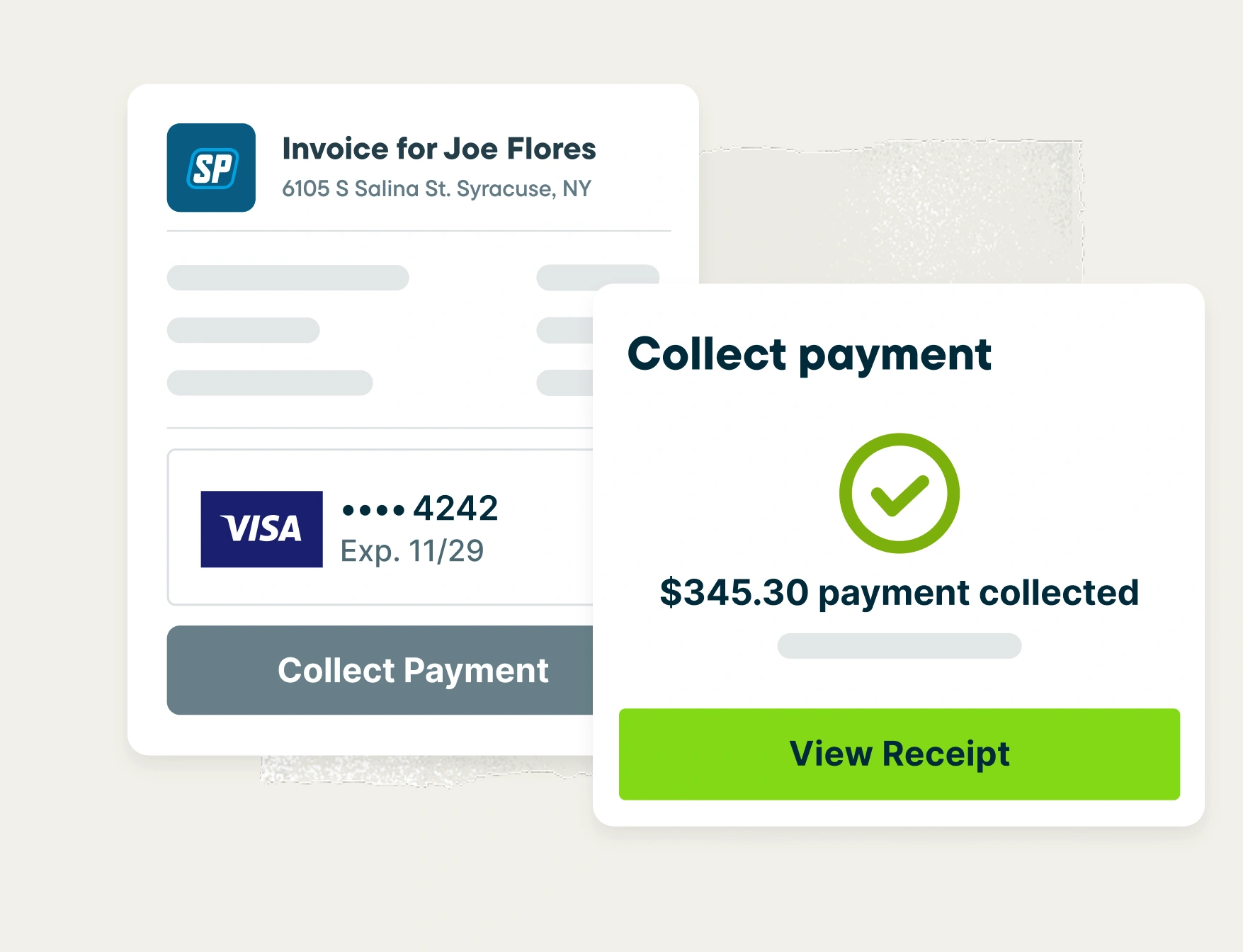
Jobber offers three ways to get paid faster. With Tap to Pay, crews accept cards on a phone with no extra hardware, in the US and Canada. With Instant Payouts, eligible accounts receive funds in under 30 minutes, even on weekends, for an extra 1% fee.
With customer financing, US customers pay over time on quotes from $500 to $25,000, while you are paid in full when the job is done. Estimate Rocket offers neither instant payouts nor customer financing.
Collecting payment online through Jobber gets you paid 4x faster than waiting on checks. That’s cash you can put toward payroll and materials instead of chasing it.
Let AI pick up the calls you can’t
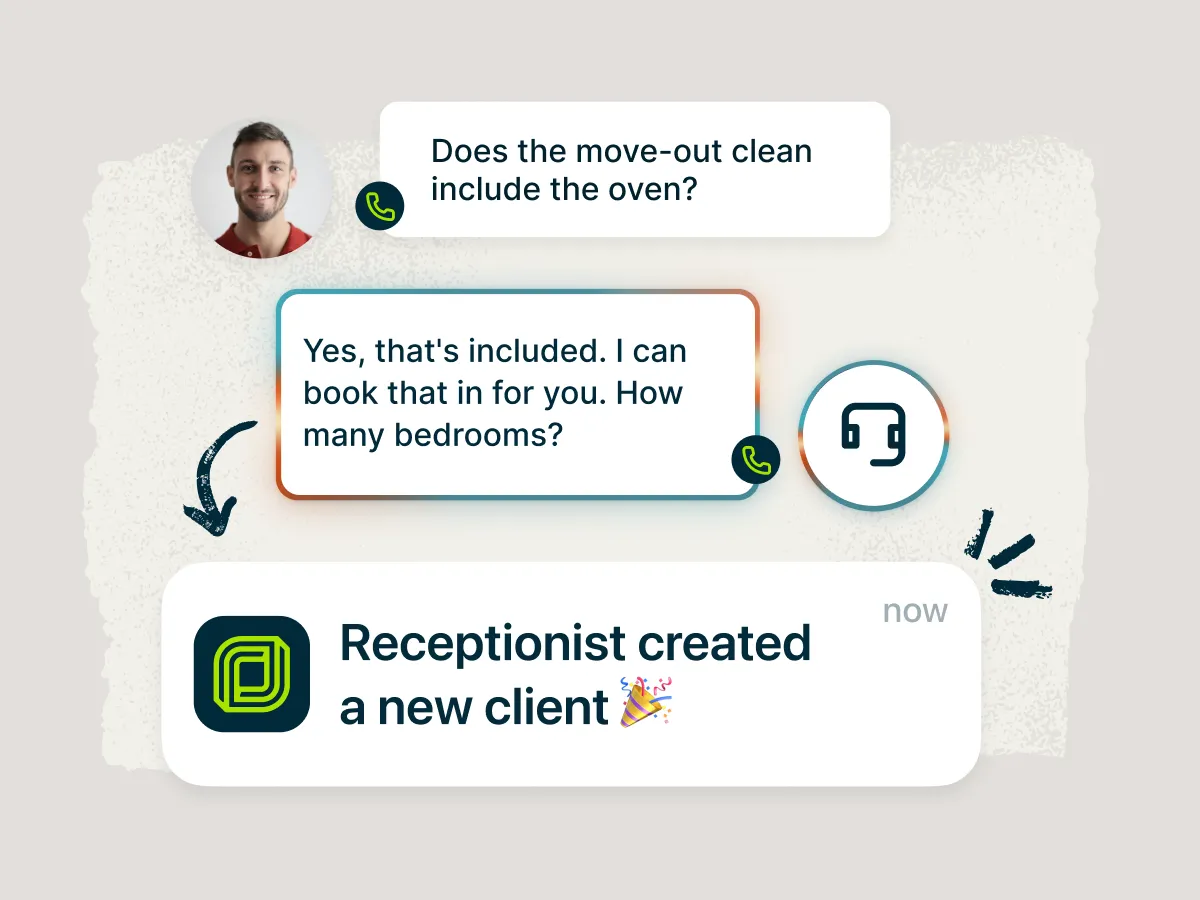
Jobber AI is included on every plan, and Jobber Receptionist is available as an add-on (included in Jobber Plus). Estimate Rocket’s AI features are limited to in-app helpers, like writing invoice descriptions.
Jobber’s AI Receptionist answers calls and texts while you’re on a roof or under a sink. It books visits into your Jobber schedule, answers common questions about your services, and texts back missed callers automatically. AI Chat answers questions about your revenue, quotes, and invoices, and it can create quotes, jobs, and invoices for you.
Jobber vs. Estimate Rocket: Pricing
Estimate Rocket uses flat monthly plans from $139 to $359 for 3 to 15 full users, and field users cost $10/month each.
Jobber starts at $29/month for one user. From there, you move up as your team and needs grow, so a smaller crew isn’t paying for seats it doesn’t use. Marketing and Receptionist are add-ons on lower plans and included in Plus.
To compare fairly, count how many office users and field users you’ll actually need on each platform. Then check which features each plan includes.
Tier 1
Core
1 user
$29/mo (when billed annually)
Launch
3 full users
$139/mo
Tier 2
Connect
1 user
$99/mo (when billed annually)
2-15 users
Starting from $149/mo (when billed annually)
Accelerate
7 full users
$259/mo
Tier 3
Grow
1 user
$149/mo (when billed annually)
2-15 users
Starting from $229/mo (when billed annually)
Expand
15 full users
$359/mo
Tier 4
Plus
2-15 users
Starting from $399/mo (when billed annually)
No fourth tier listed
Additional user pricing
$29/mo
Additional full user: $19–$79/mo
Additional field user: $10/mo
Free trial
14 days, no credit card required
30 day free trial
Jobber vs. Estimate Rocket: Integrations
Jobber connects to 100+ apps through its App Marketplace, syncs your books and timesheets with QuickBooks Online, and reaches 7,000+ more apps through Zapier.
Jobber syncs your schedule with Google Calendar, and the App Marketplace covers payroll, measurements and supplies with apps such as Gusto, EagleView and The Home Depot.
Estimate Rocket integrates with Zapier, QuickBooks, YouCanBookMe, CompanyCam, Google Workspace and Stripe. CompanyCam is its only built-in integration, and its API is accessible only through Zapier.
Why landscaping businesses choose Jobber
Switching from Estimate Rocket to Jobber
We’ve helped thousands of teams move their business onto Jobber. Here’s what the move looks like.
Tell us your setup
Share your current Estimate Rocket setup: how many office and field users you have, which services you offer, what’s working, and what isn’t.
Migrate your data
Our onboarding specialists move your clients, jobs, and open invoices, typically in 5 business days depending on the data being migrated. On Plus, you get a dedicated specialist and data migration with no downtime.
Train your team
Live onboarding for owners, dispatchers, and field techs. Recorded sessions included.
Go live
Switch over when you’re ready. Most teams are fully live within 10 days.
Jobber vs. Estimate Rocket: Which should you choose?
No tool is right for every business. Here’s an honest take on when each one wins.
Choose Estimate Rocket if:
- Your crews are fine working from a mobile web app, and you don’t need tap-to-pay, instant payouts, or customer financing.
- You need to standardize estimations in your sales process, and you want trade-specific estimating templates for 57+ trades.
- You want flat pricing for 3 to 15 full users.
Choose Jobber if:
- Your crews need native mobile apps that keep the day’s schedule available offline.
- You want to collect payment on the spot with tap-to-pay, get paid out in under 30 minutes, and offer financing on bigger jobs.
- You’re growing and need route optimization, AI that answers your calls, built-in marketing, and 100+ integrations, all in one system.
Frequently asked questions
-
Estimate Rocket has three plans. Launch costs $139/month for 3 full users, Accelerate costs $259/month for 7 full users, and Expand costs $359/month for 15 full users. Additional full users cost $19 to $79/month depending on the plan, and field users cost $10/month. Estimate Rocket offers a 30-day free trial. Jobber starts at $29/month for one user and offers a 14-day free trial with no credit card required.
-
Yes. Jobber lets you send branded quotes with line items, optional add-ons, and e-signature approval. Approved quotes turn into jobs in one tap. Jobber AI can also auto-draft quotes from new requests. US businesses can offer customer financing on quotes between $500 and $25,000, so customers can say yes to bigger jobs.
-
It depends on your business. Estimate Rocket leads with estimating tools, so it can suit teams where estimating is the main focus. It earns a 4.9/5 overall rating on Capterra from just 36 reviews. Jobber is the better fit if you’re running multiple crews and need native mobile apps, field payments, route optimization, and an AI receptionist. Jobber holds a 4.6/5 overall rating on Capterra from 1,462 reviews.
-
Data migration typically takes 5 business days, depending on how much data you’re moving. Most teams are fully live within 10 days.
-
Yes. Jobber offers a 14-day free trial with no credit card required.