Free Contractor Invoice Template
Jobber’s free contractor invoice template generator helps you bill for any job without building an invoice from scratch. Add labor, materials, deposits, and payment terms in one place. Then download a professional invoice that’s ready to send to your client.
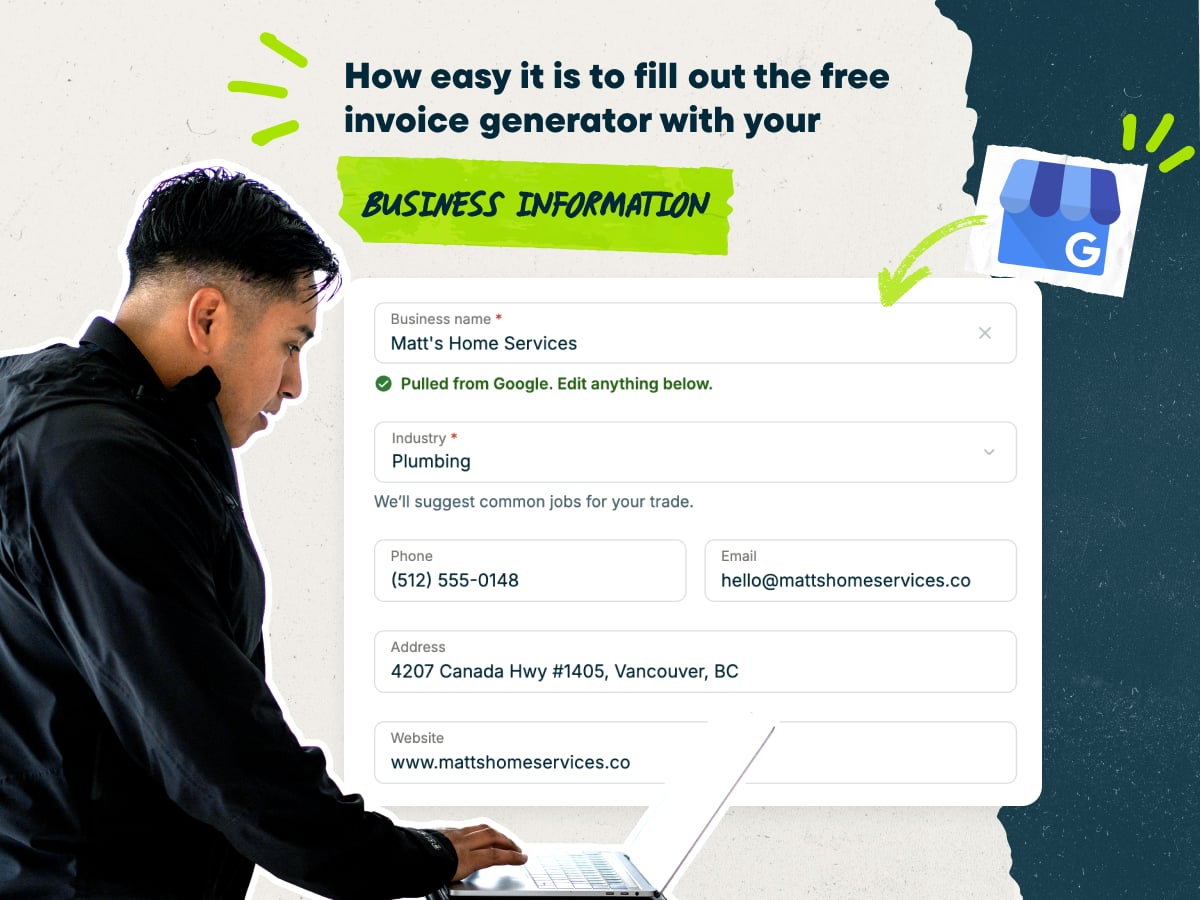
Create a contractor invoice fast with our free invoice template
- Enter your business name, and the generator will fill in the rest of your company details
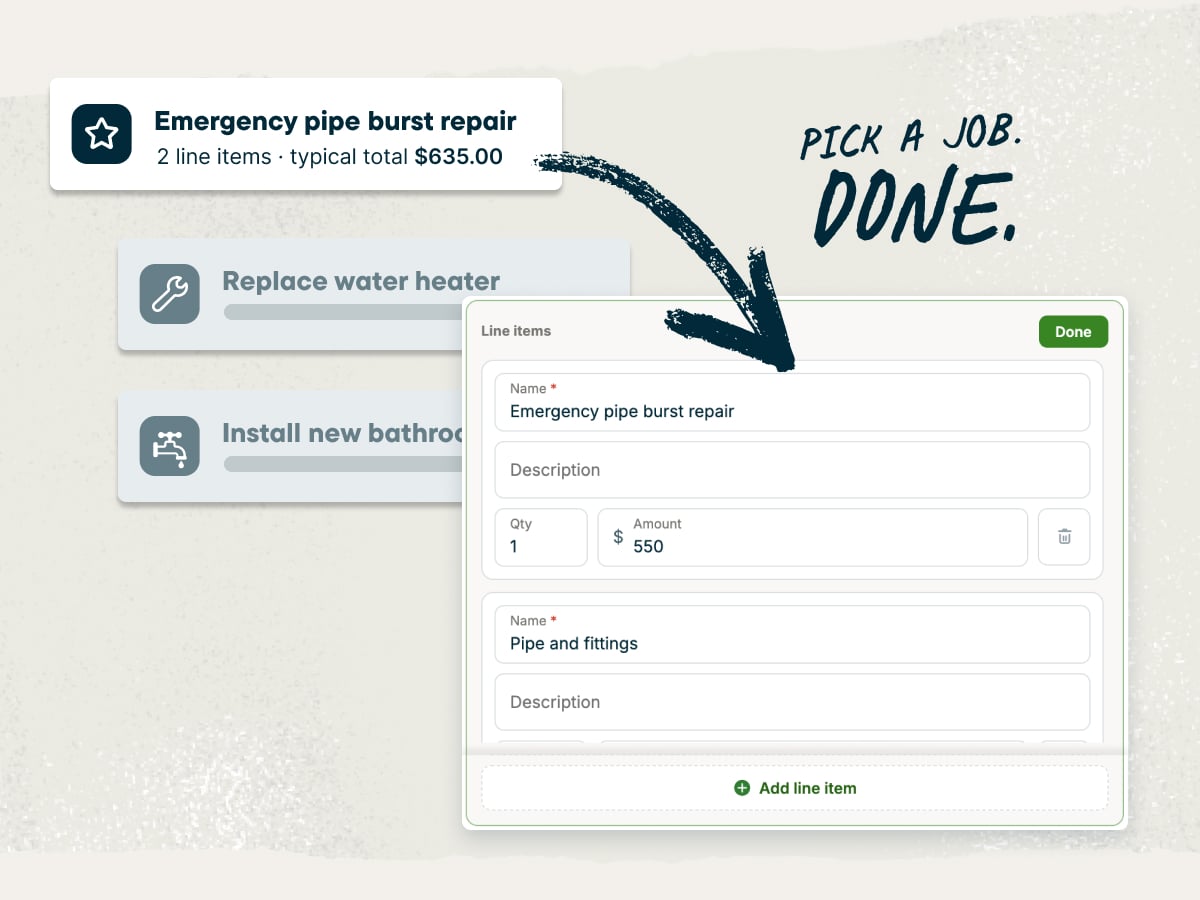
- Add your own line items or pick from pre-loaded options
- Add your client’s name, contact information, and job site address
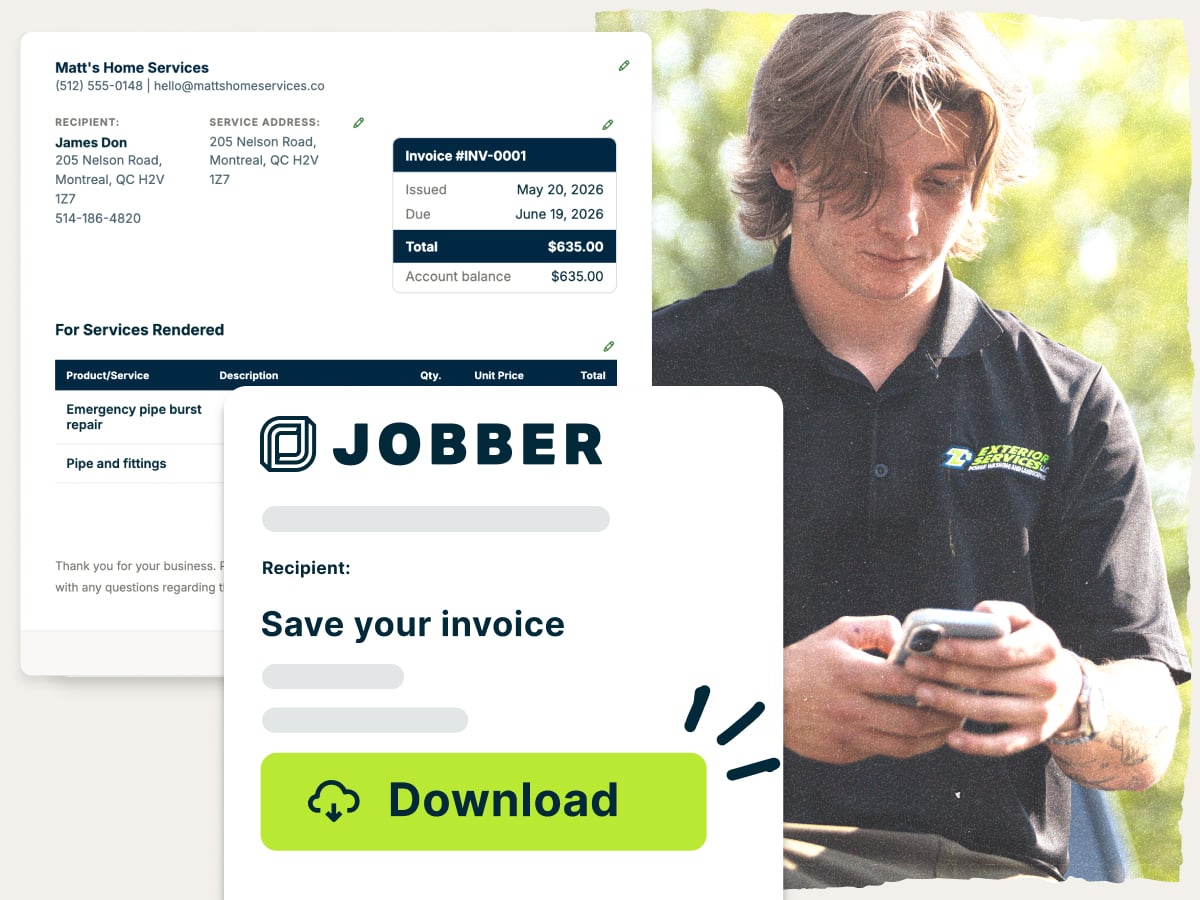
- Download your invoice as a PDF or save it in Jobber to send later
Why use Jobber’s free contractor invoice template?
- Ready to customize: Change the line items, rates, and terms to fit the job. Use the template for a one-day repair or a multi-phase remodel
- Set up with the essentials: Fields for labor, materials, taxes, payments received, and payment terms are already in place. That way, you charge for every part of your work
- Free to download: Download your invoice as a PDF at no cost and with no subscription. Email or text it to the client, or print it for the job site
An invoice template built for contractors
Contractor jobs rarely fit on a one-line invoice. You’re billing labor and materials separately, covering permits and equipment rentals, and paying subs while accounting for scope changes and rising material costs. This template gives each charge its own line. Your client sees what they’re paying for, and you get paid for your work.
Explore more Jobber free tools for your contracting business
Get the rest of your paperwork and pricing sorted with more free tools
Over 400,000 home service pros in 50+ industries trust Jobber
“The first moment I realized Jobber was amazing was when I did my invoices in 10 minutes. Putting that together previously, fighting a Word document… I would lose about 3-4 hours after 5 PM doing all that stuff.”

How to create a contractor invoice
You can write an invoice in Word, Google Docs, or Excel, but you’ll spend time editing the layout and formatting. A contractor invoice template gives you the layout already in place, so your time goes into getting the job details right.
Use these tips to write an invoice your client can follow line by line:
- Describe the scope by phase. Group charges under phases like demolition, rough-in, and finish work. Your client can match each charge to work they saw happen.
- Split labor and materials. Put labor hours and rates on their own lines, separate from materials. It’s easier to explain the total when a client asks why a price changed.
- List change orders separately. Keep approved extra work out of the original scope. Your client can see what changed and why the total went up.
- Show payments received and the balance. Subtract the deposit and any progress payments before the total due. Your client sees exactly what’s left to pay.
- Set payment terms before work starts. Agree on the deposit, milestone payments, and due dates in your quote or contract. The invoice then confirms what you already agreed to.
- Send the invoice right after each milestone. Bill while the work is fresh in your client’s mind. When you send an invoice immediately, you improve your chances of getting paid right away.
Need to create lots of invoices, fast? Once you’re juggling several jobs at once, it helps to know the types of invoices contractors use and when each one fits. Jobber’s invoicing software turns completed work into invoices and sends them in a few taps, so billing doesn’t pile up after hours.
What is the contractor invoice template best for?
The contractor invoice template works for almost any job where you need to bill clearly for labor, materials, and project costs. Here are the jobs it fits best:
- Remodels and renovations: Bill each phase of a kitchen, bathroom, or basement project with its own line items.
- Repair and service calls: Send a quick invoice for a one-visit fix before you leave the driveway.
- Fixed-price jobs: Show one agreed price for the full scope, with any approved changes listed below it.
- Time-and-materials work: List hours worked, your hourly rate, and every material you bought for the job.
- Multi-phase projects: Track the deposit, each progress payment, and the remaining balance on every invoice.
- Independent contractors and subcontractors: Bill a general contractor or client for your part of a larger project.
What should be included in a contractor invoice?
A contractor invoice needs more detail than most because it covers labor, materials, and project costs that change as the job moves along. Here’s what to include on an invoice when you’re billing for contractor services:
- Invoice number: Give each invoice a unique, sequential invoice number so you and your client can track it.
- Issue date and due date: Show when you sent the invoice and when payment is due.
- Business information: Include your business name, address, phone number, and email. Add your contractor license number if your state requires it, and check your state’s rules to be sure.
- Client and job site information: List the client’s name and billing address, the job site address if it’s different, the project name, and any job or PO number.
- Labor: Show labor hours multiplied by your hourly rate or a flat rate for each part of the job, based on your labor costs.
- Materials: List each material with its quantity, unit price, and total.
- Equipment rentals and permits: Add dumpster or equipment rentals, permit fees, and inspection fees as separate lines.
- Subcontractor costs: List any subcontractor work, like electrical or plumbing, on individual lines for each trade.
- Approved change orders: Show each approved change order as a separate line that refers back to the original quote.
- Payments received and balance: Subtract the deposit and any payments already made through progress invoicing.
- Subtotal, taxes, discounts, and fees: Show the subtotal, then add sales tax, discounts, and any extra fees.
- Total due: Show the final amount your client owes on this invoice.
- Payment terms: Spell out your payment terms, accepted payment methods, and any late fees that apply to delayed payments.
- Thank-you note: Close with a short thank-you to leave a good impression with the client and keep the door open for the next job.
Some larger projects hold back part of each payment as retainage until the job is finished. If your contract includes retainage or calls for a lien waiver with the final invoice, show it the way your contract describes it.
Free contractor invoice template vs. Jobber invoicing software
The free contractor invoice template is a quick way to create a one-off invoice as a PDF. There’s no subscription, and you can download and send the invoice as soon as it’s done.
Jobber’s invoicing software goes further for contractors running bigger jobs. You can collect deposits, set up progress invoices for each milestone, accept online payments, and send automatic payment reminders. Jobber customers get paid 4x faster collecting payment online vs. waiting on checks.

and payment history organized in one place for easier access.
and pricing already recorded on the completed job.
making it easy for them to review and pay.
it is time to invoice at job completion or on a recurring schedule.
and send them to customers in a few clicks.
remind customers when an invoice remains unpaid.
so they can pay directly from their digital invoice.
while working from the office, on the road, or at a job site.
that show what has been paid and what is still owed.
Frequently asked questions about contractor invoices
-
A contractor invoice template generator is a free online tool that builds a contractor invoice for you. Enter your business, client, and job details, and the generator lays them out in a clean format you can download. It’s faster than formatting an invoice in Word or Excel and it ensures consistency for every invoice you send.
-
Yes. You can change the logo, line items, descriptions, quantities, rates, due date, tax rate, and payment terms for every job. Bill hourly for a repair call, a flat rate for a deck build, or a deposit plus progress payments on a remodel.
-
Yes. Once your invoice is ready, download it as a PDF to email, text, or print. A PDF keeps your formatting the same on any device, so your client sees exactly what you sent.
-
Yes. The contractor invoice template generator is free to use and download, with no subscription or credit card needed. With your job details handy, you can fill out the generator in a few minutes.
-
If you’d rather build your own invoice template in Word, Google Docs, or Excel, start with a header for your business details and license number. Add a block for client and job site details, then a table with columns for description, quantity, rate, and amount. Finish with a totals section that shows payments received and the balance due. Save the template as a blank file you can copy for each job.
-
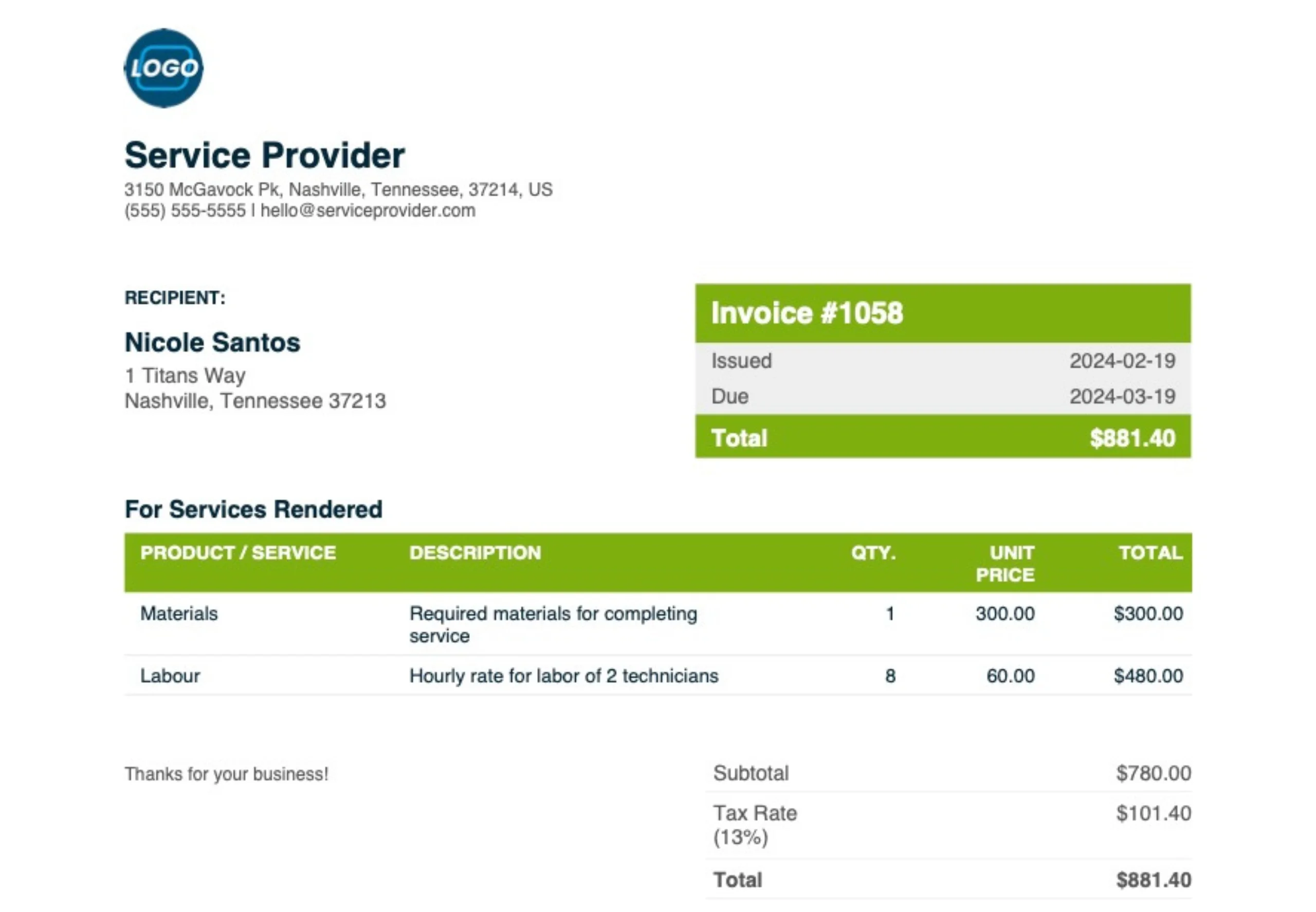
A contractor invoice shows who did the work, where, what it cost, what’s been paid, and what’s still owed. Here’s what your contractor invoice template should look like:

-
If you work as an independent contractor or subcontractor, your invoice looks a lot like any other contractor invoice. Include your name or business name, contact details, the client’s name, a description of the work, dates of service, your rate, and the total due. Keep a copy of every invoice you send so you have a clear record of what you’ve earned.
For tax questions, check the IRS Self-Employed Individuals Tax Center or talk to an accountant. -
Use progress billing. You and the client agree on a payment schedule tied to milestones before work starts, then you send an invoice as you hit each milestone. Each invoice shows the full contract price, what’s been paid, and what’s left.
Here’s how a 40/40/20 schedule works on a $10,000 job:
1. The client pays a 40% deposit of $4,000 before work starts.
2. You invoice the next 40%, or $4,000, after completing the rough-in.
3. You send a final invoice for the last 20%, or $2,000, at completion, showing $8,000 already received. -
List each approved change order as its own line item below the original scope. Include the change order number, a short description, the approval date, and the amount. If the change lowers the price, show it as a negative amount. Keeping changes separate helps you avoid scope creep and makes the final total easy to check against the original quote.
-
When you’re ready to bill inside Jobber instead of one invoice at a time, follow these steps:
1. Save your contractor invoice to Jobber to keep the client and job details on file.
2. Turn the approved quote into a job when your client approves the work.
3. Convert the job into an invoice when the work or milestone is done.
4. Send the invoice by text or email from your phone or computer.
5. Let your client pay online, and Jobber marks the invoice as paid. -
A quote is the price you send before work starts so the client can approve the scope. An invoice is the request for payment you send once the work, or a milestone, is done. Learn more about the difference between a quote and an invoice.
-
They’re the same document seen from two sides. You send an invoice to request payment, and your client receives it as a bill to pay. When a lumber yard sends you an invoice for materials, that’s a bill on your end as well.
-
An invoice asks for payment, while a receipt confirms the client paid the invoice. Send a receipt after each deposit or final payment using the free contractor receipt template.
-
You can email a PDF, text a link, print it, or hand it to your client at the job site. With Jobber, clients get the invoice by text or email and can view and pay it in their client hub.
-
Send your invoice as soon as the job or milestone is done, ideally the same day. While some contractors prefer to invoice before vs after a job, fast invoicing keeps your cash flow steady and gives your client less time to forget the details.
-
Your client should pay by the due date in your payment terms. Common terms include due on receipt, Net 15, and Net 30. Shorter terms and online payments are two simple ways to improve cash flow. For bigger projects, you can also offer financing to customers on the quote so they pay over time instead of all at once.
-
Contractor invoicing software creates, sends, and tracks invoices for you, and connects them to your quotes, jobs, and payments. Jobber’s field service invoicing software handles deposits and progress invoices for multi-phase jobs. Clients can pay by card or bank transfer through credit card processing. You can also add consumer financing to quotes for larger projects.
Over 400,000 home service pros in 50+ industries trust Jobber
“If you can make a quote on the spot, you’re 10 steps ahead of the competition.”
Jobber changed the game because it’s right at people’s fingertips.
