Get Noticed
Build your reputation and grow your customer base with tools that help you stand out and attract new business.
Reviews
Double your monthly Google reviews. 90% of customers say reviews influence their decision to hire a service provider. Get more reviews without lifting a finger, by automating your review requests.
Reviews is available as an add-on to most Jobber plans.
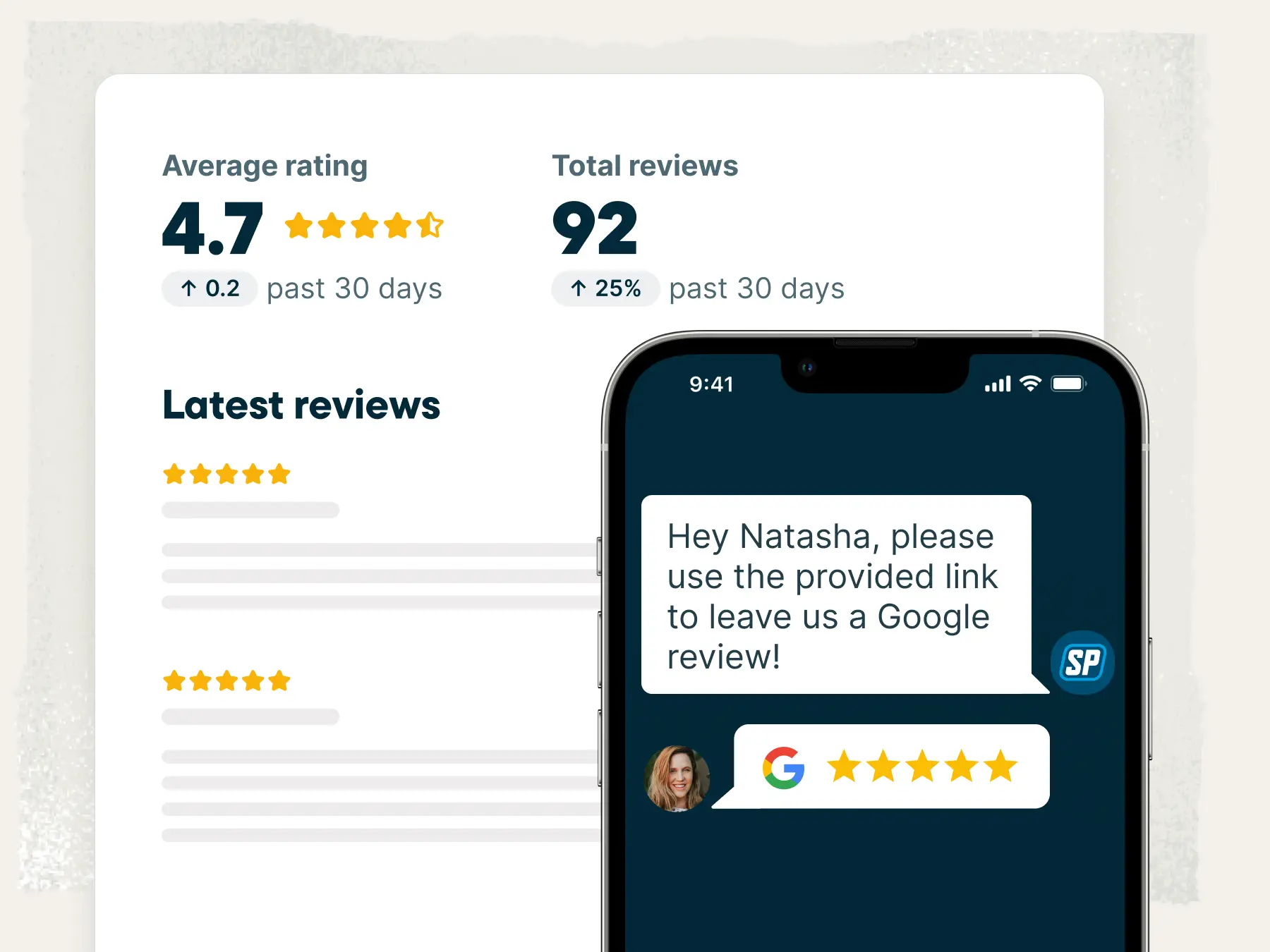
Reviews
Word of mouth has moved online. Jobber automatically asks your customers for reviews, helping you boost your rating and outshine the competition
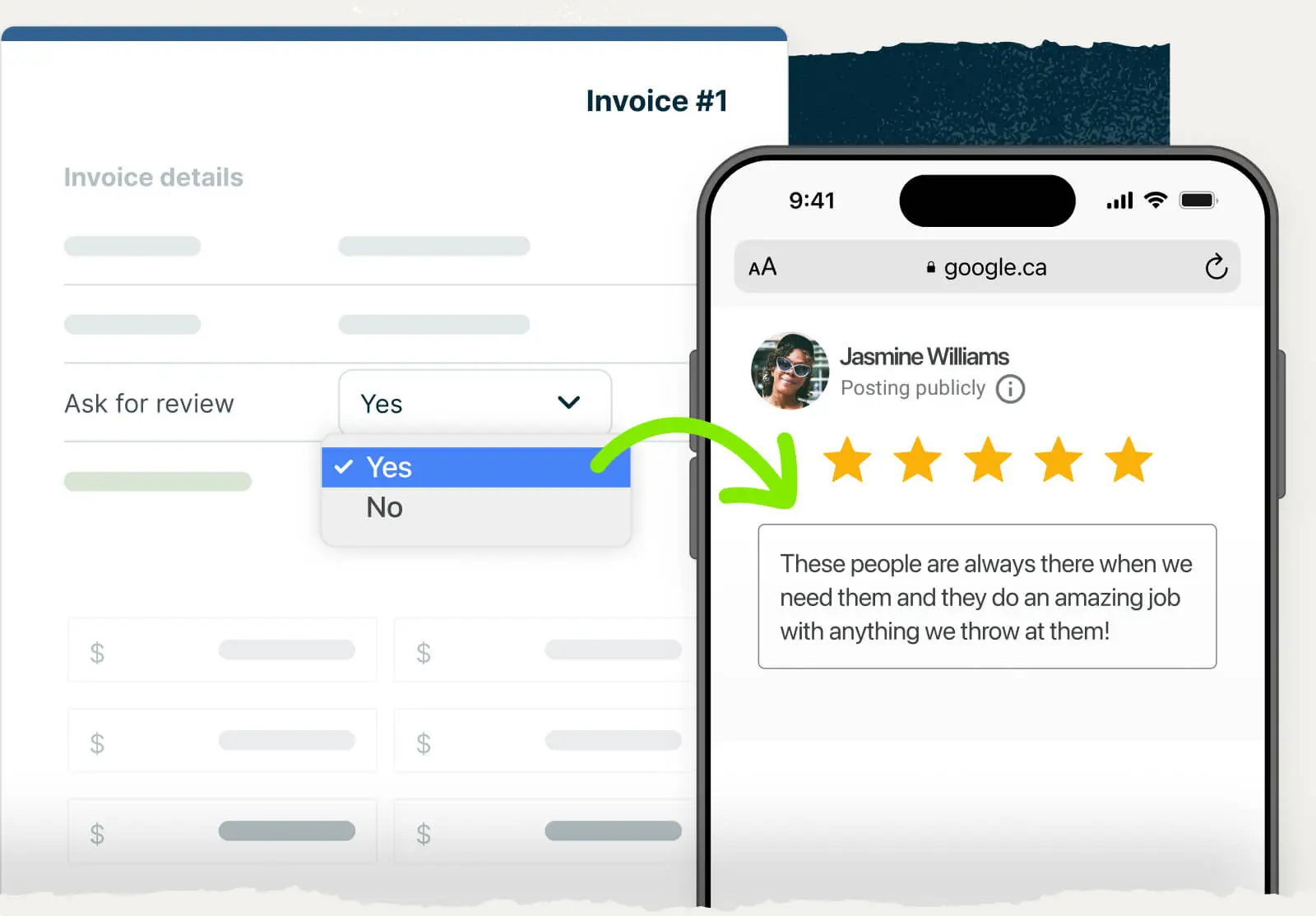
Automatic Requests
Getting more 5-star reviews from your happy customers has never been easier.
Jobber will automatically ask for a Google review at the time that makes the most sense for your business: when a job closes, when a visit is completed, or when the final invoice is paid.
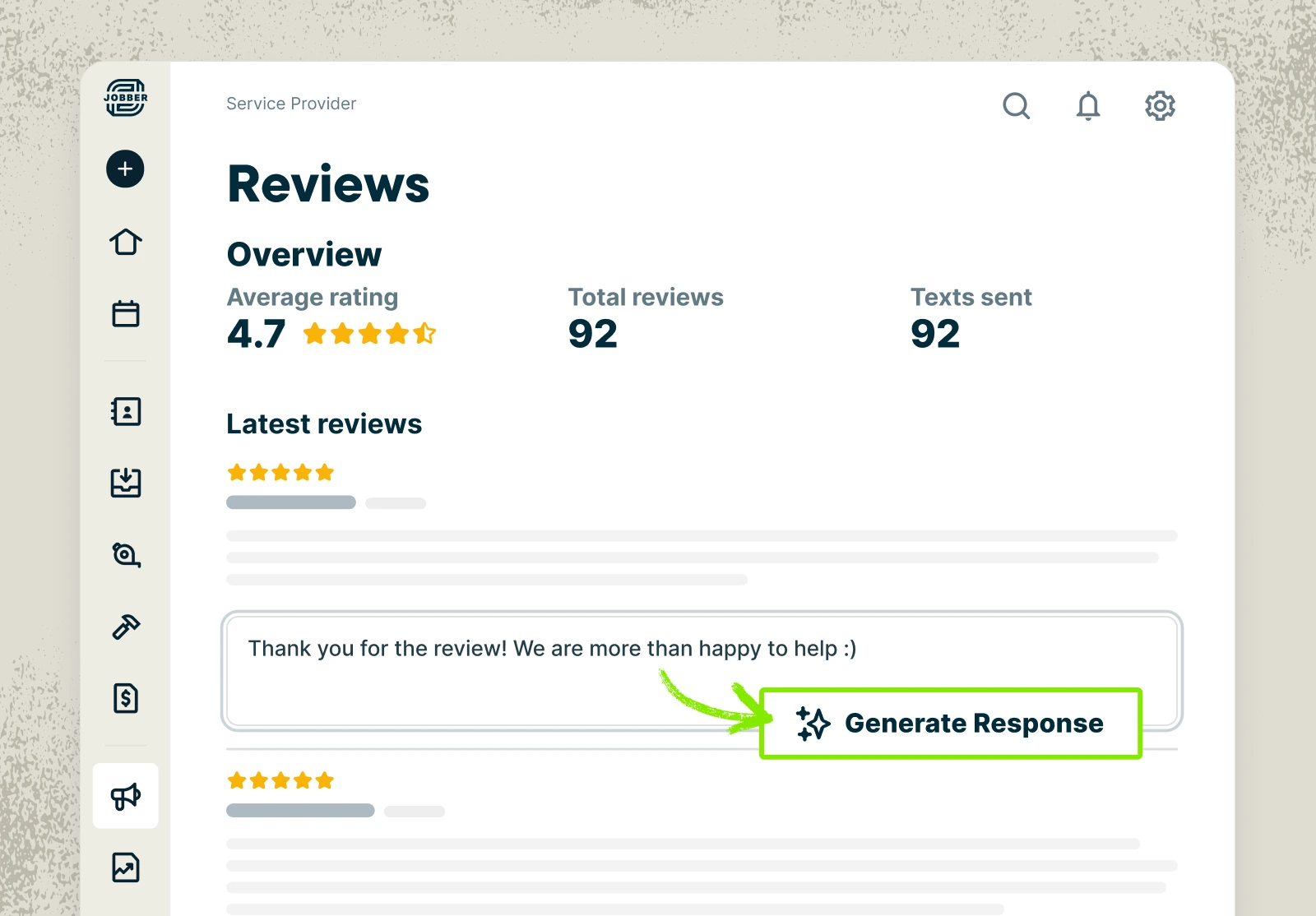
Reviews Dashboard
Track your Google rating and new reviews right in Jobber. Save time and reply quickly using one-click AI-generated responses, or customize each reply with your own personal touch!
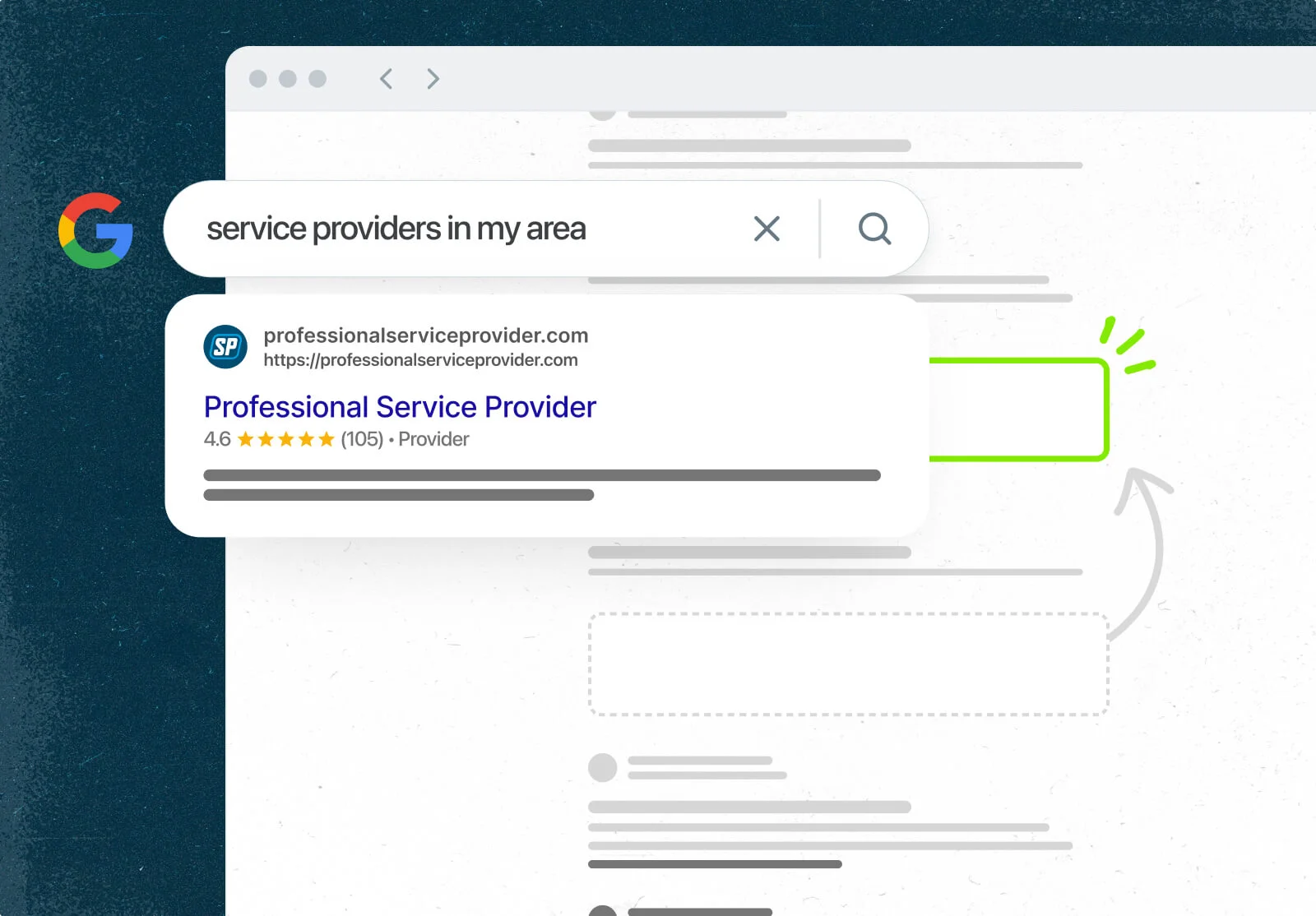
Connects to Google Business Profile
Track reviews in your market and easily compare yourself to local competitors using the Reviews dashboard.
Websites
Built to get you noticed (and booked). Launch a professional website in minutes, right from your first day with Jobber. Launch a multi-page, SEO-ready website so clients can find and choose you with confidence.
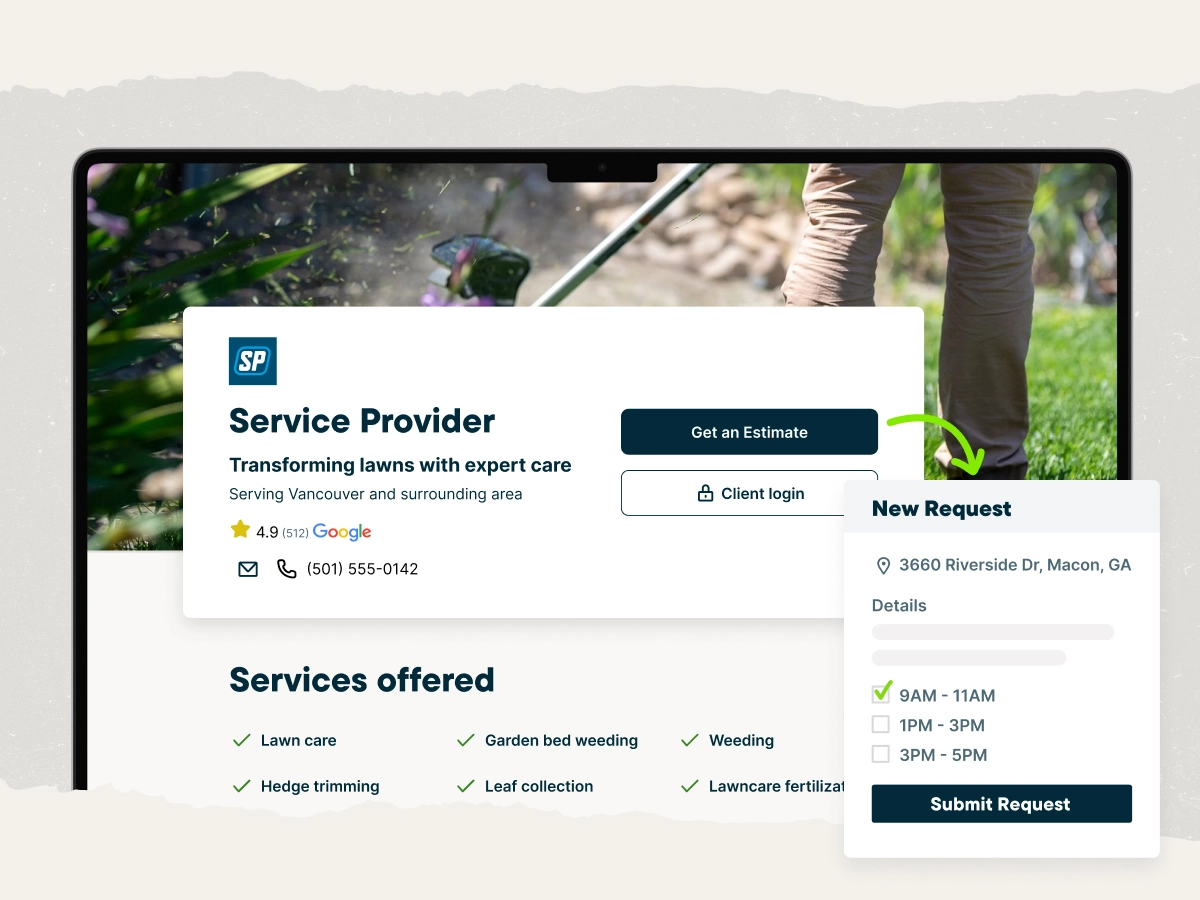
Websites
A strong online presence sets pros apart from the rest. Jobber builds a customizable website for you in minutes, no experience needed
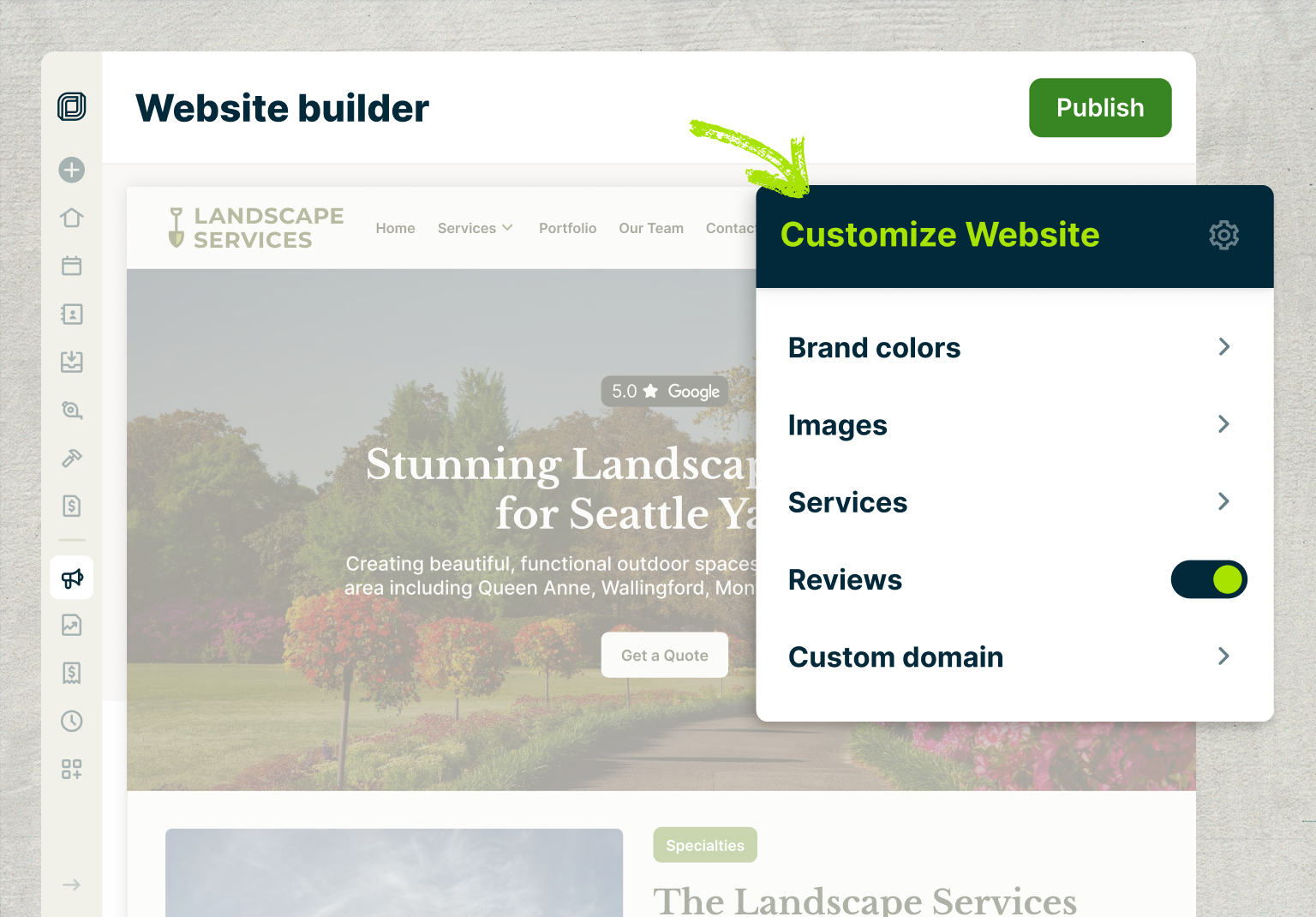
Website Builder
Jobber gets you started with a ready-to-publish website preloaded with copy and images tailored to your services. Then bring it to life with your own custom domain, work photos, brand colors, and more—all in just a few clicks
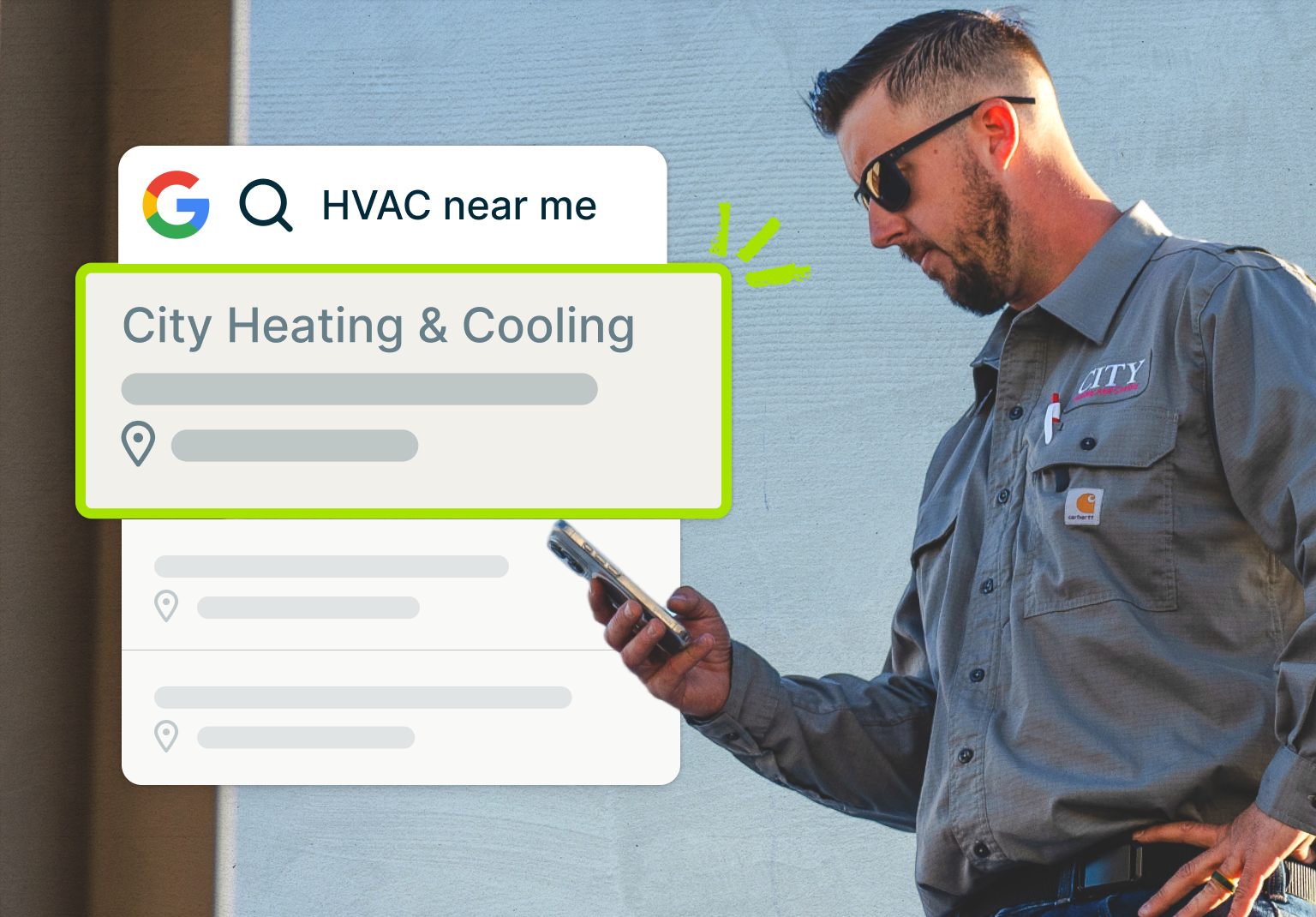
Search Engine Optimization (SEO)
Outrank your competitors with built-in SEO that boosts your spot in search results so clients in your area find you first
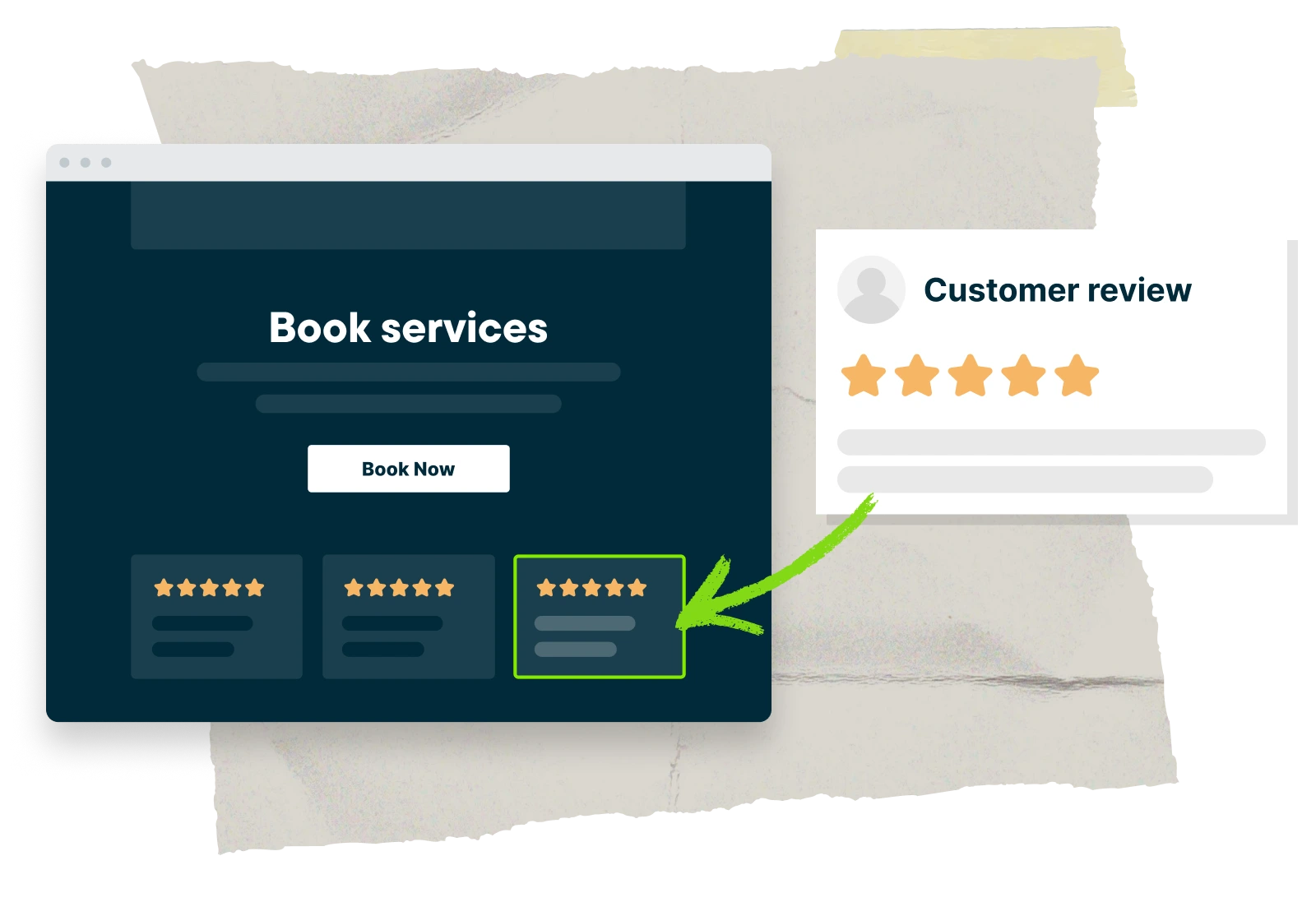
Connect to Google Business Profile
Feature Google reviews from real clients who loved your work to give new visitors peace of mind before they book
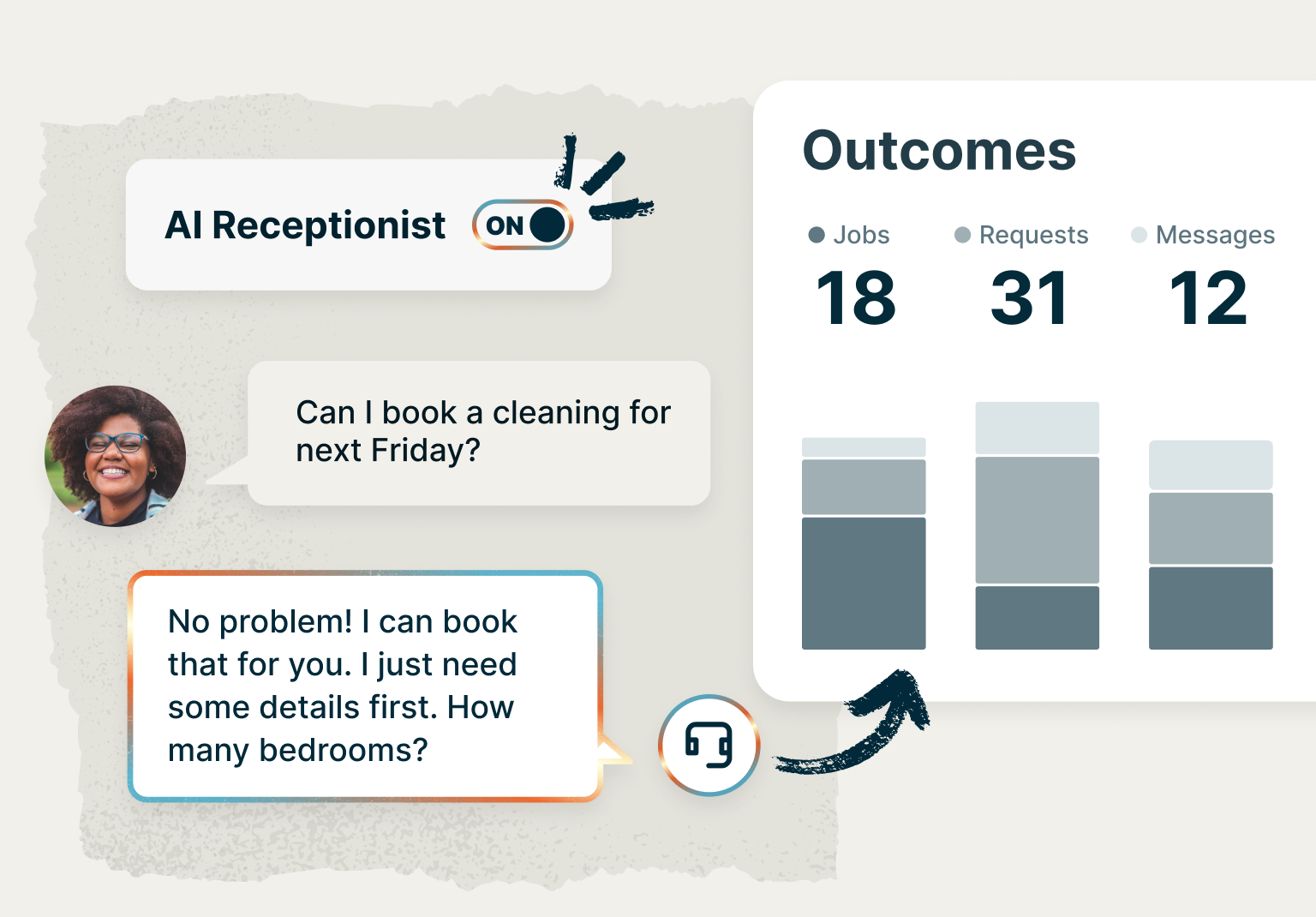
Client Intake
Your Jobber website includes request forms that are simple to complete, but robust enough to gather the details you need to get the job done right
Plus, count on Jobber Receptionist to chat with visitors, answer questions, and even book jobs while you’re busy on-site or taking a well-deserved break
Email Campaigns
Keep new work rolling in with email marketing. Staying connected with your customers is the fastest way to grow your bottom line, and Jobber Campaigns makes that easier than ever. Quickly create and send professional, branded email campaigns that send the right message to the right clients, every time.
Campaigns is available as an add-on for most Jobber plans.
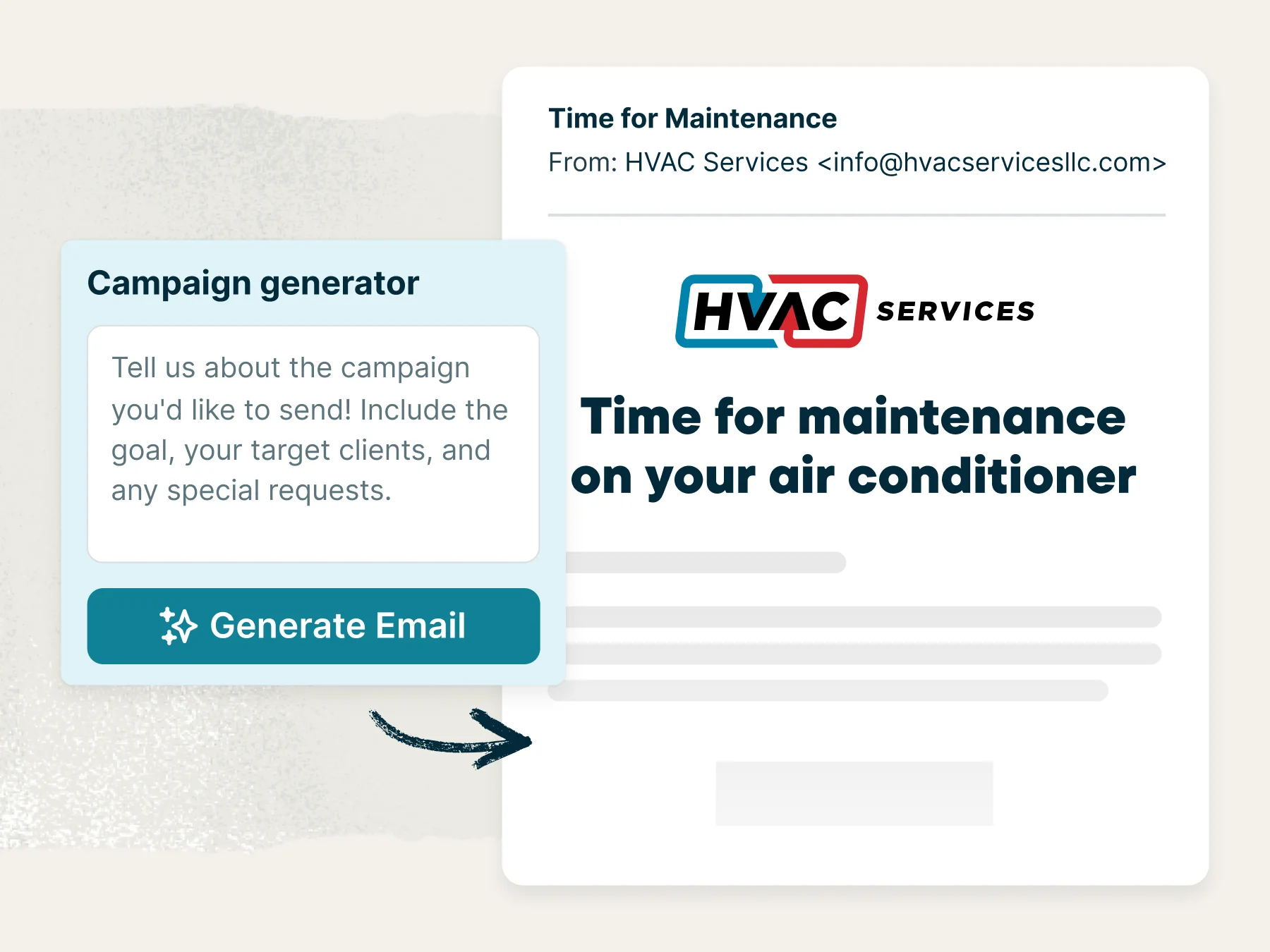
Campaign Generator
No more blank page pressure. You’re in the driver’s seat—just describe your idea and get a ready-to-send email campaign.
Campaigns is available as an add-on to most Jobber plans, and as part of Marketing Suite.
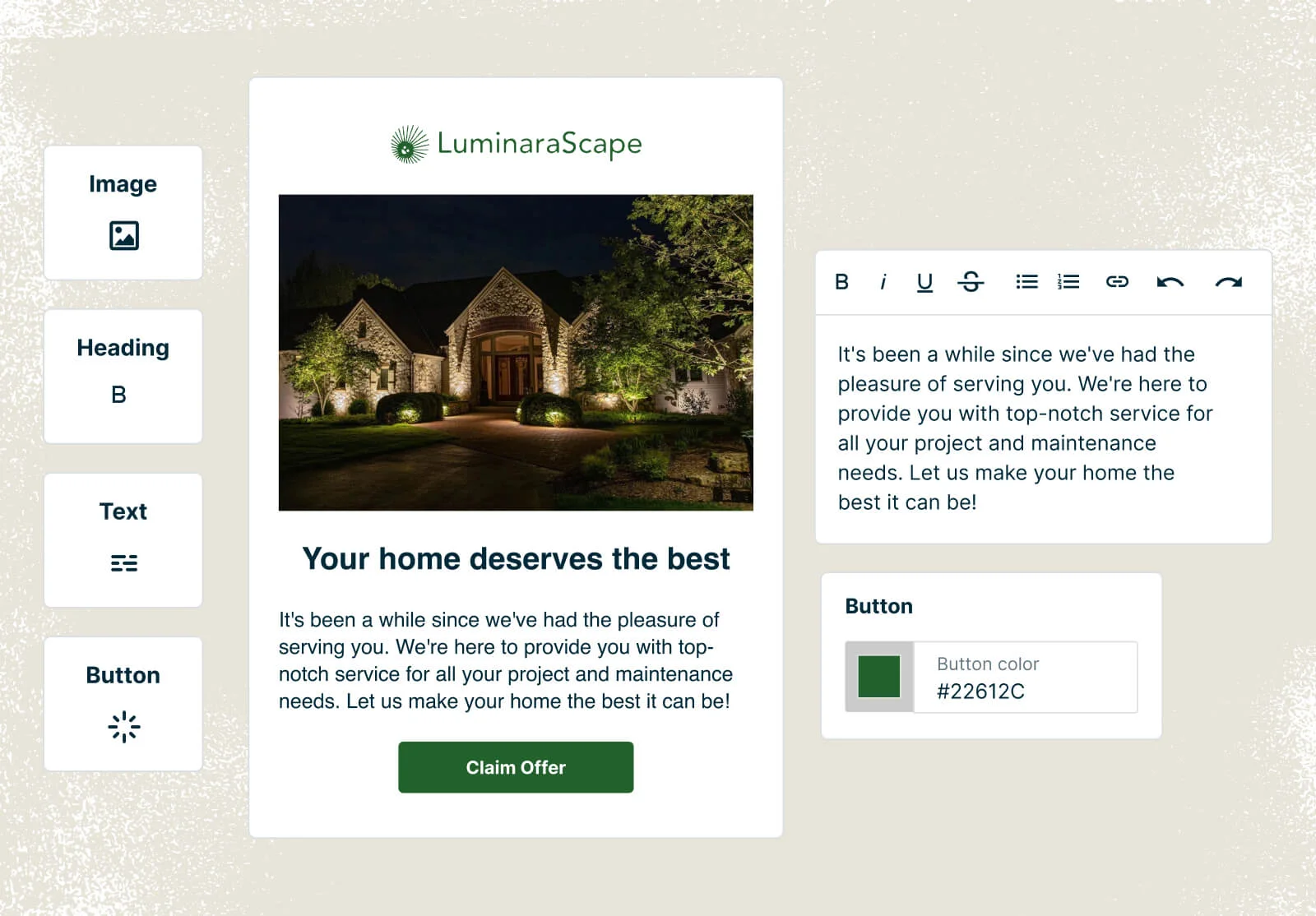
Campaign Templates
Easily create email campaigns using prebuilt templates that already include your logo and brand colors
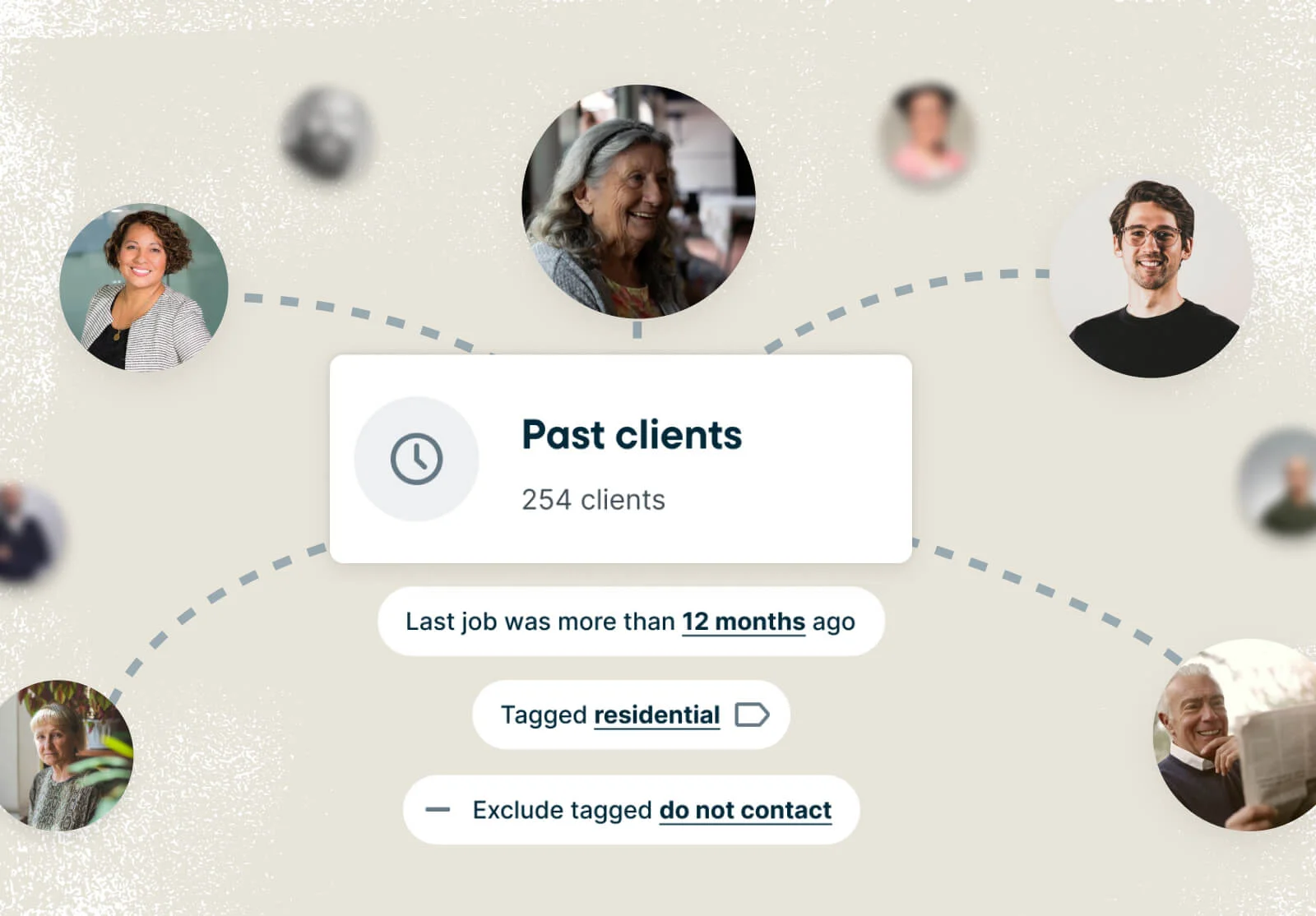
Client Segmentation
Easily sort and send emails to your clients in the way that makes the most sense to your unique business and marketing efforts
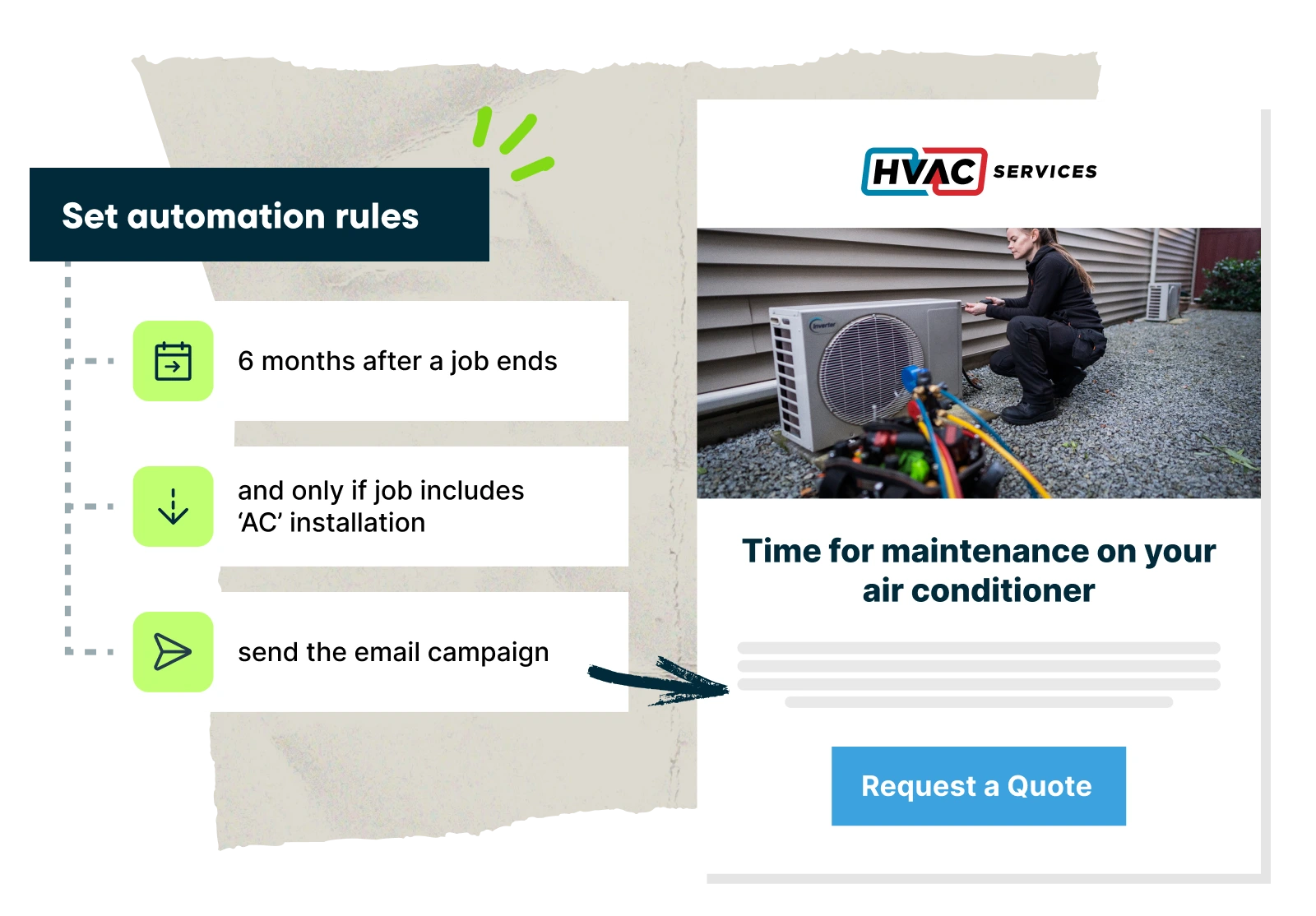
Automated Campaigns
Set email campaigns up once and let them run in the background. Watch your emails bring in new business while you focus on what matters most
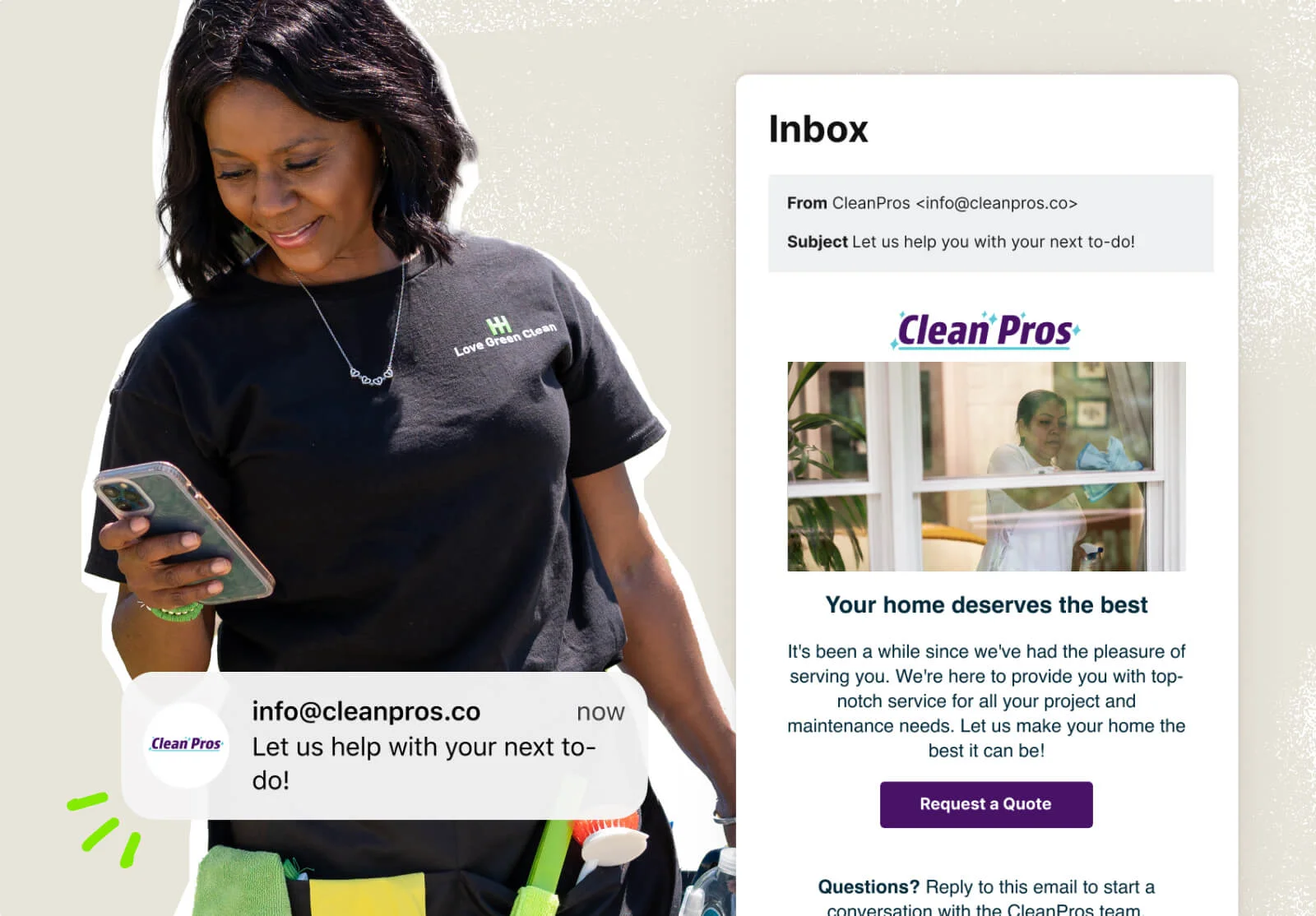
Campaign Reporting
Track your campaign performance to see which ones generate the most revenue and make each one more profitable than the last
Referrals
Word of mouth is the best, and cheapest, marketing your business can get. Get a referral program running in no time that rewards your loyal customers for bringing in new business.
Referrals is available as an add-on to your Jobber plan.
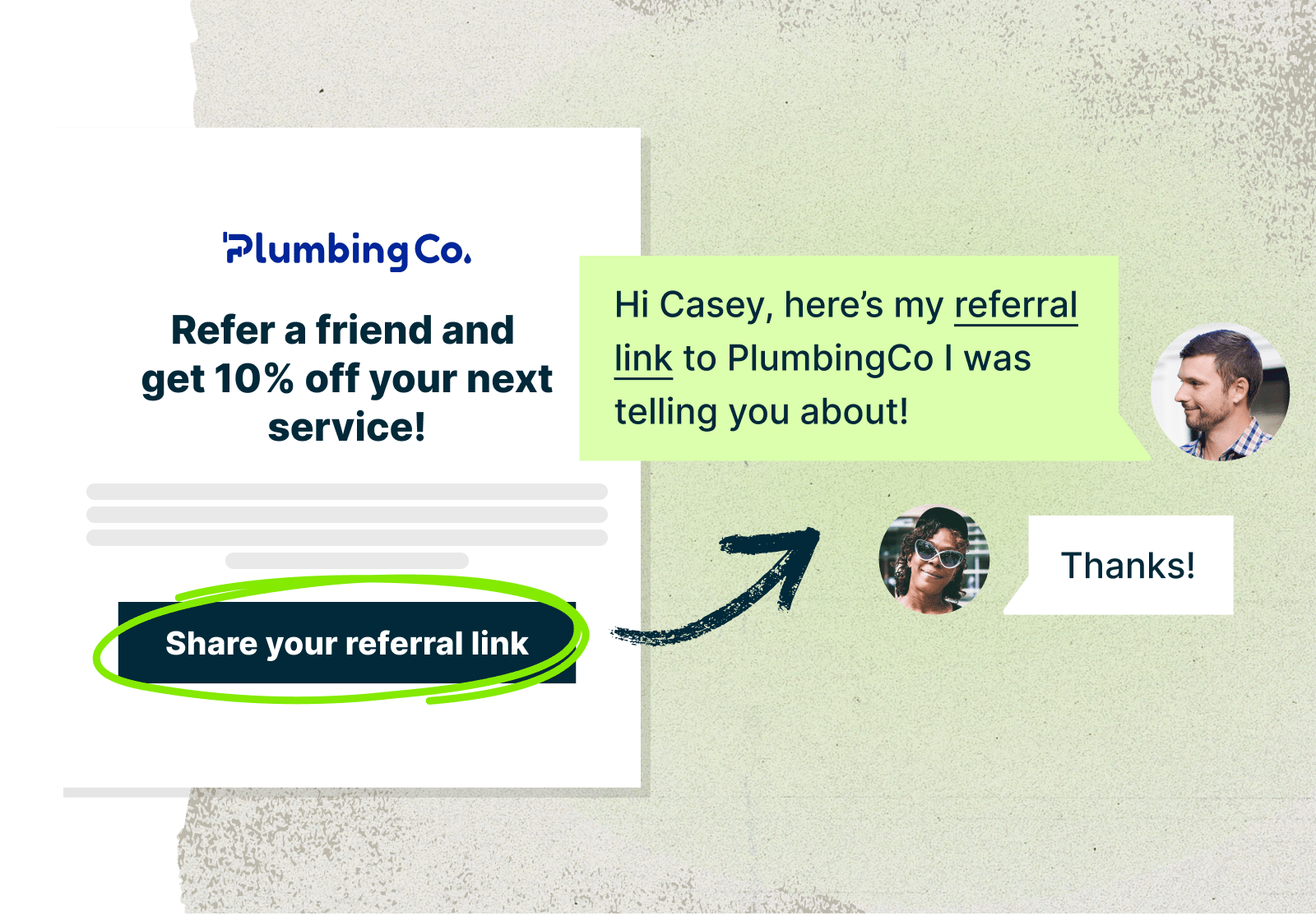
Referrals
Referrals is available as an add-on to most Jobber plans, or as part of Marketing Suite.
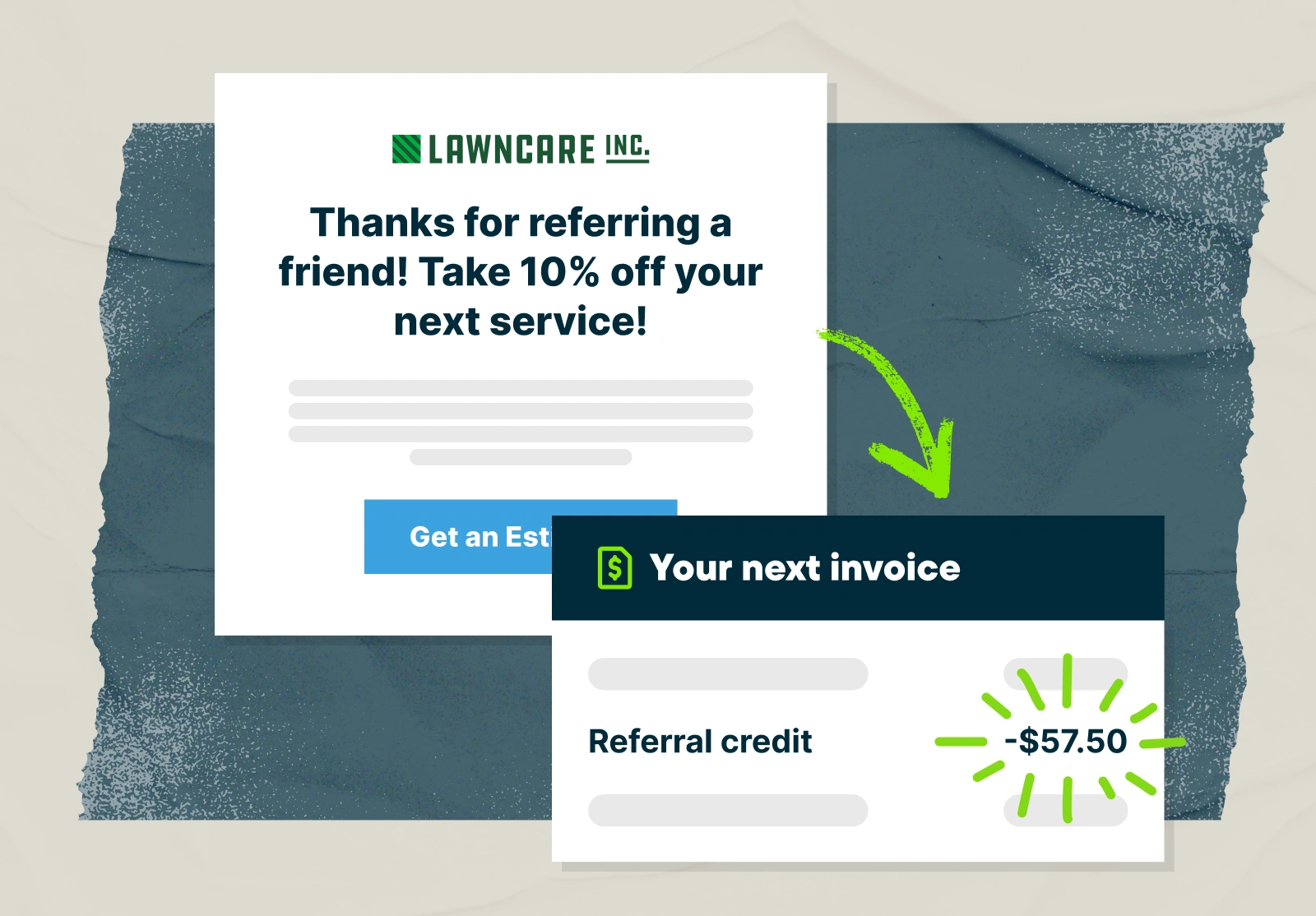
Automated Incentives
Give your customers a dollar or percentage based credit on their next service for every successful referral they give you
The next time your customer works with you, their referral credit will automatically be applied to their invoice

Referral Campaign
Nudge your customer to spread word about your business with a professional email campaign any time you want
Referral Reporting
See at a glance how many referrals your customers have generated, the number of jobs it led to, and how much revenue those jobs generated
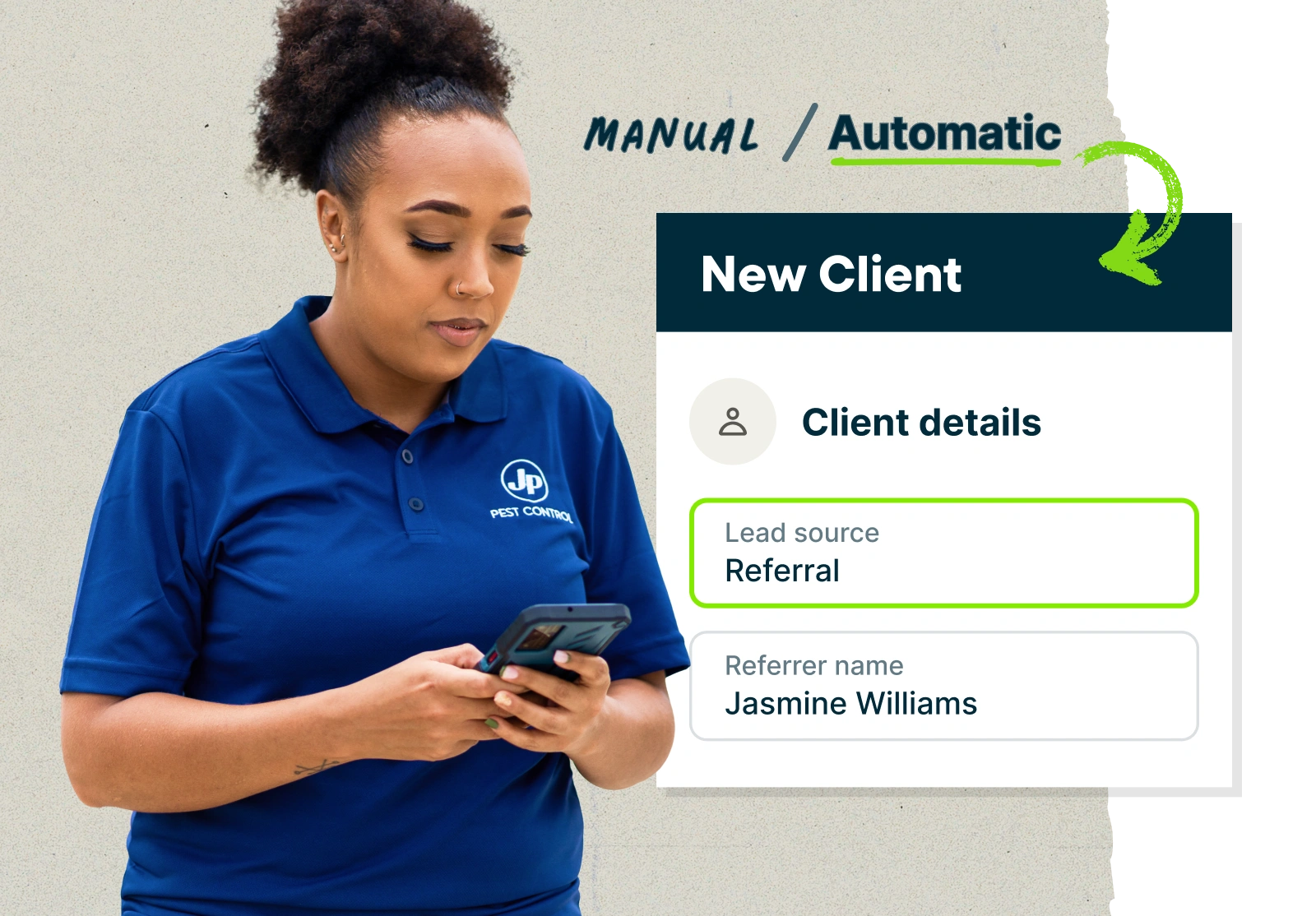
Referral Tracking
Know exactly which customers gave you a referral. When a referral comes through a customer’s referral link, it will be automatically recorded
You can also enter in referral details yourself so no referral goes unnoticed
Win Jobs
Convert more leads into customers with professional quotes, invoicing, and easy booking options.
Quote
When you send quotes through Jobber, new leads experience the quality of service they can expect from your business first-hand.
Quotes are professionally designed and interactive, allowing customers to add on services and approve the updated total. And they’re a breeze to create as well, with Jobber helping you set the perfect price every time.
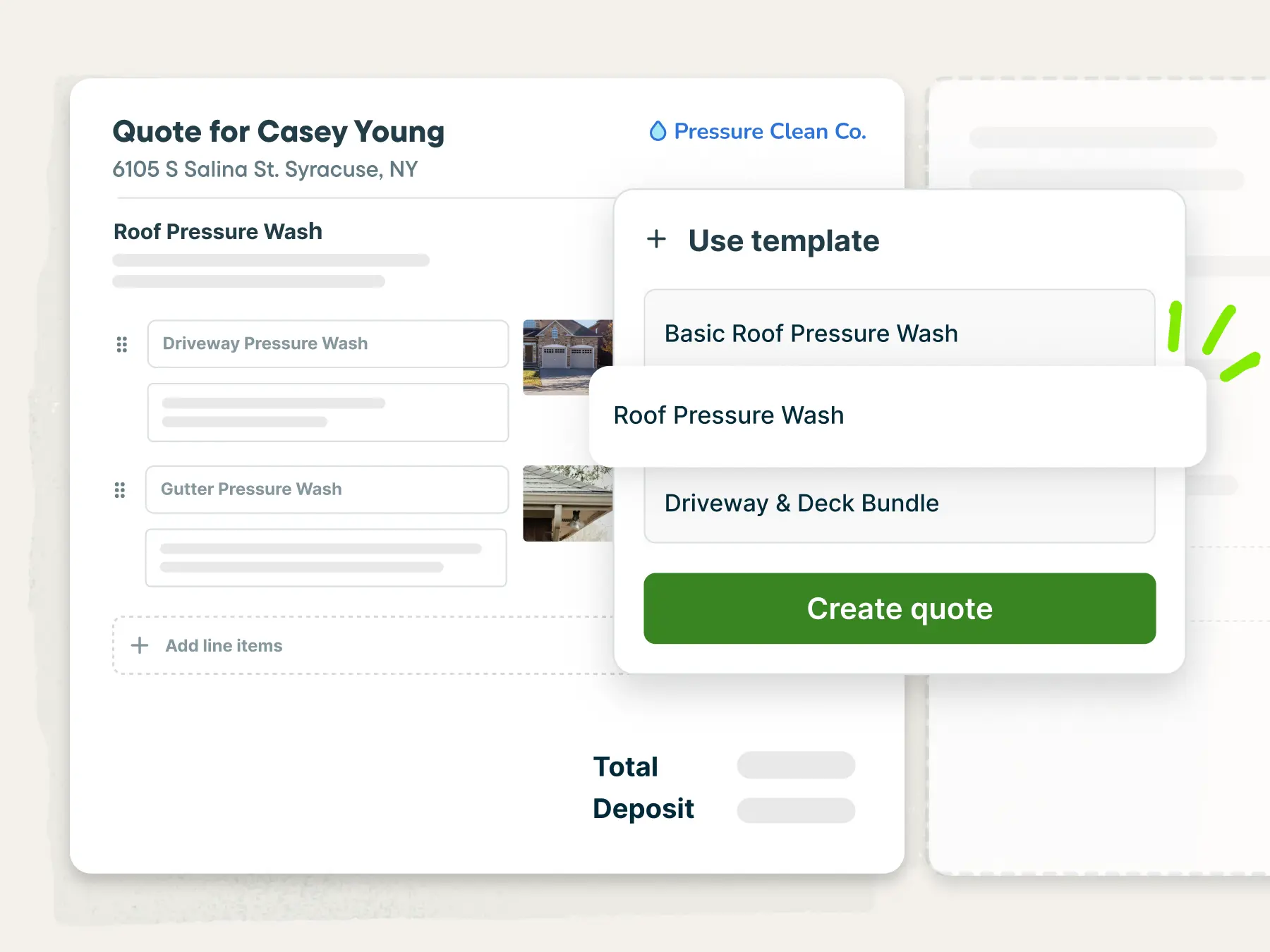
Professional Quotes
Send a professional-looking quote that clearly displays the details of the work. Use templates to create quotes faster—before you’ve even left the customer’s property.
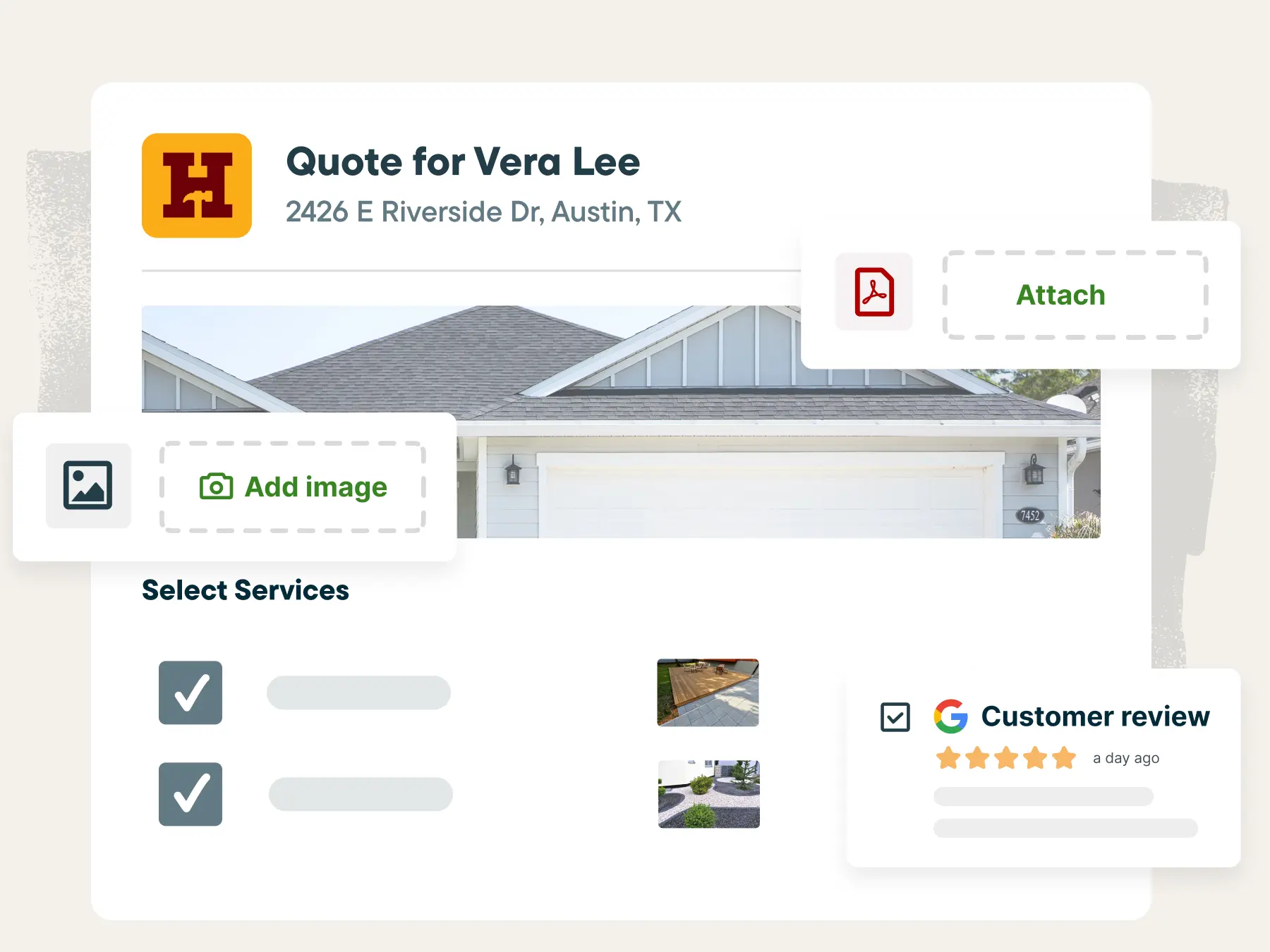
Advanced Customization
Showcase your expertise with customizable, detailed quotes featuring stunning visuals of your work, file attachments, and up to date Google reviews.
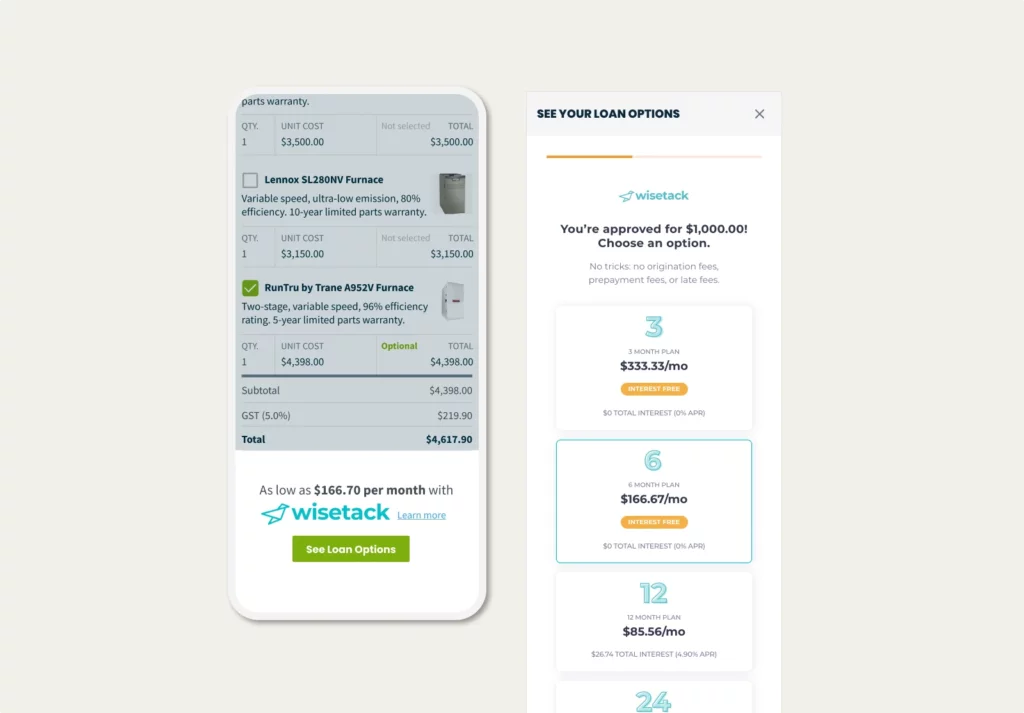
Consumer Financing
Win bigger jobs by offering easy consumer financing directly in the quote, powered by Wisetack. You’ll get paid upfront, worry-free, while customers pay over time.
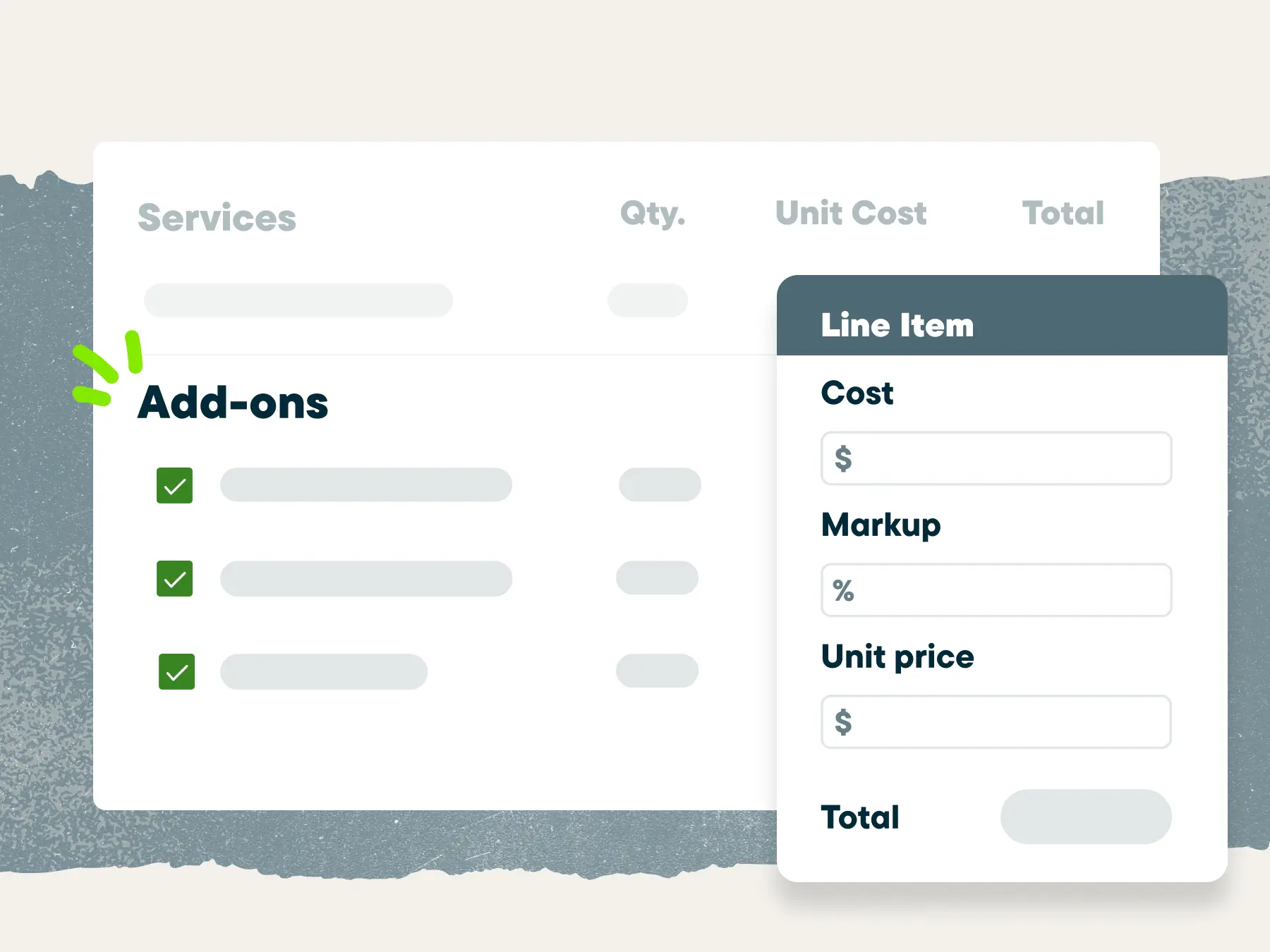
Add-ons & Mark-ups
Offer tailored packages and add-ons to close high-value deals. Easily adjust costs and markups as you go to keep your pricing competitive and your profits strong.
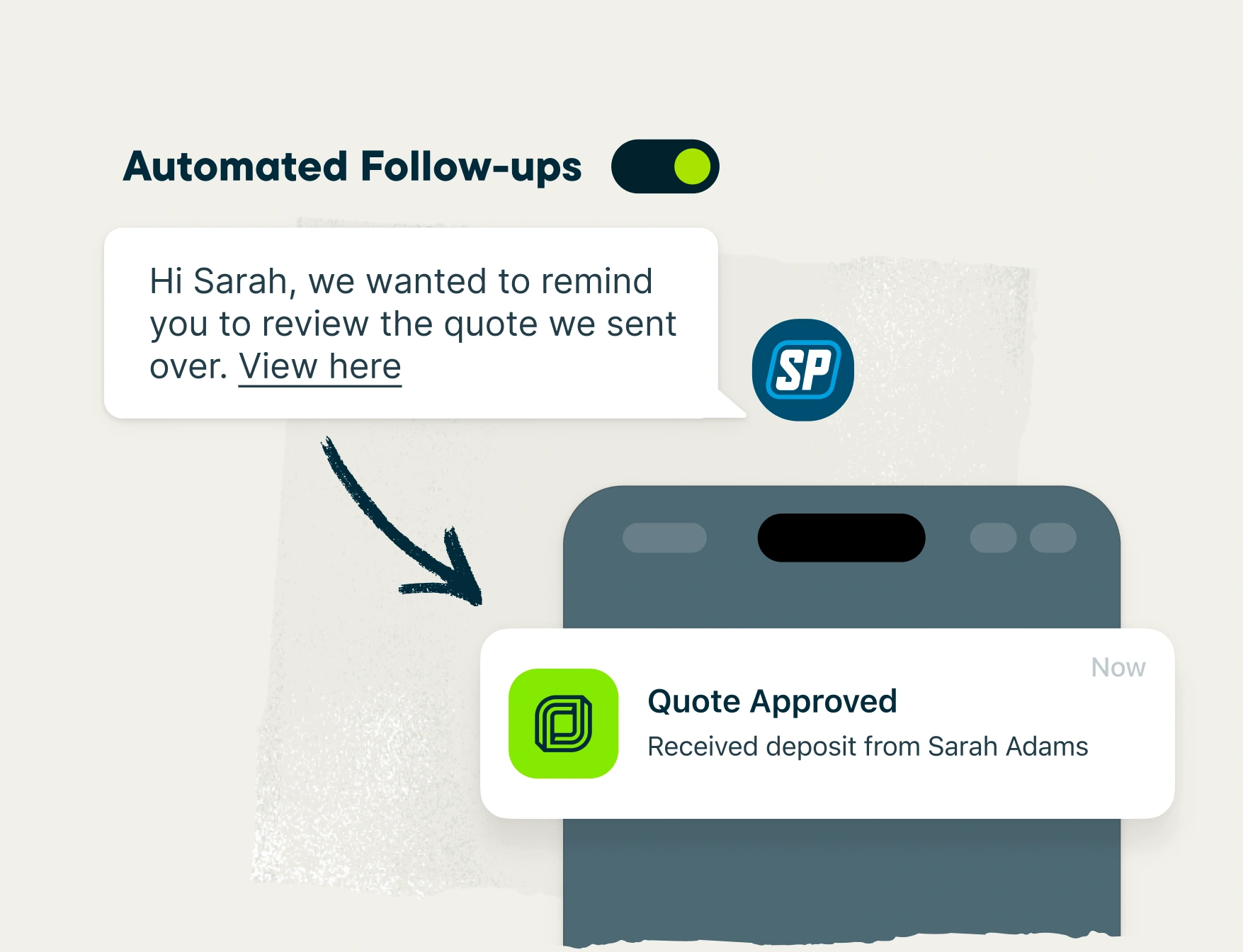
Automated Quote Follow-ups
Jobber automatically sends a follow up to customers you haven’t heard back from, so you can be sure you’re never leaving work on the table.
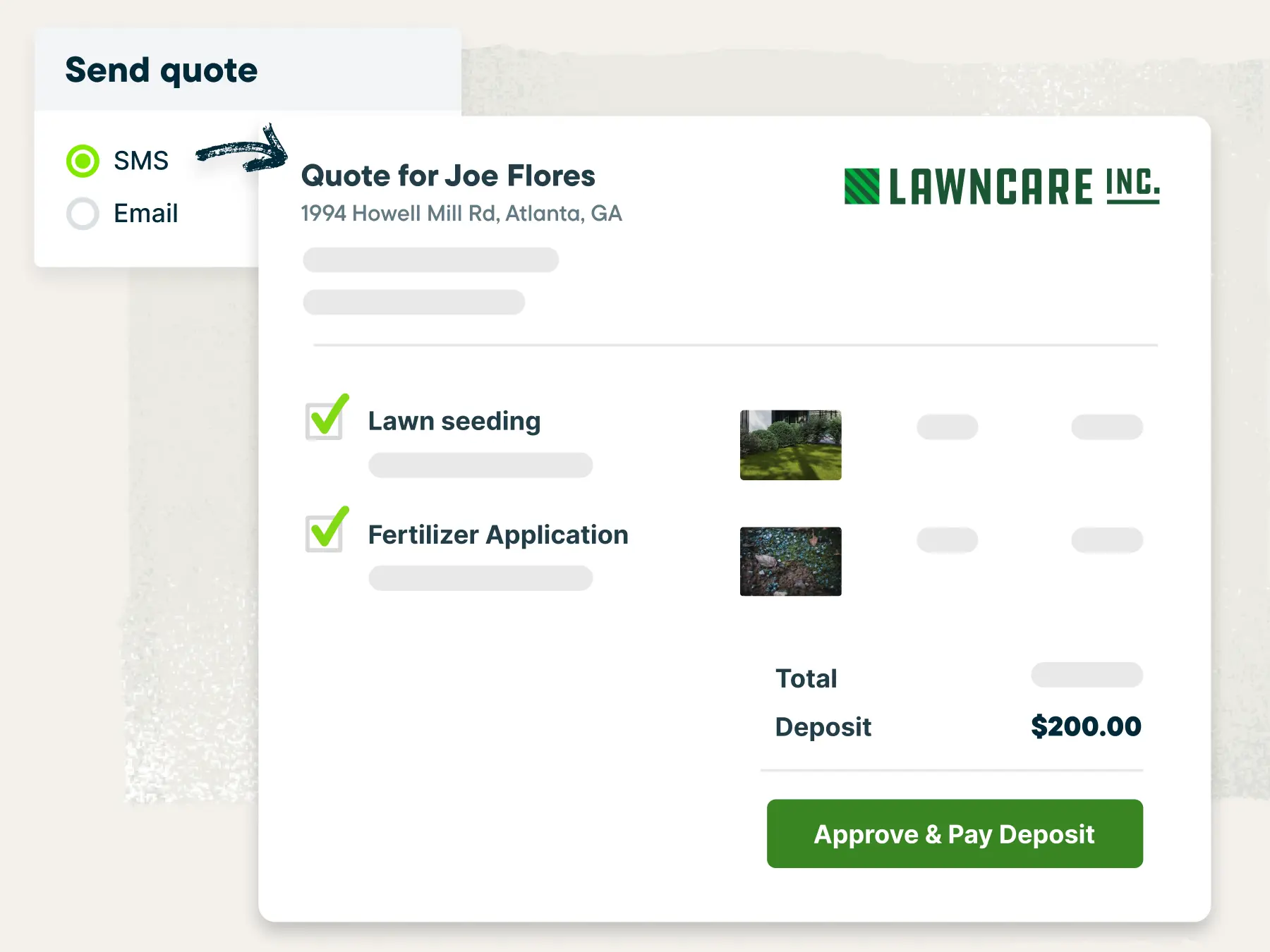
Easy Approvals & Deposits
Send quotes through SMS or email, and let clients quickly approve quotes or request changes through their self-serve portal. Secure jobs with deposits to avoid cancellations.
Invoice
It can be hard to set aside time for invoicing. With Jobber, you don’t have to. Instantly generate a professional invoice complete with accurate job details and convenient payment options, ready to send to the customer.

Invoice Quick-Create
When the job is done, generate a professional, digital invoice and send it to your customers by text or email with one click.
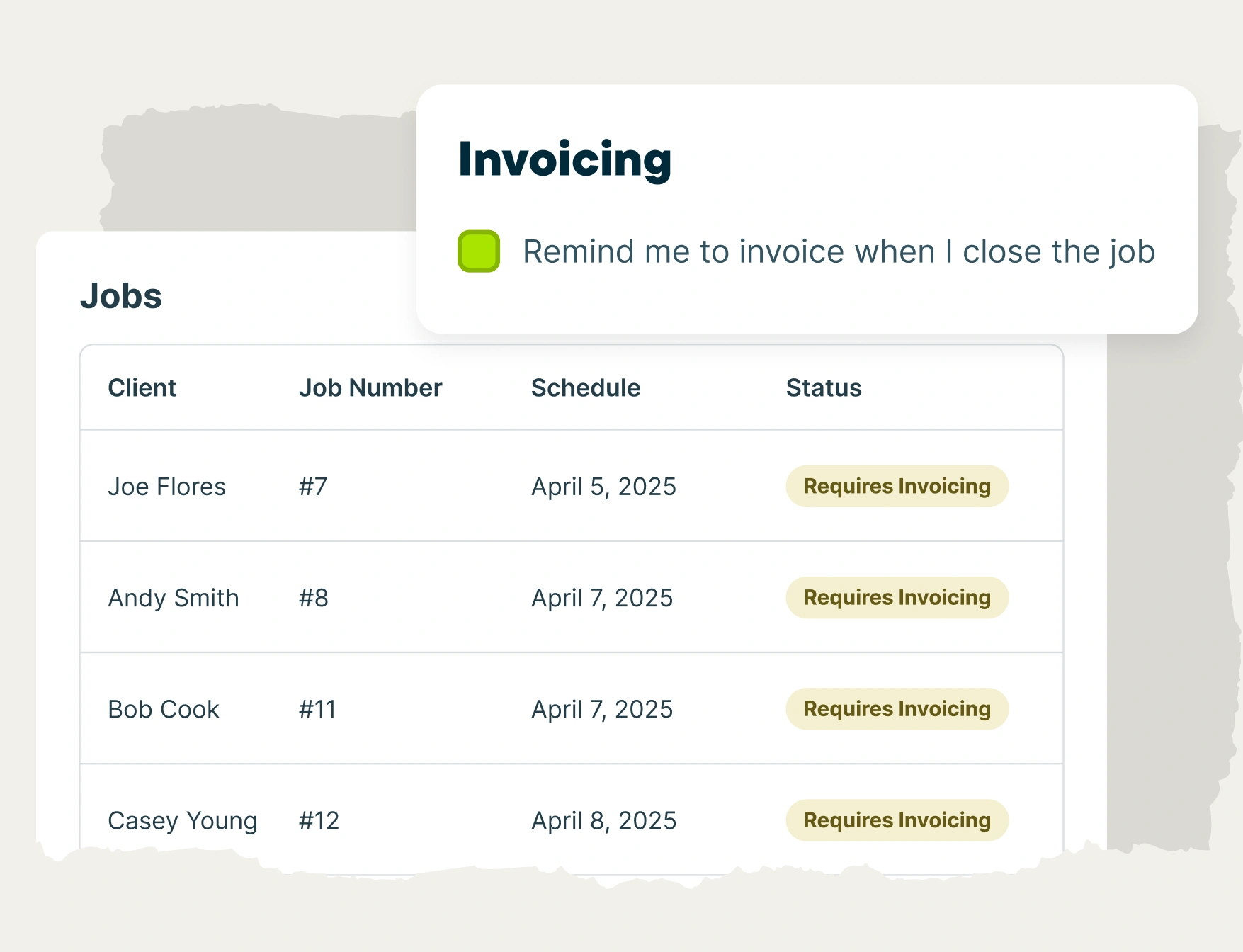
Invoice Reminders
Jobber lets you know when it’s time to invoice each job, whether that’s after each visit, when the job is complete, or at the same time every month.
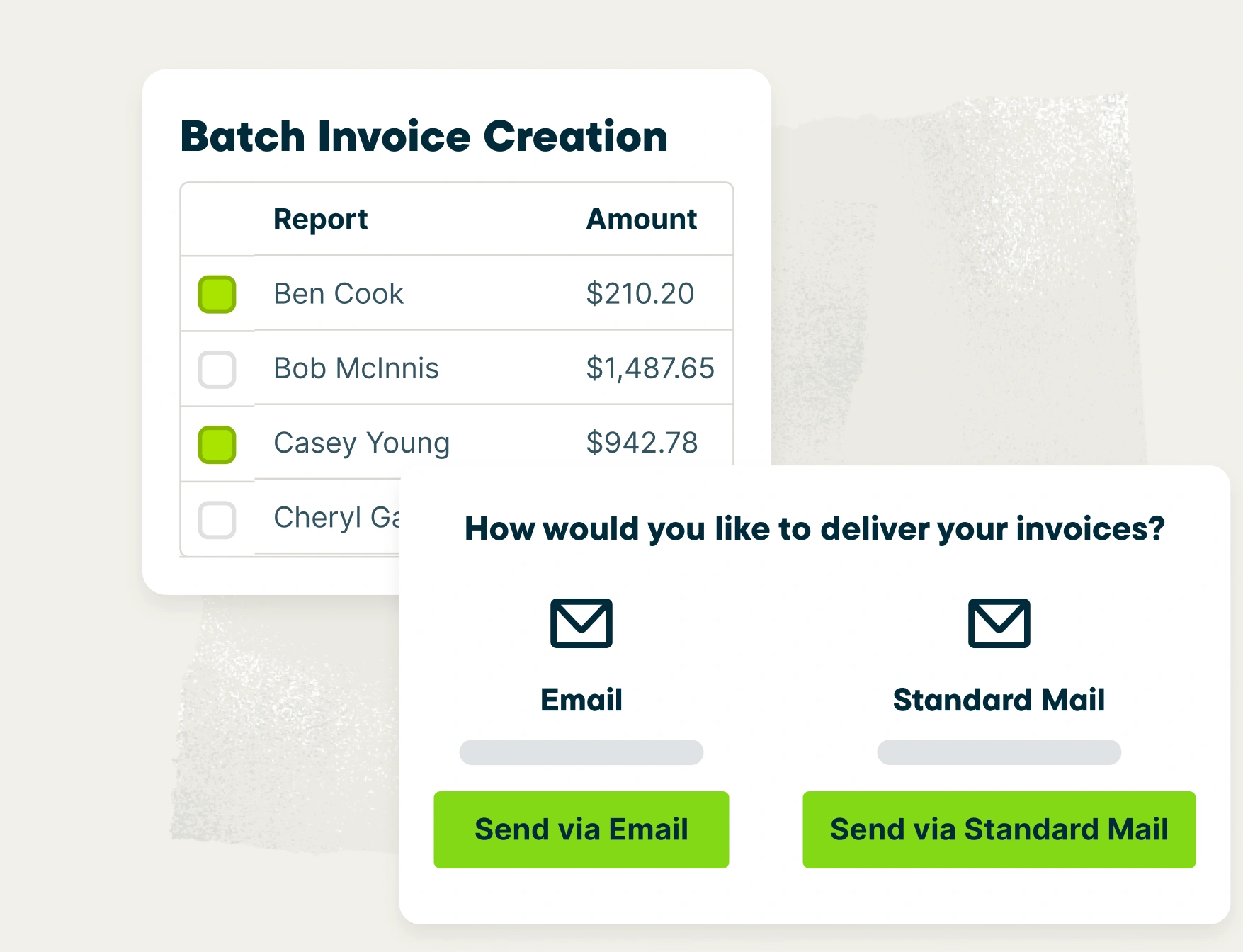
Batch Invoicing
Whether you’ve fallen behind on invoicing or just prefer to send them all at once, Jobber helps you send invoices in batches with a couple of clicks.
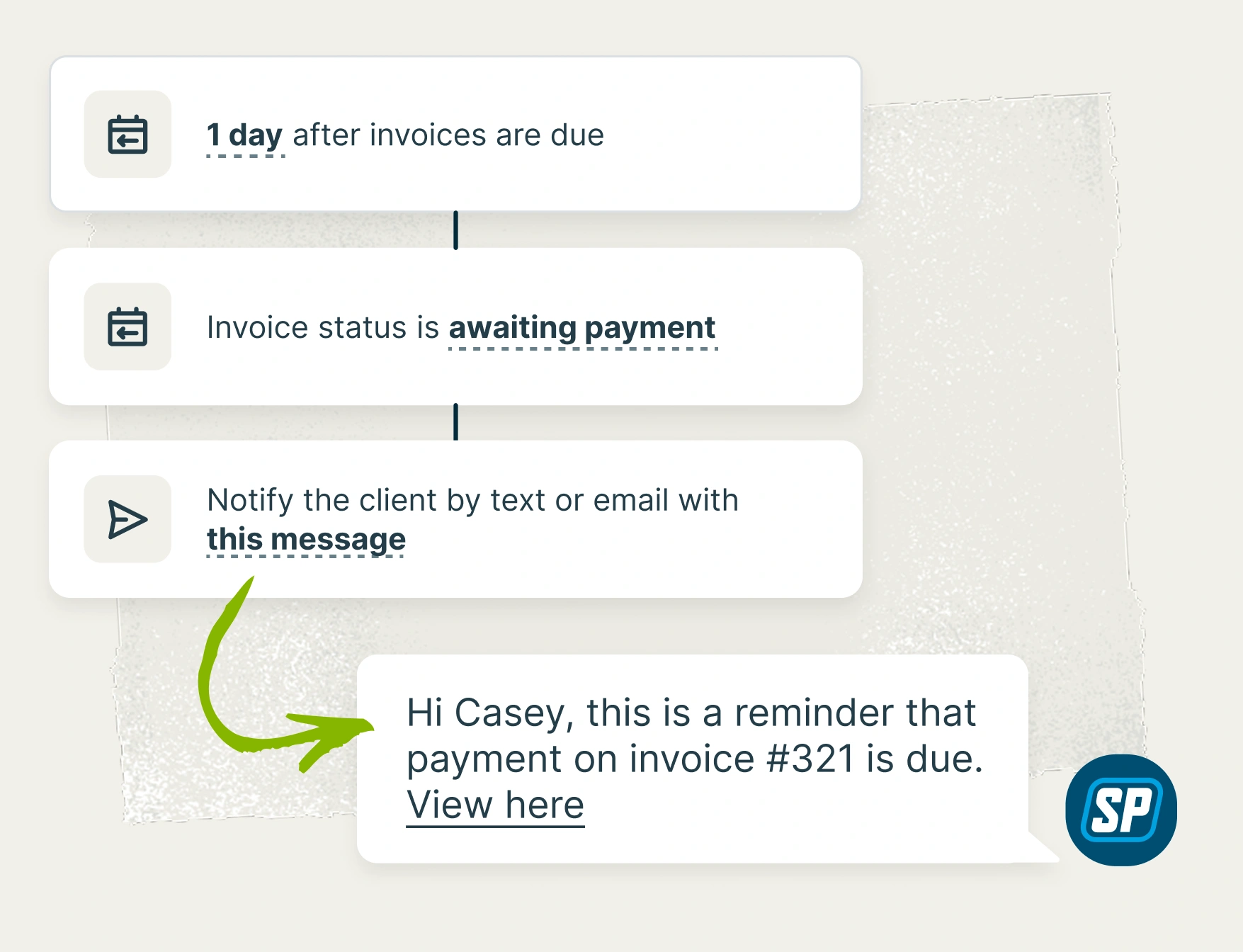
Automated Invoice Follow-ups
Jobber automatically sends a customized email or text follow-up to customers, reminding them to pay their outstanding invoice.
Online Booking
Save time on scheduling by letting leads and customers book an appointment with you online. Your bookable services and availability are based entirely on the preferences you set.
When a booking is made, Jobber will automatically schedule the job, assign an available team member, and notify you—no action required.

Bookable Services
Create clear descriptions of what each of your services includes and set an estimated price and duration.

Bookable Team Members
Choose which team members’ calendars can be made available for bookings. Jobber will automatically assign whoever is available for the appointment.

Scheduling Preferences
Control your schedule by setting what your earliest availability is, how much time should be allotted between appointments, and when booking slots are offered.

Scheduling Efficiency
Spend less time on the road by setting a limit on what area you service and how far you’ll drive between appointments.

Automated Notifications & Confirmations
Prevent no-shows and always be ready for upcoming jobs. When a booking is made, you and the customer will receive confirmations by email.
Requests
Track and manage all incoming work requests in one place. Customize your request form to capture all the information you need to move forward with the job.
Then share your request form on your website, social media, or client hub for new leads and customers to fill out directly, at their convenience.

Take Requests Online
Let new and existing customers request work through your website, social media, or client hub, their self-serve portal.
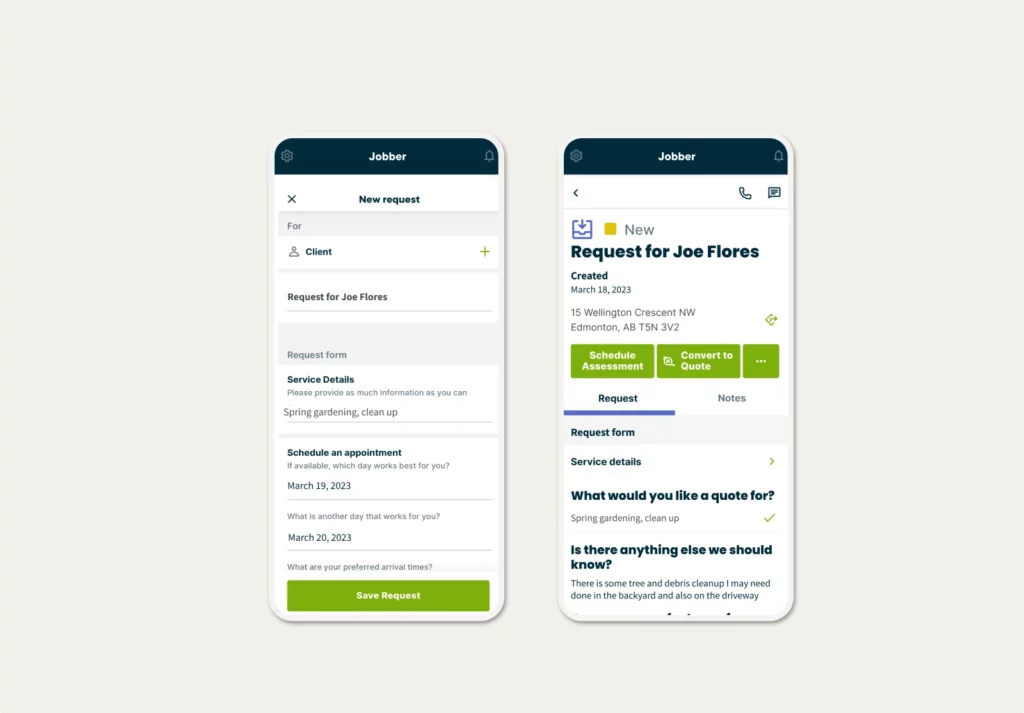
Create Requests Manually
Got a work request over the phone? Simply enter the client and work details to create a new request on the go—and follow up later.

Manage Requests
View all customer requests to see which ones are overdue for an on-site assessment or quote.

On-site Assessments
Schedule an assessment and assign it to a team member—directly from a customer’s request—in just a few clicks.
Work Smarter
Streamline your operations and improve efficiency with tools that help you manage work, clients, and your team.
Work Orders
Never let field service work slip through the cracks. Use Jobber to keep work orders moving toward the finish line with simplified scheduling, job tracking, invoicing, and more.

Job Scheduling
Whether it’s a one-off job or multiple recurring visits, Jobber makes it easy to schedule visits, assign team members, and keep everyone informed.
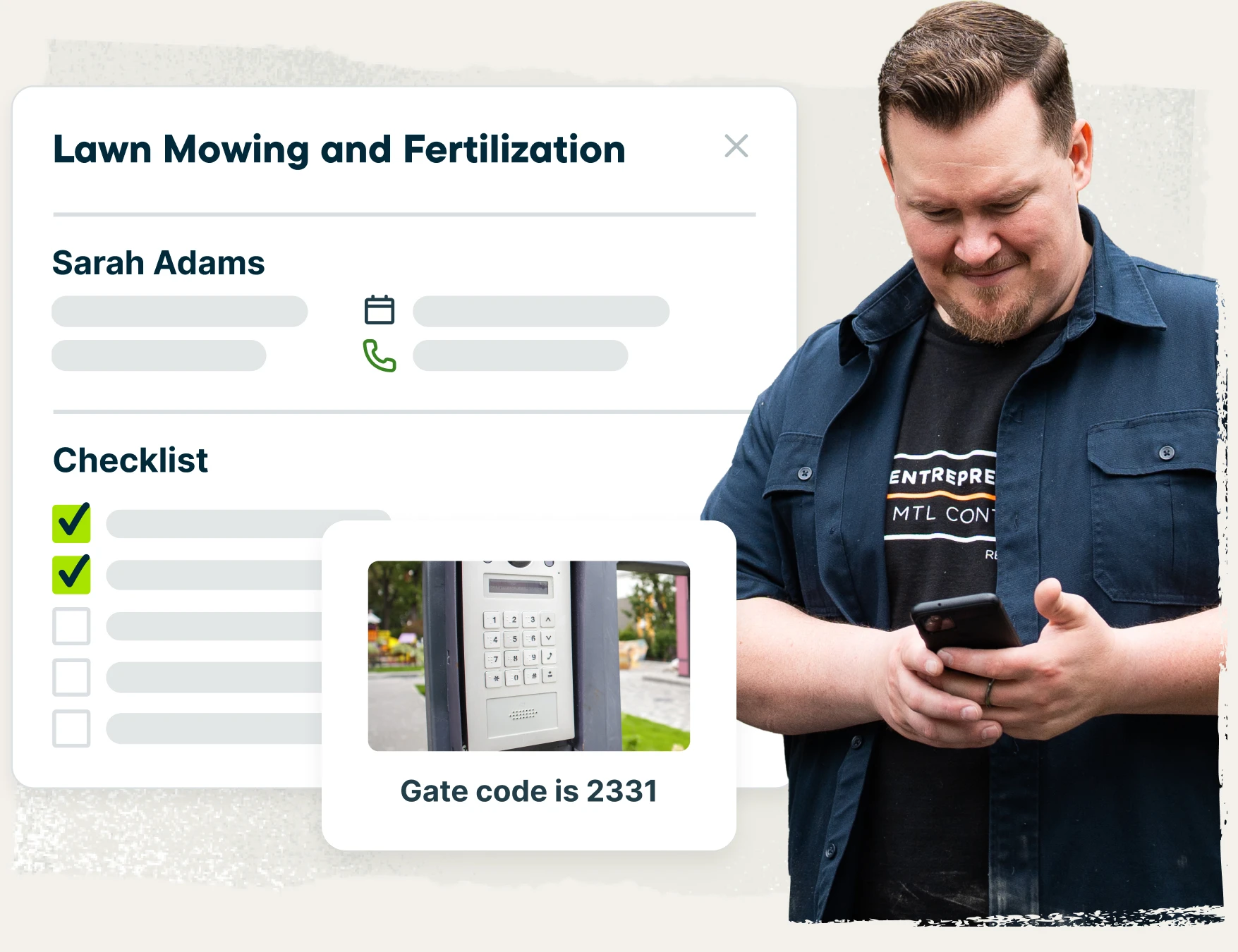
Job Details & Checklists
Instructions and photos ensure the job is done right, while customizable checklists outline exactly what needs to be completed on-site.
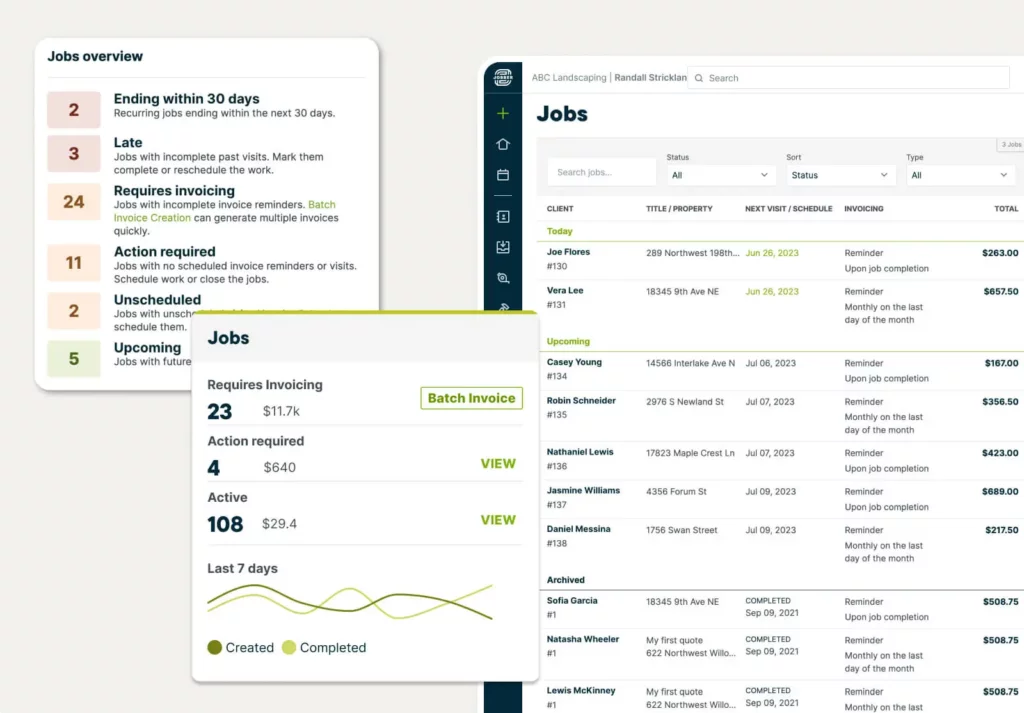
Job Tracking
Know exactly where each job is sitting in your workflow, from initial request though to payment.

Invoicing Preferences
Set reminders for when to invoice, whether that’s after each visit, when the job is complete, or at the same time every month.
Schedule
Scheduling work and communicating it to your customers and crew has never been easier. Every appointment is tracked in the Jobber calendar, designed specifically for the needs of home service businesses.
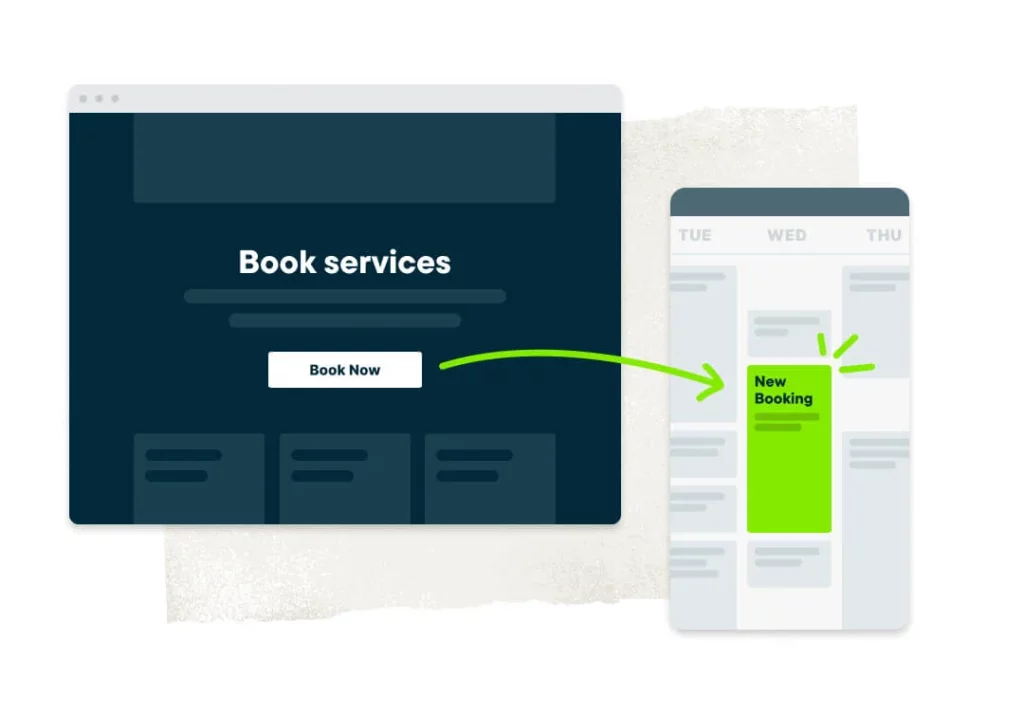
Online Booking
Save time by letting customers book an appointment with you online. When a booking is made, Jobber will automatically schedule the job based on your preferences.

Job Scheduling
Create a job and schedule it with just a few clicks. See which team members are free, choose an available time slot, and assign the work with one tap.
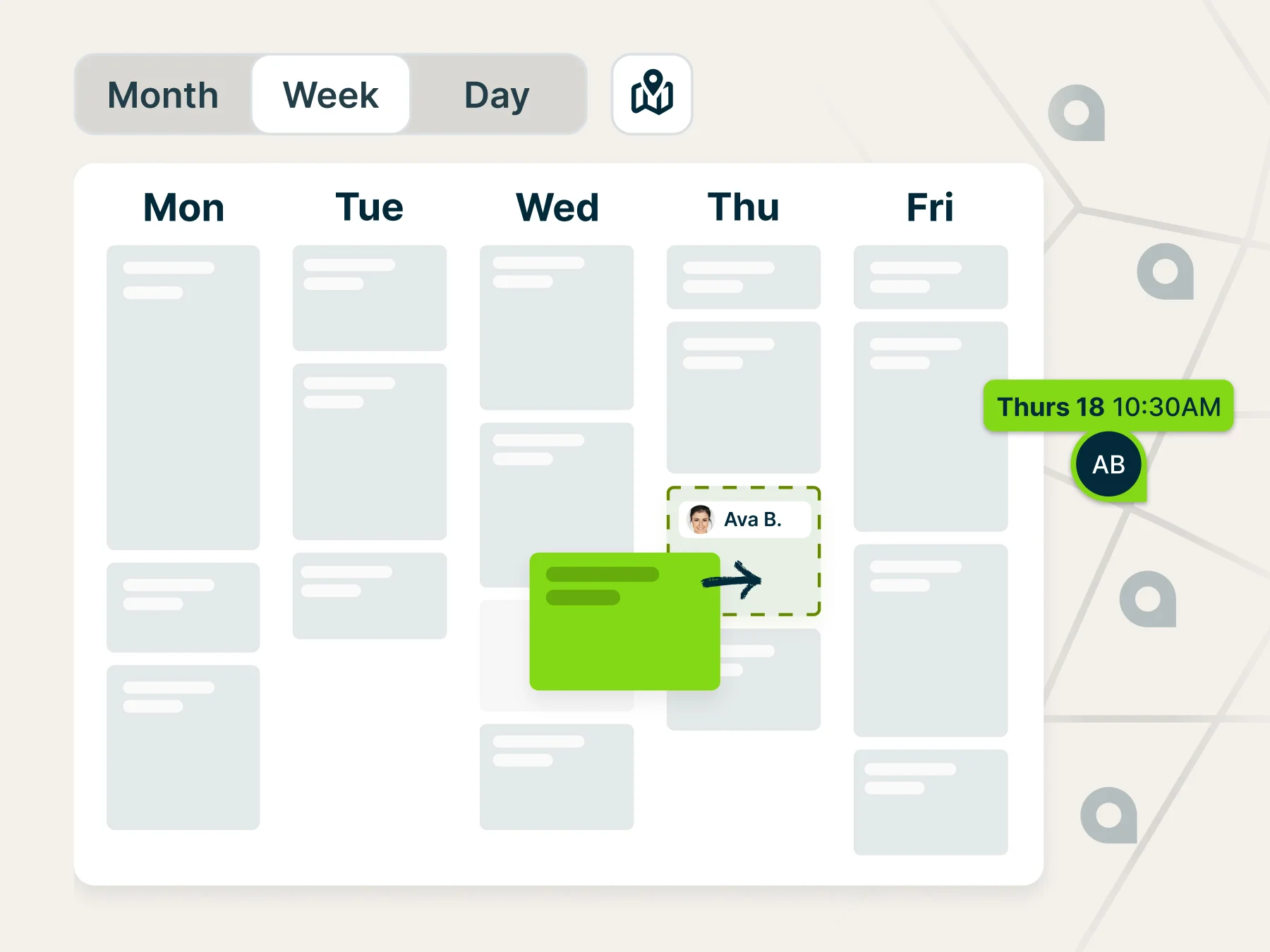
Calendar Management
Choose between day, week, or month views, open a map alongside your schedule, and use color coding and filters to stay organized. Then easily reschedule jobs with a click, drag, and drop.
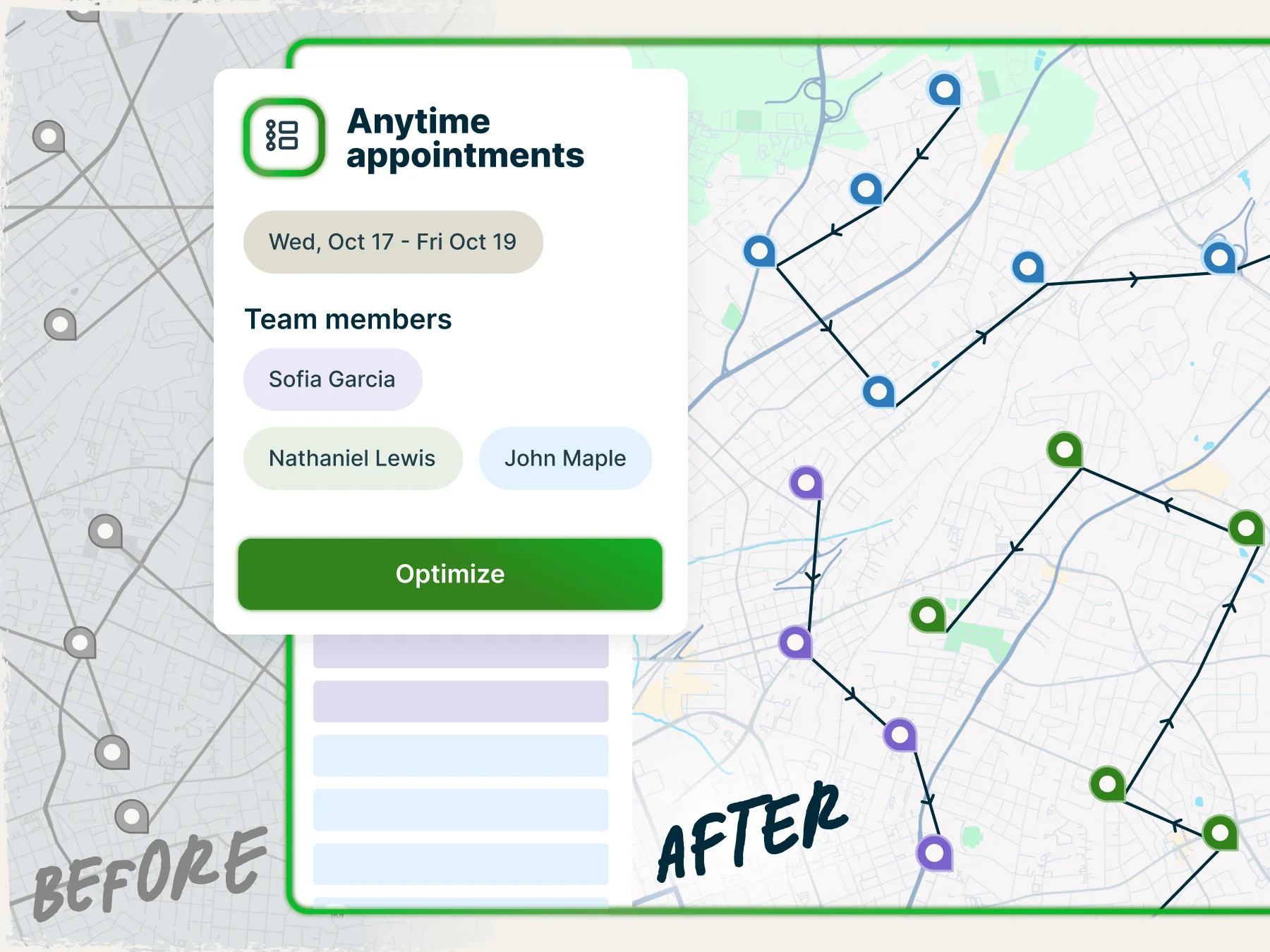
Map and Routing
See your visits on a map and automatically generate the fastest, most fuel-efficient route. Assign new work to the closest team member based on their GPS location.
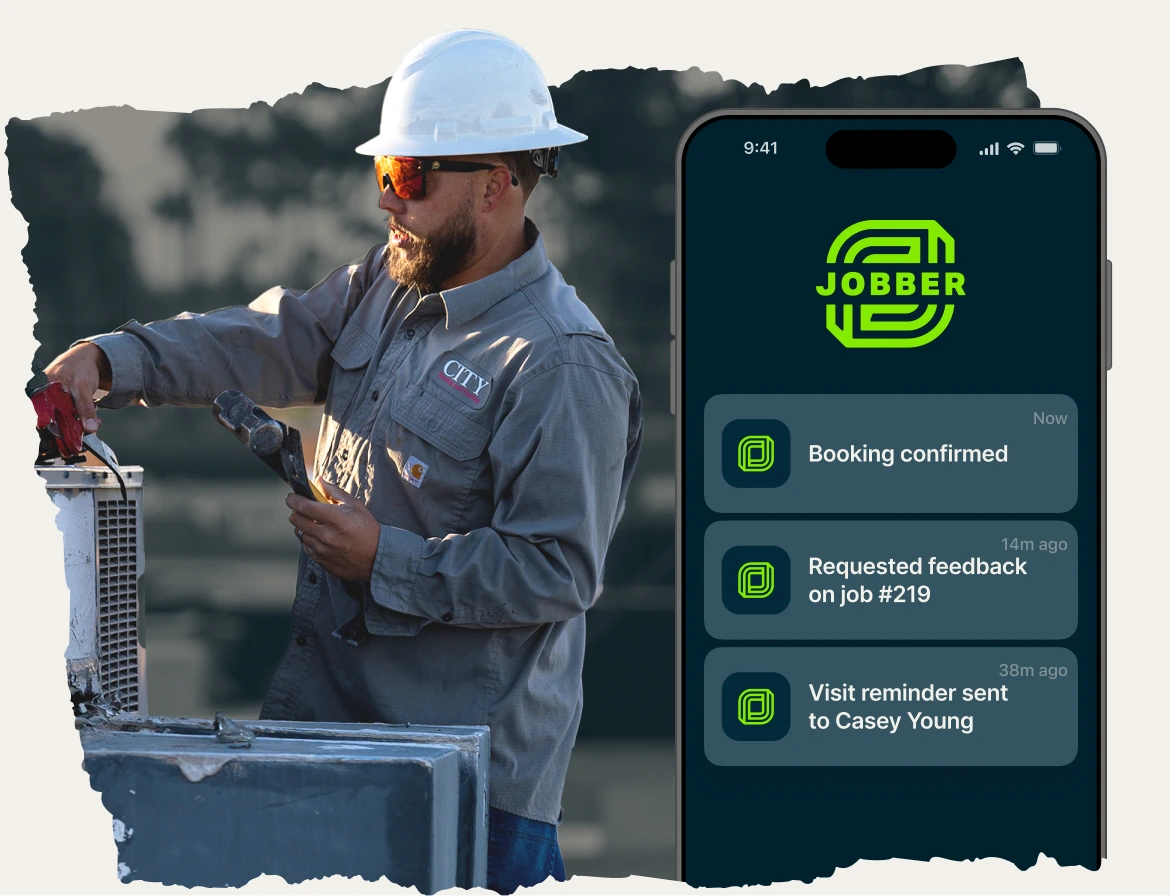
Team Push Notifications
When you make a schedule change to an employee’s current workday, they’ll get a notification on their phone with all the details.

Automated Visit Reminders
Jobber automatically sends email or text reminders that prepare your clients for the visit. They can click through to see details in client hub, their online self-serve portal.
Complete Job
Jobber helps get the job done right with easy access to job details for you, your team, and your customers. Jobs run smoothly when you use Jobber to track your team, monitor progress, and follow up on customer satisfaction after every visit.

On-My-Way Texts
With one click in the Jobber mobile app, send a standardized text message letting customers know you’re on the way (or running late).
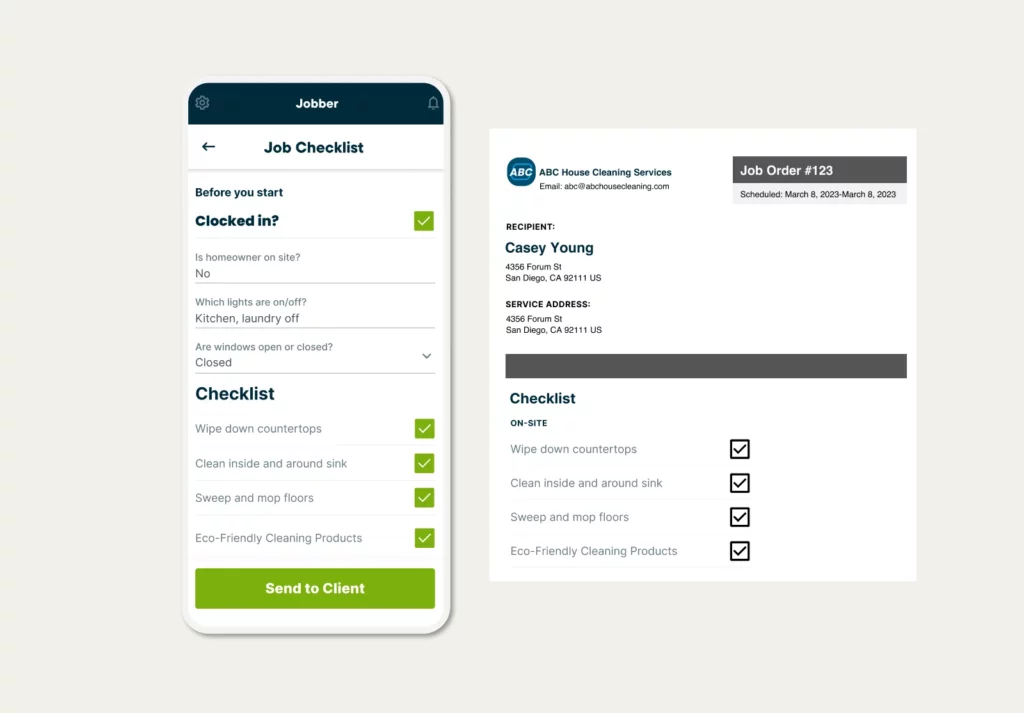
Job Details, Forms & Checklists
Access instructions, photos, job forms, and checklists on-site so you can complete the job exactly as planned.
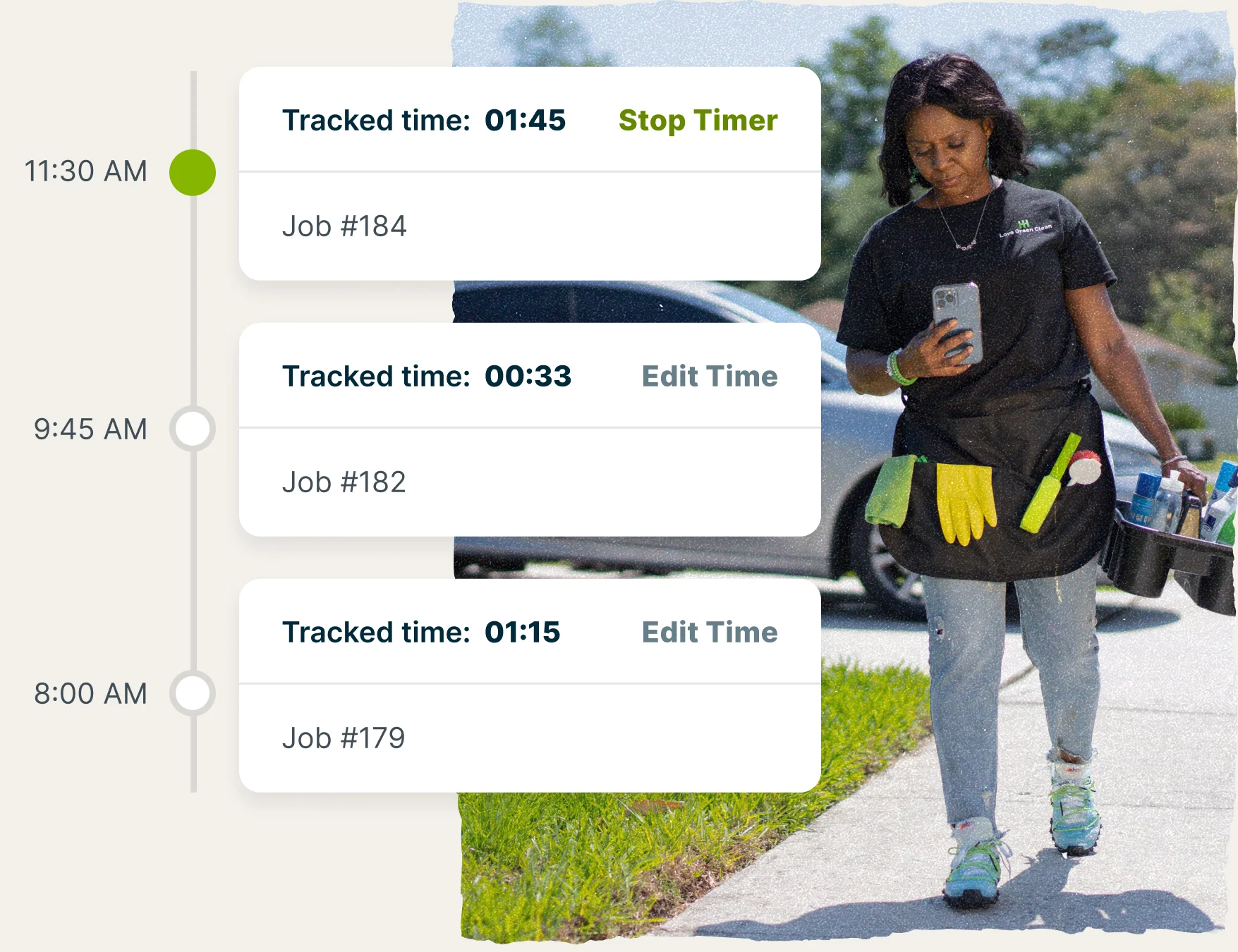
Time Tracking
Let your team clock in and out of jobs from anywhere to prep payroll faster and account for every hour in your final invoice.
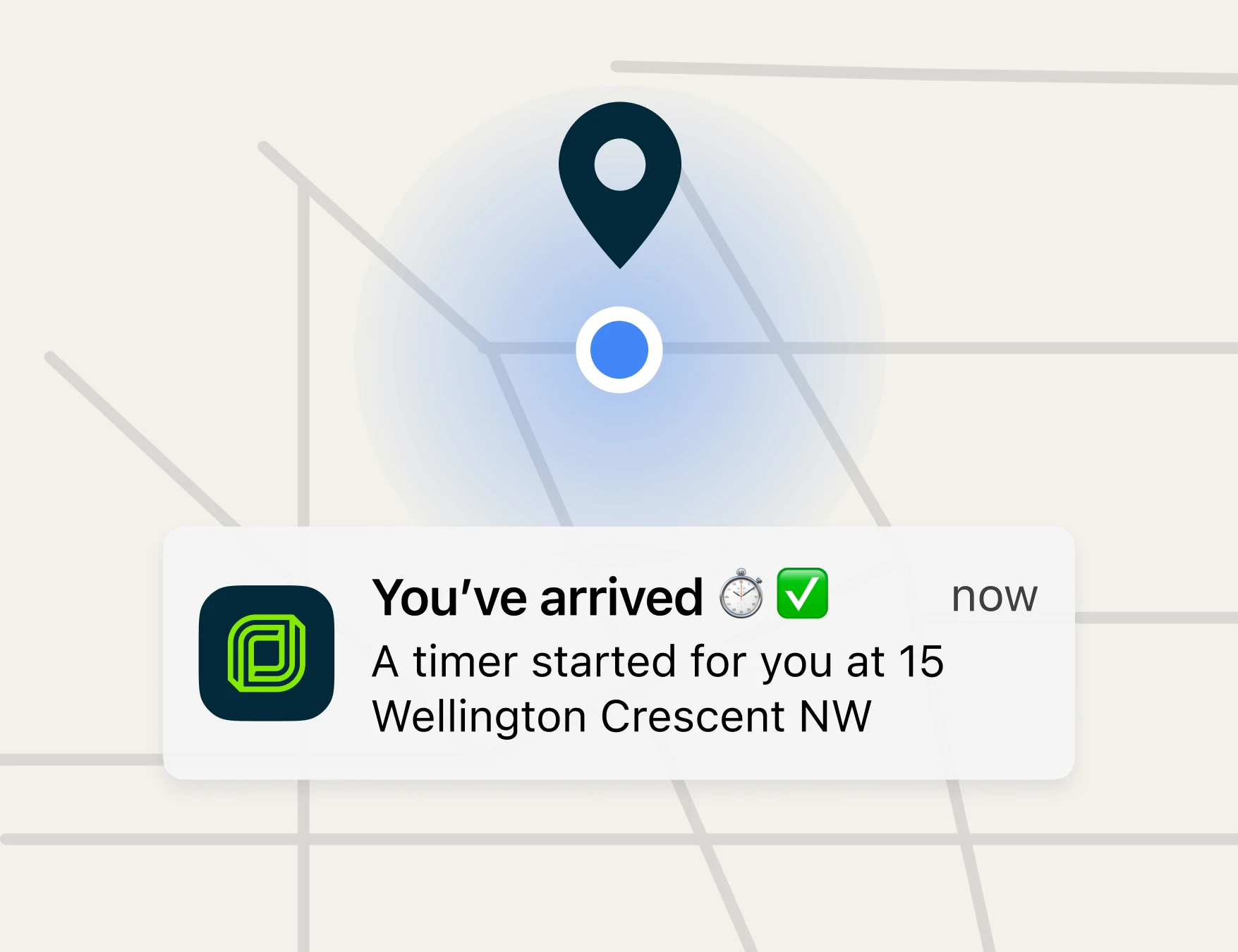
Location Timers
Let your team automatically track time on the job—or receive time tracking reminders—when near a client’s property so you can save hours on admin work.
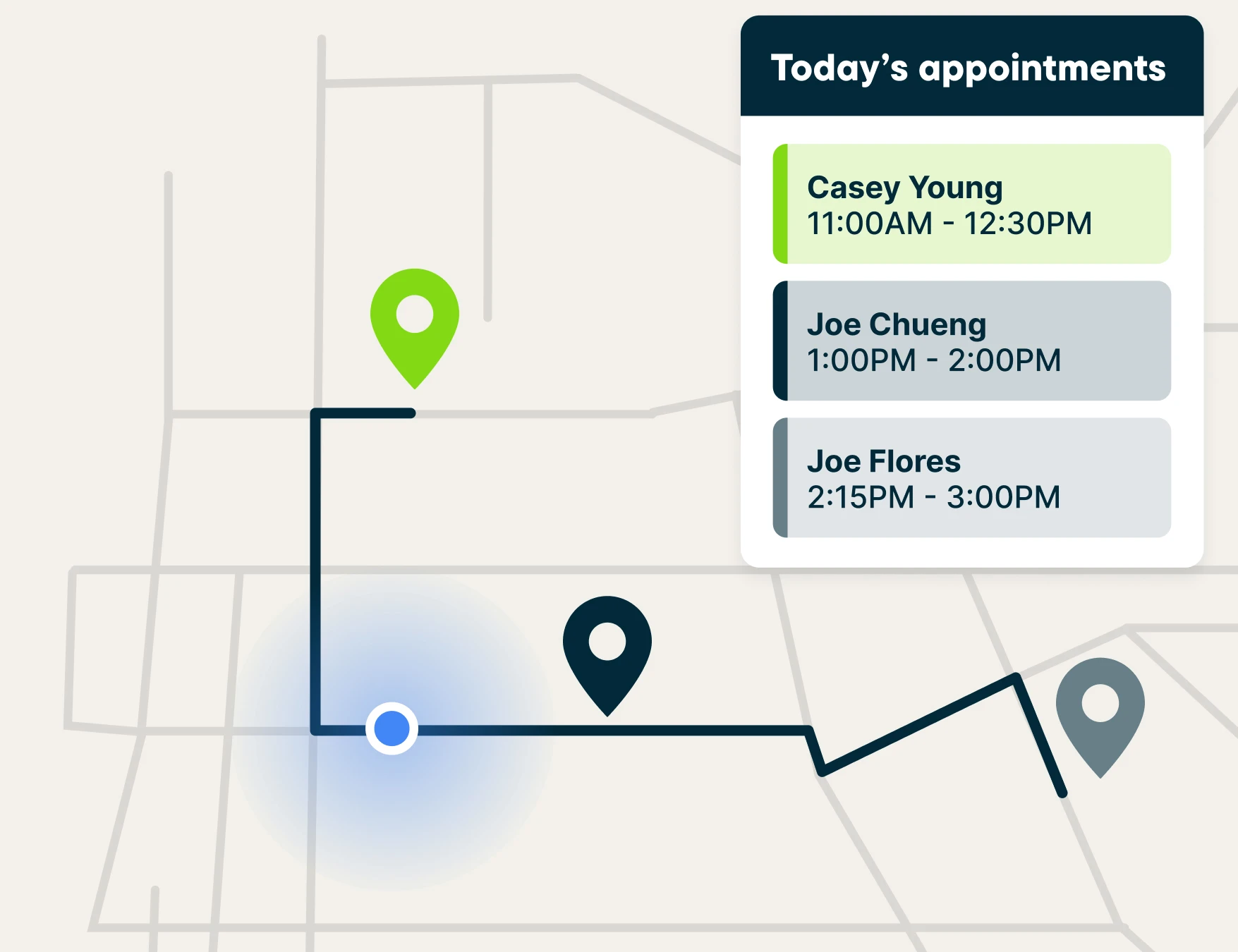
GPS Tracking
View the location of team members on a map to quickly assign last-minute work to the nearest available person.
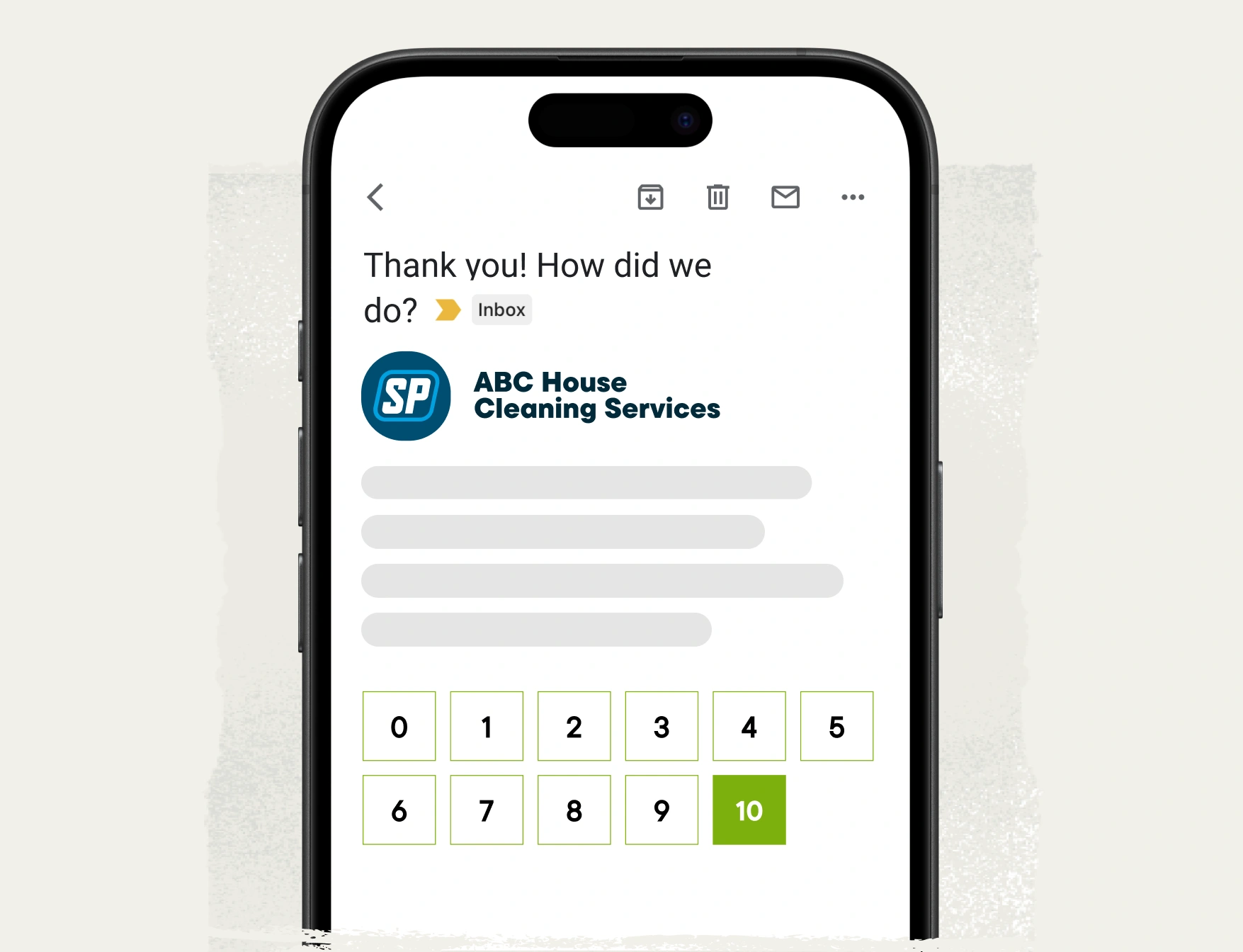
Automated Job Follow-Ups
Schedule follow-up emails to gather customer feedback, ask for a review, or simply say thank you after every job.
Client Manager
Track all your customer info in one place, so you can deliver personalized service that makes every customer feel like they’re your #1. With Jobber, your team has access to important job details from the field without phone calls back to the office.

Client Details
Search for clients fast and view their contact information, property details, and associated jobs in one organized profile.

Job History
Have the full history of a client’s past jobs available at your fingertips—no more scrambling for info in the middle of a client call.

Communication History
See all past emails and text messages between you and your clients, including automated notifications, booking confirmations, and on-my-way texts.

Lead Management
To prioritize your time and resources, tag clients as leads in Jobber to manage them separately from active clients.
Client Portal
Give your customers 24/7 access to the information they need. Client hub is your customer’s online portal where they can request work, approve quotes, review scheduled jobs, make payments, and refer their friends.

Request Work
Let customers request work or a quote from you online. Jobber helps you collect, track, and manage those requests without breaking a sweat.
Approve Quotes
Customers can approve or request changes to quotes online in client hub, and you’ll get notified when it happens.

View Appointment Details
Your clients will see the date, time, and address of their past and upcoming appointments, as well as any team members assigned to the work.

Make Payments
Customers can pay invoices or deposits online in client hub, then reward your customer service with a tip.

Refer Friends
Jobber prompts customers to share booking links with their friends and family, so you never miss an opportunity to generate quality leads.
Client Communication
Customers expect immediate responses to their questions and real-time updates when anything changes. With Jobber, automated emails and texts keep customers updated as work progresses so they never feel ignored.
You can text with customers while on the go, too, knowing that conversations are stored in Jobber for your reference.

Professional Text & Email Templates
Save time and reduce errors by creating professional email and text templates in Jobber that you can customize for each job or client as needed.
Automated Quote Follow-Ups
Jobber automatically sends emails or text messages that remind customers to review and approve their quote.
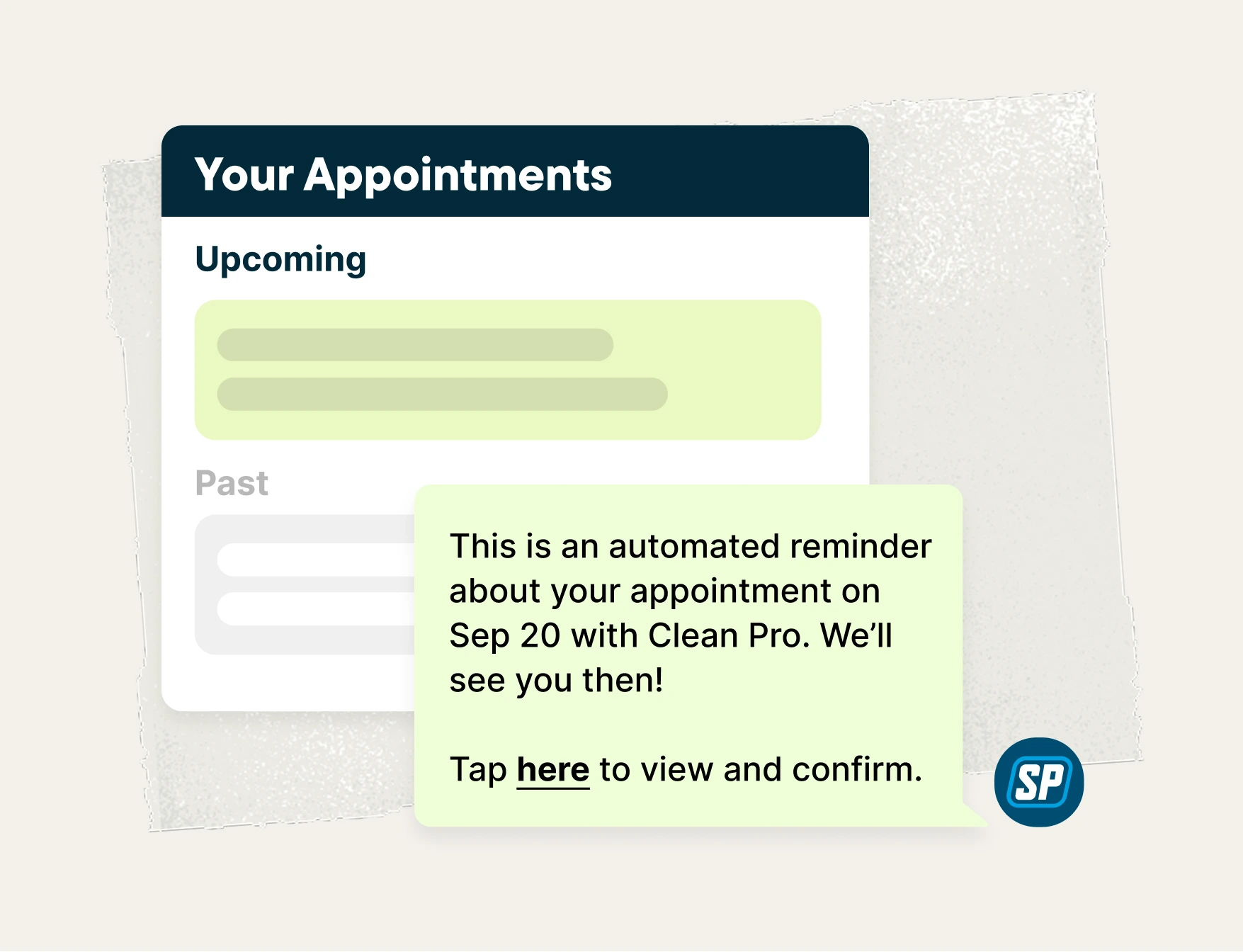
Automated Visit Reminders
Schedule emails or text messages to remind customers of upcoming appointments. Let them review details, view assigned team members, and more.
Automated Job Follow-Ups
Schedule follow-up emails to gather customer feedback, ask for a review, or simply say thank you after every job.
Automated Invoice Follow-Ups
Stop chasing payments. Jobber automatically sends a customized email or text follow-up to customers, reminding them to pay their outstanding invoice.
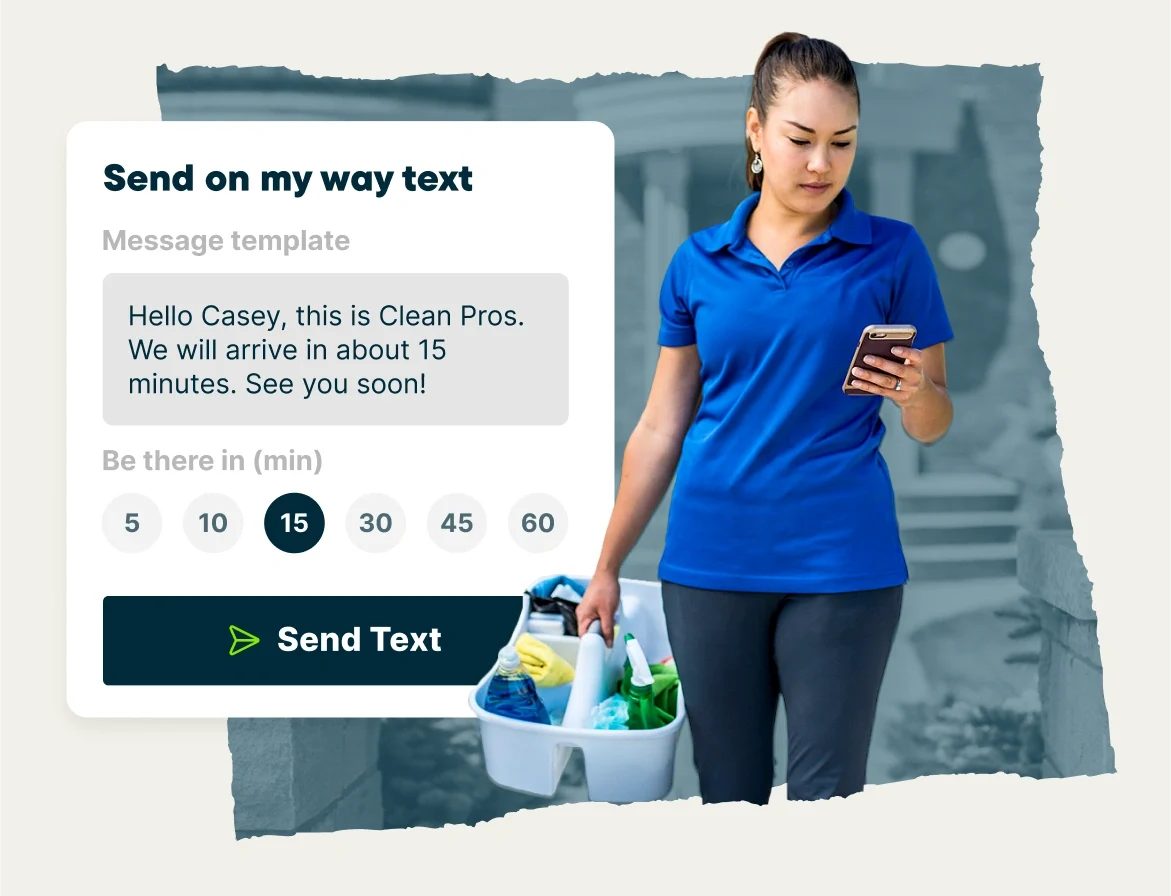
On-My-Way Texts
With one click in the Jobber mobile app, send a standardized text message letting customers know you’re on the way (or running late).
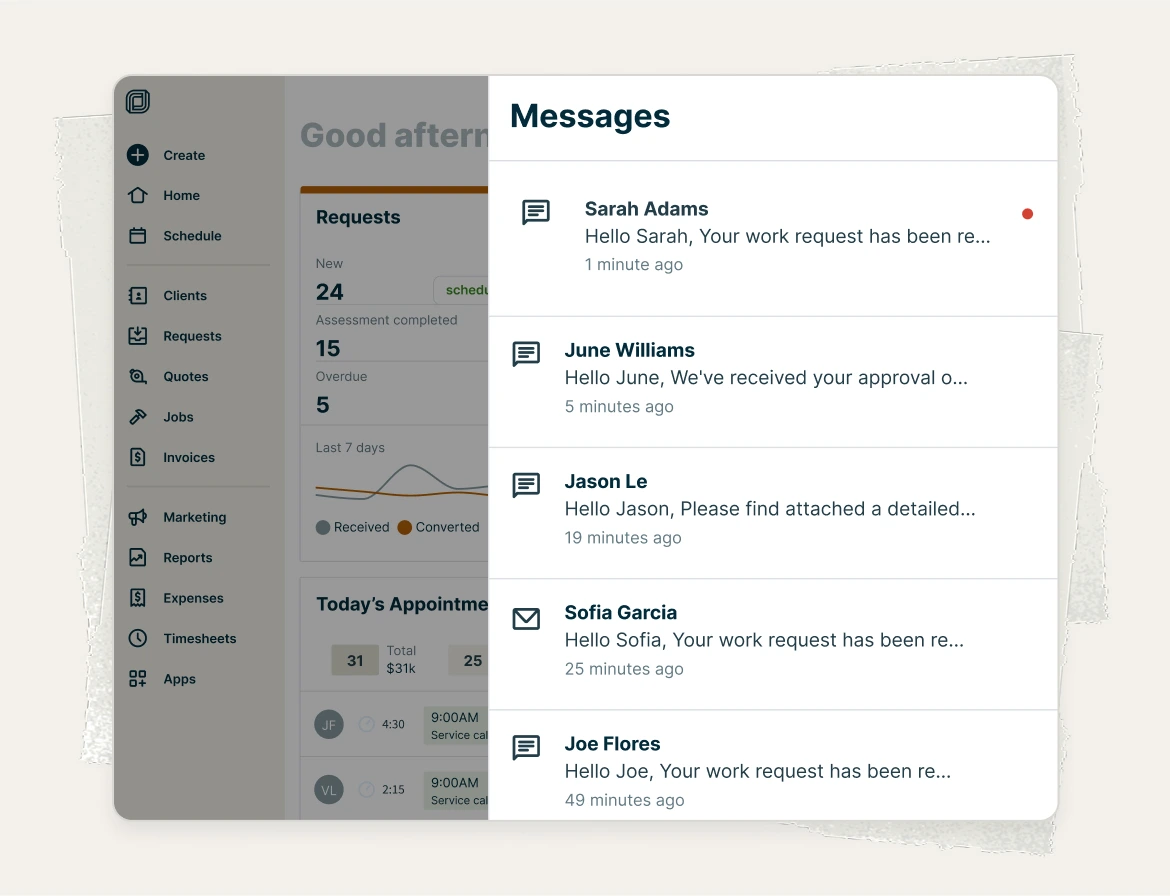
Two-Way Text Messaging
You and your team can text with customers while on the go and manage customer conversations in a single place.
Real-Time Notifications
Keep a pulse on the everyday activities happening in your business and stay on top of who’s doing what, when, and where. Wherever your day takes you, Jobber keeps you in the loop at all stages of the work.
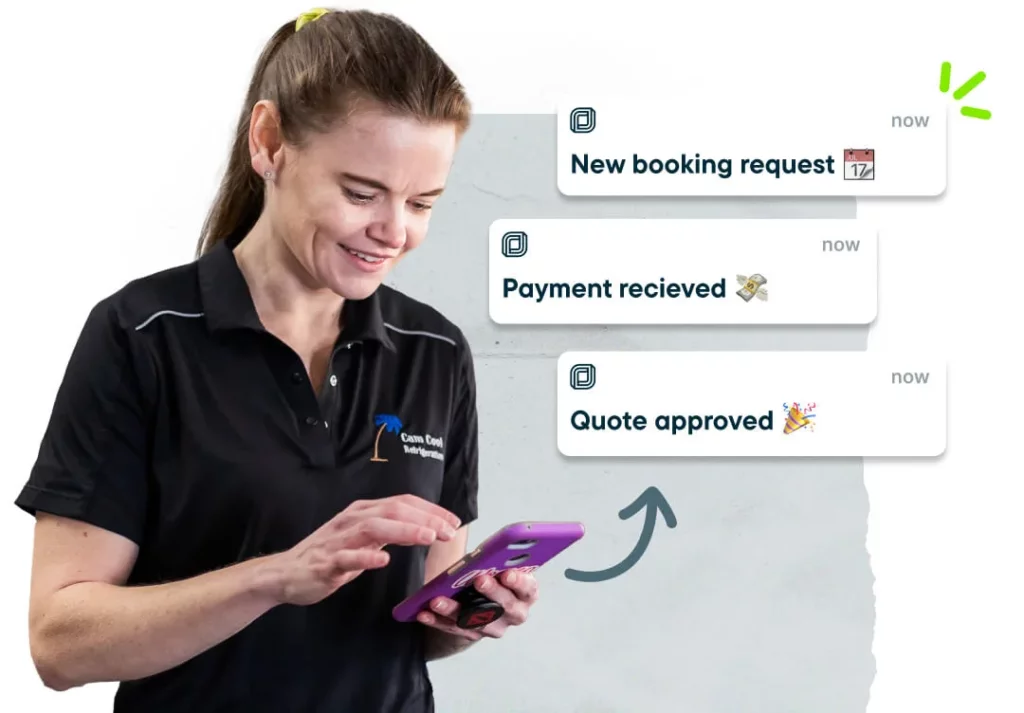
Mobile Push Notifications
Jobber notifies you whenever a client submits a new request, views a quote, or sends you a text message, so nothing slips through the cracks.

Activity Feed
Follow all actions your team completes in Jobber, and customer activity in client hub, so you know exactly what’s happening in your business.

Message Center
Choose who gets notified in Jobber when a customer text message comes in, so you can respond quickly and keep track of all correspondence in one place.
Team Management
Keep your team on track without micromanaging. With Jobber, team members have access to the information they need, when they need it, so they can get the job done right. And you’ll get the info you need too, with GPS and time tracking that’s easy for everyone.

Permissions
Control what information each team member can access in Jobber, whether they’re a limited worker or a business manager.

GPS Waypoints
Efficiently route the day’s work, assign incoming jobs to the closest team member on the map, and see your crew’s whereabouts as they’re on the move.

Schedule Push Notifications
When you make a schedule change to an employee’s current workday, they’ll get a notification on their phone with all the details.
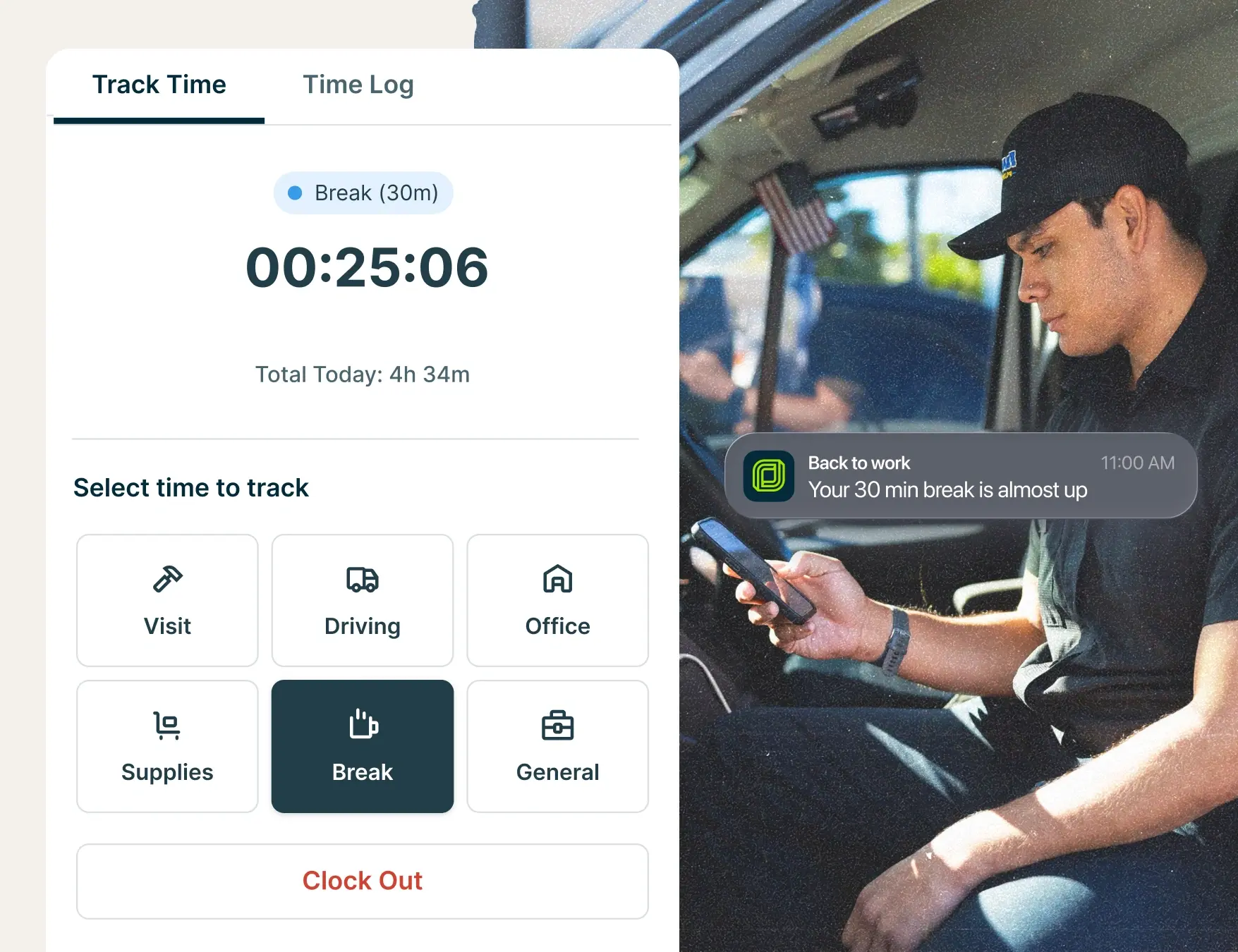
Time Tracking
Keep a complete record of your team’s day with time tracking for on-the-job work, drive time, shop time, office tasks, and unpaid breaks. With every activity logged in one place, it’s easier to review timesheets, understand productivity, and prepare payroll.
Location Timers
Let your team automatically track time on the job—or receive time tracking reminders—when near a client’s property so you can save hours on admin work.
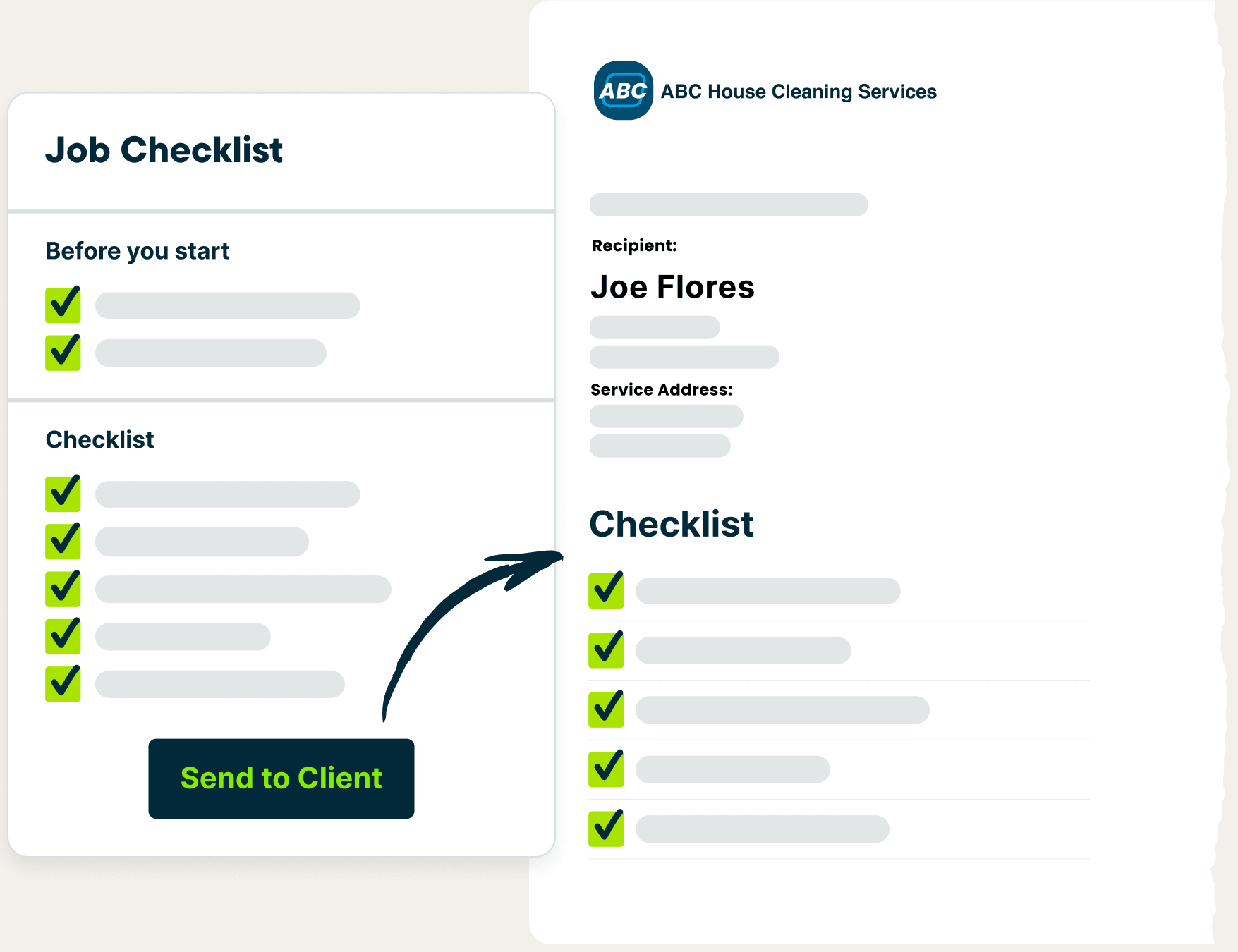
Job Checklists
Include to-do lists on jobs to help train new hires, create accountability, and ensure top-quality service on every single visit.
Boost Profits
Maximize your profitability with payment processing, financial insights, and job costing tools.
Get Paid
Offer customers convenient online payment experiences they’ve come to expect from businesses.
Online payments are included with your Jobber account with no additional monthly or set up fees—you only pay when you get paid. The best part? You’ll get paid 4x faster than with checks.
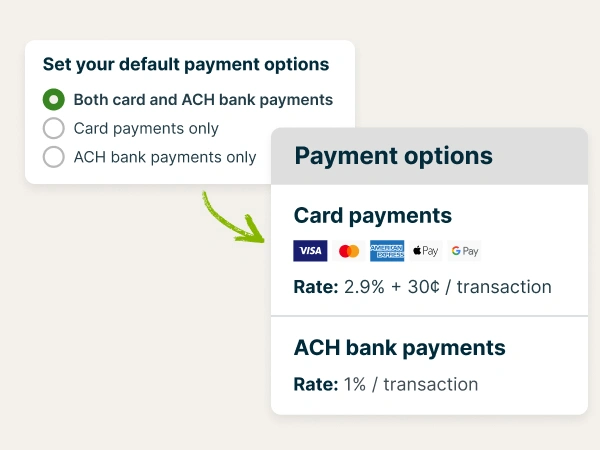
Get Paid Online
When it’s time to pay an invoice, customers can enter their debit or credit card details in client hub and add a tip.
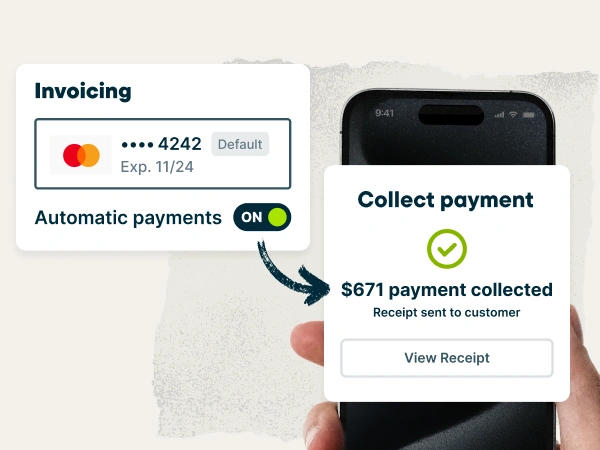
Get Paid Automatically
Collect payment without lifting a finger. Jobber automatically charges customer cards saved on file—perfect for recurring work.
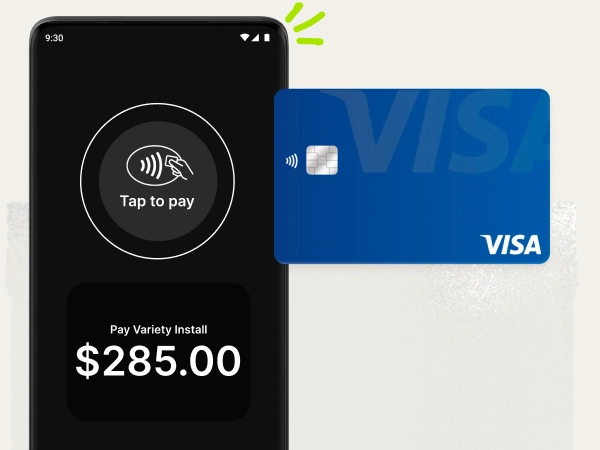
Take payments with just your phone
Get paid instantly with Tap to Pay. Clients can settle up in seconds before you pack up from the jobsite. It’s fast, secure, and all you need is the phone already in your pocket.
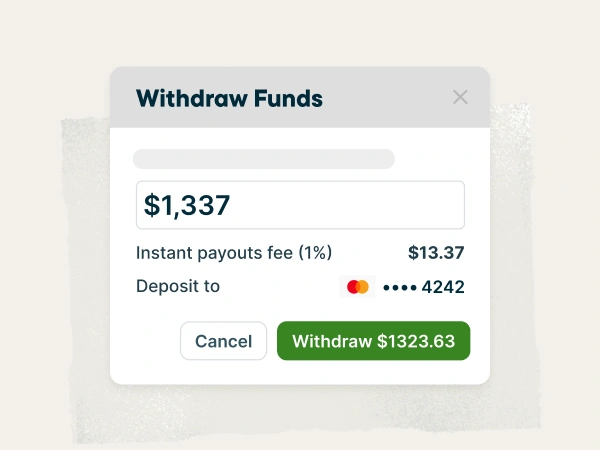
Instant Payouts
Skip the standard two-day payout window and get access to funds just seconds after a customer pays—even on weekends and holidays.
Business Dashboard
Jobber helps you know exactly how your business is performing in one glance. On your business dashboard, you’ll see an overview of your entire workflow, including recommended actions to keep it all running smoothly.

Job Tracking
View how many jobs—and how much revenue—is sitting at each stage of your workflow, and follow recommended actions to keep it all moving forward.

Appointment Tracking
See how your team is progressing through their day, and through their current appointment, so you can get ahead of any delays.

Payments Tracking
See exactly how much money is on its way to your bank and what’s available as an instant payout.

Insights
Be confident that your business is running smoothly. Insights surface information that you might have missed and help you take action on important work.
Financial Management
Jobber makes it easy to manage your money right where you manage the rest of your business. You’ll be able to make better financial decisions informed by what’s happening in your workflow, and sync with QuickBooks Online to cover your accounting needs.
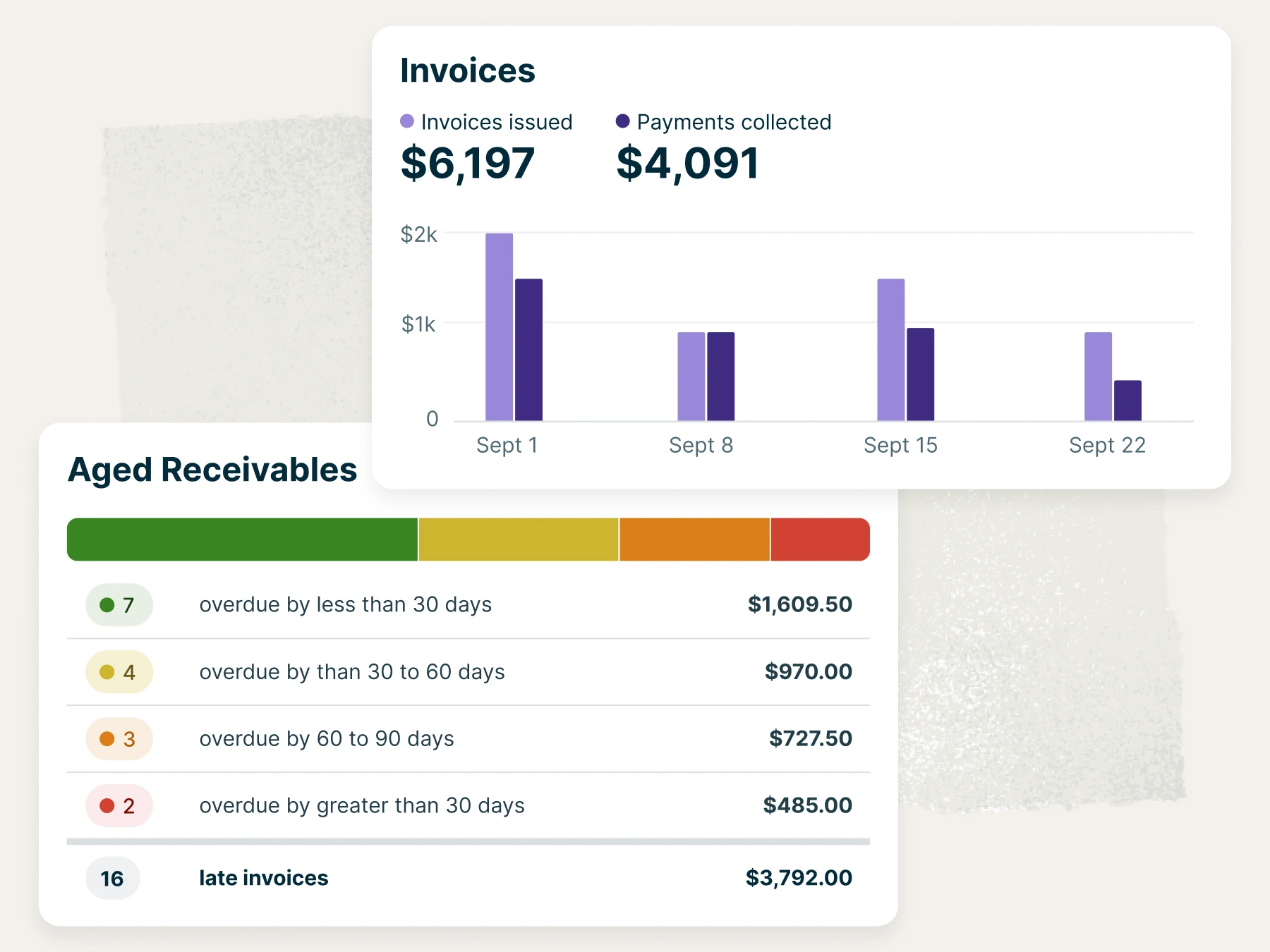
Financial Reports
Access real-time financial data of projected income, taxation, payment, and invoice details.
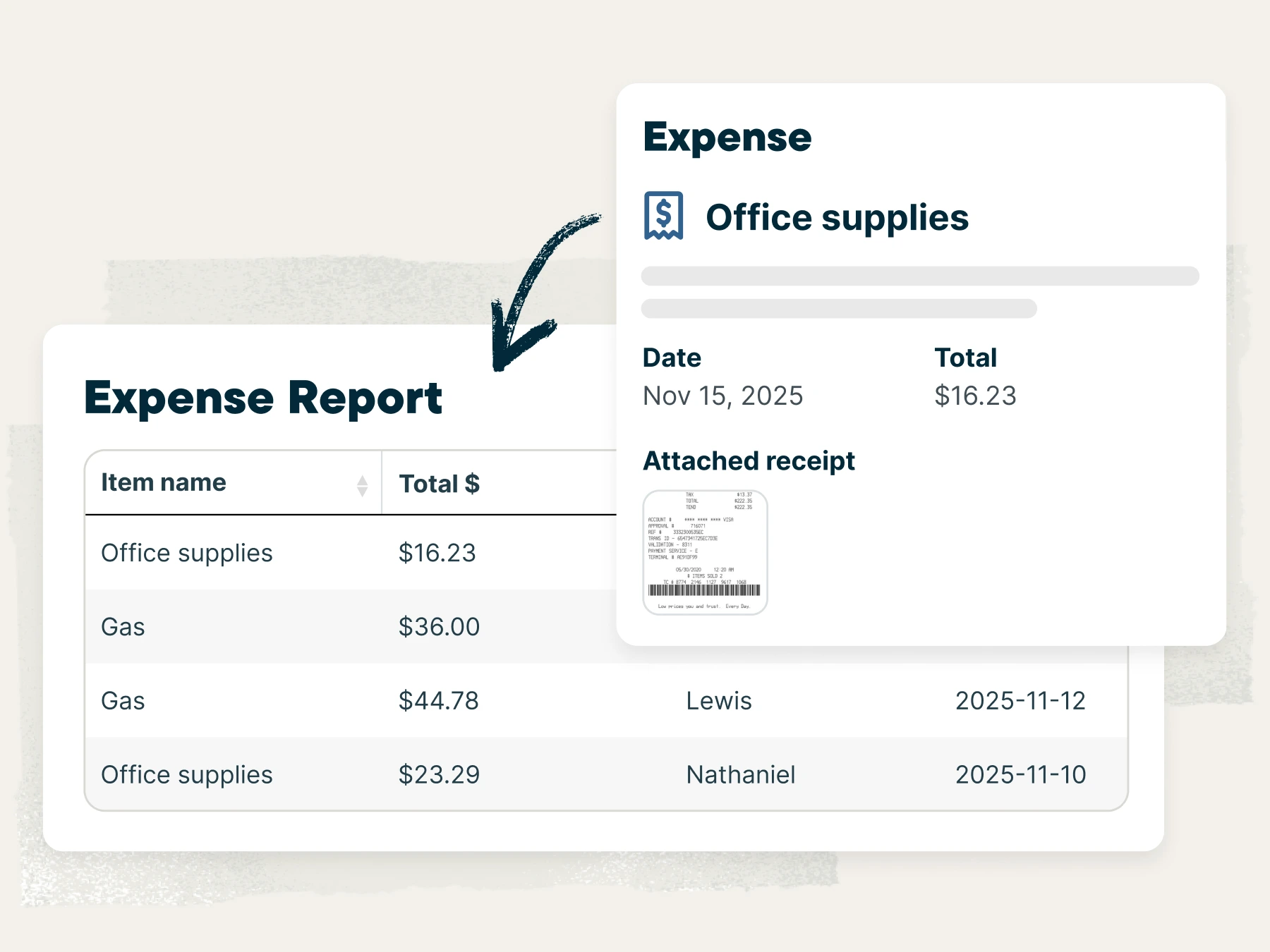
Expense Tracking
You and your team can easily log expenses in Jobber and attach receipt photos so you know exactly how much money was spent on each job.

Instant Payouts
Instant payouts help you control your cash flow better. Skip the standard two-day payout window and get funds deposited in minutes.

QuickBooks Online Sync
Jobber pairs with QuickBooks Online to keep your customer, invoice, and payment information accurate without any double entry.
Job Costing
Jobber automatically calculates profitability for your field service jobs. By tracking all your costs in one place, you’ll reduce the time spent switching between spreadsheets, physical receipts, and bank statements.

Job Profit Bar
See the profitability of each job, calculated automatically, based on the price and total costs you’ve tracked.

Material Cost Tracking
Add material costs spent on the job. Select items from your products and services saved in Jobber, or add new line items as needed.

Labor Cost Tracking
When employees track their visit time using the Jobber mobile app, their labor rate and hours will be automatically calculated as labor costs for the job.
Expense Tracking
Track expenses from anywhere to stay on top of any additional costs. Then, upload accompanying receipts for more accuracy and easy reimbursement.

Job Profitability Reporting
Generate and view customizable reports to easily compare details for multiple jobs—price, costs, profits, custom fields, and more.
Supercharge your business with add-ons
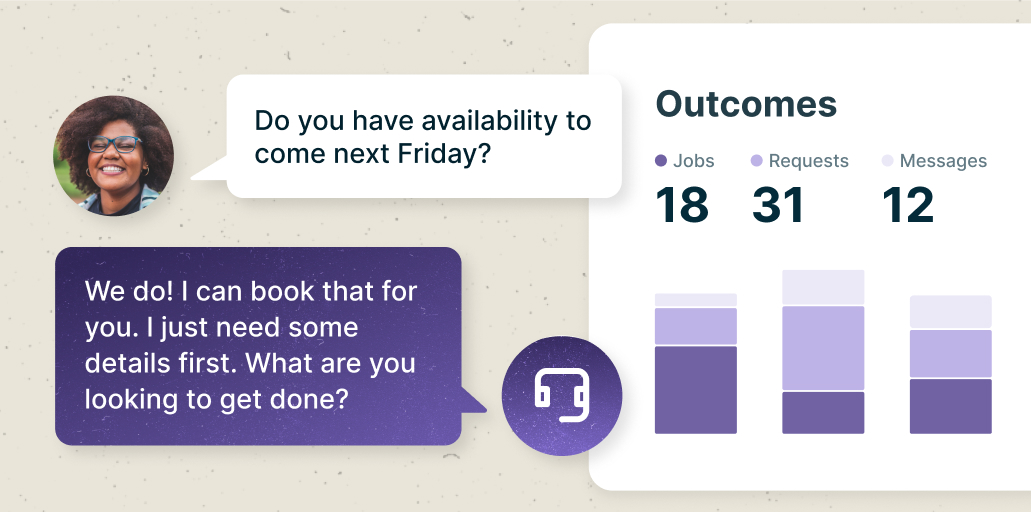
Grow Faster, work less
$79
/mo
Let your great work build a winning reputation that attracts more business, grows your revenue, and keeps your clients coming back—all within Jobber.
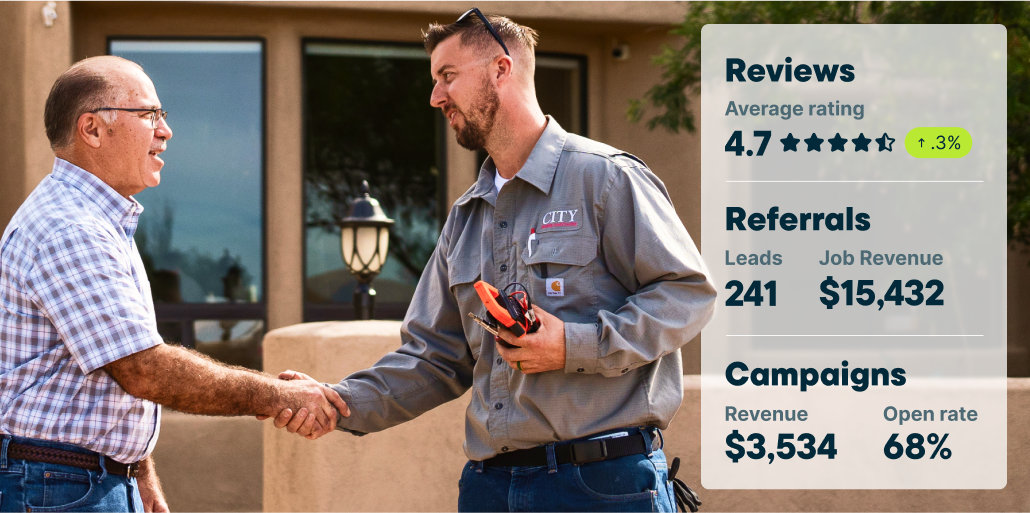
Receptionist
$99
/mo
Never leave a call or text unanswered again. When you’re busy on a job, enjoying personal time, or your admin is focused on other work, Receptionist is there. You control what it can and can’t do—like answering questions, taking detailed requests, or booking jobs in your calendar.
Integrations that fit the way you work
Jobber connects with your favorite apps and software to save you time.

Easily sync customer, invoice, and payment information between Jobber and QuickBooks Online.
Learn More



Use Jobber’s integration with Stripe to securely accept credit card payments online or in the field.
Learn More
CompanyCam and Jobber make it easy for you to capture details on every job site and keep your customers informed along the way.
Learn More

Find more business with ready-to-run email marketing campaigns, postcards, Facebook ads, and more.
Learn MoreOver 400,000 home service pros in 50+ industries trust Jobber
JOBBER REVIEWS