
Key takeaways:
If you want your handyman website to win more leads and build trust, it needs to clearly showcase your services, credibility, and make it simple for customers to reach you.
- Highlight your services and service area. List your key offerings and the neighborhoods you serve right on your homepage, then link to detailed service pages for more info. This ensures potential clients quickly know you can help with their project.
- Build trust with real project photos, credentials, and reviews. Use genuine photos of your work, share verified licenses and insurance details, and showcase actual customer reviews to prove your experience and reliability.
- Answer common questions clearly. Include transparent information about your pricing, process, and what happens after customers inquire. FAQs about minimum charges, estimate steps, and payment methods can reduce confusion and improve lead quality.
- Make your contact and quote request process straightforward. Use a consistent call-to-action like “Request an Estimate” throughout your site, and keep your online quote form easy to find and simple to fill out.
- Regularly update your website and avoid common mistakes. Keep all business info current, make sure your site works on mobile, and avoid being too vague or using stock imagery.
Want more tips on running a trustworthy service business? Sign up for the Jobber Newsletter.
Your handyman website should help potential customers decide if your business is right for their project. It needs to show what services you offer, where you work, and why customers can trust you with their home. That way, you can convince them to pick up the phone.
The best handyman websites do this with clear service descriptions, real project photos, customer reviews, and simple ways to request an estimate. A few well-organized pages can help you attract the right customers and spend less time answering basic questions.
Check out the handyman website examples below and see what makes each one effective. We cover the essential pages, design features, and tools you can use to build a website that turns more local visitors into qualified leads.
Get online with these handyman website ideas:
7 handyman website examples that build trust
These examples show different ways to make a handyman website more useful to prospective customers. Some focus on service information and local coverage, while others use project photos, FAQs, or clear explanations of the quoting process.
1. Best Handyman Boston
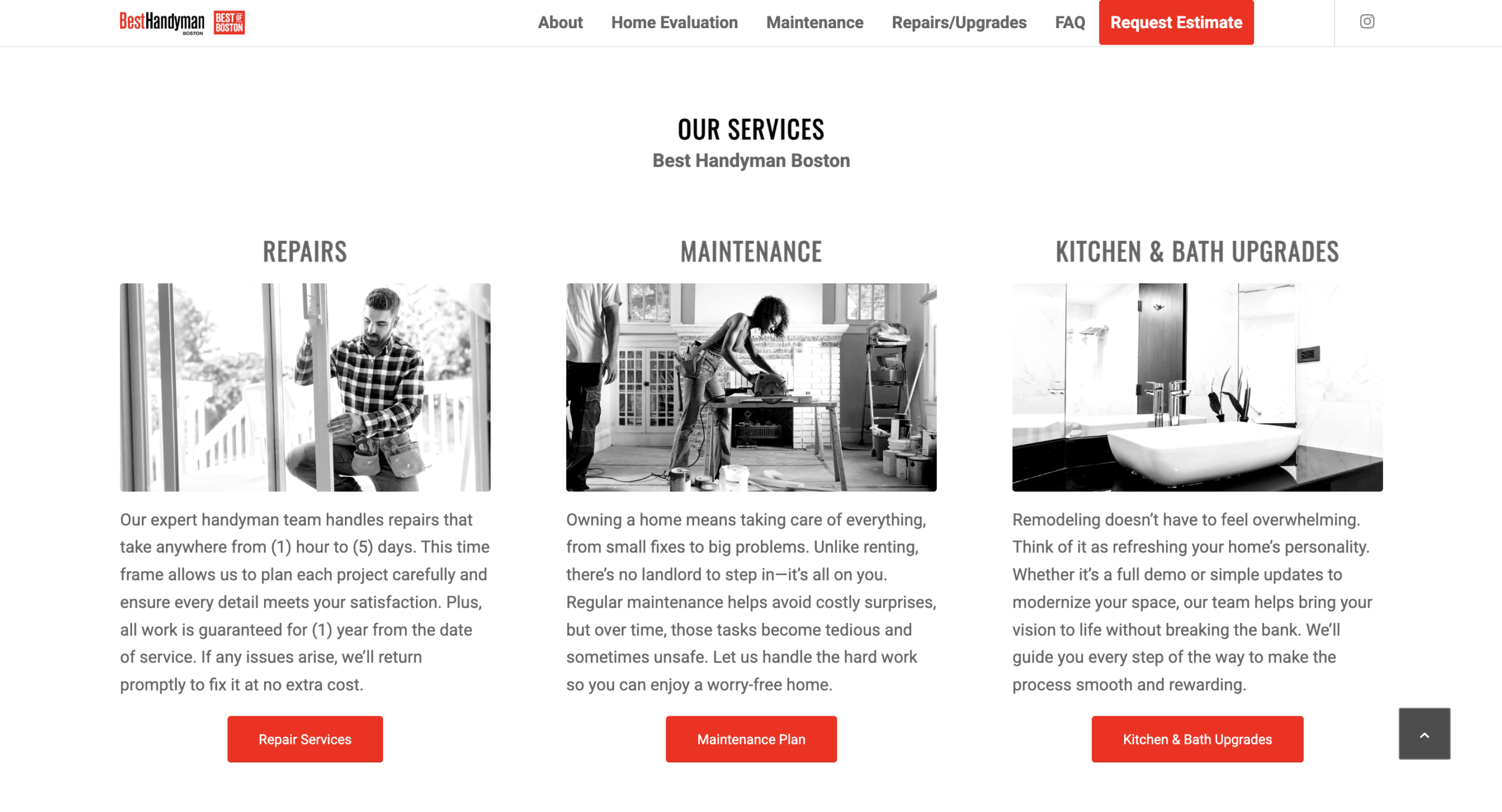
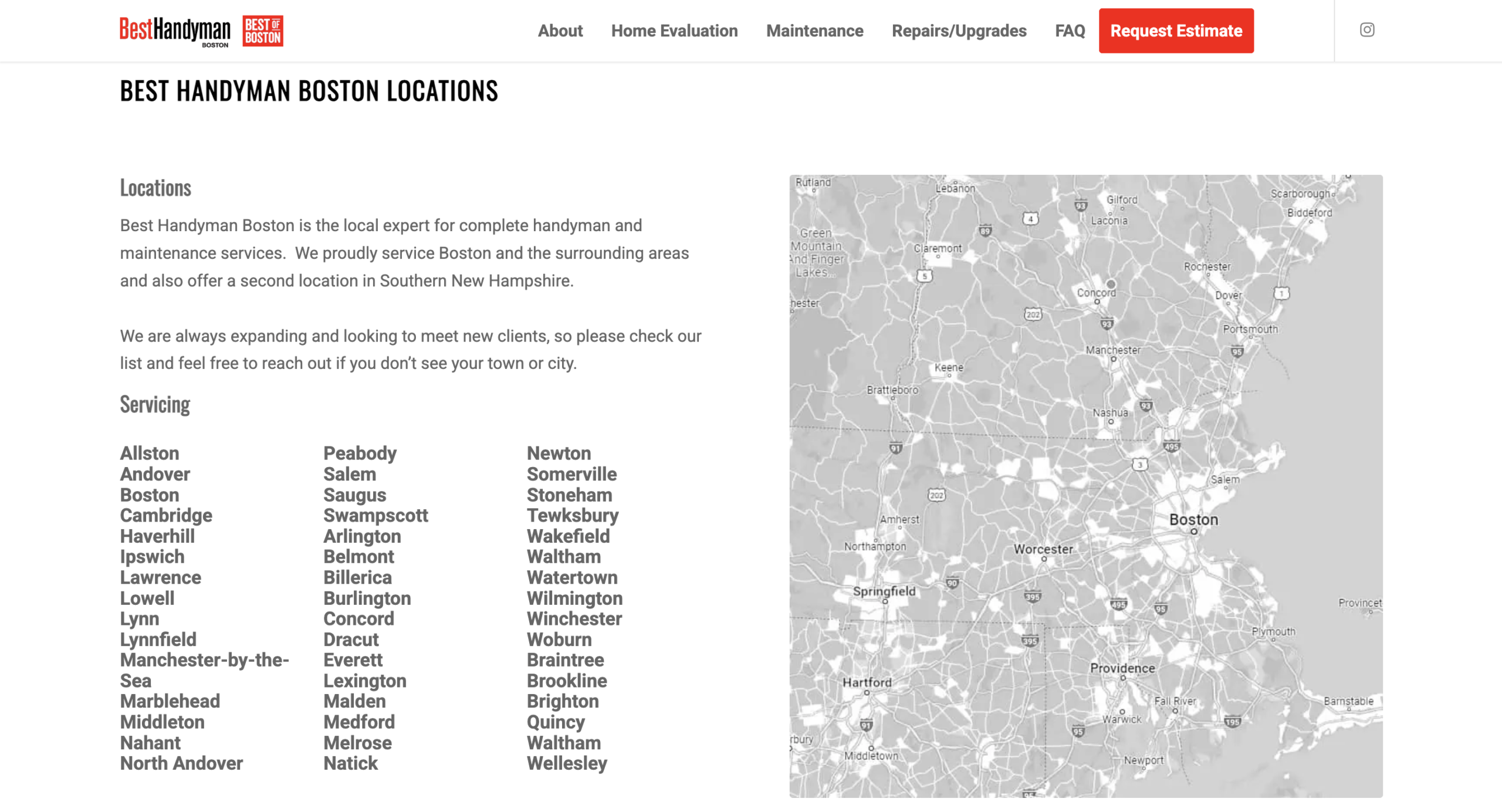
Homeowners should know within a few seconds whether you handle their type of project and serve their area. The Best Handyman Boston website makes both easy to confirm with clear service descriptions and local details.
Use your homepage to summarize your main services and the locations you serve. Then, link to more detailed service pages where homeowners can learn what’s included and whether you can provide the services they’re looking for.
Local information is important to include, too. Name the cities and neighborhoods you cover so visitors (and search engines) know the areas where you operate.
Top takeaway: Put your main services and service area near the top of your homepage. Make it easy for visitors to find your handyman services list and see whether their project is a good fit.
2. Everyday Handyman
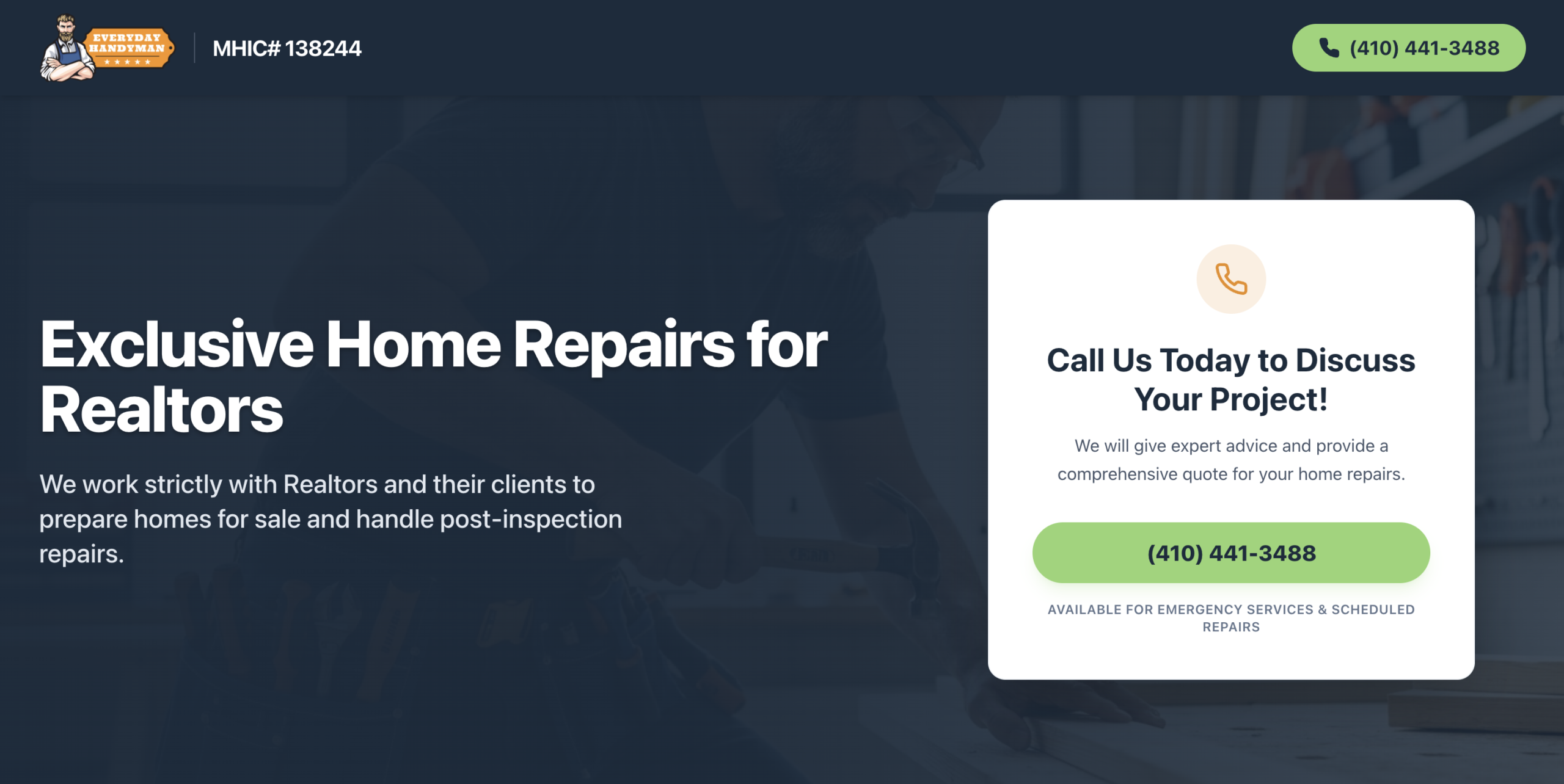
A handyman website doesn’t need to appeal to everyone—but it should speak directly to the type of customer you want to attract.
Everyday Handyman focuses its single-page website on a specific audience. This makes it easy for visitors to understand who the business works with—realtors and their clients—and whether its services are a good fit.
The site also keeps the contact process simple. Rather than offering several ways to get in touch, it emphasizes one option: calling the business. The phone number appears across the home page, so visitors don’t have to search for contact details when they’re ready to inquire.
This approach works particularly well if you serve a defined customer group and prefer to handle inquiries by phone.
Top takeaway: Be specific about the customers and projects you serve. You don’t need to offer every possible contact method, but make your preferred option visible and repeat it across your website so homeowners know how to reach you.
3. Zach of All Trades
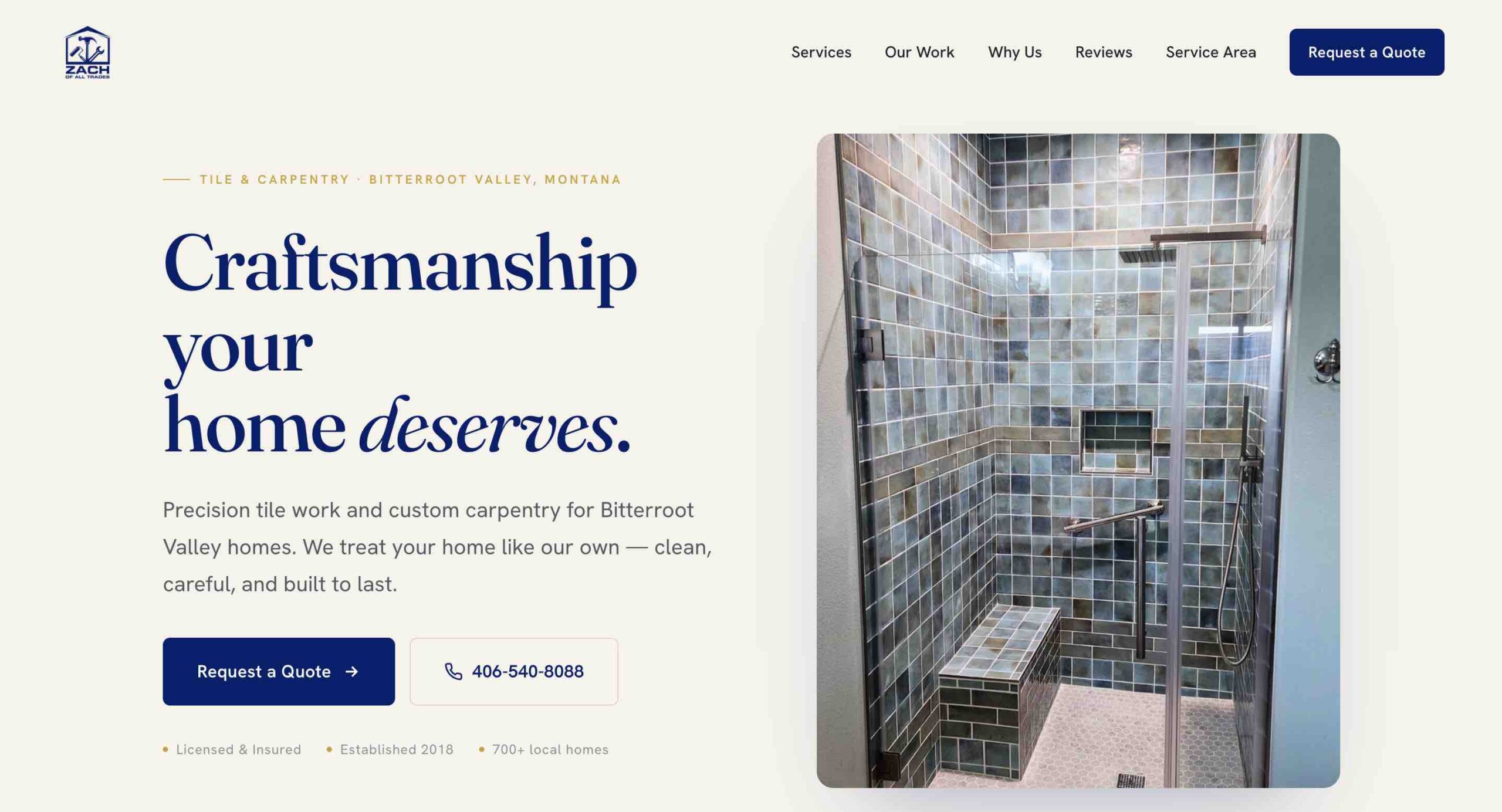
Project photos show homeowners the quality of your work and help them feel confident hiring you. Feature the types of repairs and improvements you want more of to attract similar jobs.
Consider the Zach of All Trades website when you’re looking to turn project examples into leads. The “Our Work” section gives visitors a better sense of the work they handle, while clear service information tells customers whether the company can take on their job.
They also include “Request a Quote” buttons across the site to make it easy for potential customers to submit their request.
Top takeaway: Add photos of completed projects and organize them by service when possible. Include a visible quote request button so visitors can contact you.
4. Handyman Mark
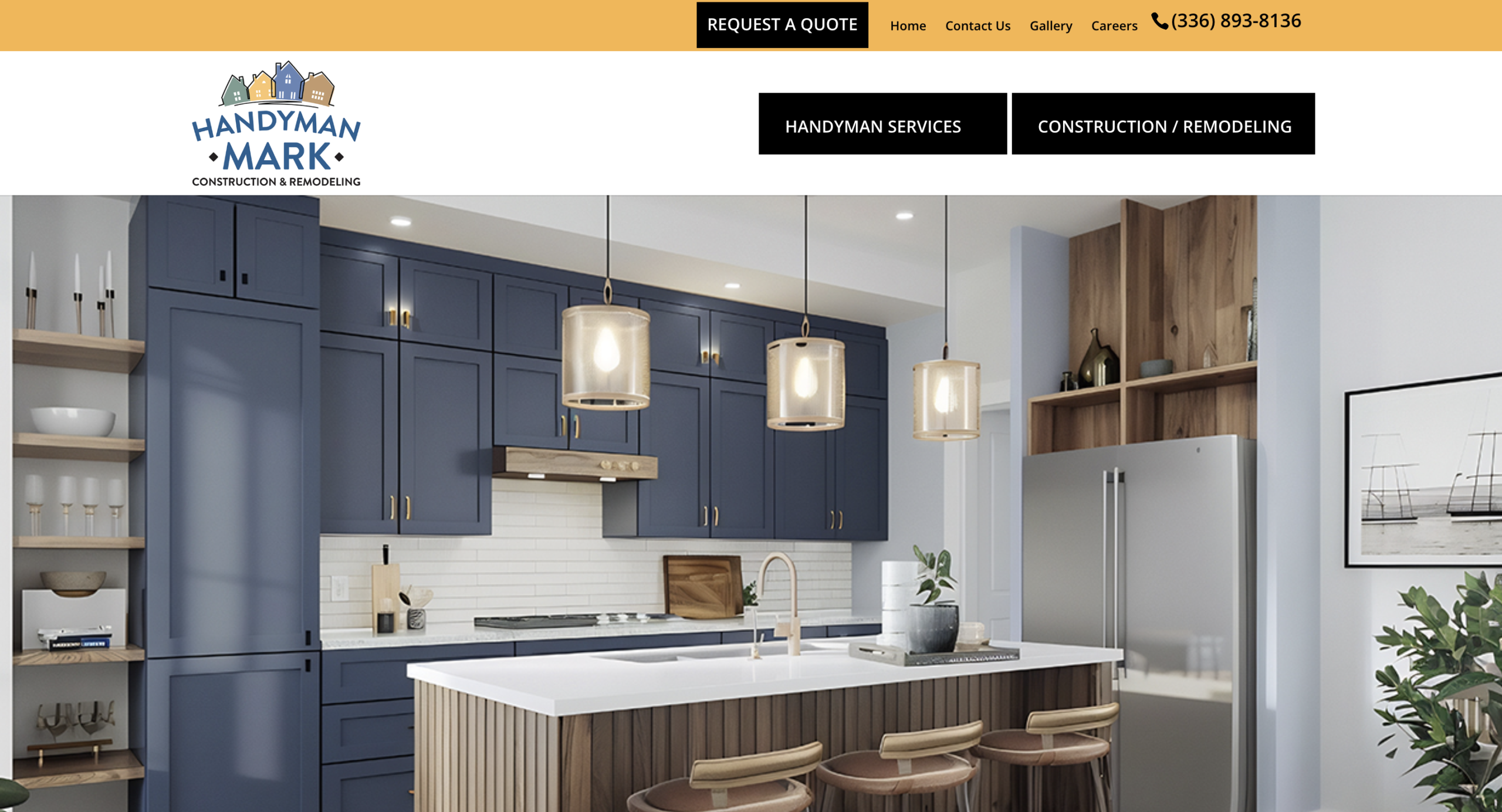
Show homeowners who’s behind your business and why they can trust you in their home. A professional design helps, but visitors also want information about the person or team doing the work.
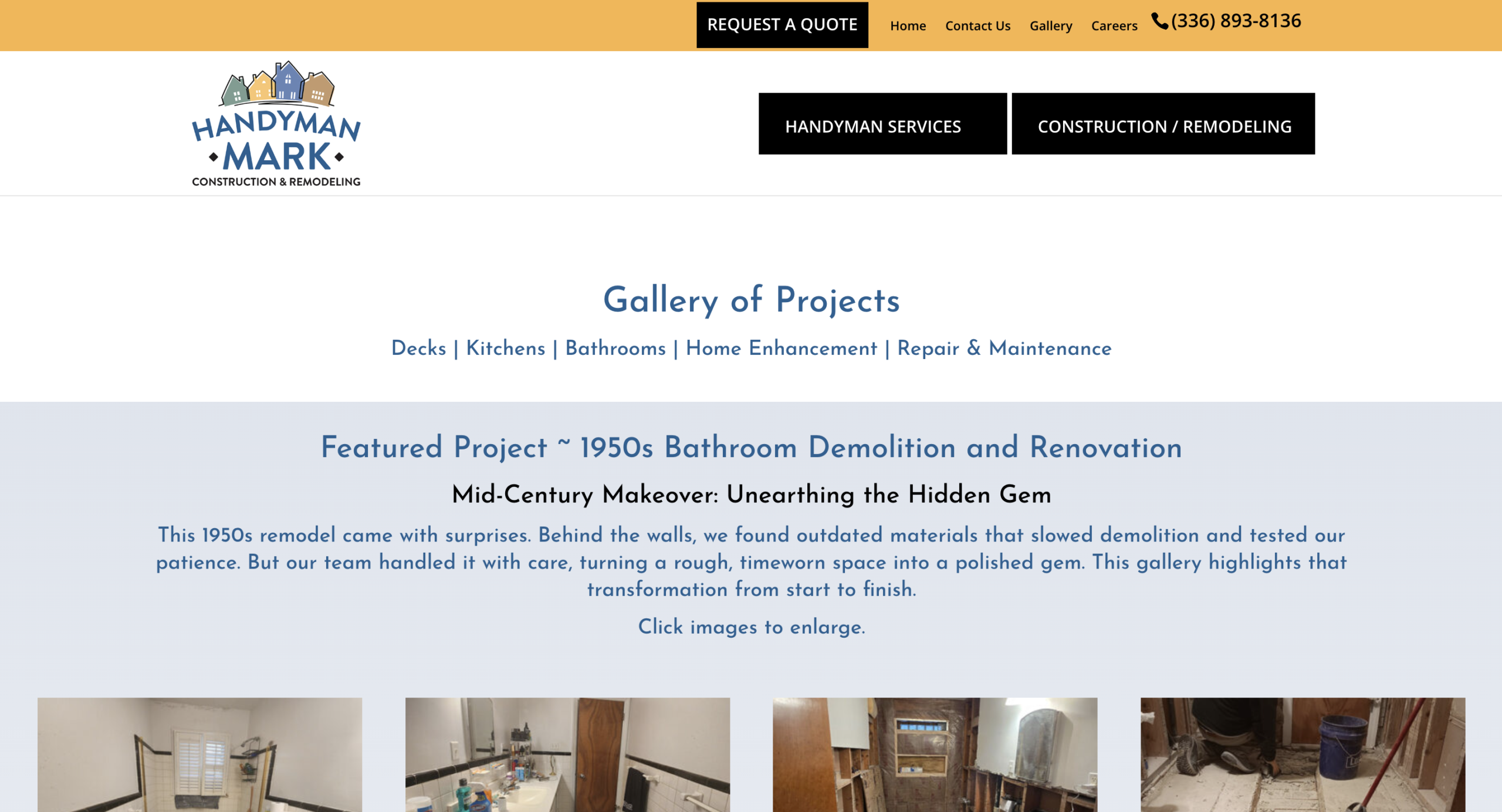
The Handyman Mark website is a good example of how to present your business background, trust signals, and project experience. For example, the company displays its “A+” BBB rating and warranty information to build trust.
Combine that information with examples of completed work and genuine customer feedback. These details give visitors several reasons to feel comfortable reaching out.
Top takeaway: Include a short business introduction, photos of yourself or your team, examples of completed projects, and customer reviews. If you have relevant handyman licensing and insurance, make sure the information is accurate and easy to find.
5. Handy Tec
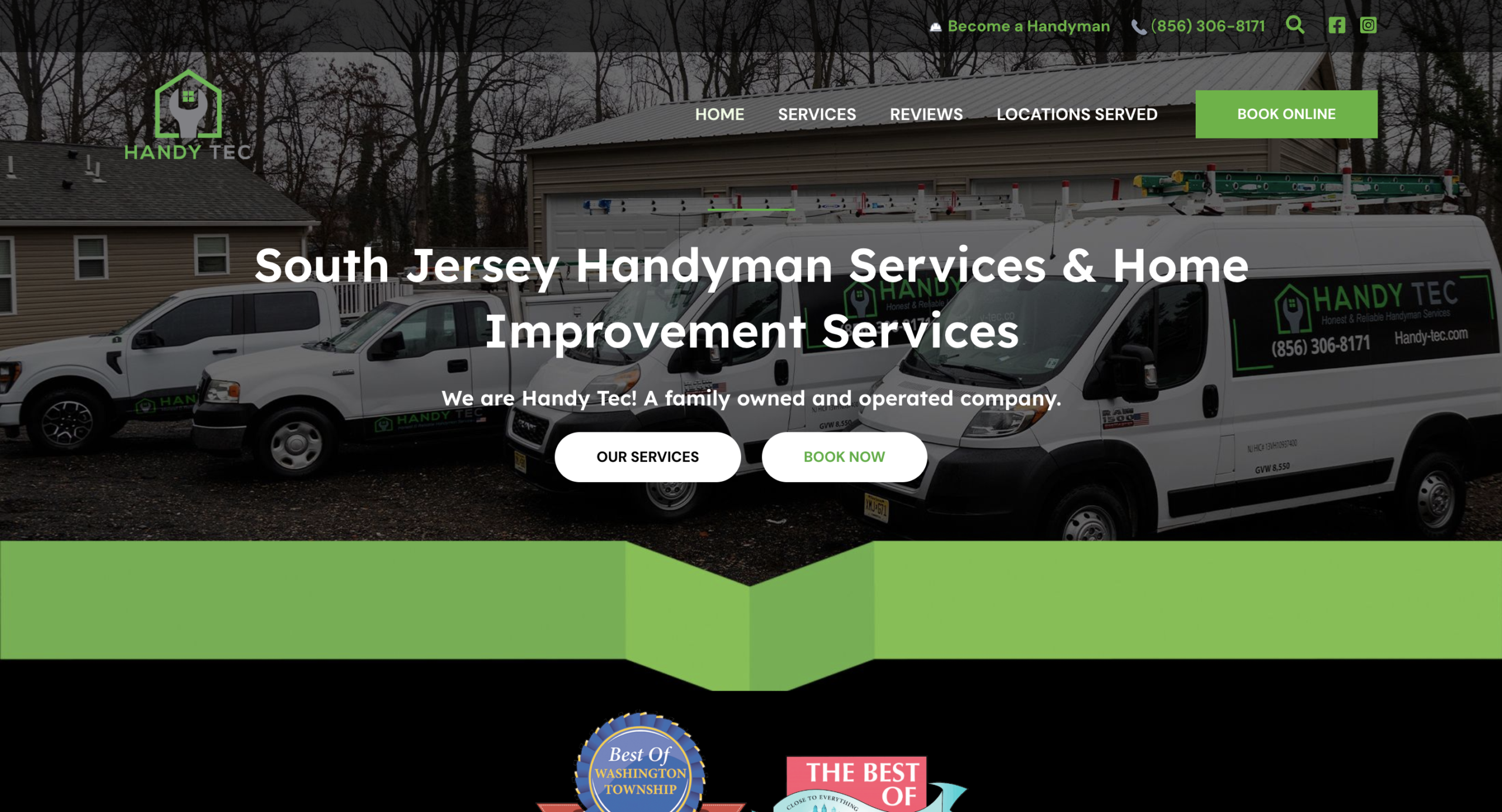
A potential customer is more likely to contact you when they know what happens next. Handy Tec makes this clear with an “Our Process” section that explains::
- When to expect a callback
- How to book an assessment
- How to approve a quote
- When work gets scheduled
This information helps set expectations before a homeowner submits a request. It also gives visitors a better understanding of how your business handles new inquiries.
Top takeaway: Add a short explanation of your estimate and scheduling process. For example, explain when you’ll respond, whether you offer on-site or online estimates, and how customers approve a quote and schedule the work.
6. Putnam Handyman Services
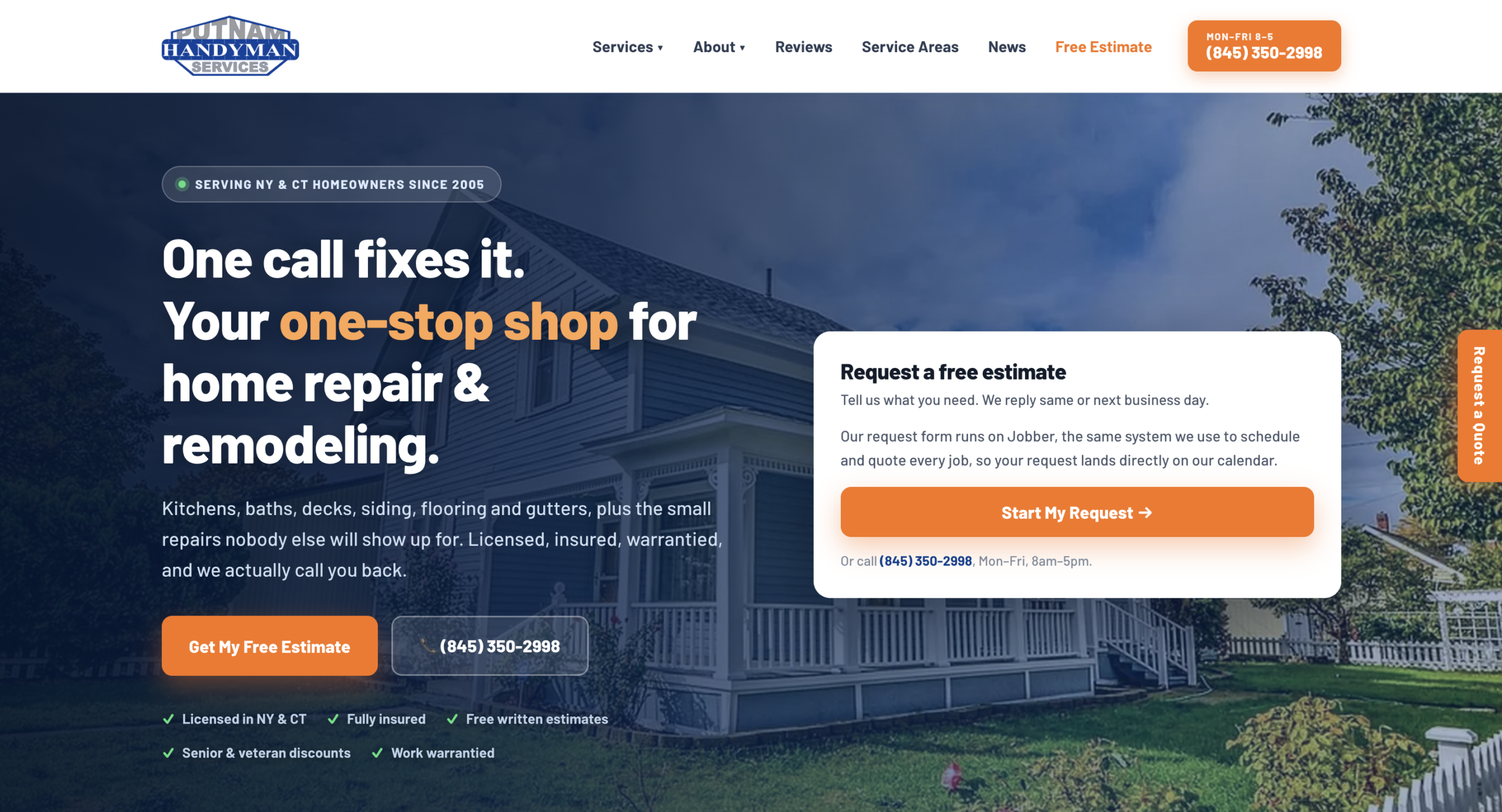
Help homeowners quickly confirm that you handle their project and serve their area. The Putnam Handyman Services website organizes its services into interior and exterior categories, making it easier to understand the types of projects the business can do.
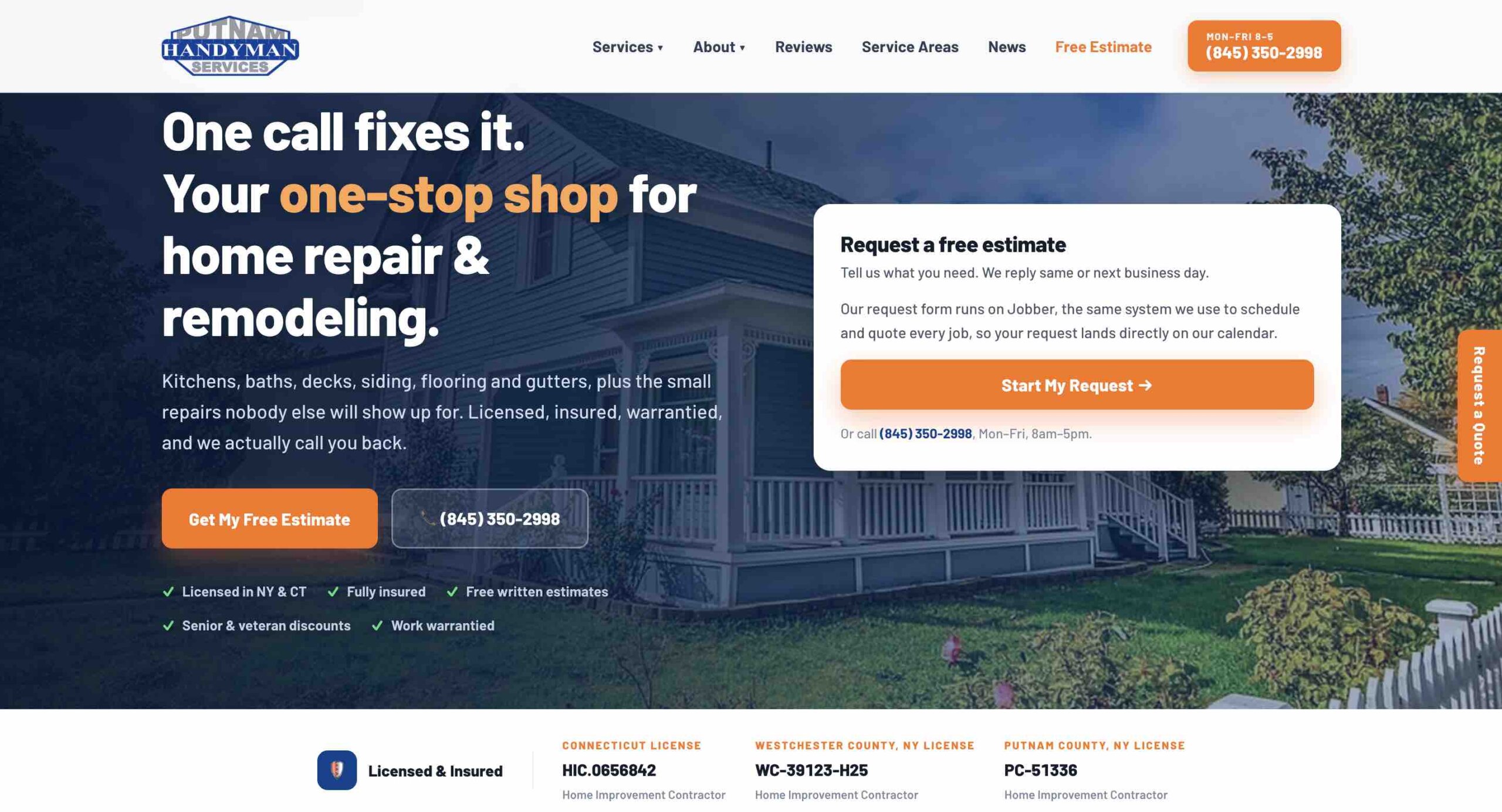
It also links to service area information and displays license details near the estimate section, giving homeowners key information where they’re ready to reach out.
The site backs up its credentials with license numbers and details about its insurance coverage instead of just saying “we’re licensed and insured,” which can be too vague.
Top takeaway: Organize services into clear categories, provide a dedicated service area section, and display credentials near your contact or estimate information. Make sure any licensing claims meet requirements in your area.
7. Hunkler Handyman
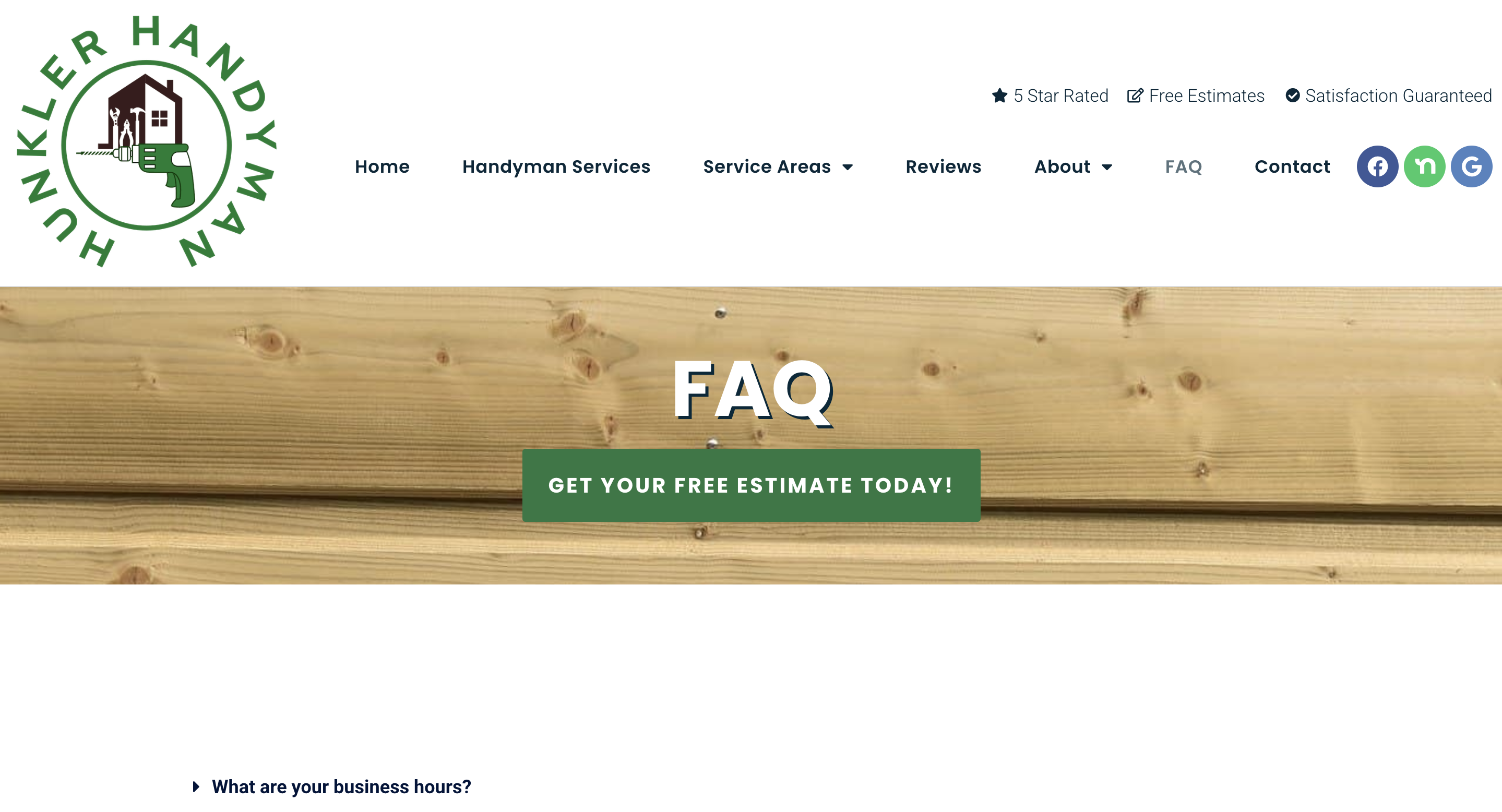
Answer common pricing questions on your website so homeowners can decide whether your services fit their budget. Explain your minimum charge and what affects the final estimate, such as materials, travel, and project complexity.
The Hunkler Handyman website’s FAQ page provides answers about its pricing and service policies. It explains minimum service call fees by location, when deposits or booking fees may apply, how estimates work, and which types of jobs the business doesn’t accept.
The page also covers practical details like payment methods, business hours, and service areas. This tells homeowners what to expect before contacting the business.
Top takeaway: Answer common pricing and service questions before visitors need to call. Explain your minimum charge, how you prepare estimates, which jobs you accept, and any payment or scheduling requirements.
Help homeowners choose your business and request an estimate
A good website helps homeowners decide if you’re the right person for their project and gives them a clear way to get in touch. Focus your handyman website design on four things: service information, credibility, helpful answers, and a simple estimate request process.
Show your services and service area
List what you do and where you work so homeowners can quickly confirm you’re a fit for their project.
Start by listing your main handyman services on your home page. Group related work into categories, like:
- Interior repairs: Drywall patching, painting, trim repair, door adjustments
- Installation: Light fixtures, ceiling fans, shelving, hardware
- Exterior maintenance: Deck repairs, fence repairs, gutter cleaning, pressure washing
- Home improvements: Bathroom updates, flooring, cabinetry, small renovation jobs
Link each category to a dedicated service page with more information about the work you perform. Explain which projects you accept, what the service includes, and any limitations homeowners should know about.
Your service area should be just as easy to find. List the cities, towns, and neighborhoods you cover rather than relying on a general statement like “[City] and surrounding area.” If you work across several communities, consider creating individual handyman service area pages.
Build trust with reviews, project photos, and credentials
Potential customers want to know you can complete their project properly and will treat their property with care. Your website should prove your experience and the quality of your work.
Use these types of content to build credibility:
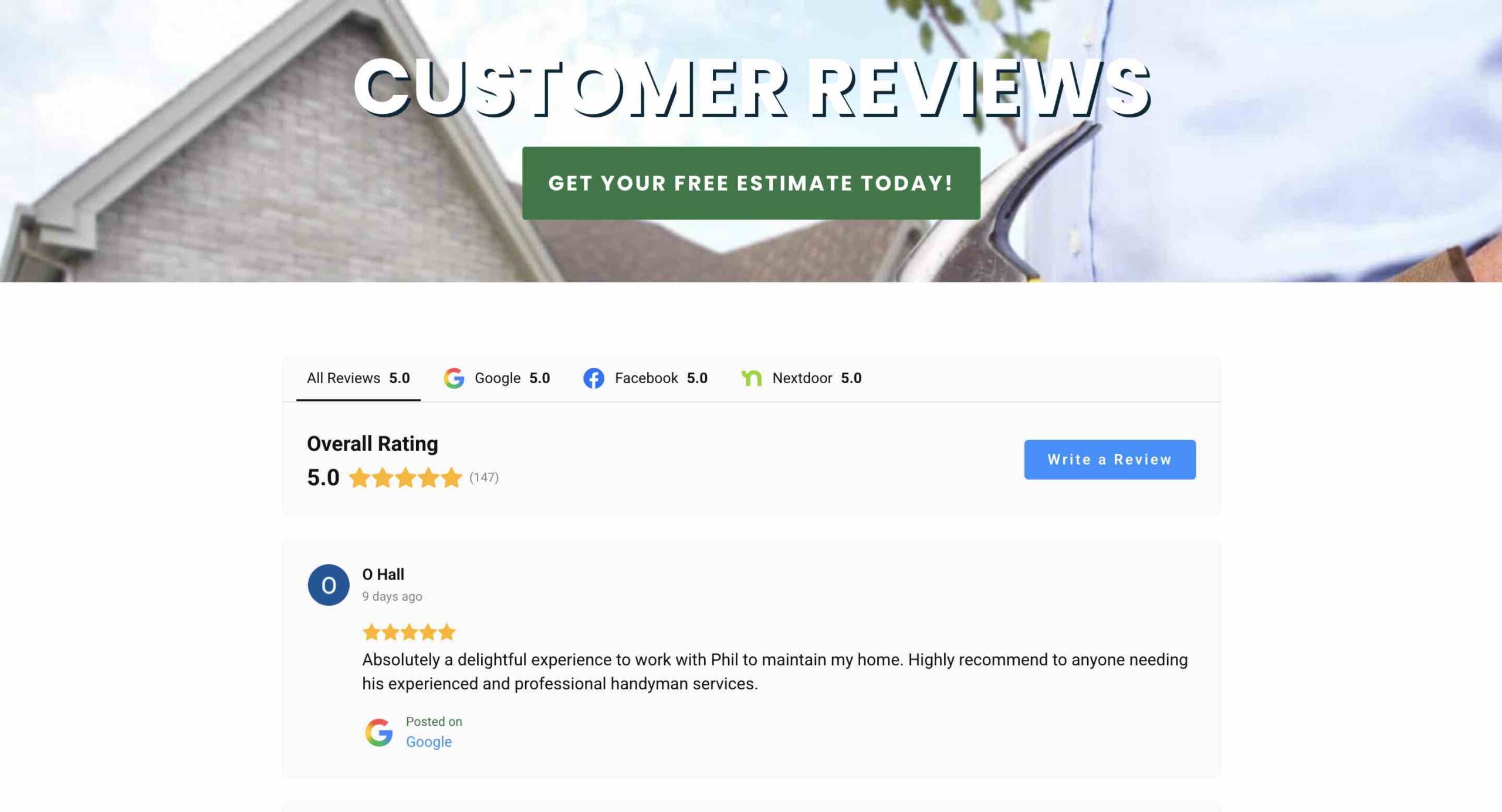
Customer reviews
Share feedback from real customers about your workmanship, communication, punctuality, and overall experience. Include the reviewer’s name or first name and last initial, but only if you have permission.
Project photos
Show completed work, including any before-and-after photos you have the customer’s permission to use. Add short captions explaining the problem, the work performed, and the result.
Business credentials
Display applicable licenses, insurance information, certifications, and professional memberships. Include specific details that customers can verify.
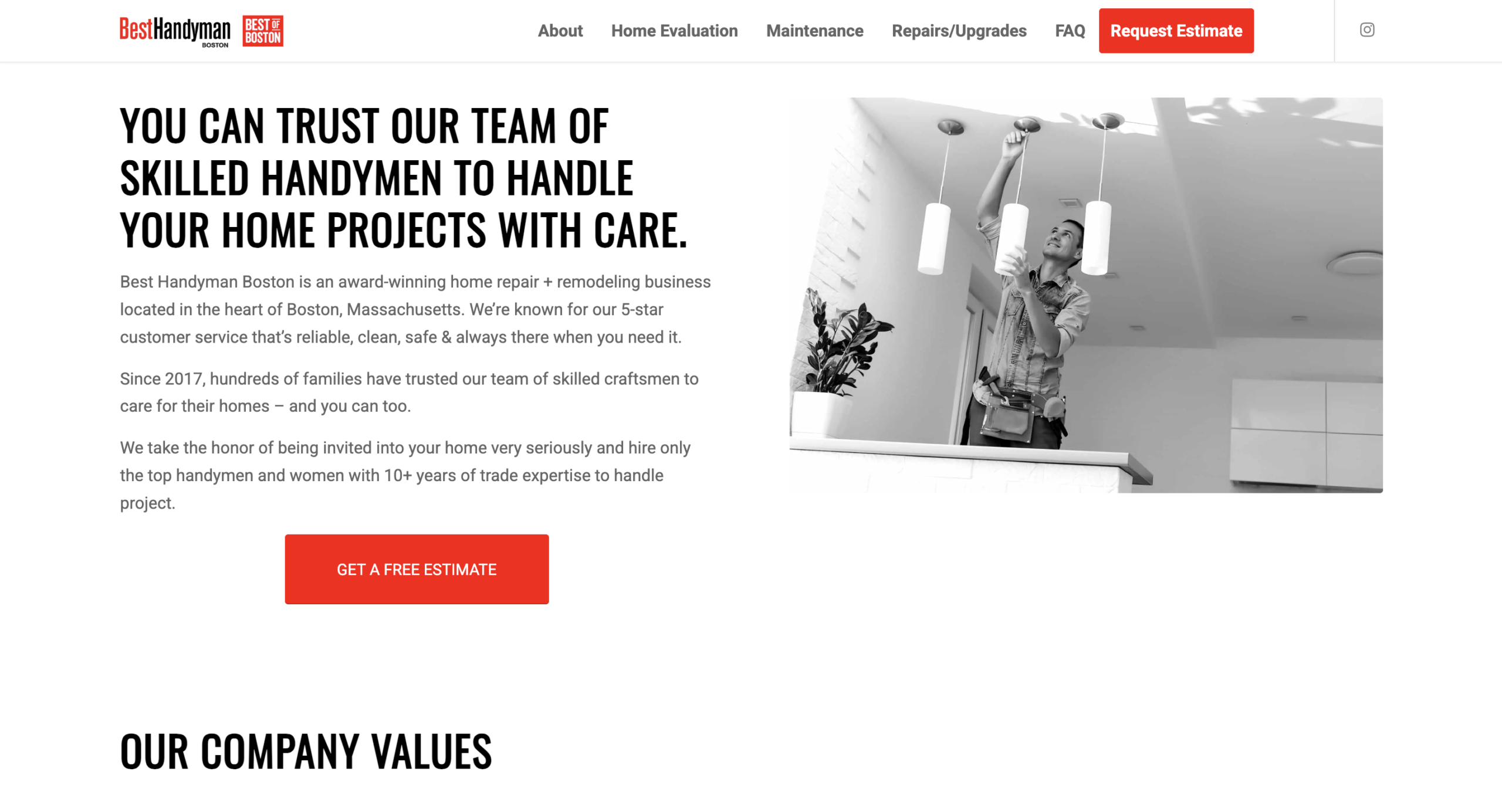
About page
Introduce yourself and your team, explain your experience, and share what customers can expect when working with your business. A real photo of you or your crew can help homeowners feel more comfortable inviting you into their homes.
Answer common questions about pricing and the process
Explain your pricing and what happens after an inquiry so homeowners feel ready to request an estimate. Answering these questions on your website helps visitors decide whether to contact you and reduces the time you spend responding to basic inquiries.
Start with questions about your handyman service pricing. You don’t necessarily need to publish a price for every service, but you should explain how you calculate estimates and what affects the final cost. For example, you could explain:
- If you charge by the hour, by the project, or a combination of both
- Your minimum service charge, if you have one
- How materials, travel, and disposal fees affect pricing
- Whether estimates are free or subject to a fee
- When customers need to pay a deposit
You can also explain what happens after someone contacts you. Tell potential customers how quickly you respond, whether you need photos or an on-site assessment, and how they can approve estimates and book work. An FAQ page is a good place to organize these answers.
Make requesting an estimate simple
Once a potential customer confirms you offer the right service and work in their area, they should be able to contact you without searching for your phone number or email address.
Use one primary call to action (CTA) throughout your website, like “Request an Estimate” or “Get a Quote.” Put the CTA in your main navigation, near your service descriptions, and at the end of important pages.
Your handyman online quote form should collect enough information to help you assess the project without making it difficult to complete. This can include:
- First and last name
- Phone number and email address
- Project description
- Service location
- Preferred timing
- Project photos
Here’s an example of what your quote request form could look like:
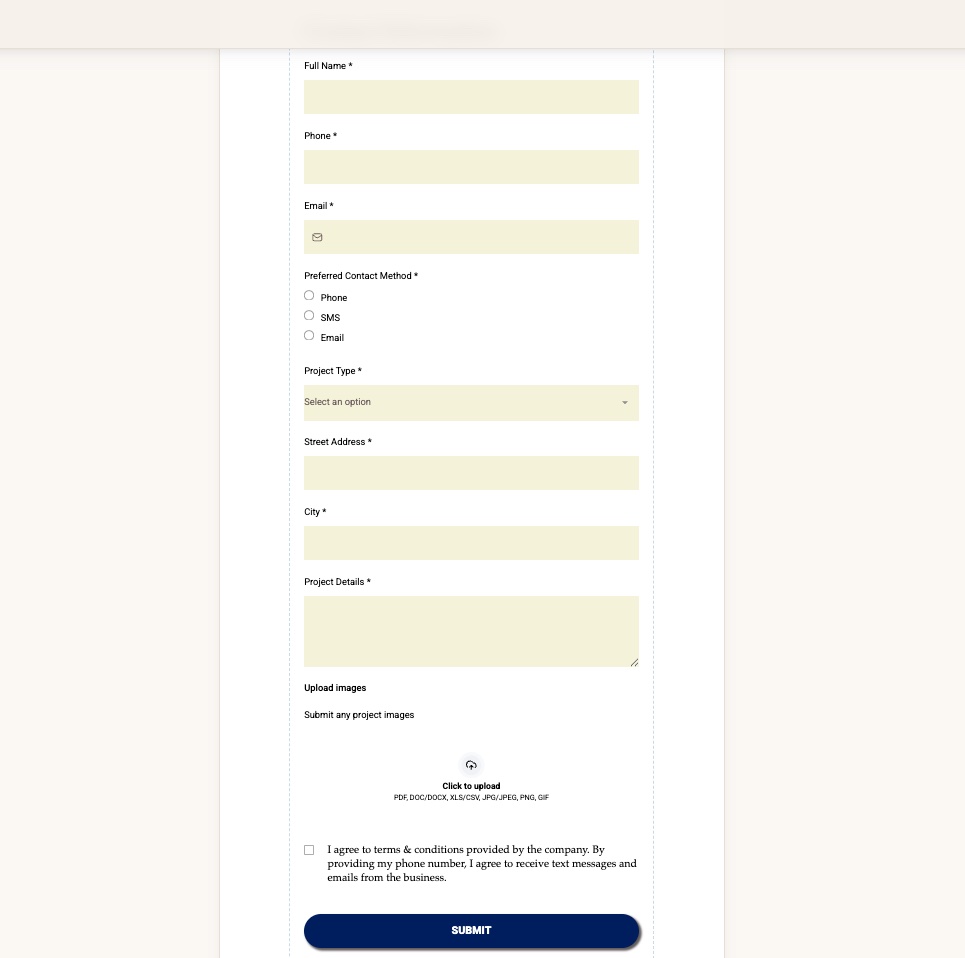
After the customer submits a request, tell them what happens next. For example, explain that you’ll review their information and contact them within one business day to discuss the project.
Add the essential pages to your handyman website
Your handyman website doesn’t need dozens of pages right away, but it should cover the basics customers need to evaluate your business.
Many websites miss key details: 74% of home service businesses don’t have an FAQ section on their website, while 43% don’t clearly list their service areas.
Start with these essential pages, then add more over time:
- Home: Introduce your business, main services, service area, and customer reviews, with a prominent estimate request CTA.
- Services: Offer a complete list of the work you perform, with links to individual service pages if you have them.
- Service area: List the cities, towns, and neighborhoods you cover, along with any travel limitations.
- Projects: Display photos of completed jobs with before-and-after images and short project descriptions.
- Reviews: Share testimonials from homeowners you’ve previously worked with.
- About: Describe your business background, experience, team members, and approach to customer service.
- Contact: Provide your phone number, email, business hours, service area, and estimate request form.
- FAQ: Give answers to common customer questions about services, pricing, estimates, scheduling, payments, and other topics.
How to build and optimize your handyman website
You can build a handyman services website yourself using a site builder or hire a professional to design one for you. Either way, focus on creating a site that clearly explains your services, has a mobile-friendly design, and makes it easy for local customers to contact you.
Follow these steps to get started.
1. Choose a domain and website builder
Your domain name is the web address people use to find your business. Choose something short, easy to remember, and closely related to your business name. For example, if your business is called Smith Home Repairs, try to secure “smithhomerepairs.com.”
Next, choose a handyman website builder. Pick a user-friendly builder like WordPress, Squarespace, or Wix so you can create your site without any coding knowledge. Look for a handyman website template that’s already designed and ready to fill in.
Compare the costs of website builders, hosting, domain registration, and any additional features you need. Some platforms offer free plans or bundled website services, while others charge monthly or annual fees.
2. Customize the design around your work
Your website should look professional, but it doesn’t need complicated graphics or animations. A clean, readable layout is the most important thing. Keep these design tips in mind:
- Use consistent branding and add your logo, business colors, and fonts to every page.
- Choose readable fonts with good contrast between text and backgrounds.
- Use real project photos, not generic stock images that don’t showcase your work.
- Keep navigation simple with labels like Services, Service Area, About, and Contact.
- Make buttons easy to find and use clear, consistent wording.
- Check mobile layouts to ensure content, photos, and forms work on smaller screens.
3. Make the site easy to find in local search
A website will generate more leads when potential customers can easily find it. Handyman website SEO (search engine optimization) helps your business show up in Google search results when people look for repair and home improvement services in your area.
Here are a few local SEO tips to try:
- Use keywords that potential customers use when looking for your services (e.g., “handyman services in [City]”).
- Include your business name, phone number, and location information consistently.
- Write unique page titles and meta descriptions that describe each page for search engines and explain what visitors will find on that page.
- Add descriptive headings and section titles (like the ones in this article) to organize your content on every page and make it easier to read.
- Connect the various pages of your site by linking to related service pages, location pages, and other content. This is called internal linking, and it shows search engines how your content fits together.
- Use descriptive image file names and alt text.
- Make sure your website loads properly on mobile devices.
Next, set up or update your Google Business Profile. This free listing helps customers find your business through Google Search and Maps. Complete your profile with accurate business information, services, hours, photos, and customer reviews.
4. Keep your website and listings current
Keep your website and business listings up to date so homeowners know what you offer, where you work, and how to reach you. Accurate information avoids confusion and helps you get inquiries that are likely to turn into paying work.
Regular maintenance doesn’t need to take much time. Set aside time every few months to review your website and make sure that:
- Services, service area, and contact details are accurate.
- Licensing and insurance information is current.
- Photos reflect the quality and types of work you perform.
- Customer reviews and testimonials are up to date.
- Estimate request forms and contact links work properly.
- Pricing information and FAQs reflect your current policies.
You should also update your Google Business Profile when your hours, services, or contact information change. If you complete a good project, add a photo to your website and profile, too.
Turn website inquiries into booked handyman jobs
Your website helps homeowners find your business and request work. Handyman business software like Jobber helps you turn those requests into scheduled jobs by keeping inquiries, project details, and follow-up organized in one place.
Create your website with Jobber Website
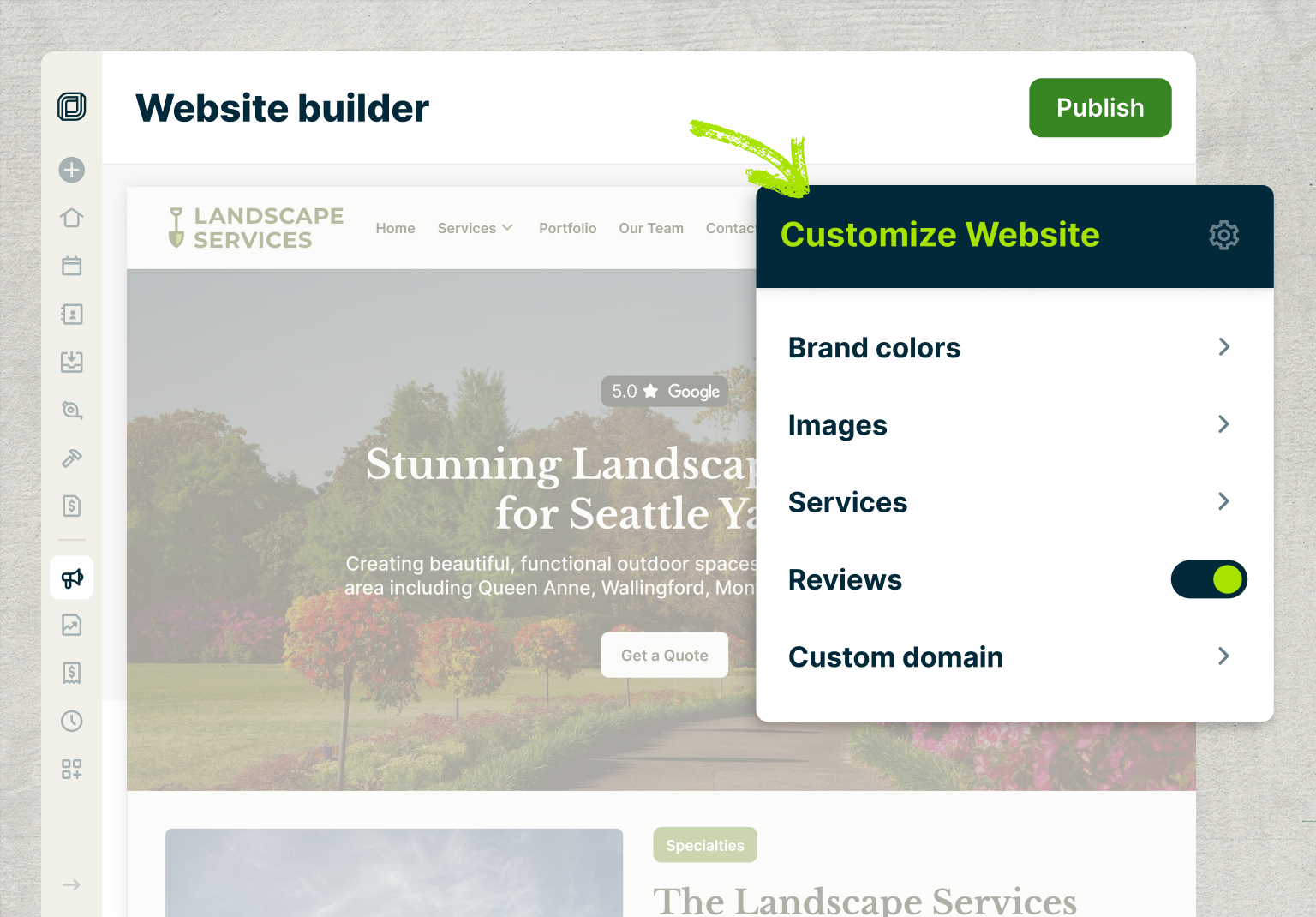
Jobber helps you create a professional website for your handyman business without hiring a developer or learning how to code. Build a site based on your company information and services, then customize it to reflect your business.
With a Jobber Website, you can:
- Create personalized, dedicated service pages that explain what you offer.
- Customize your branding with your business colors, logo, and project photos.
- Showcase customer reviews to help customers feel confident about contacting you.
- Answer FAQs about your pricing, services, and scheduling.
- Add request forms so customers can submit project details through your site.
- Manage your site’s local SEO to help local customers find your business.
Every Jobber plan includes a Jobber Website at no additional cost.
Collect project details with request forms and online booking
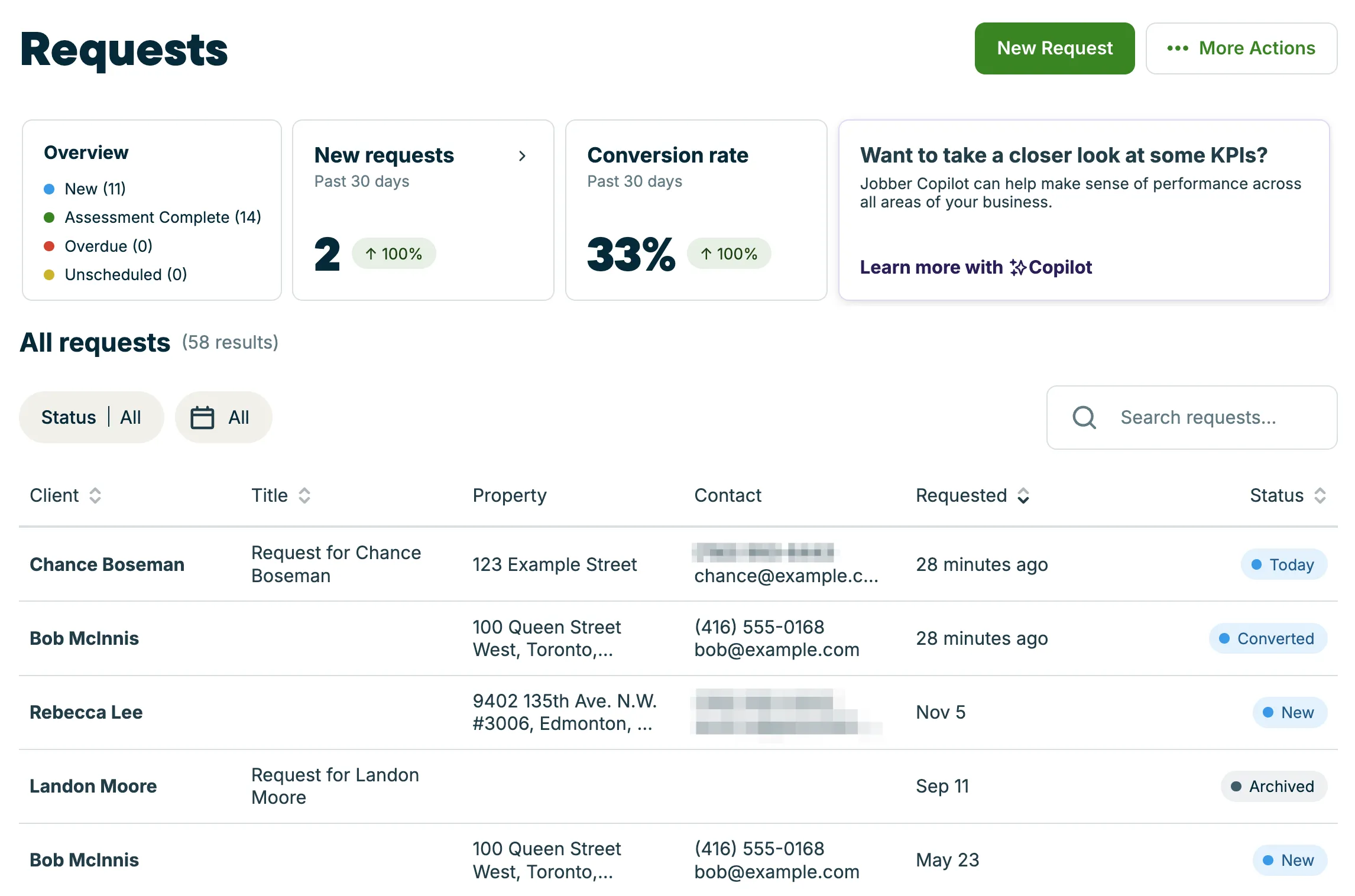
Jobber’s request forms let potential customers submit project information directly through your website. You can customize questions to collect their contact details, the type of work needed, project descriptions, and reference photos.
Requests are organized in Jobber so you can track new opportunities and move them toward an estimate or scheduled job.
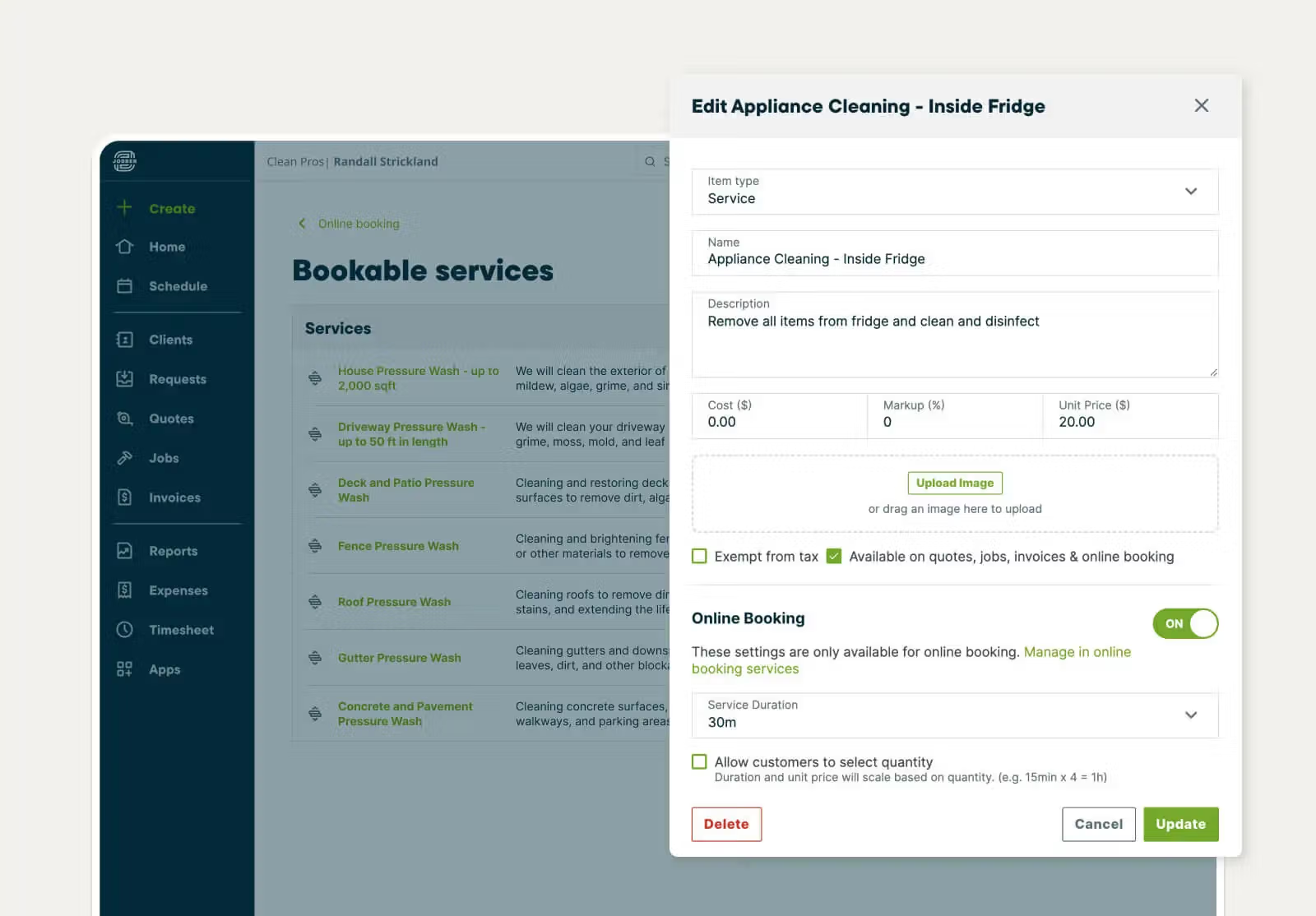
For services that don’t require an initial assessment, you can use online booking to let customers schedule work based on your availability.
You can choose which services customers can book, set scheduling preferences, and control when appointments are available. Online booking is available with select Jobber plans, while request forms are available with all current plans.
Together, these tools let potential customers contact your business while keeping your project information, estimates, and scheduling organized. See how Jobber’s handyman business software can help you manage more of your business in one place.
Common handyman website mistakes to avoid
Even a well-designed website can lose potential customers if important information is missing or difficult to find. Avoid these common mistakes when you’re building or updating your site:
| Common mistake | Why it’s a mistake | How to avoid it |
|---|---|---|
| Being vague about your services | A general statement like “We handle all your home repairs” doesn’t tell homeowners what you can specifically do. | List your specific services, explain which projects you accept, and be clear about whether you don’t handle certain types of work. |
| Hiding your service area | Visitors shouldn’t have to contact you just to find out whether you work in their neighborhood. | List the cities and communities you serve on your home page or a dedicated service area page. |
| Using generic photos instead of real project examples | Stock photos don’t show homeowners what your work looks like. | Use photos of completed projects, your team, and your equipment to help visitors understand your business. |
| Making unsupported trust claims | Visitors need a reason to believe what you’re saying about your company. | Use customer reviews, accurate credentials, and work examples to prove your experience. |
| Having too many competing calls to action | If there are too many options (e.g., “call now,” “book a visit,” “email us,” “request a quote”), visitors might not know which option to choose. | Give your website one primary CTA and use it consistently. |
| Forgetting to update business information | Incorrect business hours, outdated service lists, broken forms, and old contact details can create a poor customer experience. | Review your website and Google Business Profile regularly to keep information accurate. |
| Ignoring mobile visitors | If your website is difficult to navigate on a smaller screen, visitors looking at the site on their phones may leave before contacting you. | Test your website navigation, buttons, photos, and forms on mobile devices before publishing. |
Build a handyman website that turns visitors into customers
Your handyman website should make it easy for visitors to understand what you do, confirm your service area, and contact you for next steps. Focus on clear service information, real project photos, customer reviews, and a straightforward estimate request process.
As your business grows, keep your website updated to reflect your services, experience, and availability. Tools like Jobber Website can help you create a professional online presence, while request forms and online booking make it easier to turn website visits into qualified inquiries.
First published in July 2021. Last updated on November 13, 2026.
Frequently Asked Questions
-
A handyman website should include your:
• Business information
• Service list
• Service area
• Customer reviews
• Project photos
• About page
• Contact information
• Answers to FAQs
• Estimate request form -
These are some of the best handyman website examples, and each demonstrates a useful way to build trust with potential customers:
• Best Handyman Boston: Easy-to-find services and coverage area
• Handy Tec: Estimate and scheduling process explainer
• Putnam Handyman Services: Service categories and credentials
• Handyman Mark: Customer reviews and project examples -
These are just a few ways to improve lead qualification from your website:
• Make it easy for homeowners to understand your services, confirm you work in their area, and request an estimate.
• Use local keywords throughout your website, showcase completed projects, display genuine customer reviews, and include a prominent CTA on every important page.
• Offer a short online request form so customers can quickly indicate their interest and provide initial details, allowing you to follow up.
• Keep your Google Business Profile current and make sure your contact information matches what’s listed on your website. -
At a minimum, your handyman website should have a home page, as well as Services, About, and Contact pages. Include your service area information and consider adding a project gallery, customer reviews, and an FAQ. If you offer several different services, create individual service pages to explain each one in more detail.
-
The cost depends on how you build your website and how much customization you need. For example:
• A DIY website builder is a lower-cost option because you can create and update pages yourself. However, you’ll need to account for subscription fees, domain registration, and hosting.
• Hiring a professional web designer or developer will cost more, especially if you need custom layouts, advanced features and functionality, or ongoing maintenance.
Compare the costs and features of different options before choosing a platform. -
Here’s how to improve your visibility in local search results:
• Use relevant service and location keywords throughout your website.
• Create dedicated pages for your main services.
• List the neighborhoods and communities you serve.
• Make sure page titles and descriptions accurately reflect your content.
• Create and maintain a Google Business Profile with accurate business information.
• Encourage satisfied customers to leave online reviews.
• Keep your website updated as your business grows and changes.
Local SEO takes time to build. Focus on providing useful information and maintaining an accurate online presence, and it won’t be long before your site appears in local search results.